# 2D segy data in Paraview
**URL:** https://discourse.paraview.org/t/2d-segy-data-in-paraview/9505
**Category:** ParaView Support
**Created:** [April 24, 2022, 3:51am UTC](https://discourse.paraview.org/t/2d-segy-data-in-paraview/9505 "2022-04-24T03:51:20Z")
**Posts on this page:** 6
**Page:** 1
### Author:  [@Crown](https://discourse.paraview.org/u/Crown)
#### Post date: [April 24, 2022, 3:51am UTC](https://discourse.paraview.org/t/2d-segy-data-in-paraview/9505/1 "2022-04-24T03:51:20Z")
Hello,
I want to know if Paraview can be used to view 2D seismic data in segy format. The data is just one line.
---
### Author:  [@Venke](https://discourse.paraview.org/u/Venke)
#### Post date: [April 25, 2022, 6:58am UTC](https://discourse.paraview.org/t/2d-segy-data-in-paraview/9505/2 "2022-04-25T06:58:03Z")
Just use File → Open… in the Prperty Editor, specify which bytes are holding the coordinates. Hit Apply.
I haven’t used segy data for a while. When loading a file holding several profiles, I noticed that Paraview connects these. Might have been solved by now… However, if you have a single profile, this is not an issue anyways.
---
### Author:  [@Crown](https://discourse.paraview.org/u/Crown)
#### Post date: [April 27, 2022, 10:18pm UTC](https://discourse.paraview.org/t/2d-segy-data-in-paraview/9505/3 "2022-04-27T22:18:32Z")
[S7\_S7\_D.sgy](https://discourse.paraview.org/uploads/short-url/aoXMxsXdMH2Zne755rseBqUORQu.sgy) (301.6 KB)
Hi Venke,
Thank you for your response. I tried that but it didn’t work. I have attached my segy file, I will appreciate if you can help with that.
---
### Author:  [@Venke](https://discourse.paraview.org/u/Venke)
#### Post date: [April 28, 2022, 11:31am UTC](https://discourse.paraview.org/t/2d-segy-data-in-paraview/9505/4 "2022-04-28T11:31:16Z")
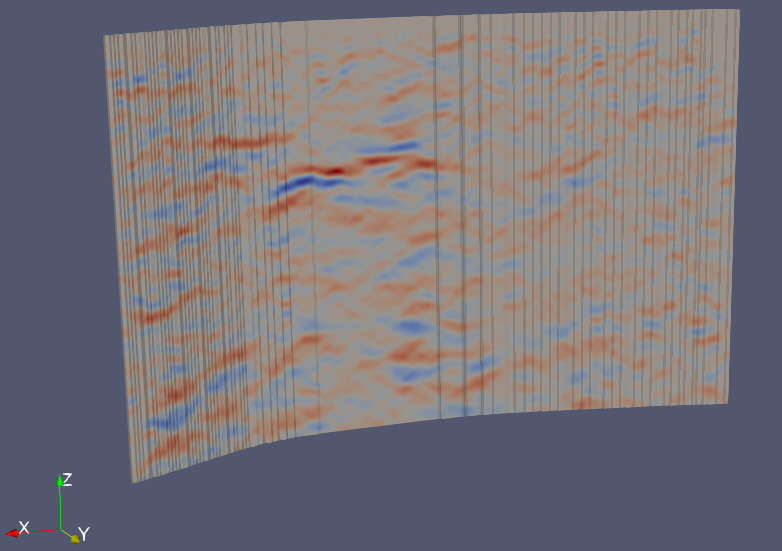
Just opening the file in PV 5.10.0 without changing any default values seems OK to me. What do you think doesn’t work?
---
### Author:  [@Crown](https://discourse.paraview.org/u/Crown)
#### Post date: [May 7, 2022, 5:42am UTC](https://discourse.paraview.org/t/2d-segy-data-in-paraview/9505/5 "2022-05-07T05:42:30Z")
Thank you Venke. I have been able to do that. But is it possible to remove the black lines showing on the image?
---
### Author:  [@Venke](https://discourse.paraview.org/u/Venke)
#### Post date: [May 9, 2022, 6:37am UTC](https://discourse.paraview.org/t/2d-segy-data-in-paraview/9505/6 "2022-05-09T06:37:45Z")
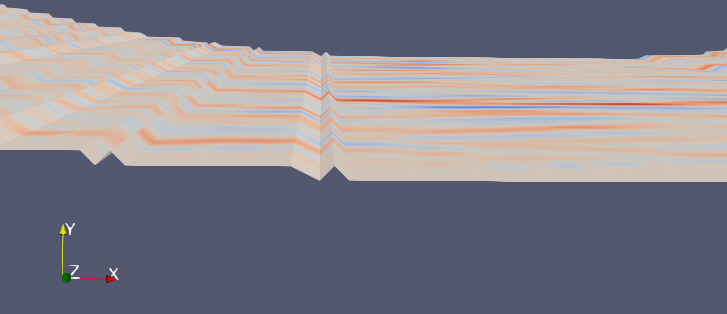
You can use the Lighting Settings, especially “Ambient” and “Diffuse” to make the image look better. The lines are crinkles in your data (made visible by the shading, see attached image with view from above), looks like a rounding issue in your coordinates.
Maybe there are other bytes with “better” coordinates in your data, or you can manipulate the coordinates such that the profile is smooth?