# Adding a context menu to ParaView
**URL:** https://discourse.paraview.org/t/adding-a-context-menu-to-paraview/6344
**Category:** Tips and Tricks
**Created:** [January 30, 2021, 2:17am UTC](https://discourse.paraview.org/t/adding-a-context-menu-to-paraview/6344 "2021-01-30T02:17:26Z")
**Posts on this page:** 1
**Page:** 1
### Author:  [@dcthomp](https://discourse.paraview.org/u/dcthomp)
#### Post date: [January 30, 2021, 2:17am UTC](https://discourse.paraview.org/t/adding-a-context-menu-to-paraview/6344/1 "2021-01-30T02:17:26Z")
## Description
ParaView (as soon as [MR 3315](https://gitlab.kitware.com/paraview/paraview/-/merge_requests/3315) is merged) is gaining the ability to show user-provided context-menus provided in plugins. This is accomplished via a new interface class:
```c++
class pqContextMenuInterface
{
public:
virtual bool contextMenu(
QMenu* menu, //!< Add to this menu in your implementation
pqView* viewContext, //!< The view the user right-clicked in
const QPoint& viewPoint, //!< Where the user clicked
pqRepresentation* dataContext, //!< The representation clicked on
const QList& dataBlockContext //!< Block(s) clicked
) const = 0;
virtual int priority() const { return -1; }
};
```
To add to the context menu, subclass `pqContextMenuInterface` and add to the `menu` passed into the `contextMenu` method.
## The Default Menu and Item Order
The `priority()` method returns an integer used to sort all the registered context-menu subclasses (in descending value). Each time the user right-clicks, the sorted list of pqContextMenuInterface objects is invoked until one returns true or the entire list is processed. If each plugin appends to the `menu`, then the priority will determine the order of the items in the menu.
ParaView’s default menu is implemented by the `pqDefaultContextMenu`, which has a priority of 0. If you use a negative priority, your menu items will be below the default items. If you use a positive priority, your menu will appear at the top of the context menu. If you use a positive priority and your plugin’s interface returns true, then the default menu will not appear at all because processing of context-menu interfaces will terminate early.
## Context Specificity
A lot of information is passed into the interface’s `contextMenu()` method. Use as much of it as possible to keep the context menu simple and focused, rather than busy and feature-complete; context menus are not intended to list all possible actions — only the most frequent and useful so that it is easy to navigate.
To that end, consider using the arguments of `contextMenu()` to
- Only add menu items to representations or pipeline objects that make sense. It is possible, for instance, to only add menu items when a particular source or filter is clicked.
- Choose carefully how to use the list of active block indices passed in. For example, does your menu action only make sense when a single block is selected? Only show it then. Is your menu action most useful when applied to all blocks? all selected blocks? Only provide one menu item if possible and make it clear what block(s) it will act on.
- Be aware that the parameters may be null or empty when users click over the background rather than over a pipeline object. Avoid adding menu items that need a selection to work if nothing is selected.
- You should also avoid adding menu items when the view type is unsupported.
## Example
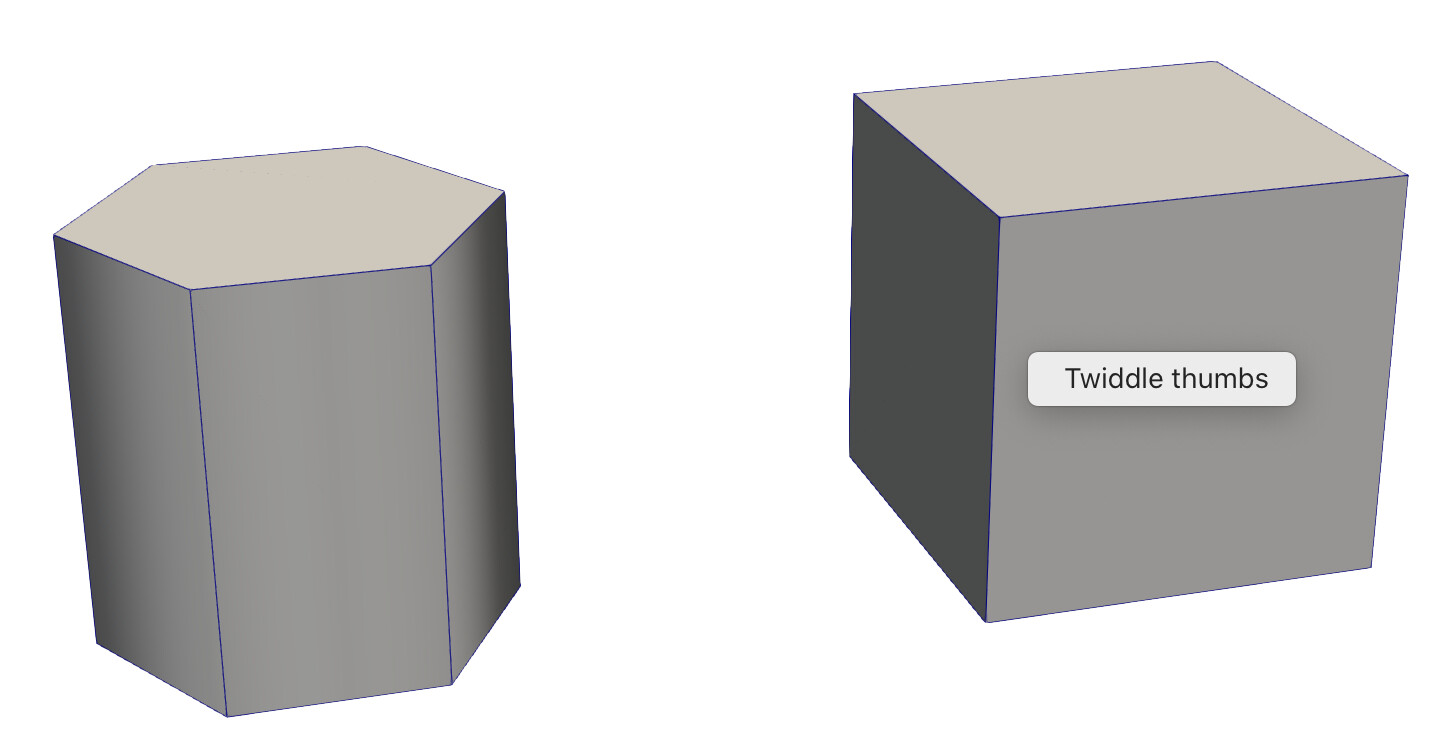
ParaView comes with an example plugin in `Examples/Plugins/ContextMenu`. This plugin overrides ParaView’s context menu, but only when right-clicking on a _Box_ source. In this case, it provides a single menu item named _Twiddle thumbs_ that prints a message to the console. The screenshot below shows the context menu in action in a scene with a cylinder-source (left) and a box-source (right):
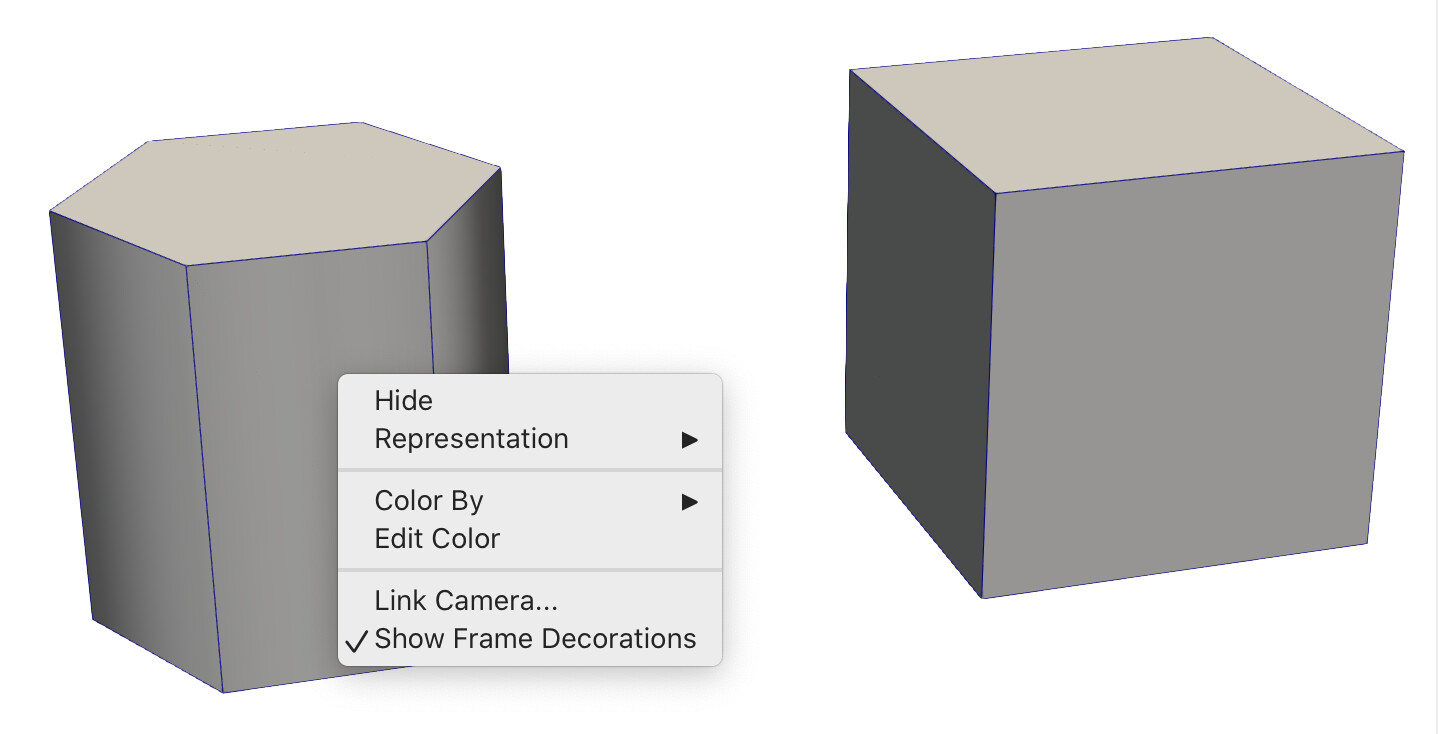
There are places in the example with comments that indicate how to experiment with priority and return values to achieve different menu effects. It also demonstrates how to make a menu aware of the type of source/filter selected by the user’s click. This means that the default menu is used when clicking on the cylinder source:
The new menu will be used when the example plugin is loaded; if you see the default context menu, be sure to check that the plugin is loaded.