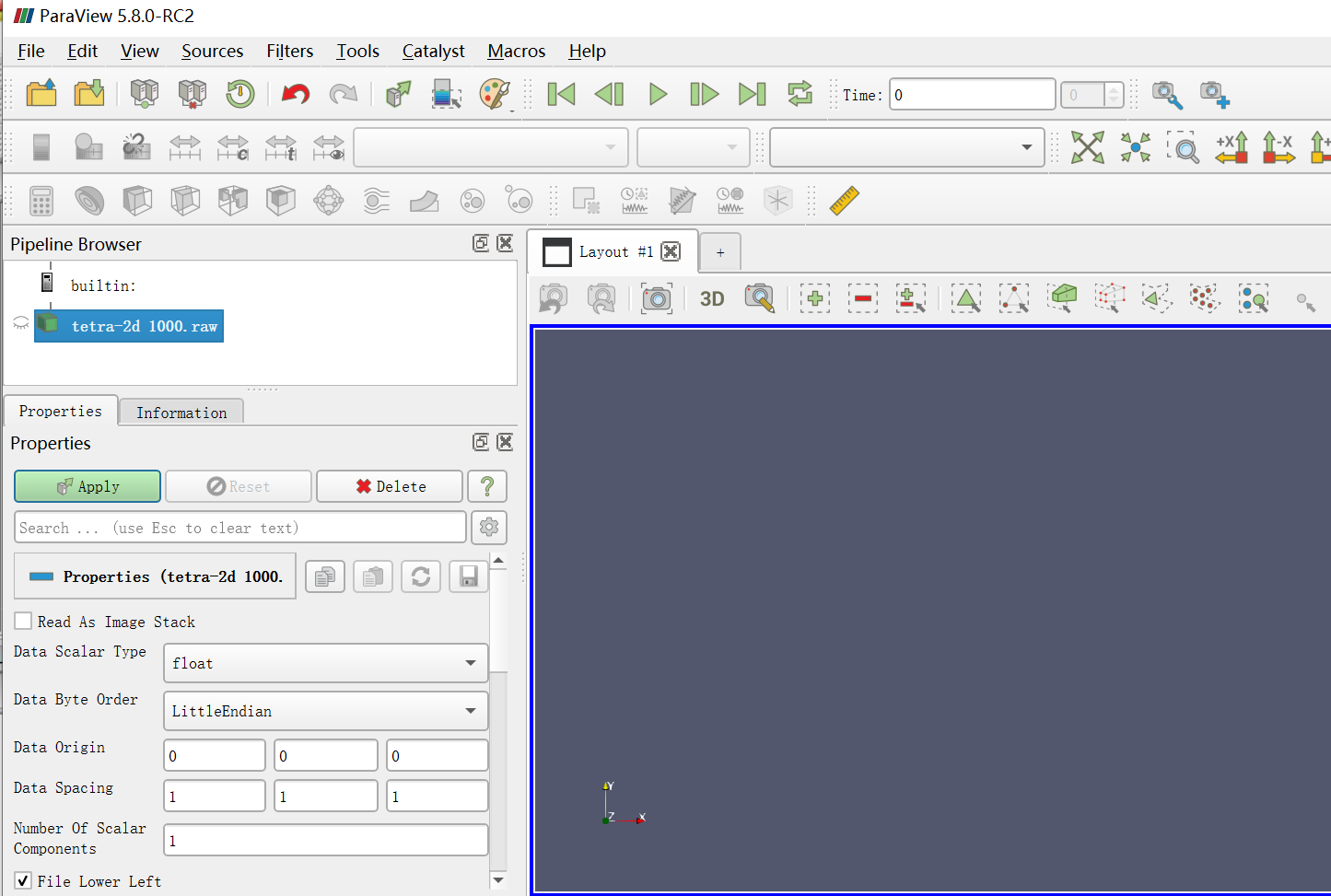
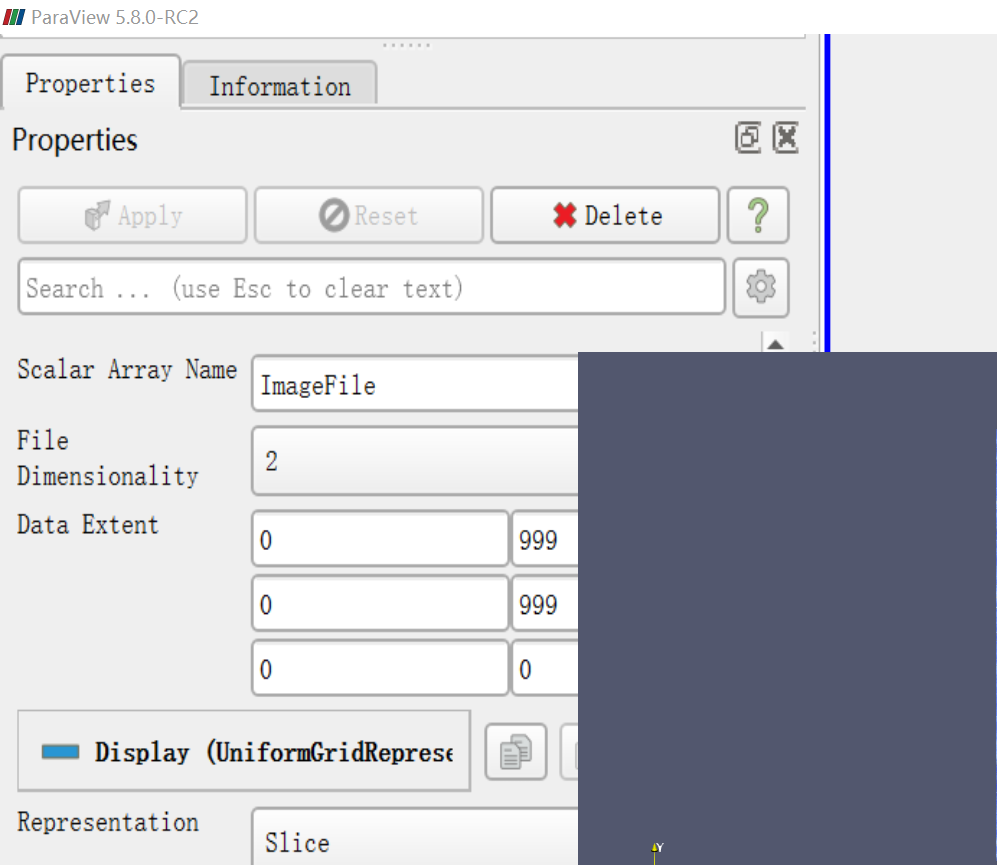
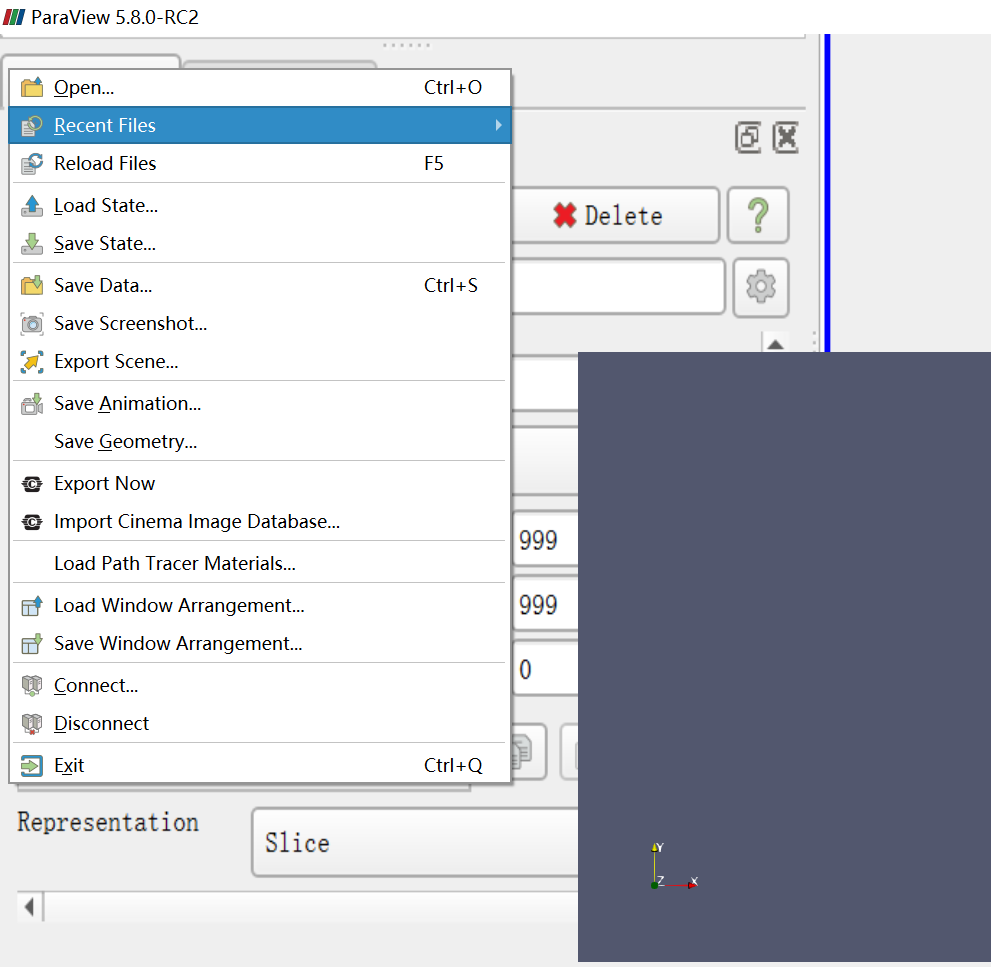
# after clicking the button "apply" to apply my properties settings to my raw picture, the whole interface expands and cover the true interface.
**URL:** https://discourse.paraview.org/t/after-clicking-the-button-apply-to-apply-my-properties-settings-to-my-raw-picture-the-whole-interface-expands-and-cover-the-true-interface/3546
**Category:** ParaView Support
**Created:** [February 11, 2020, 1:04pm UTC](https://discourse.paraview.org/t/after-clicking-the-button-apply-to-apply-my-properties-settings-to-my-raw-picture-the-whole-interface-expands-and-cover-the-true-interface/3546 "2020-02-11T13:04:44Z")
**Posts on this page:** 4
**Page:** 1
### Author:  [@Cindy](https://discourse.paraview.org/u/Cindy)
#### Post date: [February 11, 2020, 1:04pm UTC](https://discourse.paraview.org/t/after-clicking-the-button-apply-to-apply-my-properties-settings-to-my-raw-picture-the-whole-interface-expands-and-cover-the-true-interface/3546/1 "2020-02-11T13:04:44Z")
after clicking the button “apply” to apply my properties settings to my raw picture, the whole interface expands and cover the true interface.
first:
after clicking, show in my screen:
the reality buttons still exist, which are hidden.
---
### Author:  [@theodorebaltis](https://discourse.paraview.org/u/theodorebaltis)
#### Post date: [February 11, 2020, 2:41pm UTC](https://discourse.paraview.org/t/after-clicking-the-button-apply-to-apply-my-properties-settings-to-my-raw-picture-the-whole-interface-expands-and-cover-the-true-interface/3546/2 "2020-02-11T14:41:30Z")
Intel driver issue.
Discussed [here](https://discourse.paraview.org/t/paraview-visualization-distorted-after-apply/3248) and [here](https://discourse.paraview.org/t/paraview-screen-breaking-up/3473)
Downgrade/updgrade Intel drivers or use NVidia dedicated GPU if available.
---
### Author:  [@mcrossleyuk](https://discourse.paraview.org/u/mcrossleyuk)
#### Post date: [February 11, 2020, 7:09pm UTC](https://discourse.paraview.org/t/after-clicking-the-button-apply-to-apply-my-properties-settings-to-my-raw-picture-the-whole-interface-expands-and-cover-the-true-interface/3546/3 "2020-02-11T19:09:49Z")
Yes, swapping to the NVidia driver solved the problem. But I also had to replace the NVidia driver. Problem solved and ParaView workin great again.
---
### Author:  [@Cindy](https://discourse.paraview.org/u/Cindy)
#### Post date: [February 12, 2020, 6:28am UTC](https://discourse.paraview.org/t/after-clicking-the-button-apply-to-apply-my-properties-settings-to-my-raw-picture-the-whole-interface-expands-and-cover-the-true-interface/3546/4 "2020-02-12T06:28:56Z")
thanks! down and success