# Annotate Time filter not loading timesteps
**URL:** https://discourse.paraview.org/t/annotate-time-filter-not-loading-timesteps/16979
**Category:** ParaView Support
**Created:** [July 18, 2025, 6:32pm UTC](https://discourse.paraview.org/t/annotate-time-filter-not-loading-timesteps/16979 "2025-07-18T18:32:04Z")
**Posts on this page:** 16
**Page:** 1
### Author:  [@Jason\_Hamilton](https://discourse.paraview.org/u/Jason_Hamilton)
#### Post date: [July 18, 2025, 6:32pm UTC](https://discourse.paraview.org/t/annotate-time-filter-not-loading-timesteps/16979/1 "2025-07-18T18:32:05Z")
When I load my FLASH data into ParaView 5.13.3 (superbuild with VisItBridge enabled), all timesteps for my data are read correctly:
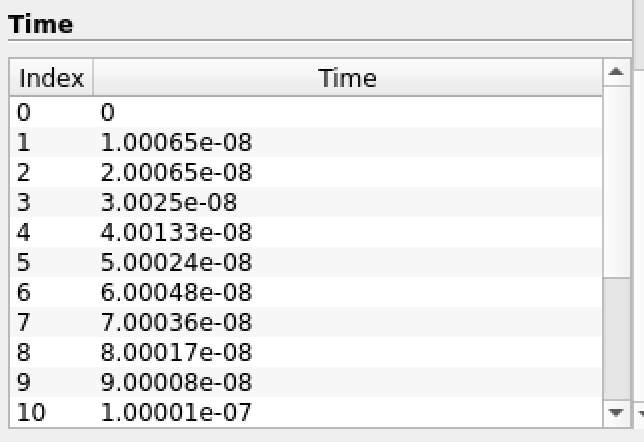
However, when I add a AnnotateTimeFilter, it only reads “Time: 0.000000”, as a single row into its Data Array, so when I change the time with the toolbar, the Annotation will always show “Time: 0.000000”.
I first figured that maybe my small timesteps were being cut off by precision, so I used TemporalShiftScale to change them all to values larger than 1, and then used AnnotateTimeFilter, but the result is unchanged.
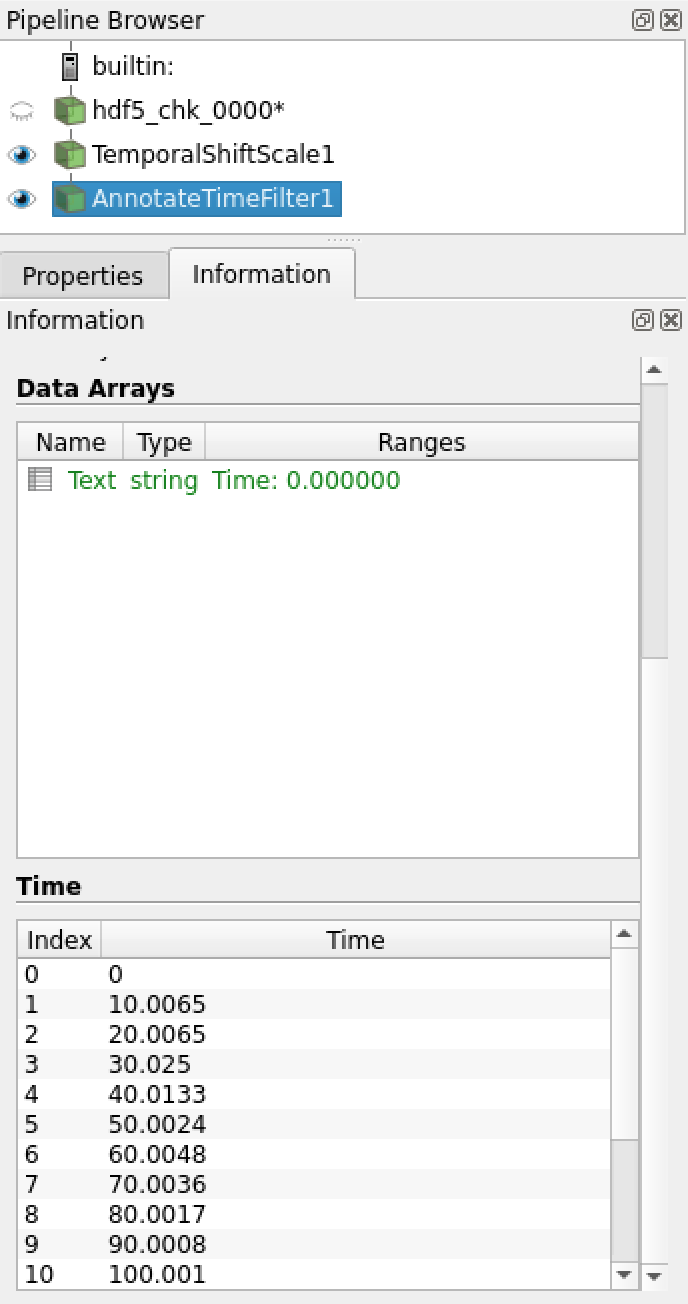
I have not been able to find a topic with this issue. My bandaid solution is manually applying a Shift from 0 to my current timestep, but this bandaid won’t help if I want to create an animation with a filter that automatically updates as the time is advanced.
---
### Author:  [@Jason\_Hamilton](https://discourse.paraview.org/u/Jason_Hamilton)
#### Post date: [July 18, 2025, 11:29pm UTC](https://discourse.paraview.org/t/annotate-time-filter-not-loading-timesteps/16979/2 "2025-07-18T23:29:59Z")
I resolved this issue by applying a Annotate Time source before applying the Annotate Time Filter. If that is the intended use, I suppose the user guide had not made that clear to me.
---
### Author:  [@mwestphal](https://discourse.paraview.org/u/mwestphal)
#### Post date: [July 21, 2025, 8:20am UTC](https://discourse.paraview.org/t/annotate-time-filter-not-loading-timesteps/16979/3 "2025-07-21T08:20:36Z")
That sounds like a bug. Can you share your data ?
---
### Author:  [@cory.quammen](https://discourse.paraview.org/u/cory.quammen)
#### Post date: [July 21, 2025, 10:13am UTC](https://discourse.paraview.org/t/annotate-time-filter-not-loading-timesteps/16979/4 "2025-07-21T10:13:57Z")
> [@Jason\_Hamilton](#):
>
> I resolved this issue by applying a Annotate Time source before applying the Annotate Time Filter. If that is the intended use, I suppose the user guide had not made that clear to me.
Applying the **Annotate Time** source shouldn’t be required, hence it is not in the documentation. The **Annotate Time Filter** should use the time step information set on the data set (`DATA_TIME_STEP` information key for developers) and if that isn’t available, it should display ParaView’s current time. That seems to be working fine with the **Wavelet** source with timesteps I defined manually in the _Time Manager_ - the **Wavelet** source doesn’t set a time step (pipeline: **Wavelet** → **Annotate Time Filter** ), but the **Annotate Time Filter** displays ParaView’s current time.
Also, I tested loading the `pflotran_kupp_flow.h5` test file with ParaView 5.13.3, which uses the VisItBridge PFLOTRAN reader, and **Annotate Time Filter** worked as expected with it, so I don’t suspect a systemic issue with readers in VisItBridge.
Maybe try setting the **Format** property of the **Annotate Time Filter** to “Time: {time:e}”? That should render the time in scientific notation.
And if that doesn’t help, like @mwestphal said, there is likely a bug somewhere along the way most easily found using the dataset that raises the issue.
---
### Author:  [@Jason\_Hamilton](https://discourse.paraview.org/u/Jason_Hamilton)
#### Post date: [July 21, 2025, 5:27pm UTC](https://discourse.paraview.org/t/annotate-time-filter-not-loading-timesteps/16979/5 "2025-07-21T17:27:19Z")
Unfortunately I am unable to share my data publicly. I did however generate for you a 1D minimum working example, with the same data structure and leads to the same behaviour with AnnotateTimeFilter. I have 3 timesteps attached as separate hdf5 files (same format I would typically use).
[hdf5\_plt\_cnt\_0000](https://discourse.paraview.org/uploads/short-url/3y0wT8bMjmnCGSajMoVJDaZKtmB) (366.3 KB)
[hdf5\_plt\_cnt\_0001](https://discourse.paraview.org/uploads/short-url/vqjKHH8z9IaQ8eJMpTNQxLKJwZm) (366.3 KB)
[hdf5\_plt\_cnt\_0002](https://discourse.paraview.org/uploads/short-url/cWniu33wjb9tIDsegn2ntxdZe6G) (366.3 KB)
I open these files (in a client with VisItBridge enabled) using the VisitFLASHreader with the pattern hdf5\_plt\_cnt\_00..
I apply TimeShiftScale with a scale of 1e9,
Then I apply AnnotateTimeFilter (I get the bug regardless of the format I use here, I tried @cory.quammen suggestion to use scientific notation as well).
I change the timestep using the toolbar, which updates the data correctly, but does not update AnnotateTimeFilter.
---
### Author:  [@mwestphal](https://discourse.paraview.org/u/mwestphal)
#### Post date: [July 22, 2025, 7:41am UTC](https://discourse.paraview.org/t/annotate-time-filter-not-loading-timesteps/16979/6 "2025-07-22T07:41:15Z")
Works fine here:
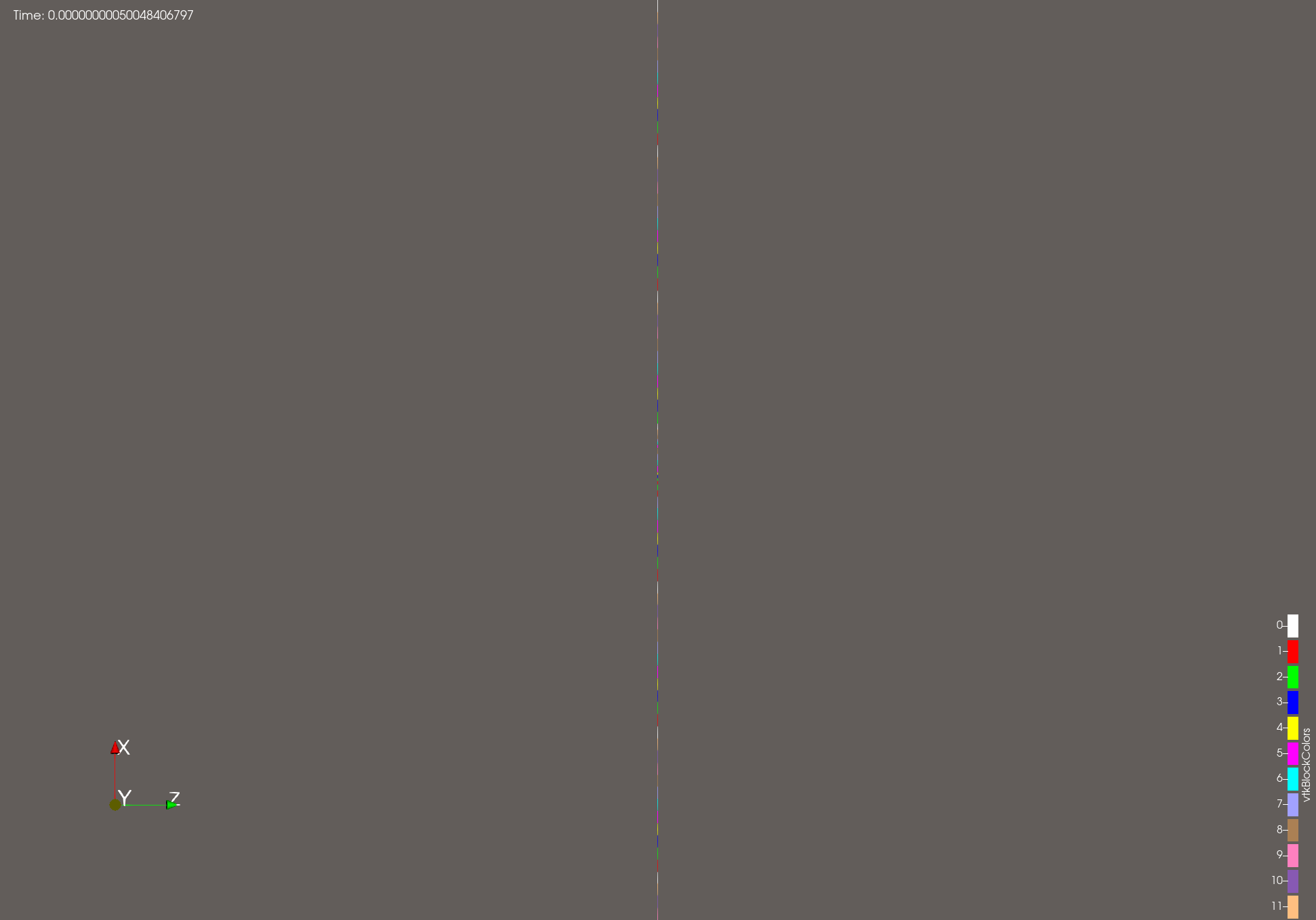
Please note I had to change the format to increase the number of number after the dot.
---
### Author:  [@Jason\_Hamilton](https://discourse.paraview.org/u/Jason_Hamilton)
#### Post date: [July 22, 2025, 4:44pm UTC](https://discourse.paraview.org/t/annotate-time-filter-not-loading-timesteps/16979/7 "2025-07-22T16:44:23Z")
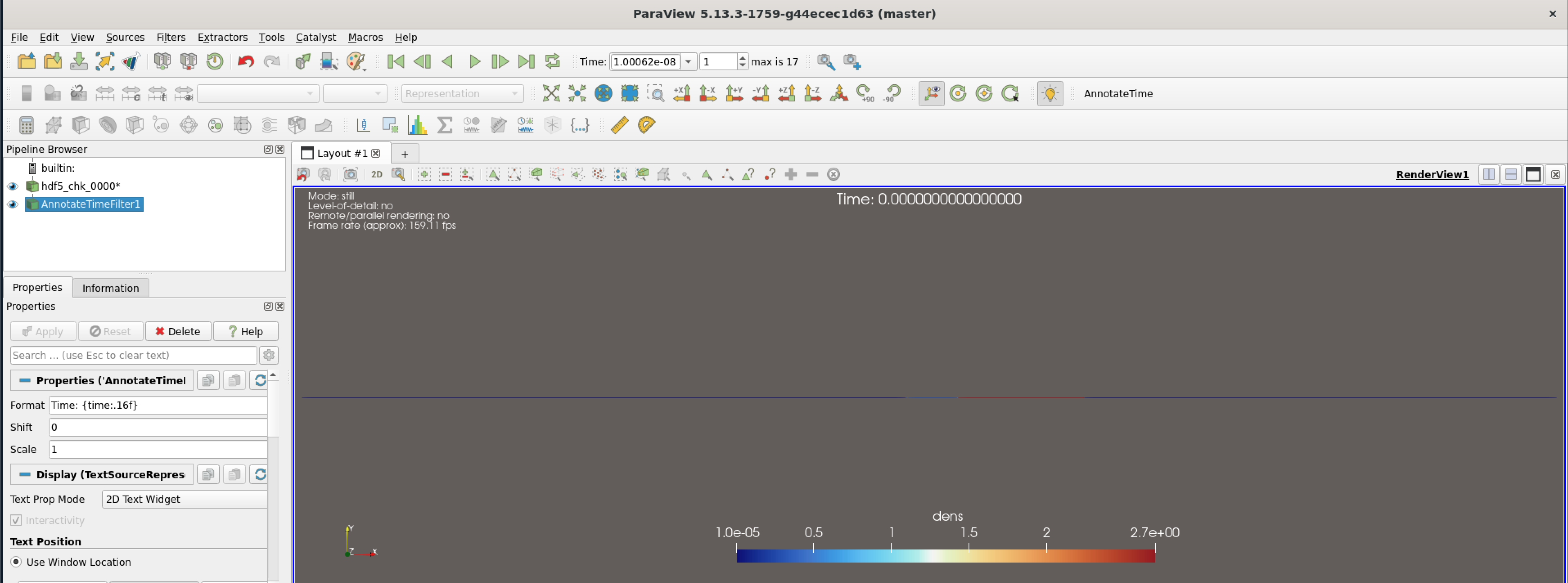
Thanks. Can you show what your pipeline looks like? It might be a bug specific to my build because I am not able to reproduce. Note the time in the toolbar is not reflected in 16 digits of precision in the annotation.
---
### Author:  [@mwestphal](https://discourse.paraview.org/u/mwestphal)
#### Post date: [July 23, 2025, 7:10am UTC](https://discourse.paraview.org/t/annotate-time-filter-not-loading-timesteps/16979/8 "2025-07-23T07:10:34Z")
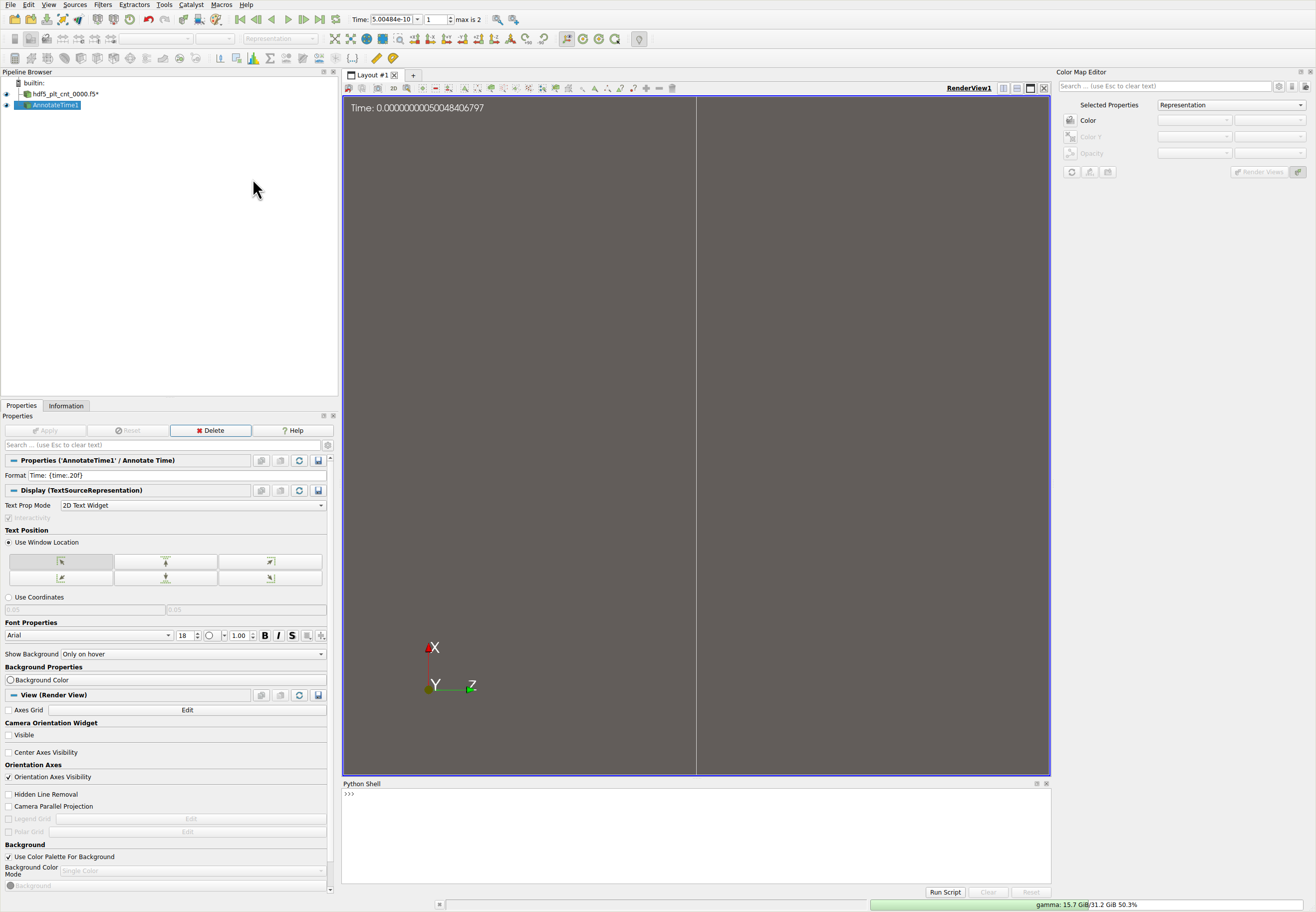
[time.pvsm](https://discourse.paraview.org/uploads/short-url/dZPMeFZGtbhpTRoXiLKYaWFE2H2.pvsm) (206.1 KB)
Please note I’m using ParaView 6.0.0-RC2
---
### Author:  [@cory.quammen](https://discourse.paraview.org/u/cory.quammen)
#### Post date: [July 23, 2025, 10:12am UTC](https://discourse.paraview.org/t/annotate-time-filter-not-loading-timesteps/16979/9 "2025-07-23T10:12:53Z")
Interesting, I’m seeing the same behavior as @Jason_Hamilton on my M4 Mac with ParaView 6.0.0-RC3, using binaries from [paraview.org/download:](http://paraview.org/download:)
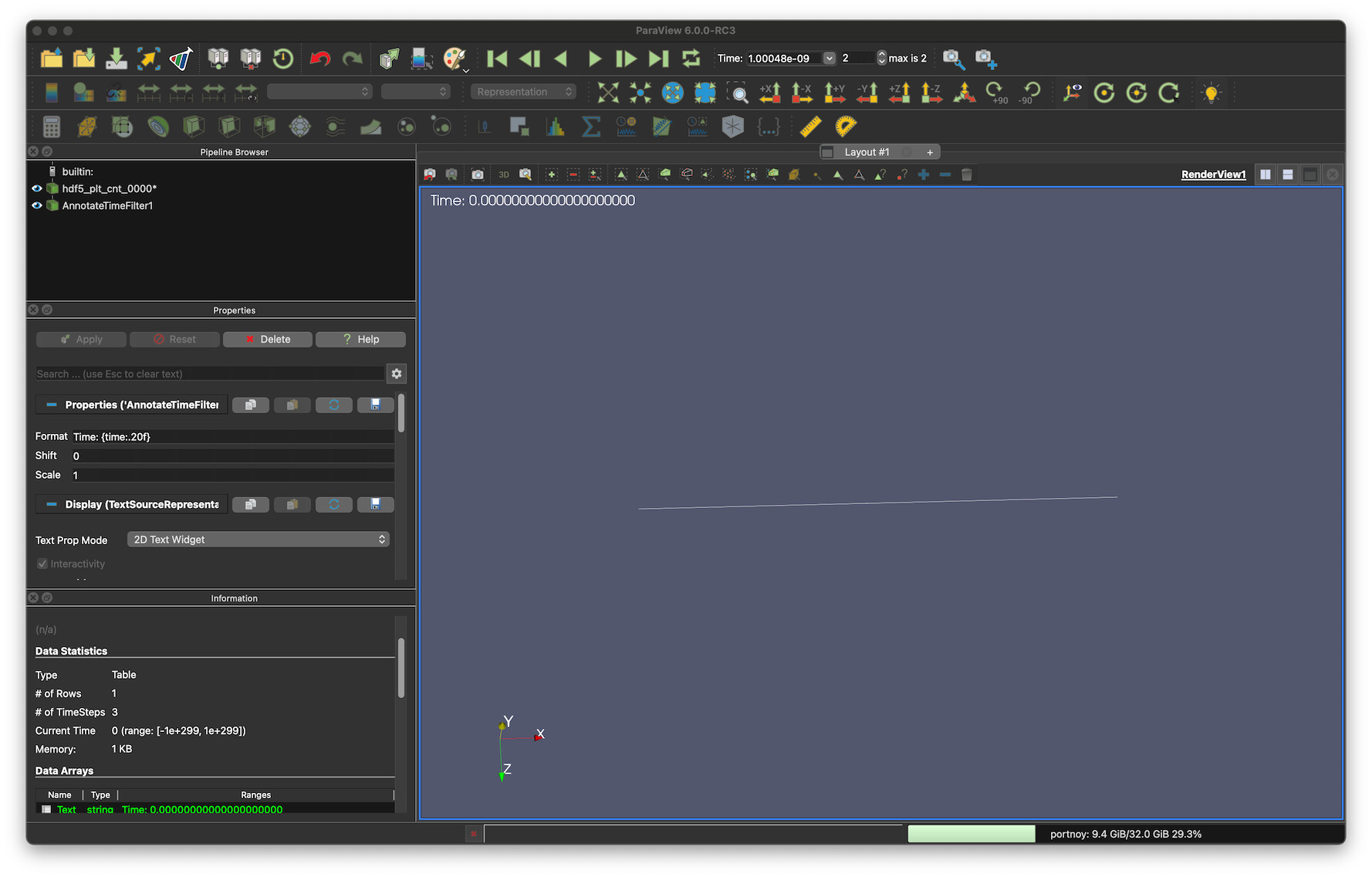
Maybe a difference in rounding mode between builds?
---
### Author:  [@mwestphal](https://discourse.paraview.org/u/mwestphal)
#### Post date: [July 23, 2025, 10:50am UTC](https://discourse.paraview.org/t/annotate-time-filter-not-loading-timesteps/16979/10 "2025-07-23T10:50:16Z")
I’m using Linux. what about you @Jason_Hamilton ?
---
### Author:  [@cory.quammen](https://discourse.paraview.org/u/cory.quammen)
#### Post date: [July 23, 2025, 11:22am UTC](https://discourse.paraview.org/t/annotate-time-filter-not-loading-timesteps/16979/11 "2025-07-23T11:22:03Z")
@mwestphal could you try with a binary from [paraview.org](http://paraview.org) if you haven’t already?
---
### Author:  [@mwestphal](https://discourse.paraview.org/u/mwestphal)
#### Post date: [July 23, 2025, 11:25am UTC](https://discourse.paraview.org/t/annotate-time-filter-not-loading-timesteps/16979/12 "2025-07-23T11:25:59Z")
I’m testing with the binary release from [paraview.org](http://paraview.org). Tested with both 6.0.0-RC2 and 6.0.0-RC3.
---
### Author:  [@Jason\_Hamilton](https://discourse.paraview.org/u/Jason_Hamilton)
#### Post date: [July 23, 2025, 4:35pm UTC](https://discourse.paraview.org/t/annotate-time-filter-not-loading-timesteps/16979/13 "2025-07-23T16:35:04Z")
I am using Linux (Ubuntu 22.04)
---
### Author:  [@mwestphal](https://discourse.paraview.org/u/mwestphal)
#### Post date: [July 24, 2025, 11:29am UTC](https://discourse.paraview.org/t/annotate-time-filter-not-loading-timesteps/16979/14 "2025-07-24T11:29:36Z")
> [@cory.quammen](#):
>
> could you try with a binary from [paraview.org](http://paraview.org) if you haven’t already?
@Jason_Hamilton ?
---
### Author:  [@Jason\_Hamilton](https://discourse.paraview.org/u/Jason_Hamilton)
#### Post date: [July 24, 2025, 5:42pm UTC](https://discourse.paraview.org/t/annotate-time-filter-not-loading-timesteps/16979/15 "2025-07-24T17:42:38Z")
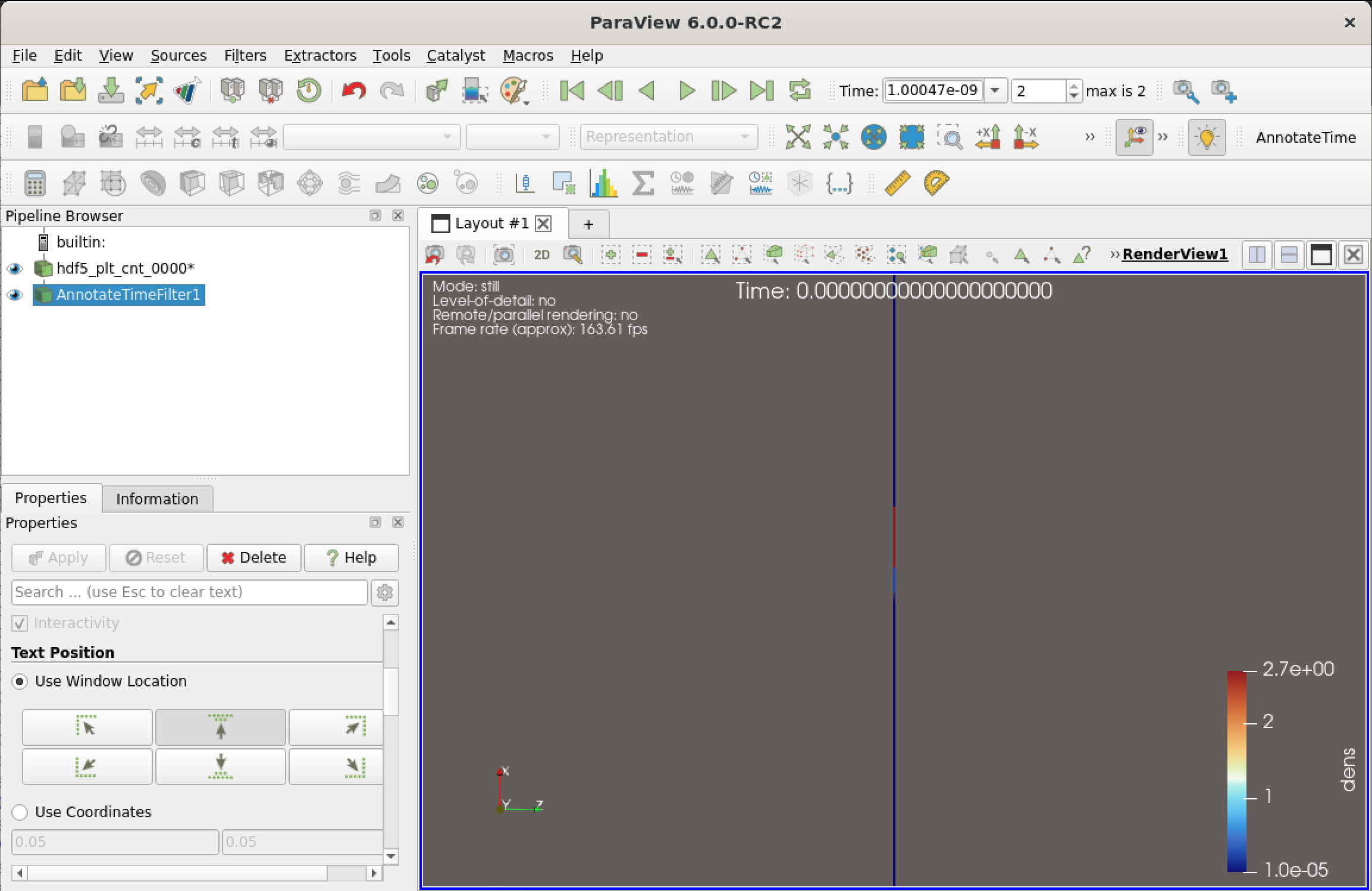
I installed the 5.13.3 Linux binary as well as the 6.0.0-RC3 Linux binary, and neither fixed the issue, with AnnotateTimeFilter still showing 0.000 at all timesteps.
edit: I also tried 6.0.0-RC2 just in case:
---
### Author:  [@mwestphal](https://discourse.paraview.org/u/mwestphal)
#### Post date: [July 25, 2025, 7:25am UTC](https://discourse.paraview.org/t/annotate-time-filter-not-loading-timesteps/16979/16 "2025-07-25T07:25:50Z")
So I finally figured out what is happening (kinda) and why we do not see the same thing.
The Visit flash reader has two modes, one were it outputs a AMR and one where it outputs a Multiblock datasets.
To switch between then two modes, just select the non-amr block in the properties and it will output a multiblock, this is what I was doing.
By the way, this is not recommended for a reader to change its outputs like that but it should not have impact on the time in ParaView.
So, why would that impact the AnnotateTimeFilter ?
Well, as it turns out, there is a bug in VTK/ParaView where if there is an AMR source in the pipeline branch, time steps are not passed down correctly.
More investigation needed of course, but a simple reproducer is as follows:
- AMRGaussianPulse, Apply
- GenerateTimeSteps, generte 10 steps, Apply
- AnnotateTimeFilter, Apply
Only zeros will be displayed.
I’ve opened the corresponding issue: [https://gitlab.kitware.com/paraview/paraview/-/issues/23036](https://gitlab.kitware.com/paraview/paraview/-/issues/23036)