# Append external cell data to a mesh and visualize the data
**URL:** https://discourse.paraview.org/t/append-external-cell-data-to-a-mesh-and-visualize-the-data/6857
**Category:** ParaView Support
**Tags:** exodus
**Created:** [April 3, 2021, 2:47pm UTC](https://discourse.paraview.org/t/append-external-cell-data-to-a-mesh-and-visualize-the-data/6857 "2021-04-03T14:47:18Z")
**Posts on this page:** 3
**Page:** 1
### Author:  [@hchen139](https://discourse.paraview.org/u/hchen139)
#### Post date: [April 3, 2021, 2:47pm UTC](https://discourse.paraview.org/t/append-external-cell-data-to-a-mesh-and-visualize-the-data/6857/1 "2021-04-03T14:47:18Z")
I have an exodus mesh file and a csv data file. The csv data are cell data, i.e., the data are for element in the mesh file. Now, I would like to “combine” these two files so that I can visualize the csv data on the mesh. I tried to follow the topics of [Supplementing cells data with an additional column with the user values](https://discourse.paraview.org/t/supplementing-cells-data-with-an-additional-column-with-the-user-values/4829) and [Render user data on an unstructured grid](https://discourse.paraview.org/t/render-user-data-on-an-unstructured-grid/4973) but without any success. The problem for me is that after I control select the mesh data (first) and the PointDataToCellData (second) and “append attributes”, the created cell data in the PointDataToCellData pipeline didn’t append to the mesh data in the newly created “AppendAttributes” pipeline. Here are the screenshots for the problem I described above. BTW, I’m using PareView 5.9.0 and on a MacBook Pro. I also tried other version and a Linux machine, and it didn’t work for me neither.
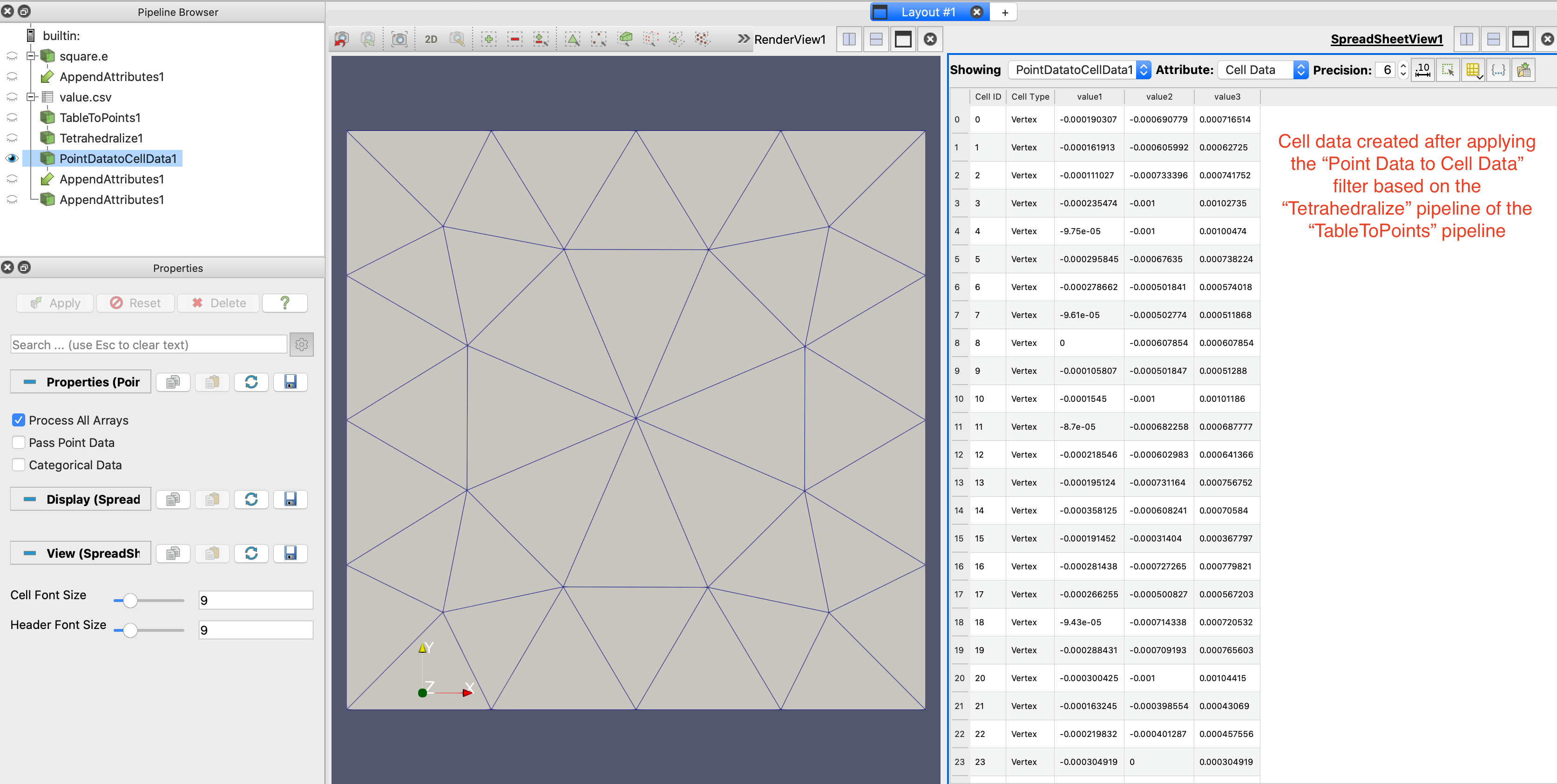 
I’m also attaching the two files here and any help to have my problem solved will be much appreciated.
[square.e](https://discourse.paraview.org/uploads/short-url/ykpNYdEpMKiDcexrh5o4J8U0SuQ.e) (4.4 KB) [value.csv](https://discourse.paraview.org/uploads/short-url/o6VSyfGNp6lh4JSELbdMKnVUndy.csv) (1.4 KB)
---
### Author:  [@hchen139](https://discourse.paraview.org/u/hchen139)
#### Post date: [May 21, 2021, 8:38pm UTC](https://discourse.paraview.org/t/append-external-cell-data-to-a-mesh-and-visualize-the-data/6857/2 "2021-05-21T20:38:29Z")
Any help on this will be much appreciated!
---
### Author:  [@GregVernon](https://discourse.paraview.org/u/GregVernon)
#### Post date: [May 25, 2021, 4:47am UTC](https://discourse.paraview.org/t/append-external-cell-data-to-a-mesh-and-visualize-the-data/6857/3 "2021-05-25T04:47:25Z")
@hchen139 - I’ve done similar things, taking an Exodus mesh and adding additional data (from physical testing) at node/element locations. The best way to do this is to use the utilities in the SEACAS project (which “owns” Exodus).
The GitHub page is below, but you’ll specifically want to check out the Python module [`exodus.py`](https://gsjaardema.github.io/seacas-docs/sphinx/html/index.html#exodus-python-interfaces) or the [`mat2exo` / `exo2mat`](https://gsjaardema.github.io/seacas-docs/sphinx/html/index.html#mat2exo) utilities that are provided in SEACAS.
> **[gsjaardema/seacas](https://github.com/gsjaardema/seacas)**
>
> The Sandia Engineering Analysis Code Access System (SEACAS) is a suite of preprocessing, postprocessing, translation, and utility applications supporting finite element analysis software using the ...