# Append results of each loadstep to the RMED file for Paraview
**URL:** https://discourse.paraview.org/t/append-results-of-each-loadstep-to-the-rmed-file-for-paraview/6873
**Category:** ParaView Support
**Created:** [April 5, 2021, 12:01pm UTC](https://discourse.paraview.org/t/append-results-of-each-loadstep-to-the-rmed-file-for-paraview/6873 "2021-04-05T12:01:14Z")
**Posts on this page:** 7
**Page:** 1
### Author:  [@mecha\_Searchs](https://discourse.paraview.org/u/mecha_Searchs)
#### Post date: [April 5, 2021, 12:01pm UTC](https://discourse.paraview.org/t/append-results-of-each-loadstep-to-the-rmed-file-for-paraview/6873/1 "2021-04-05T12:01:14Z")
Hello!
I’m using Paraview on Salome-Meca 2019. And I use Code Aster for the simulations. But this is a question about post-processing.
My simulation consists in using a loop to move a heat load. Currently, I save each result in the same file, as shown below.
```
DEFI_FICHIER(ACCES='NEW',
ACTION='ASSOCIER',
FICHIER='my_path/results.rmed',
TYPE='LIBRE',
UNITE=80)
for i in range(1,(ng-1)):
.
rter[i] = THER_NON_LINE(CHAM_MATER=fmat,
CONVERGENCE=_F(ITER_GLOB_MAXI=50,
RESI_GLOB_RELA=1e-04),
ETAT_INIT=_F(EVOL_THER=proj[i-1]),
EXCIT=(_F(CHARGE=(load[i],)),
_F(CHARGE=bcs)),
METHODE='NEWTON_KRYLOV',
INCREMENT=_F(LIST_INST=lt[i]),
MODELE=model)
IMPR_RESU(RESU=_F(RESULTAT=rter[i]),
UNITE=80)
proj[i] = PROJ_CHAMP(MODELE_1=model,
MODELE_2=model,
PROJECTION='OUI',
RESULTAT=rter[i])
...
FIN()
```
In this way, I have only one file, and the results to be plotted appear as shown in the attached figure.
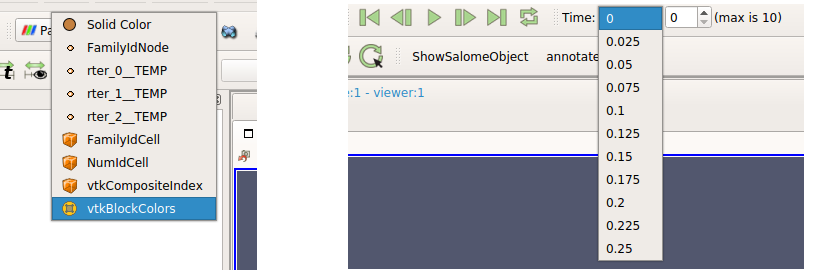 .
As you can see in the figure, for each RTER my time goes from 0.0 to 0.25. When in fact, rter\_1 goes from 0.0 to 0.25, rter\_2 goes from 0.25 to 0.50 and so on. This way, I can’t make an animation that shows the entire simulation time. I have to view each RTER separately.
Is there a better way to save the results in Aster, so that each iteration is added with its respective time to the results file? Or is there a way to loop through all of RTER results in Paraview?
Thanks for any insight!
---
### Author:  [@mwestphal](https://discourse.paraview.org/u/mwestphal)
#### Post date: [April 6, 2021, 8:04am UTC](https://discourse.paraview.org/t/append-results-of-each-loadstep-to-the-rmed-file-for-paraview/6873/2 "2021-04-06T08:04:25Z")
I’m afraid this is a MEDReader specific question, said MEDReader is developped by the Salome/ParaVis team, not by ParaView.
---
### Author:  [@mecha\_Searchs](https://discourse.paraview.org/u/mecha_Searchs)
#### Post date: [April 6, 2021, 12:21pm UTC](https://discourse.paraview.org/t/append-results-of-each-loadstep-to-the-rmed-file-for-paraview/6873/3 "2021-04-06T12:21:35Z")
Thanks Mathieu!
I understand that is another viewer. I left a post on the Aster post-processing forum a few weeks ago, but despite several views, no one has yet responded.
As I understand it, the only difference between Paraview and Paravis is just the MEDreader, the rest of the software is mostly identical.
Regarding my left figure, its not possible to loop trough rter\_0\_TEMP to rter\_2\_TEMP in a animation?
My data blocks appear as below.
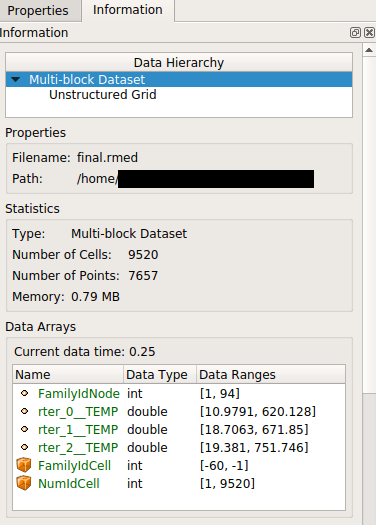
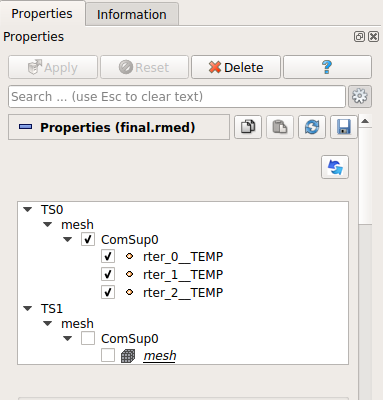
Given my dataset Information and Properties, can you point a direction that may help, as the question seems to be independent of the viewer? Maybe using a ProgrammableFilter I can create some kind of loop for the animation? Or join my data in only one block?
Anyway, thanks for the clarification!
---
### Author:  [@mwestphal](https://discourse.paraview.org/u/mwestphal)
#### Post date: [April 6, 2021, 12:27pm UTC](https://discourse.paraview.org/t/append-results-of-each-loadstep-to-the-rmed-file-for-paraview/6873/4 "2021-04-06T12:27:06Z")
> [@mecha\_Searchs](#):
>
> As I understand it, the only difference between Paraview and Paravis is just the MEDreader, the rest of the software is mostly identical.
This is correct\>
> Regarding my left figure, its not possible to loop trough rter\_0\_TEMP to rter\_2\_TEMP in a animation?
> My data blocks appear as below.
While doable, this is not a trivial operation.
I think the MEDReader support a time mode, maybe this can fix it ?
If not, here is how you can do it:
1. Open your file with ParaView
2. Add a PassArray filter, select retr\_0\_ array only, Apply
3. Add a calculator filter, select reter\_0\_ as a formula
4. Save output as yourFile\_0.vtm
5. Repeat step 2 to 4 with 1 and 2
6. File-\> Open yourFile\_\*, Apply
7. Animate
---
### Author:  [@mecha\_Searchs](https://discourse.paraview.org/u/mecha_Searchs)
#### Post date: [April 6, 2021, 6:51pm UTC](https://discourse.paraview.org/t/append-results-of-each-loadstep-to-the-rmed-file-for-paraview/6873/5 "2021-04-06T18:51:07Z")
Thanks Mathieu!
I think I understand what you’re trying to do with the results. Unfortunately, I think Paraview did not save as we would like. When I try to open as you instructed, the following appears:
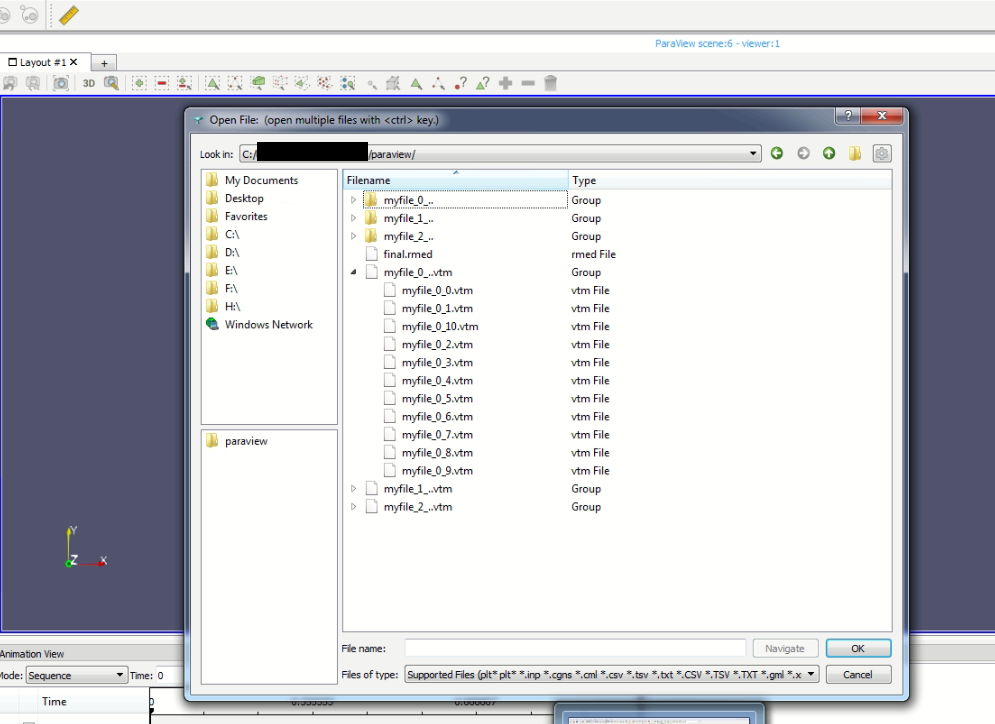
So, if I open one of the 3 main .vtm files, it opens the same thing I had.
Following steps 2 trough 4, I saved as myfile\_0.vtm, myfile\_1.vtm and myfile\_2.vtm.
This is my pipeline:
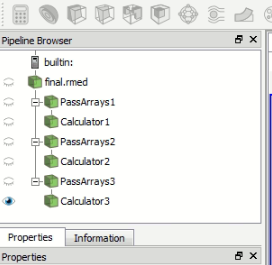
While saving, I checked the “write timesteps” box below:
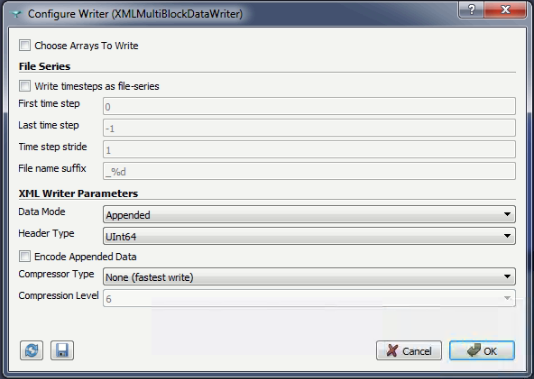
Did I do something wrong? It seems a matter of adapting the nomenclature so that paraview sees only one main .vtm.
Thanks!
---
### Author:  [@mecha\_Searchs](https://discourse.paraview.org/u/mecha_Searchs)
#### Post date: [April 7, 2021, 3:01pm UTC](https://discourse.paraview.org/t/append-results-of-each-loadstep-to-the-rmed-file-for-paraview/6873/6 "2021-04-07T15:01:18Z")
Hi Mathieu!
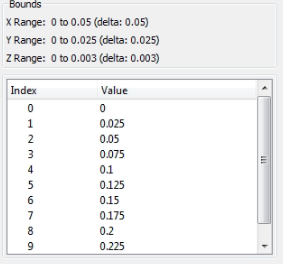
I was able to follow your steps, making a modification in the “file name suffix” field when saving the data. However, the problem seems to be with the saved time indexes. Each ‘rter’ is saved with same indexes as shown in the figure below:
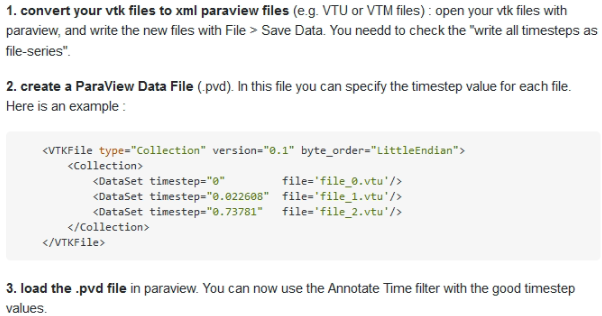
Checking a way to change the time indexes of the results, I found the following [post](https://stackoverflow.com/questions/33771609/how-to-set-custom-timestep-values-for-a-series-of-legacy-vtk-files-in-paraview), talking about Paraview .PVD files. Would it be possible to do something using this approach? Perhaps it is possible to apply the desired “Dataset timestep” to each file generated by your step by step?
---
### Author:  [@mwestphal](https://discourse.paraview.org/u/mwestphal)
#### Post date: [April 7, 2021, 3:20pm UTC](https://discourse.paraview.org/t/append-results-of-each-loadstep-to-the-rmed-file-for-paraview/6873/7 "2021-04-07T15:20:47Z")
Yes, you can use either .pvd file or .series file