# Apply different colours to individual mesh facets
**URL:** https://discourse.paraview.org/t/apply-different-colours-to-individual-mesh-facets/11380
**Category:** ParaView Support
**Created:** [February 11, 2023, 3:45pm UTC](https://discourse.paraview.org/t/apply-different-colours-to-individual-mesh-facets/11380 "2023-02-11T15:45:48Z")
**Posts on this page:** 8
**Page:** 1
### Author:  [@harripj](https://discourse.paraview.org/u/harripj)
#### Post date: [February 11, 2023, 3:45pm UTC](https://discourse.paraview.org/t/apply-different-colours-to-individual-mesh-facets/11380/1 "2023-02-11T15:45:48Z")
Hi,
I would like to know if it is possible to colour different facets of a mesh (STL) individually in ParaView?
The context is that I have an STL file with N (\>1000s) facets and an associated text file complete with N RGB colour values. Is it possible to apply the RGB value to each corresponding facet?
Many thanks,
Patrick
---
### Author:  [@mwestphal](https://discourse.paraview.org/u/mwestphal)
#### Post date: [February 13, 2023, 12:09pm UTC](https://discourse.paraview.org/t/apply-different-colours-to-individual-mesh-facets/11380/2 "2023-02-13T12:09:56Z")
> [@harripj](#):
>
> Is it possible to apply the RGB value to each corresponding facet?
Yes, uncheck “Map Scalars” in the representation properties.
---
### Author:  [@harripj](https://discourse.paraview.org/u/harripj)
#### Post date: [March 2, 2023, 7:44pm UTC](https://discourse.paraview.org/t/apply-different-colours-to-individual-mesh-facets/11380/3 "2023-03-02T19:44:29Z")
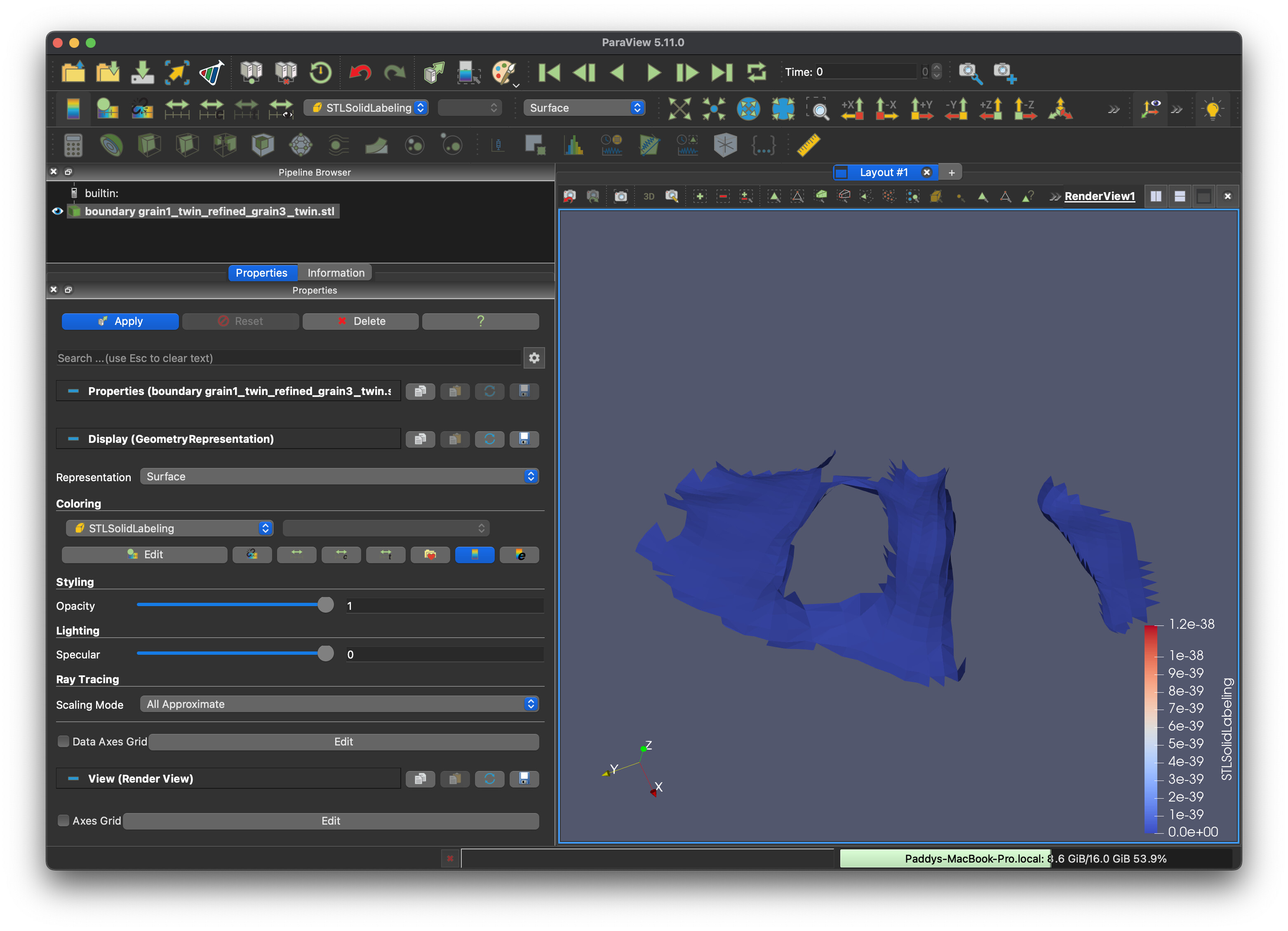
Thank you Mathieu for your quick reply! Forgive my ignorance, but where would I find “Map Scalars”? I have attached a screenshot of my view for reference.
Many thanks,
Patrick
---
### Author:  [@mwestphal](https://discourse.paraview.org/u/mwestphal)
#### Post date: [March 8, 2023, 12:22pm UTC](https://discourse.paraview.org/t/apply-different-colours-to-individual-mesh-facets/11380/4 "2023-03-08T12:22:13Z")
Its an advanced option, click on the cogwheel or search for it in the search field
---
### Author:  [@harripj](https://discourse.paraview.org/u/harripj)
#### Post date: [March 8, 2023, 10:49pm UTC](https://discourse.paraview.org/t/apply-different-colours-to-individual-mesh-facets/11380/5 "2023-03-08T22:49:05Z")
Thanks Mathieu for your reply.
I unchecked map scalars, but am unsure about how exactly to apply the RGB values to the rendering. I have tried to add the RGB CSV to ParaView but an unsure about how to map it to the mesh (the files I am using are attached: test.stl and test\_facecolors.csv)
Does ParaView support RGB values in the attribute bytes of every triangle? RE: [https://en.wikipedia.org/wiki/STL\_(file\_format)#Color\_in\_binary\_STL](https://en.wikipedia.org/wiki/STL_(file_format)#Color_in_binary_STL)
I have tried this approach according to the VisCam and SolidView spec (see attached test\_rgb\_binary.stl) but not had any luck so far. Any help would be appreciated!
Many thanks,
Patrick
[test.stl](https://discourse.paraview.org/uploads/short-url/taEj2wlmM3tTmQSbEi6bSAmK9M.stl) (1.1 MB)
[test\_rgb\_binary.stl](https://discourse.paraview.org/uploads/short-url/dtbGOEhxC7NXBCIUlvuu1HXwQTZ.stl) (245.7 KB)
[test\_facecolors.csv](https://discourse.paraview.org/uploads/short-url/azMEhdwuHBiJcz31PMemx8qhgpM.csv) (417.6 KB)
---
### Author:  [@mwestphal](https://discourse.paraview.org/u/mwestphal)
#### Post date: [March 9, 2023, 8:21am UTC](https://discourse.paraview.org/t/apply-different-colours-to-individual-mesh-facets/11380/6 "2023-03-09T08:21:47Z")
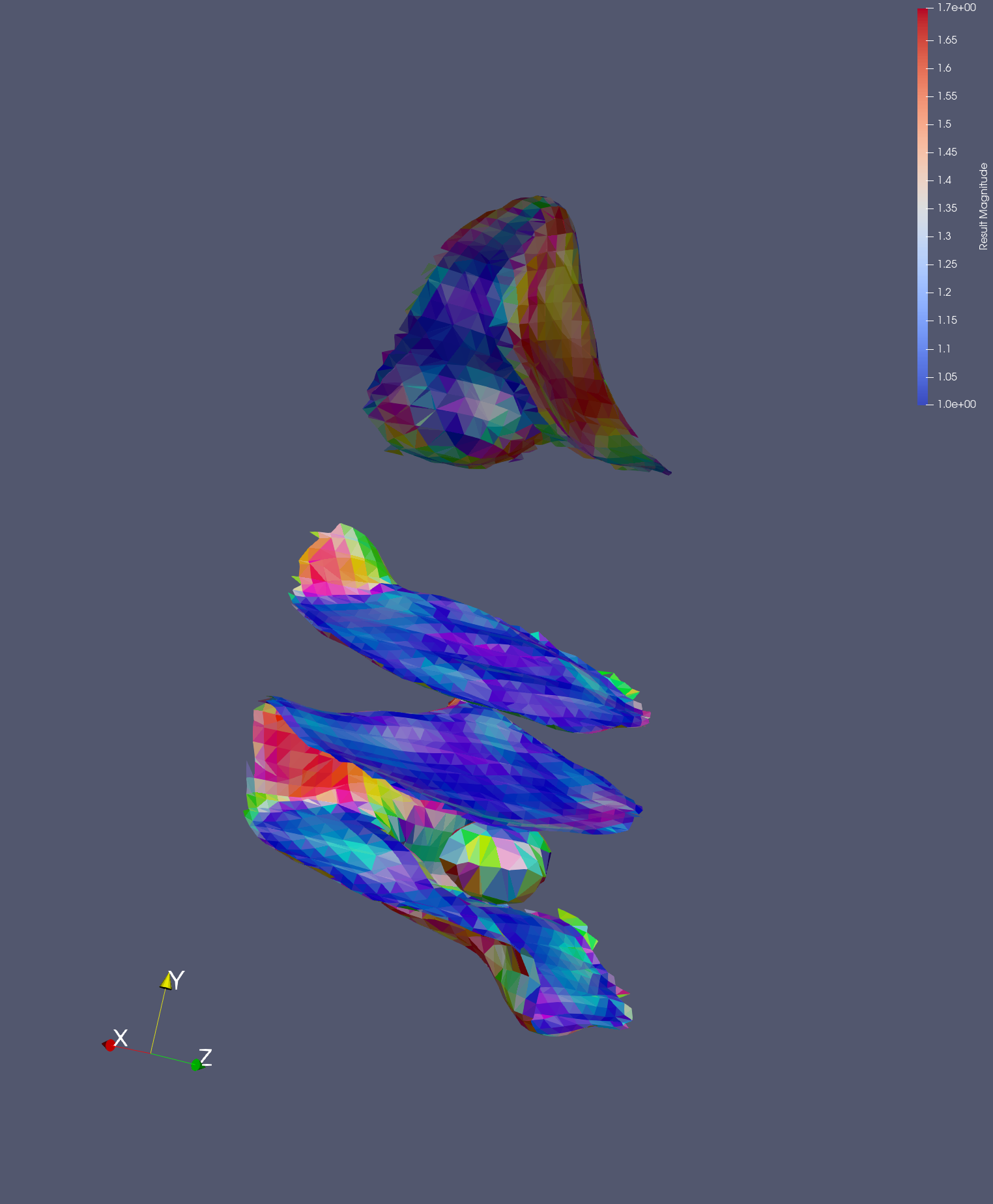
Is this what you are looking for, it is assuming your triangle order in the stl are the same as your data order in the csv ?
Since you are separating your stl form your color information, this is quite complex to do with standard ParaView filter:
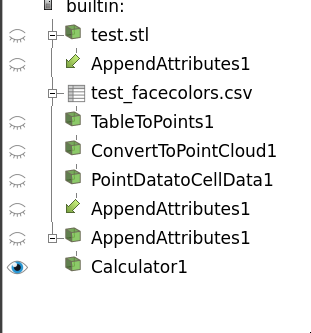
You can also easily do that with a programmable filter instead if you want.
---
### Author:  [@harripj](https://discourse.paraview.org/u/harripj)
#### Post date: [March 9, 2023, 8:28am UTC](https://discourse.paraview.org/t/apply-different-colours-to-individual-mesh-facets/11380/7 "2023-03-09T08:28:40Z")
Thank you Mathieu, yes this is exactly the desired output, thank you for your help!
As you said, I am currently separating the colour information from the stl file, would there be a better or recommended way to store this data to combine the two?
Thanks again,
Patrick
---
### Author:  [@mwestphal](https://discourse.paraview.org/u/mwestphal)
#### Post date: [March 9, 2023, 8:38am UTC](https://discourse.paraview.org/t/apply-different-colours-to-individual-mesh-facets/11380/8 "2023-03-09T08:38:18Z")
I think stl can store data information, you may want to use that.