# Applying 'land' mask to spherical data plot
**URL:** https://discourse.paraview.org/t/applying-land-mask-to-spherical-data-plot/1444
**Category:** ParaView Support
**Created:** [March 11, 2019, 10:52pm UTC](https://discourse.paraview.org/t/applying-land-mask-to-spherical-data-plot/1444 "2019-03-11T22:52:36Z")
**Posts on this page:** 9
**Page:** 1
### Author:  [@nicj](https://discourse.paraview.org/u/nicj)
#### Post date: [March 11, 2019, 10:52pm UTC](https://discourse.paraview.org/t/applying-land-mask-to-spherical-data-plot/1444/1 "2019-03-11T22:52:36Z")
Hello,
It’s my first time using paraview. I’m trying to do a visualization of data from MPAS model- data is read from netcdf file (with unstructured grid with lat/lon and some ocean data) using Netcdf MPAS reader. Is there any way to apply non-transparent ‘land’ mask to land areas?
As shown on the screen - I’m plotting some values on the ocean, but there is no values for land - so it stays transparent, what makes it less readable.

Thank you for any tips.
---
### Author:  [@jourdain](https://discourse.paraview.org/u/jourdain)
#### Post date: [March 11, 2019, 11:34pm UTC](https://discourse.paraview.org/t/applying-land-mask-to-spherical-data-plot/1444/2 "2019-03-11T23:34:51Z")
Since your model seems to be only on the surface, you can create a sphere that has almost the same radius. That will give you a core that you can color the way you want.
---
### Author:  [@gromaxe](https://discourse.paraview.org/u/gromaxe)
#### Post date: [March 12, 2019, 6:20pm UTC](https://discourse.paraview.org/t/applying-land-mask-to-spherical-data-plot/1444/3 "2019-03-12T18:20:28Z")
Hello!
Some time ago i had the same problem
[https://www.dkrz.de/up/services/analysis/visualization/sw/paraview/tutorial/earth-texture](https://www.dkrz.de/up/services/analysis/visualization/sw/paraview/tutorial/earth-texture)
here is detailed solution
tl;dr - create a sphere and map a texture on it
---
### Author:  [@Aashish\_Chaudhary](https://discourse.paraview.org/u/Aashish_Chaudhary)
#### Post date: [March 12, 2019, 6:47pm UTC](https://discourse.paraview.org/t/applying-land-mask-to-spherical-data-plot/1444/4 "2019-03-12T18:47:28Z")
@nicj looks like suggestions from @jourdain and @igor would work for you. Just curious are you at the DOE lab? Let us know if you need more help. @danlipsa
---
### Author:  [@nicj](https://discourse.paraview.org/u/nicj)
#### Post date: [March 14, 2019, 1:13pm UTC](https://discourse.paraview.org/t/applying-land-mask-to-spherical-data-plot/1444/5 "2019-03-14T13:13:06Z")
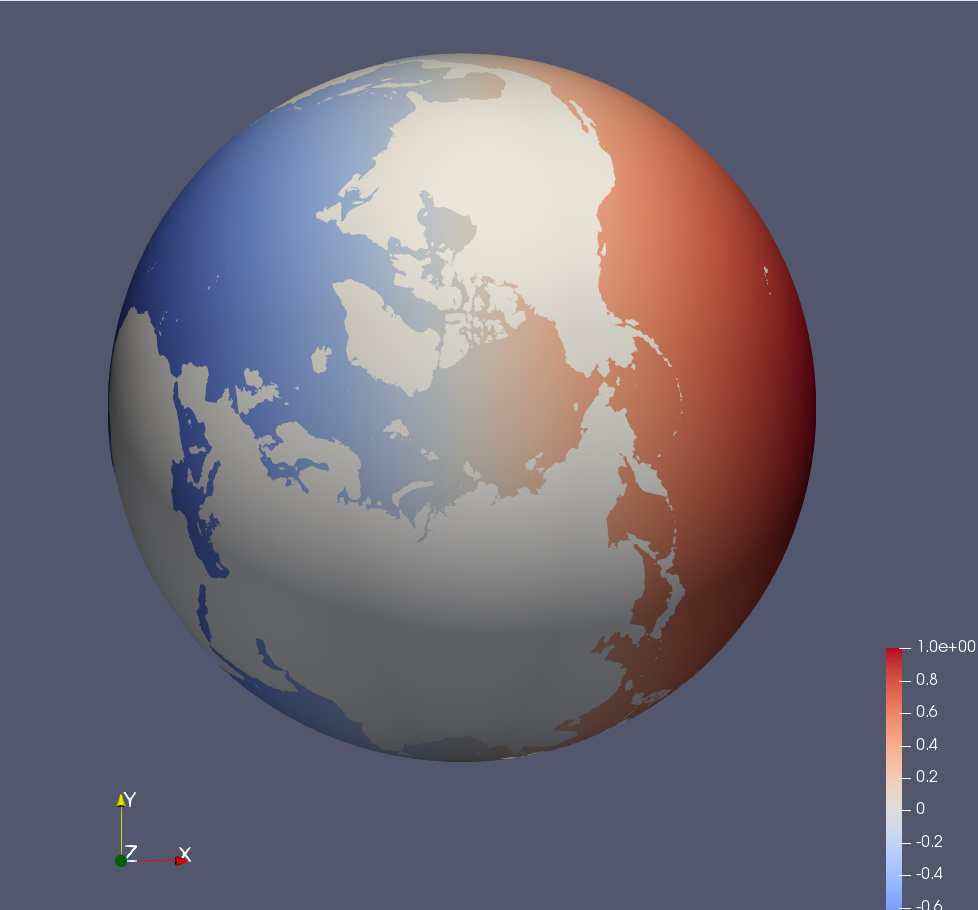
@jourdain @gromaxe Thank you for your tips. So I’ve created a sphere (manually adjusting its radius. Is there any better way to do it?):
and then textured map on it and it looks fine:
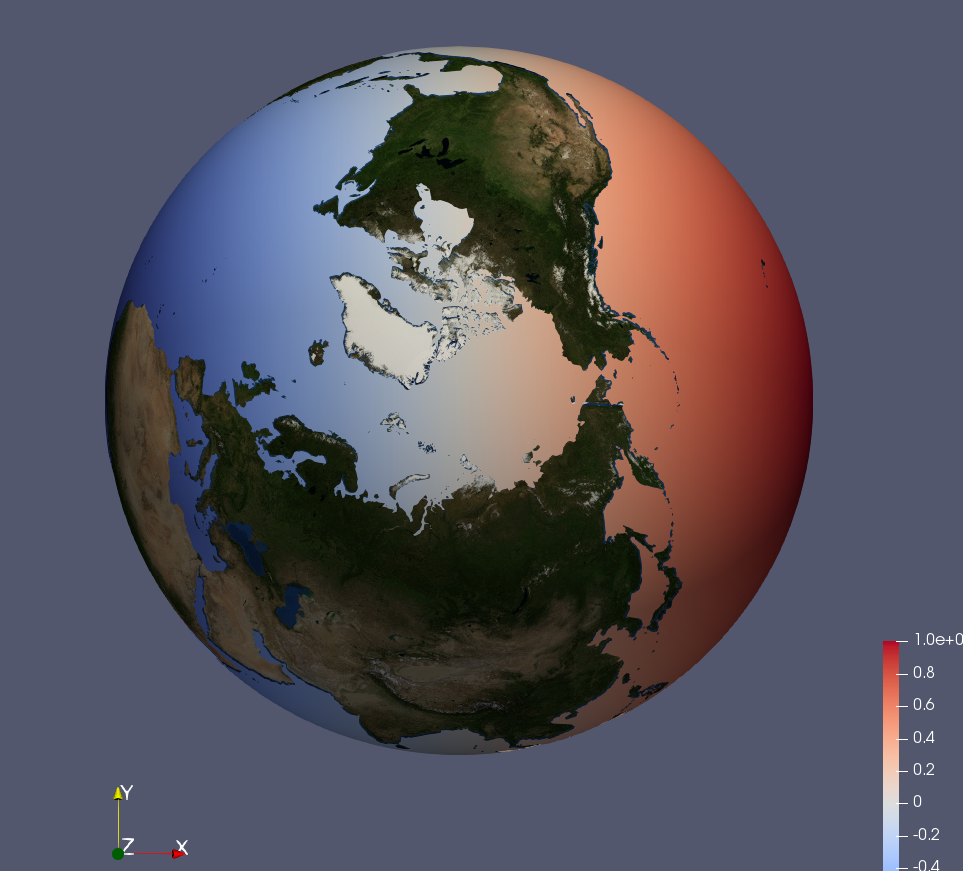
@Aashish_Chaudhary no, I am not at the DOE lab
---
### Author:  [@Aashish\_Chaudhary](https://discourse.paraview.org/u/Aashish_Chaudhary)
#### Post date: [March 14, 2019, 1:16pm UTC](https://discourse.paraview.org/t/applying-land-mask-to-spherical-data-plot/1444/6 "2019-03-14T13:16:27Z")
> [@nicj](#):
>
> or your tips. So I’ve
@nicj can you send us the data? we can look into if there is another easy way. We had GeoSource in VTK that would create the earth sphere but it is no longer maintained so we probably have to think other way of adding support for it.
---
### Author:  [@cory.quammen](https://discourse.paraview.org/u/cory.quammen)
#### Post date: [March 14, 2019, 1:58pm UTC](https://discourse.paraview.org/t/applying-land-mask-to-spherical-data-plot/1444/7 "2019-03-14T13:58:35Z")
The textured sphere looks very nice.
> [@nicj](#):
>
> manually adjusting its radius. Is there any better way to do it?
Not that I’m aware of.
By the way, it would be great if you could consider posting some generated images with data of interest at the Discourse topic [Share your ParaView-generated visualizations](https://discourse.paraview.org/t/share-your-paraview-generated-visualizations/742).
---
### Author:  [@gromaxe](https://discourse.paraview.org/u/gromaxe)
#### Post date: [March 14, 2019, 2:00pm UTC](https://discourse.paraview.org/t/applying-land-mask-to-spherical-data-plot/1444/8 "2019-03-14T14:00:28Z")
Maybe you’ll want to add some contours, if you have any problems - feel free to ask)
For now I have managed to make this:
---
### Author:  [@nicj](https://discourse.paraview.org/u/nicj)
#### Post date: [March 18, 2019, 10:41am UTC](https://discourse.paraview.org/t/applying-land-mask-to-spherical-data-plot/1444/9 "2019-03-18T10:41:04Z")
Example file, with one random variable (iceAreaCategory) can be obtained from my google drive: [https://drive.google.com/file/d/1DAQ-ymD-E9tqpUvAOeaRNIgat8F9Zeh3/view?usp=sharing](https://drive.google.com/file/d/1DAQ-ymD-E9tqpUvAOeaRNIgat8F9Zeh3/view?usp=sharing)