# appropriate representation and settings for screenshot of 3d mesh
**URL:** https://discourse.paraview.org/t/appropriate-representation-and-settings-for-screenshot-of-3d-mesh/14071
**Category:** ParaView Support
**Created:** [March 1, 2024, 4:52pm UTC](https://discourse.paraview.org/t/appropriate-representation-and-settings-for-screenshot-of-3d-mesh/14071 "2024-03-01T16:52:08Z")
**Posts on this page:** 3
**Page:** 1
### Author:  [@simonw](https://discourse.paraview.org/u/simonw)
#### Post date: [March 1, 2024, 4:52pm UTC](https://discourse.paraview.org/t/appropriate-representation-and-settings-for-screenshot-of-3d-mesh/14071/1 "2024-03-01T16:52:08Z")
Here is a .vtk file containing a 3d mesh.
[tria.vtk](https://discourse.paraview.org/uploads/short-url/toGumaYH9sfzjvuNb6NmGr4QNQZ.vtk) (183.3 KB)
I want to create a high-quality screenshot of the mesh for a publication. Using default settings and Surface With Edges representation, I get

Loading this mesh in a tool such as gmsh, the quality of the visualized mesh is obviously way better
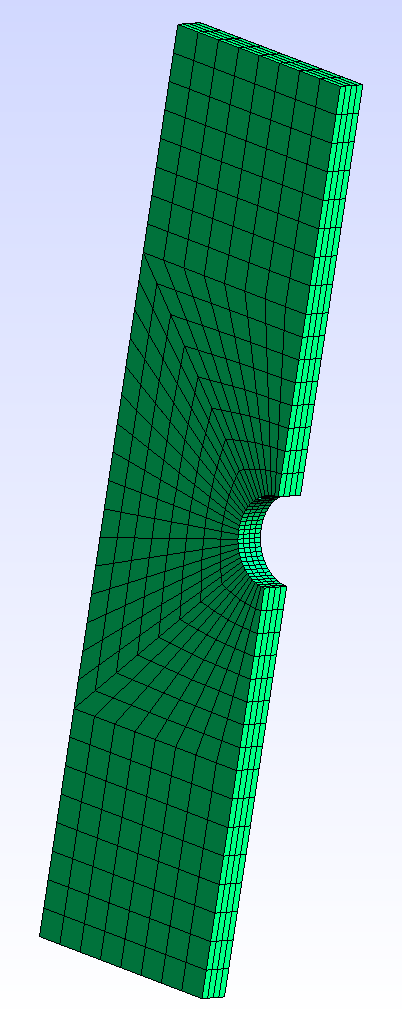
I played with the color of the cells, the edge color and edge thickness, … but I am not able to create a result which is similar to the one in gmsh. The edges look always blurred.
Any ideas for appropriate settings?
Thank you!
---
### Author:  [@GregVernon](https://discourse.paraview.org/u/GregVernon)
#### Post date: [March 2, 2024, 4:52am UTC](https://discourse.paraview.org/t/appropriate-representation-and-settings-for-screenshot-of-3d-mesh/14071/2 "2024-03-02T04:52:16Z")
For some reason, your file renders with edges even when using a `Surface` representation (I’m using ParaView 5.12.0-RC3):
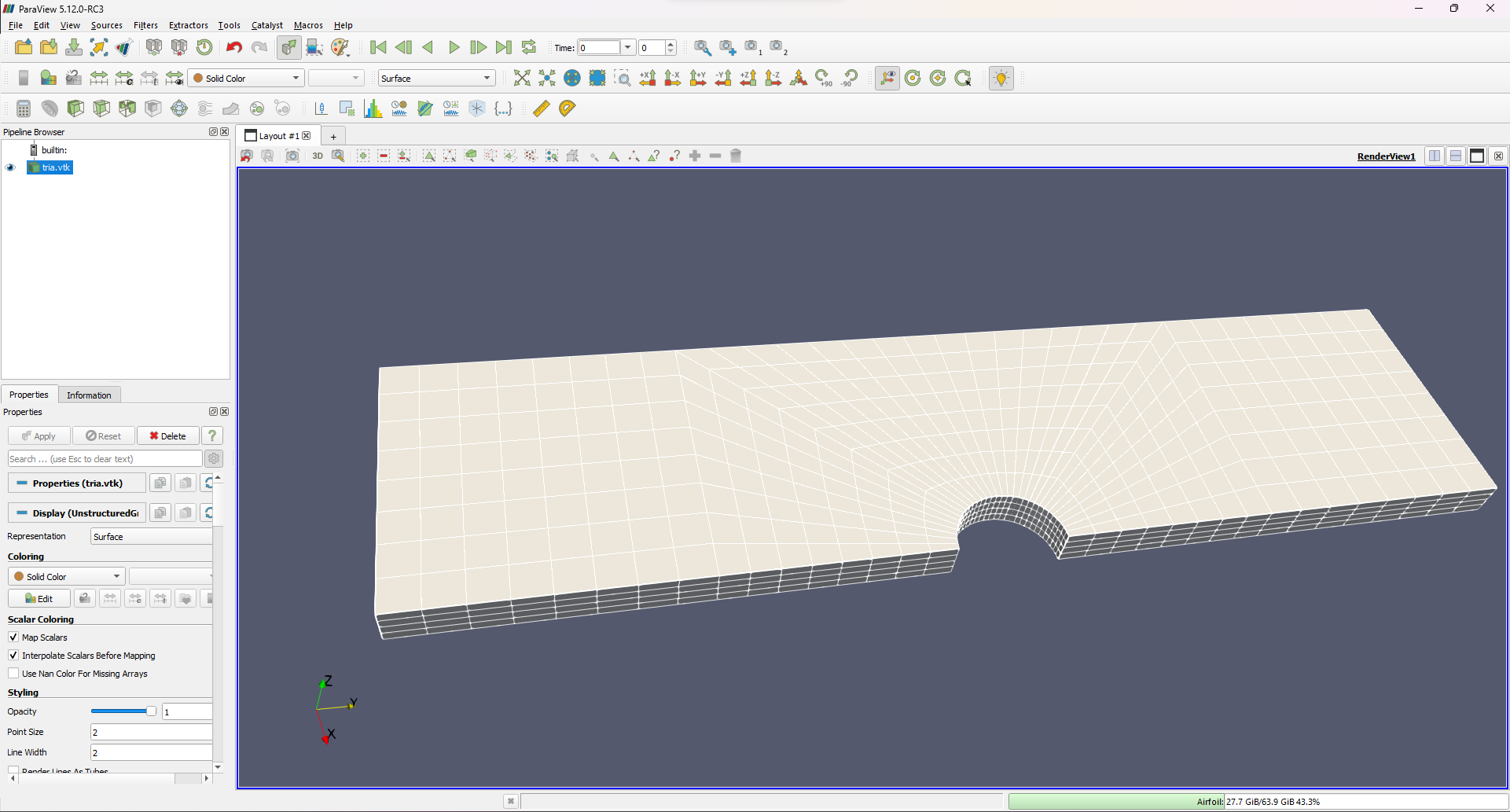
My guess is that when you apply the `Surface with Edges` representation that then the Edges are clashing with the white edges.
If, however, you use the `ExtractCellsByType` filter and choose `Hexahedron` for the `Cell Type` option then the `Surface` representation doesn’t render the edges:
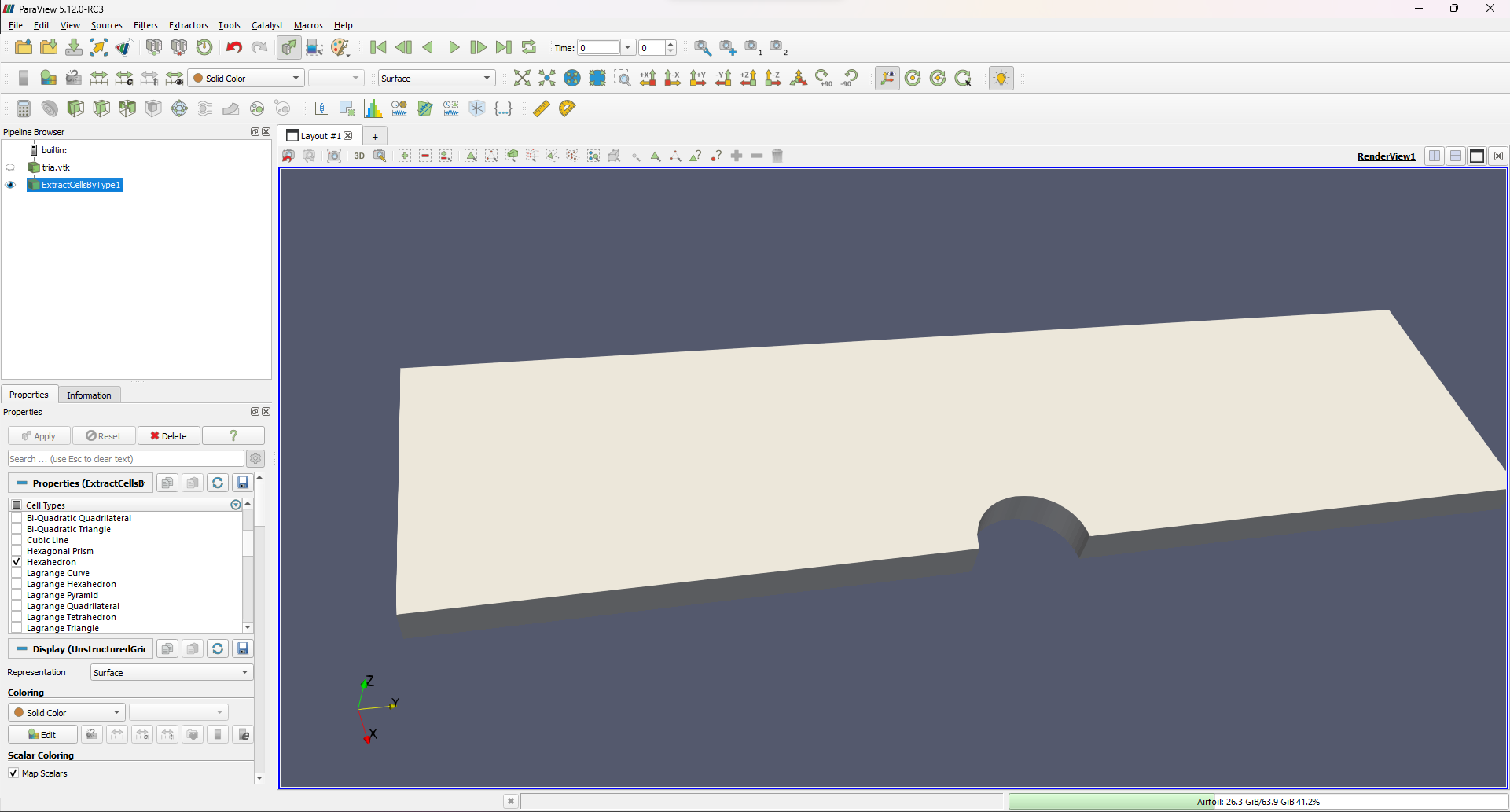
From there you can then apply the `Surface with Edges` representation to recover “normal-looking” edges:

* * *
NOTE: I see your mesh contains linear hexahedra, but if you ever wish to use higher-order elements, ParaView has a [bug](https://discourse.paraview.org/t/higher-order-meshes-render-speckled/6108) / [design choice](https://discourse.paraview.org/t/funny-rendering-of-edges-what-is-the-fix/9989) that results in “broken” edges.
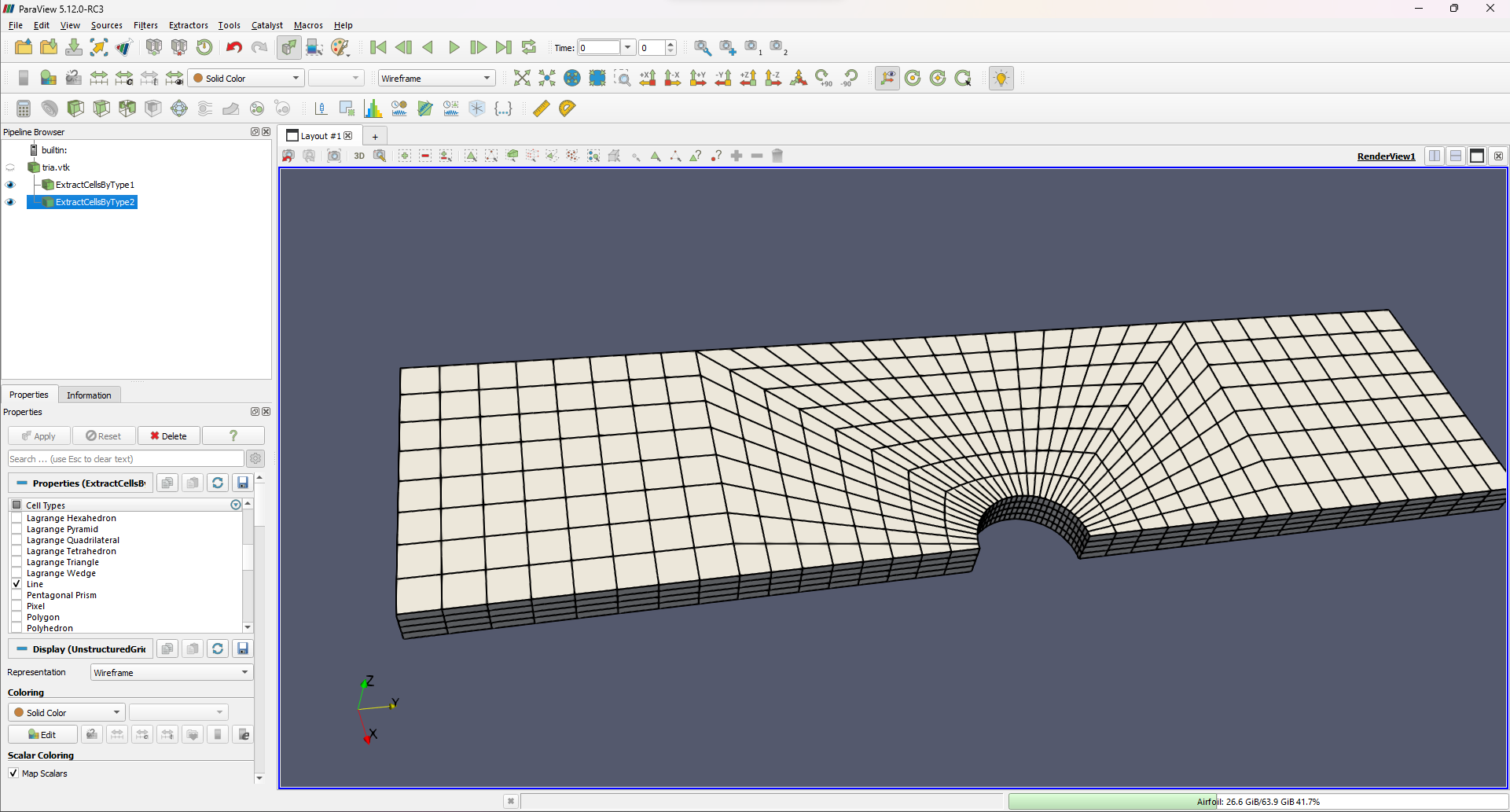
If you wish to render higher-order (deg 2+) elements with edges, then for your dataset you would apply an additional `ExtractCellsByType` filter on the original dataset, this time choosing the `Line` cell type. Then you would draw the first of these filters as a `Surface` and the second as a `Wireframe`:
---
### Author:  [@simonw](https://discourse.paraview.org/u/simonw)
#### Post date: [March 2, 2024, 6:45am UTC](https://discourse.paraview.org/t/appropriate-representation-and-settings-for-screenshot-of-3d-mesh/14071/3 "2024-03-02T06:45:31Z")
Thanks a lot! Probably, I should check some options when I write the vtk file.
I was also wondering why the Wireframe representation shows nothing in the GUI. Do you have an idea as for that?