# Aspect Ratio
**URL:** https://discourse.paraview.org/t/aspect-ratio/11473
**Category:** ParaView Support
**Created:** [February 22, 2023, 9:44pm UTC](https://discourse.paraview.org/t/aspect-ratio/11473 "2023-02-22T21:44:22Z")
**Posts on this page:** 2
**Page:** 1
### Author:  [@rafia2](https://discourse.paraview.org/u/rafia2)
#### Post date: [February 22, 2023, 9:44pm UTC](https://discourse.paraview.org/t/aspect-ratio/11473/1 "2023-02-22T21:44:22Z")
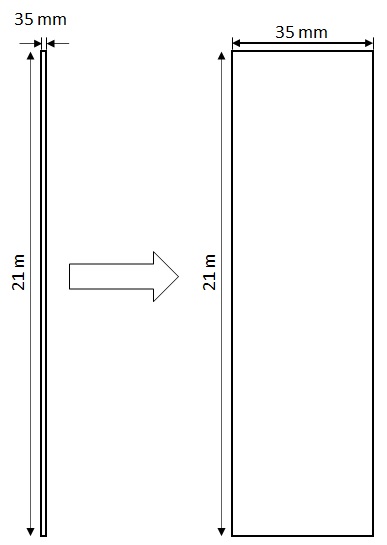
Hi, I have a domain with a length of 21m and a width of 35mm. Because of very small width it is hard to see the various features of the domain. If I zoom it then I can not see the whole length. How can I change the scale setting so that the domain will look much wider while showing the whole 21m length. I have attached an image to better explain the situation. Thank you.
---
### Author:  [@wascott](https://discourse.paraview.org/u/wascott)
#### Post date: [February 22, 2023, 9:53pm UTC](https://discourse.paraview.org/t/aspect-ratio/11473/2 "2023-02-22T21:53:02Z")
That is currently a topic of discussion. [https://gitlab.kitware.com/paraview/paraview/-/issues/21130](https://gitlab.kitware.com/paraview/paraview/-/issues/21130)
A workaround is to either use the Transform filter or on the Properties tab, I believe Advanced, you will find a Transform block. Use the Scale controls.