# camera on scene
**URL:** https://discourse.paraview.org/t/camera-on-scene/7471
**Category:** ParaView Support
**Created:** [June 23, 2021, 12:26pm UTC](https://discourse.paraview.org/t/camera-on-scene/7471 "2021-06-23T12:26:58Z")
**Posts on this page:** 5
**Page:** 1
### Author:  [@frank\_forster](https://discourse.paraview.org/u/frank_forster)
#### Post date: [June 23, 2021, 12:26pm UTC](https://discourse.paraview.org/t/camera-on-scene/7471/1 "2021-06-23T12:26:58Z")
Hello,
When I load a glTF scene on a web glTF viewer, I can’t rotate over all the model, it locks.
I bypassed it using the F3D viewer and enabling the trackball interaction mode.
With that clue, would it be possible to do something to prevent it in Paraview ?

Best, Frank
---
### Author:  [@mwestphal](https://discourse.paraview.org/u/mwestphal)
#### Post date: [June 23, 2021, 12:46pm UTC](https://discourse.paraview.org/t/camera-on-scene/7471/2 "2021-06-23T12:46:36Z")
Your question is unclear. This “Lock” is standard in many viewer tools and completely unrelated to ParaView glTF export.
F3D offer this possibility but other tools could also do it, it is down to the tool itself, not the glTF file.
---
### Author:  [@frank\_forster](https://discourse.paraview.org/u/frank_forster)
#### Post date: [June 23, 2021, 12:55pm UTC](https://discourse.paraview.org/t/camera-on-scene/7471/3 "2021-06-23T12:55:56Z")
Hello @mwestphal,
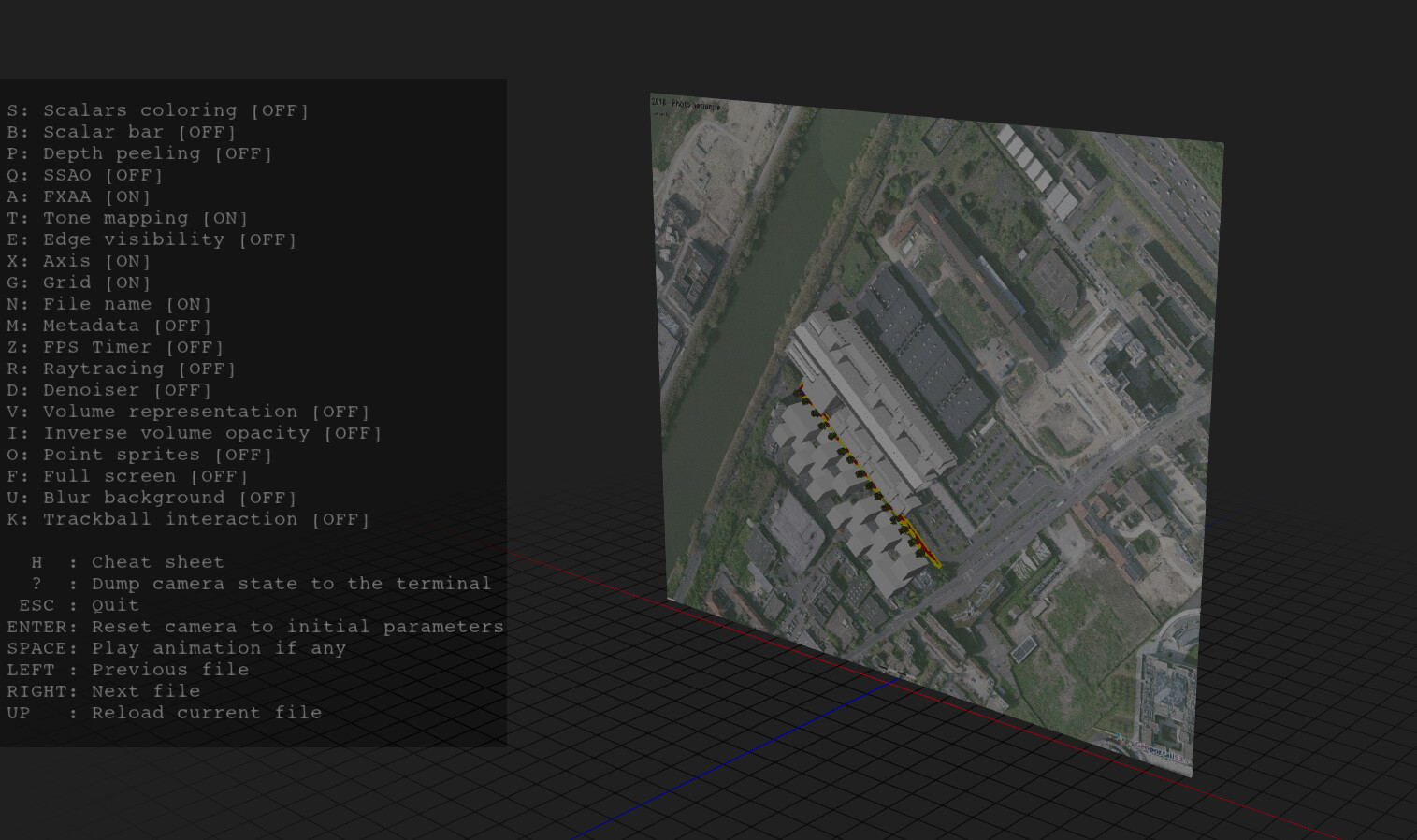
I now understand that these view problem is related to orientation.
Is there a way to change the origin orientation in paraview or I have to replace all the data ?
Frank
---
### Author:  [@mwestphal](https://discourse.paraview.org/u/mwestphal)
#### Post date: [June 23, 2021, 1:00pm UTC](https://discourse.paraview.org/t/camera-on-scene/7471/4 "2021-06-23T13:00:27Z")
I’m afraid ParaView does not support to export the camera location yet.
---
### Author:  [@frank\_forster](https://discourse.paraview.org/u/frank_forster)
#### Post date: [June 23, 2021, 1:53pm UTC](https://discourse.paraview.org/t/camera-on-scene/7471/5 "2021-06-23T13:53:50Z")
I get it,
After looking at the axis lines, it seems to be well oriented but it’s not when exported.

I’ll still look for a way find a way to bypass it.
Thanks, Frank