# Cannot read gmsh file
**URL:** https://discourse.paraview.org/t/cannot-read-gmsh-file/14337
**Category:** ParaView Support
**Created:** [April 4, 2024, 10:14am UTC](https://discourse.paraview.org/t/cannot-read-gmsh-file/14337 "2024-04-04T10:14:33Z")
**Posts on this page:** 8
**Page:** 1
### Author:  [@Boone](https://discourse.paraview.org/u/Boone)
#### Post date: [April 4, 2024, 10:14am UTC](https://discourse.paraview.org/t/cannot-read-gmsh-file/14337/1 "2024-04-04T10:14:33Z")
Hi all,
I tried to import a .msh mesh with Paraview but it created a crash: “Loguru caught a signal: SIGSEGV, error: exception occurred: Segmentation fault”
I am using Paraview-5.11.0 and I pay attention to load the gmshIO plugin as shown on the figure below:
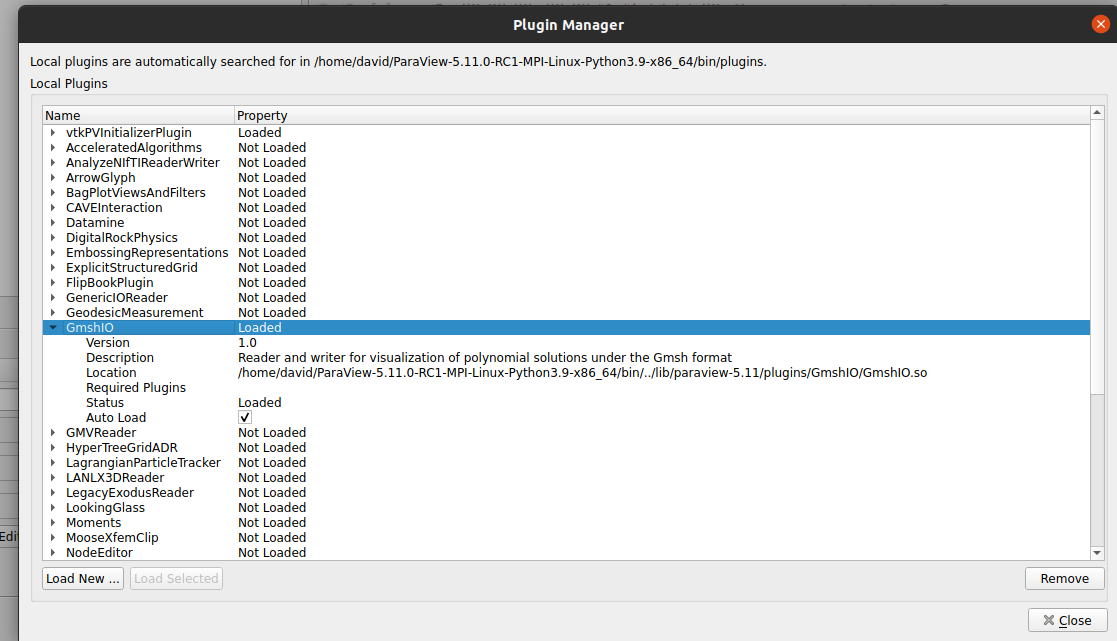
Can someone help with this?
Thanks a lot!
---
### Author:  [@mwestphal](https://discourse.paraview.org/u/mwestphal)
#### Post date: [April 4, 2024, 3:19pm UTC](https://discourse.paraview.org/t/cannot-read-gmsh-file/14337/2 "2024-04-04T15:19:58Z")
Please share your data
---
### Author:  [@Boone](https://discourse.paraview.org/u/Boone)
#### Post date: [April 4, 2024, 3:51pm UTC](https://discourse.paraview.org/t/cannot-read-gmsh-file/14337/3 "2024-04-04T15:51:48Z")
Here is a very coarse .msh file that can be used: [tmp.msh](https://discourse.paraview.org/uploads/short-url/yQDtPJqMWZggHO9LKAJbwmqVh7w.msh) (1.2 MB)
Thanks for your help!
---
### Author:  [@mwestphal](https://discourse.paraview.org/u/mwestphal)
#### Post date: [April 4, 2024, 3:53pm UTC](https://discourse.paraview.org/t/cannot-read-gmsh-file/14337/4 "2024-04-04T15:53:41Z")
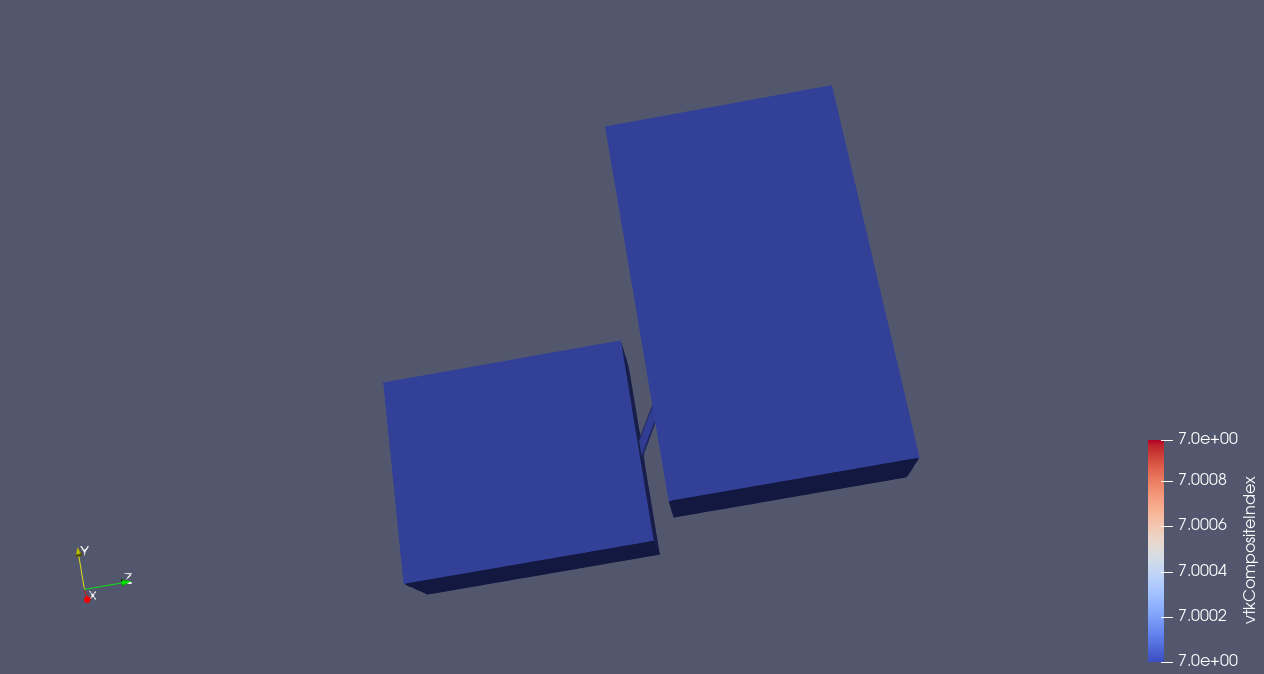
Loads fine in ParaView 5.12.0 Linux Binary Release
---
### Author:  [@Michael\_Li](https://discourse.paraview.org/u/Michael_Li)
#### Post date: [April 22, 2024, 3:52pm UTC](https://discourse.paraview.org/t/cannot-read-gmsh-file/14337/5 "2024-04-22T15:52:21Z")
I cannot find this plugin in Paraviw 5.12.0’s Windows edition, but it is there in the Linux edition. Does anyone else have the same issue on Windows 10?
---
### Author:  [@mwestphal](https://discourse.paraview.org/u/mwestphal)
#### Post date: [April 22, 2024, 3:55pm UTC](https://discourse.paraview.org/t/cannot-read-gmsh-file/14337/6 "2024-04-22T15:55:48Z")
It is not enabled in Windows, because the libgmsh is Linux only.
---
### Author:  [@Michael\_Li](https://discourse.paraview.org/u/Michael_Li)
#### Post date: [April 22, 2024, 3:59pm UTC](https://discourse.paraview.org/t/cannot-read-gmsh-file/14337/7 "2024-04-22T15:59:20Z")
Is there a workaround to load gmsh file on Windows?
---
### Author:  [@mwestphal](https://discourse.paraview.org/u/mwestphal)
#### Post date: [April 22, 2024, 4:00pm UTC](https://discourse.paraview.org/t/cannot-read-gmsh-file/14337/8 "2024-04-22T16:00:27Z")
Open it on linux and save it to another format that can be opened on Windows.