# Cell Value Precision
**URL:** https://discourse.paraview.org/t/cell-value-precision/2709
**Category:** ParaView Support
**Tags:** vtk
**Created:** [October 7, 2019, 2:26am UTC](https://discourse.paraview.org/t/cell-value-precision/2709 "2019-10-07T02:26:00Z")
**Posts on this page:** 3
**Page:** 1
### Author:  [@erdi](https://discourse.paraview.org/u/erdi)
#### Post date: [October 7, 2019, 2:26am UTC](https://discourse.paraview.org/t/cell-value-precision/2709/1 "2019-10-07T02:26:00Z")
Hi all
I have a structured grid and some cell values associated with the elements. Here is the point-vise view.
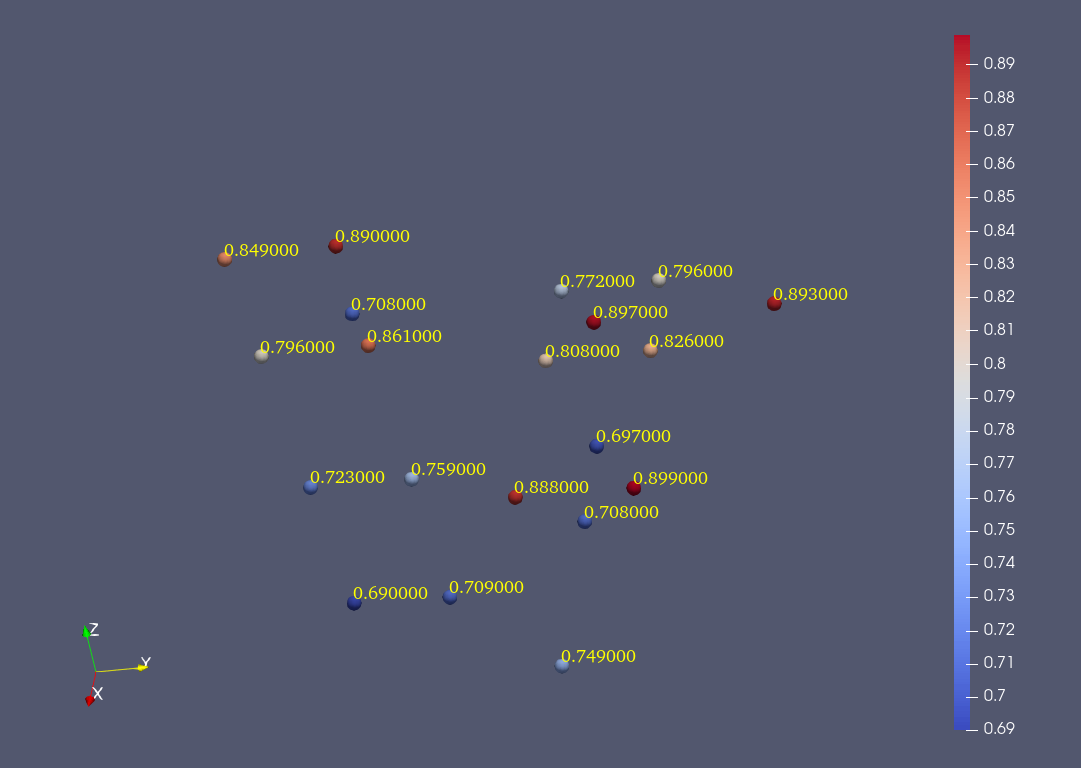
My question is how can I remove annoying 0’s at the end of those labels. We have 3 digit accuracy in the original file.
---
### Author:  [@aron.helser](https://discourse.paraview.org/u/aron.helser)
#### Post date: [October 7, 2019, 12:53pm UTC](https://discourse.paraview.org/t/cell-value-precision/2709/2 "2019-10-07T12:53:47Z")
Are you looking at the labels of selected cells? If you click the gear icon next to the Selection Color button of the Selection Display Inspector, you get this dialog, and you can specify the label format, as I did below:
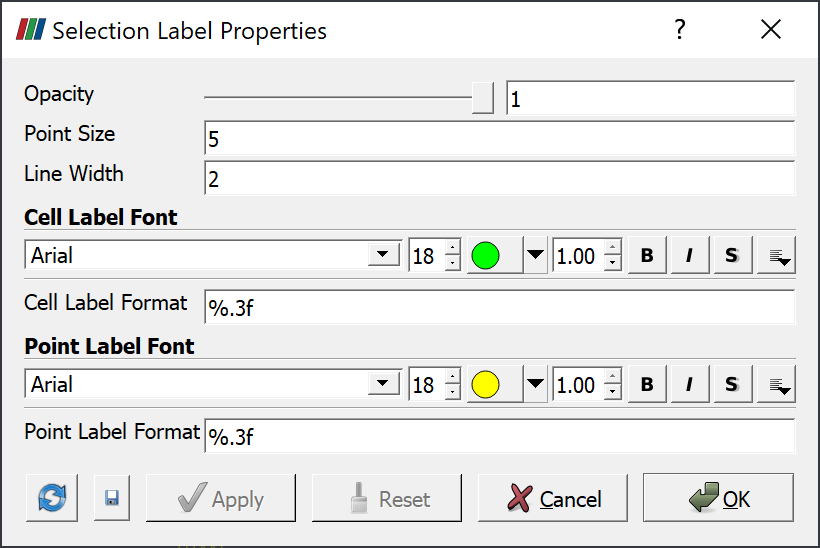
It’s a C++ “printf” format, so %.3f will give you 3 decimal places.
HTH,
Aron
---
### Author:  [@erdi](https://discourse.paraview.org/u/erdi)
#### Post date: [October 8, 2019, 12:12am UTC](https://discourse.paraview.org/t/cell-value-precision/2709/3 "2019-10-08T00:12:49Z")
Perfect! This is exactly want I want, thank you @aron.helser!