# CGNS: Problem properly displaying a file with adaptive mesh solution
**URL:** https://discourse.paraview.org/t/cgns-problem-properly-displaying-a-file-with-adaptive-mesh-solution/11427
**Category:** ParaView Support
**Created:** [February 17, 2023, 1:40pm UTC](https://discourse.paraview.org/t/cgns-problem-properly-displaying-a-file-with-adaptive-mesh-solution/11427 "2023-02-17T13:40:35Z")
**Posts on this page:** 7
**Page:** 1
### Author:  [@SadBoySquad](https://discourse.paraview.org/u/SadBoySquad)
#### Post date: [February 17, 2023, 1:40pm UTC](https://discourse.paraview.org/t/cgns-problem-properly-displaying-a-file-with-adaptive-mesh-solution/11427/1 "2023-02-17T13:40:35Z")
Hello!
I recently wanted to add some extra functionality in a couple of solvers I am working on.
For all visualization purposes, I am using CGNS files.
I managed to solve all problems thus far; with ParaView + CGNS I was pretty much able to do all things I wanted to up until this point (with some valuable help from this forum!).
So this brings me to my current situation; adding the final functionality that is missing.
# What I have
I have a solution for a couple variables on a particle mesh.
Particles are, of course, plain vertices without connectivity (no Cells).
For this purpose, number of cells in the CGNS zone is equal to number of Nodes (which is the number of particles/vertices) and each “Cell” is of type “NODE”, as per the following link:
[https://cgns.github.io/CGNS\_docs\_current/sids/conv.html](https://cgns.github.io/CGNS_docs_current/sids/conv.html)
ParaView is able to plot the relevant variable on particles very well, thus declaring the particles as type “NODE” cells works correctly for visualization purposes.
# What I want to do
I want to have the particle solution for all iterations on a single CGNS file, and be able to choose the time I want to display in ParaView.
This was easy to achieve for the underlying CFD mesh, since the number of Nodes and Cells remains constant.
Be properly defining the BaseIterativeData and ZoneIterativeData nodes, ParaView works falwlessly and I am able to choose the time value that I want to display.
However, the particle mesh changes at every iteration. as particles are created and destroyed.
Therefore, I cannot use a single CGNS Zone, because a CGNS zone has a fixed, constant number of Nodes and Cells.
I need to use multiple zones for the changing number of particles at every iteration that I write.
# What I tried thus far
Searching online for CGNS resources, I found this:
[https://cgns.github.io/CGNS\_docs\_current/sids/timedep.html#ex:adaptedunstructuredmesh](https://cgns.github.io/CGNS_docs_current/sids/timedep.html#ex:adaptedunstructuredmesh)
My problem is kinda similar to the “Adapted Unstructured Mesh” example; I have a changing mesh that needs to be defined in separate zones, and I need to define BaseIterativeData and ZoneIterativeData accordingly.
However, ParaView does not seem to display the contents properly. Below are two pictures from a file that contains two time instances and two zones, each zone corresponding to one time instance.
Time 5:

Time 6:
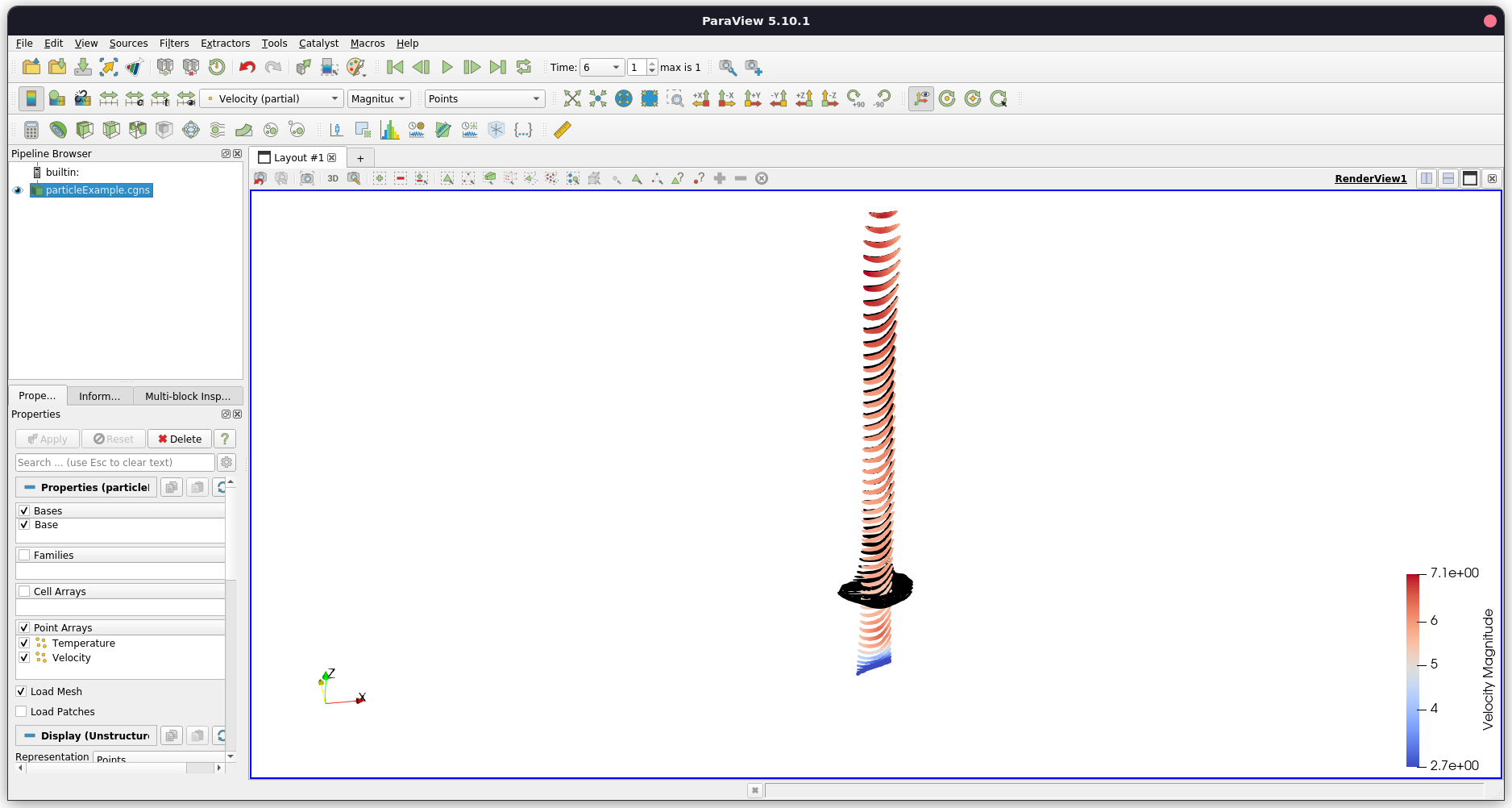
As you can see, the visualization is not correct.
ParaView understands that Time Value 5 is different than 6 and colors the particles accordingly.
This is also noted by the name of the variable which is stated as “Velocity (partial)”.
However, particles that are not part of this instance are also visible (these are the black particles in the example images).
I can go to the Multiblock Inspector and toggle Zone visibility manually, but this is of course not automated.
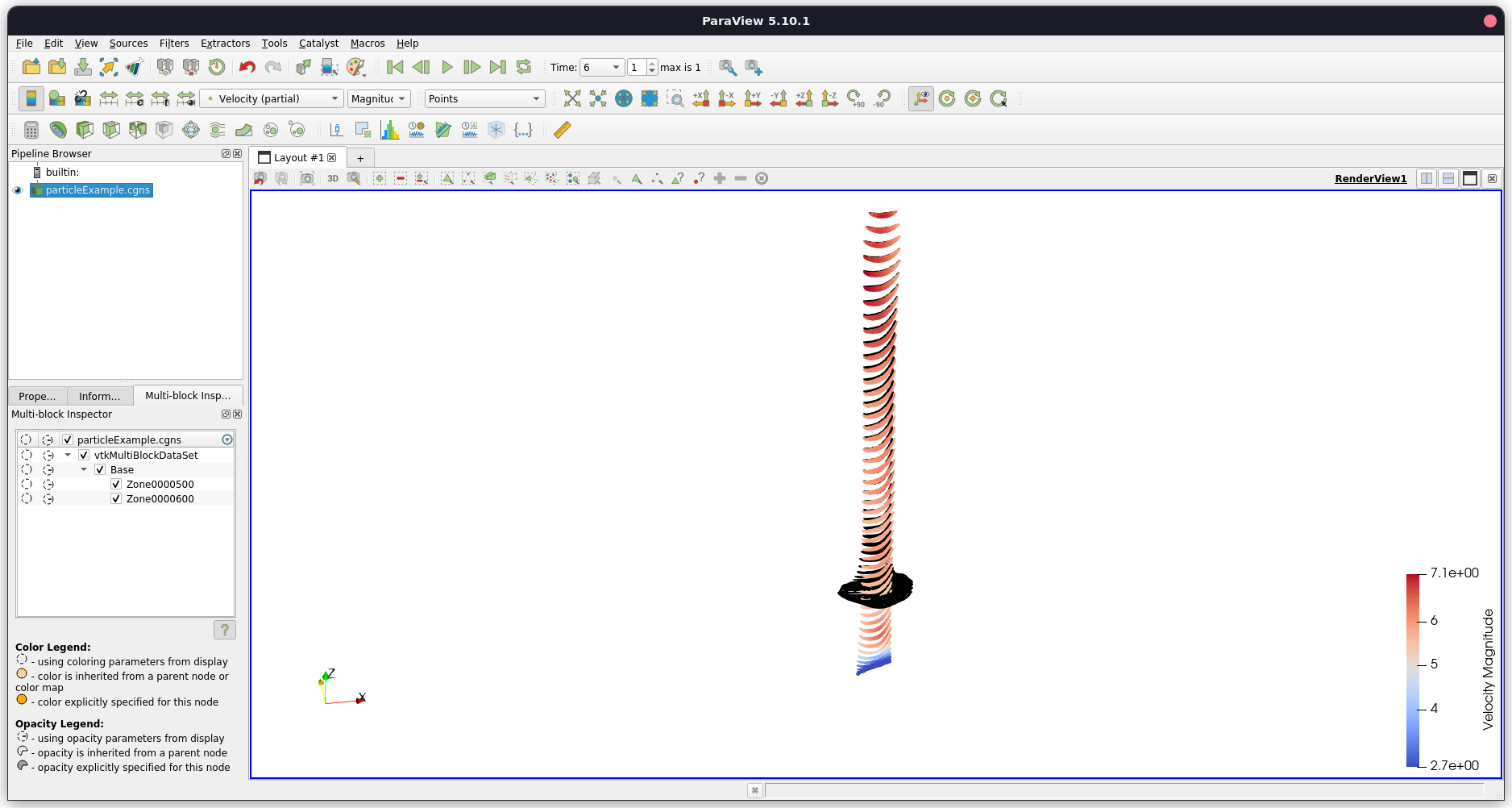
Can I, somehow, remedy this, or is this functionality not possible in ParaView?
Below is a link to the file, if anyone wants to check its contents and try it out:
> **[Dropbox](https://www.dropbox.com/s/k8itrq6azhofvvz/particleExample.cgns?dl=)**
---
### Author:  [@SadBoySquad](https://discourse.paraview.org/u/SadBoySquad)
#### Post date: [February 20, 2023, 10:43am UTC](https://discourse.paraview.org/t/cgns-problem-properly-displaying-a-file-with-adaptive-mesh-solution/11427/2 "2023-02-20T10:43:56Z")
So, anyone having any ideas?
@MicK7 I remember you have experience with CGNS file, perhaps this is something you have also faced in the past.
Maybe ParaView needs to read the CGNS file in a specific manner, i.e. like the “FamilySpecified” option for boundary patches.
---
### Author:  [@Tiffany\_Chhim](https://discourse.paraview.org/u/Tiffany_Chhim)
#### Post date: [February 21, 2023, 11:18am UTC](https://discourse.paraview.org/t/cgns-problem-properly-displaying-a-file-with-adaptive-mesh-solution/11427/3 "2023-02-21T11:18:59Z")
Hello @SadBoySquad,
Thanks for sharing your example file and scenario.
Your assumption is correct, the CGNS file reader would need to be modified in order to support this adaptive mesh case, for example by redefining the mesh in one block only instead of one zone = one block. It seems that the reader always reads and displays all zones of a base by default.
---
### Author:  [@SadBoySquad](https://discourse.paraview.org/u/SadBoySquad)
#### Post date: [February 21, 2023, 12:08pm UTC](https://discourse.paraview.org/t/cgns-problem-properly-displaying-a-file-with-adaptive-mesh-solution/11427/4 "2023-02-21T12:08:05Z")
@Tiffany_Chhim
Thank you for the reply.
So I guess ParaView cannot support this at the moment.
Is there any other way I could accomplish this?
Perhaps using a different file format?
I would just want to avoid writing/loading multiple files.
---
### Author:  [@Tiffany\_Chhim](https://discourse.paraview.org/u/Tiffany_Chhim)
#### Post date: [February 22, 2023, 9:06am UTC](https://discourse.paraview.org/t/cgns-problem-properly-displaying-a-file-with-adaptive-mesh-solution/11427/5 "2023-02-22T09:06:43Z")
The logic “one CGNS zone → one block” is specific to the current CGNS reader.
If you have the possibility of using a different file format, it would be worth trying to find one that suits your needs 🙂
---
### Author:  [@SadBoySquad](https://discourse.paraview.org/u/SadBoySquad)
#### Post date: [February 23, 2023, 11:10am UTC](https://discourse.paraview.org/t/cgns-problem-properly-displaying-a-file-with-adaptive-mesh-solution/11427/6 "2023-02-23T11:10:58Z")
@Tiffany_Chhim
Yeah, I meant to say that ParaView cannot support this using CGNS files (I did not phrase my reply correctly).
I could use a different file format, though I would need one that includes metadata (i.e. Simulation Time).
However, for the time being, I could make do with one CGNS file per written instance, loaded into ParaView as a file series.
It is, of course, not a single file (which was my initial request), however it seems to work fine for now (given that the “official” CGNS way of writing the adaptive mesh is not compatible with ParaView).
So instead of having a single CGNS file with multiple zones and one time instance per zone, I create one CGNS file per instance.
With the correct metadata information (simulation time), ParaView opens the CGNS file series and displays things correctly.
I have one last question:
Can I create a file that behaves like a .pvd file, but using CGNS instead of VTK/VTU/VTP?
Like the following example which utilized .vtp files, with corresponding paths being defined into a master .pvd.
> [@Can I load one file sequences from separate folders?](https://discourse.paraview.org/t/can-i-load-one-file-sequences-from-separate-folders/3465):
>
> We have a network file system where the maximum number of files per folder is quite limited so we have to do things like this: folder1: result0.vtp - result100.vtp folder2: result101.vtp - result200.vtp … My current quick and dirty solution is to create a folder where the number of files is unlimited and create symlinks to all result\*.vtp files so Paraview can load all of them at once. My questions are: Can I load these files into one file sequence through the paraview GUI? It seems that o…
---
### Author:  [@MicK7](https://discourse.paraview.org/u/MicK7)
#### Post date: [August 6, 2023, 2:36pm UTC](https://discourse.paraview.org/t/cgns-problem-properly-displaying-a-file-with-adaptive-mesh-solution/11427/7 "2023-08-06T14:36:16Z")
The trick is to define a `GridCoordinatesPointers` node inside the zones with `Null` string being used for time steps for which the zone should not be displayed (else GridCoordinates string).