# CGNS: streamlines visualization problem
**URL:** https://discourse.paraview.org/t/cgns-streamlines-visualization-problem/13812
**Category:** ParaView Support
**Created:** [January 28, 2024, 8:44am UTC](https://discourse.paraview.org/t/cgns-streamlines-visualization-problem/13812 "2024-01-28T08:44:49Z")
**Posts on this page:** 4
**Page:** 1
### Author:  [@GabriB](https://discourse.paraview.org/u/GabriB)
#### Post date: [January 28, 2024, 8:44am UTC](https://discourse.paraview.org/t/cgns-streamlines-visualization-problem/13812/1 "2024-01-28T08:44:49Z")
Dear all,
I imported the .CGNS file of my simulation containing the velocity field of my domain.
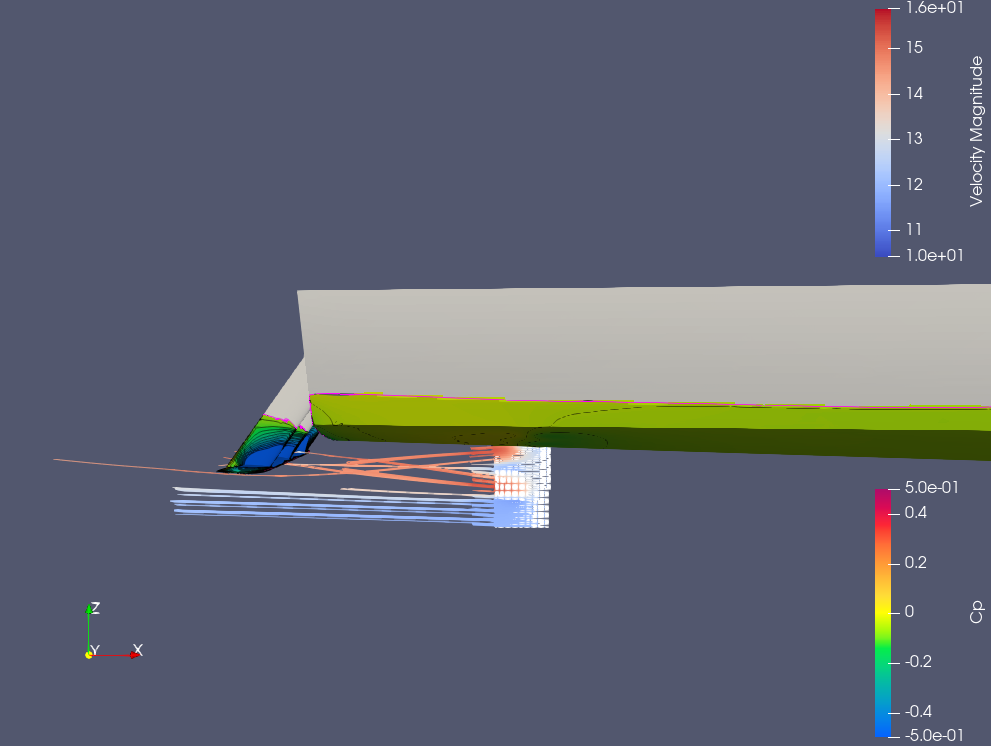
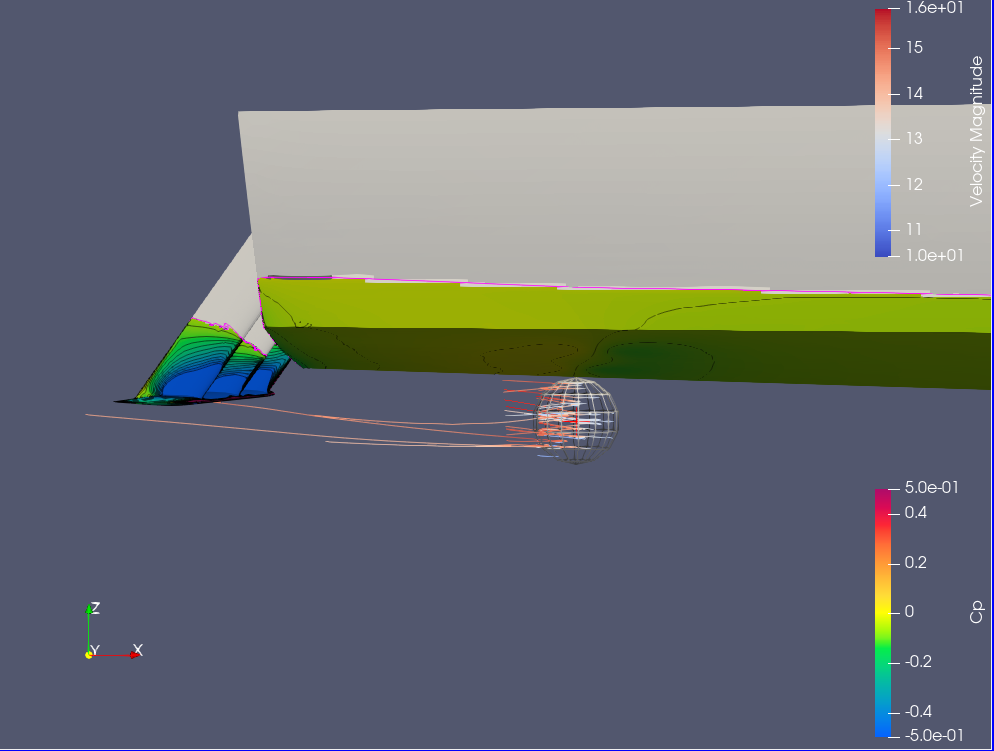
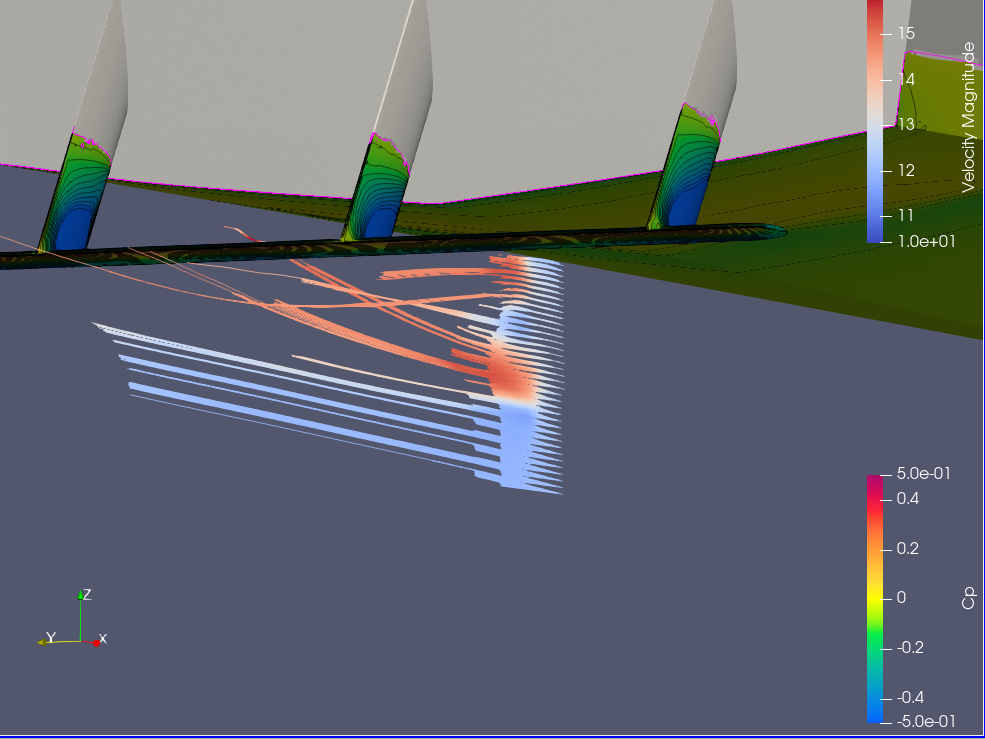
I tried to extract the streamlines using Stream Tracer and Stream tracer with Custom source.
In both cases my streamlines are cut (really short segment).
I tried also to extend the Maximum streamlines length, but nothing changed.
Do you know why this is happening and how can I solve it?
Please find attached the streamlines Figures.
Many thanks in advance.
Regards,
Gabriele
---
### Author:  [@mwestphal](https://discourse.paraview.org/u/mwestphal)
#### Post date: [January 29, 2024, 9:44am UTC](https://discourse.paraview.org/t/cgns-streamlines-visualization-problem/13812/2 "2024-01-29T09:44:16Z")
Probably incorrect meshing, please share your data.
---
### Author:  [@GabriB](https://discourse.paraview.org/u/GabriB)
#### Post date: [January 29, 2024, 12:32pm UTC](https://discourse.paraview.org/t/cgns-streamlines-visualization-problem/13812/3 "2024-01-29T12:32:17Z")
Dear Mathieu,
Thanks in advance for your support.
For the related data, please refer to this topic:
> [@CGNS domain file: split domain surfaces](https://discourse.paraview.org/t/cgns-domain-file-split-domain-surfaces/13813):
>
> Dear all, I imported my CGNS domain file. When I load the domain everything is defined as “one-block” (please refer to the attached Figure). I would like to split my domain patches, like the domain boundaries and my geometry boundaries. Do you know how can I achieve that? Many thanks in advance. Regards, Gabriele
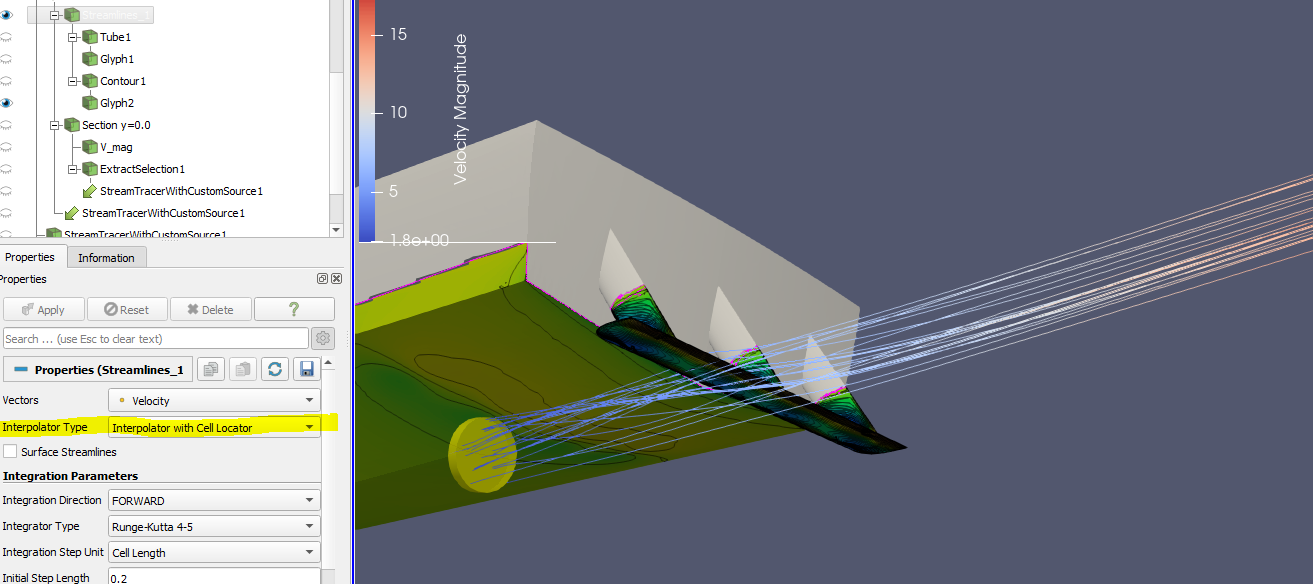
I “played” with the advance setting and I changed the Interpolation Type with Cell Locator instead of point Locator.
Now the streamlines looks uniform and not trimmed, but I cannot confirm if that was actually the problem that I was facing. (please see the attached Figure).
Many thanks in adavance.
Regards,
Gabriele
---
### Author:  [@mwestphal](https://discourse.paraview.org/u/mwestphal)
#### Post date: [January 29, 2024, 1:03pm UTC](https://discourse.paraview.org/t/cgns-streamlines-visualization-problem/13812/4 "2024-01-29T13:03:20Z")
> [@GabriB](#):
>
> I “played” with the advance setting and I changed the Interpolation Type with Cell Locator instead of point Locator.
This is indeed a way to fix streamlines when you have incorrect T cells in your mesh.