# Change Axis Size and color
**URL:** https://discourse.paraview.org/t/change-axis-size-and-color/3355
**Category:** ParaView Support
**Created:** [January 16, 2020, 5:43pm UTC](https://discourse.paraview.org/t/change-axis-size-and-color/3355 "2020-01-16T17:43:55Z")
**Posts on this page:** 6
**Page:** 1
### Author:  [@nayla\_salvador](https://discourse.paraview.org/u/nayla_salvador)
#### Post date: [January 16, 2020, 5:43pm UTC](https://discourse.paraview.org/t/change-axis-size-and-color/3355/1 "2020-01-16T17:43:55Z")
Hello
I would like to know that I can change the size of the XYZ axis and also if there is a way to change the color and size of the magnitude scale for better contrast (written in black for example)
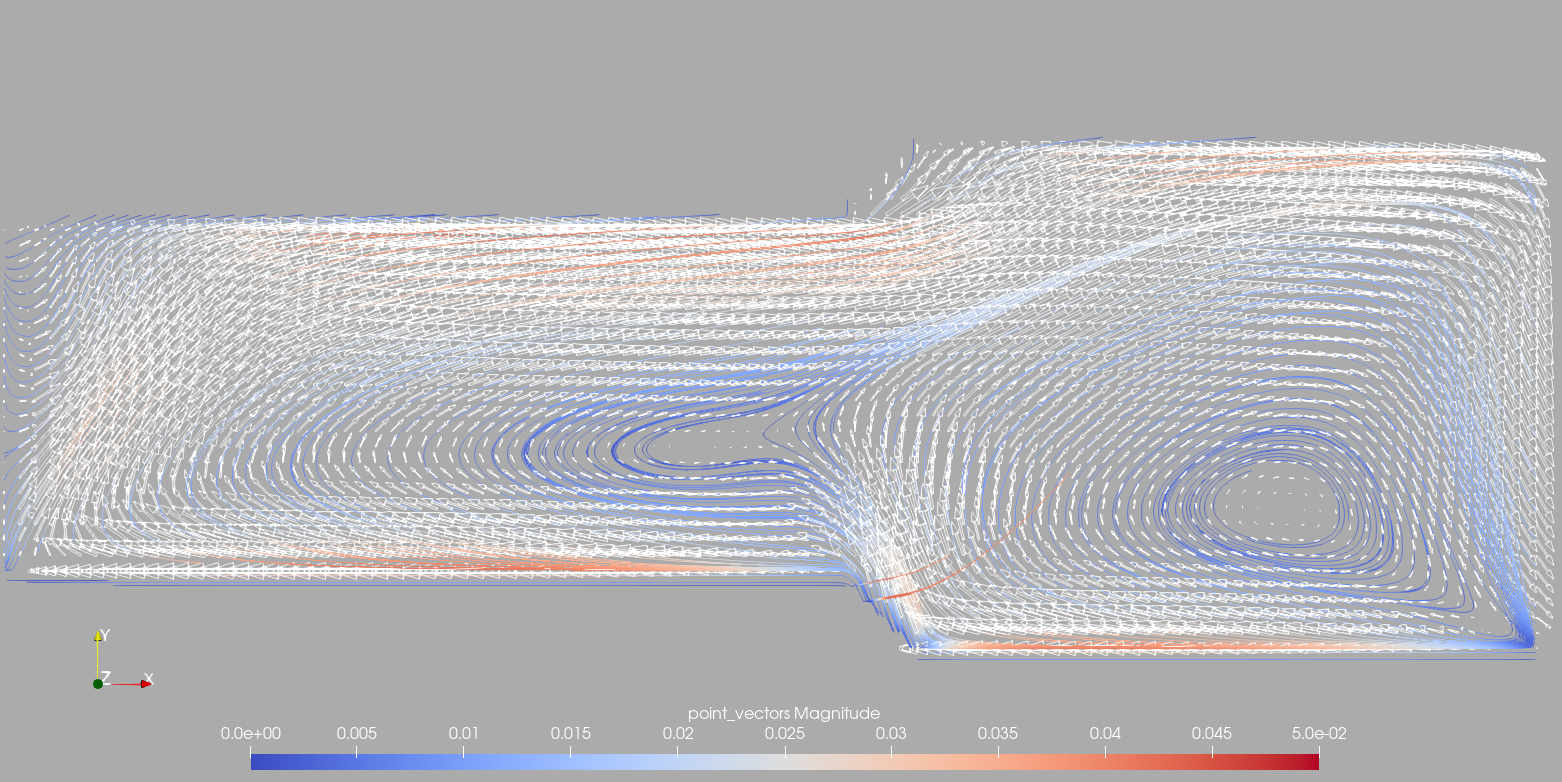
I can’t generate good contrast in my images for export.
And the literacy ends up getting very small.
---
### Author:  [@Kenneth\_Moreland](https://discourse.paraview.org/u/Kenneth_Moreland)
#### Post date: [January 16, 2020, 7:35pm UTC](https://discourse.paraview.org/t/change-axis-size-and-color/3355/2 "2020-01-16T19:35:55Z")
You can change the size of that axis in the lower-left corner by turning on the `Orientation Axis Interactivity` option in the `Properties` panel. The easiest way to find it is to type `orient` in the search box at the top of the `Properties` panel. Once you have turned on the `Orientation Axis Interactivity` option when you hover the mouse over the axes you will see a box that you can drag to move or resize the axes.
The text color can be controlled along with the background color using palettes. You can select a color palette using the button on the top toolbar that looks like this: 
First select a palette with a foreground and background close to what you want (probably `White Background`). Then select `Edit Current Palette...` and use that to edit colors for features like background and text.
---
### Author:  [@avigliotti](https://discourse.paraview.org/u/avigliotti)
#### Post date: [March 7, 2024, 1:02pm UTC](https://discourse.paraview.org/t/change-axis-size-and-color/3355/3 "2024-03-07T13:02:09Z")
can you also change font size and use latex for subscripts?
---
### Author:  [@cory.quammen](https://discourse.paraview.org/u/cory.quammen)
#### Post date: [March 7, 2024, 2:56pm UTC](https://discourse.paraview.org/t/change-axis-size-and-color/3355/4 "2024-03-07T14:56:29Z")
Yes, you can use LaTeX-like expressions (Mathtext) in the title of the color legend.
---
### Author:  [@Ken](https://discourse.paraview.org/u/Ken)
#### Post date: [February 15, 2025, 7:32am UTC](https://discourse.paraview.org/t/change-axis-size-and-color/3355/5 "2025-02-15T07:32:25Z")
Hi. Following what you said I can change the color of the orientation axis and drag it with the mouse, but I still can’t change its size. Can you explain it in more detail?
---
### Author:  [@cory.quammen](https://discourse.paraview.org/u/cory.quammen)
#### Post date: [February 16, 2025, 2:15pm UTC](https://discourse.paraview.org/t/change-axis-size-and-color/3355/6 "2025-02-16T14:15:51Z")
To change the orientation axes size, place your mouse cursor over the upper right corner of the outline box that appears when you mouse over the axes. The cursor should change to a double-ended arrow oriented diagonally. Click the corner and drag to resize it.