# Change button size in GUI
**URL:** https://discourse.paraview.org/t/change-button-size-in-gui/14803
**Category:** ParaView Support
**Created:** [June 8, 2024, 4:41am UTC](https://discourse.paraview.org/t/change-button-size-in-gui/14803 "2024-06-08T04:41:39Z")
**Posts on this page:** 9
**Page:** 1
### Author:  [@ZiyangHuang](https://discourse.paraview.org/u/ZiyangHuang)
#### Post date: [June 8, 2024, 4:41am UTC](https://discourse.paraview.org/t/change-button-size-in-gui/14803/1 "2024-06-08T04:41:40Z")
Hi,
I installed ParaView on both Windows 11 and WSL, and they work.
ParaView on Windows 11:
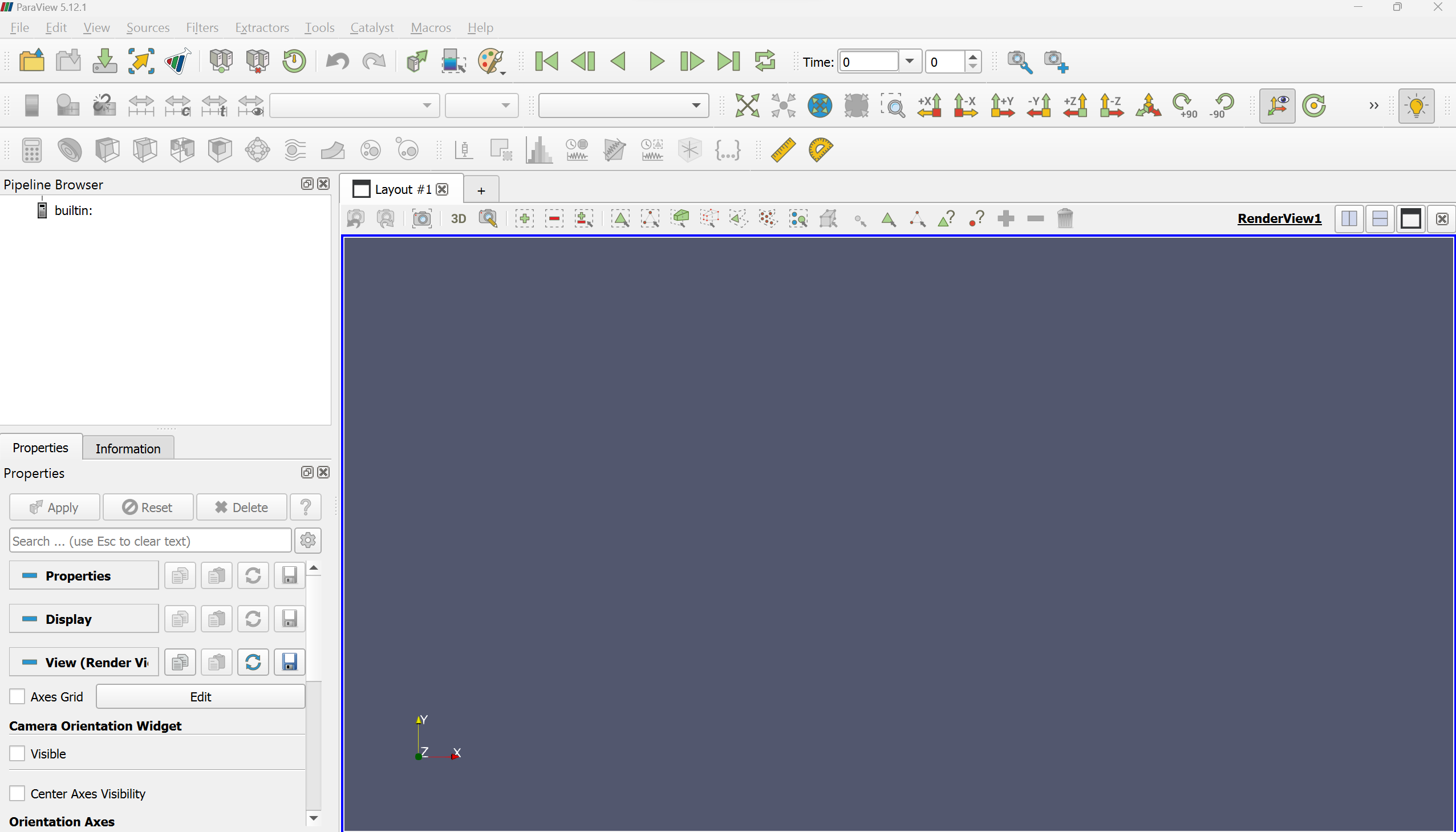
ParaView on WSL:
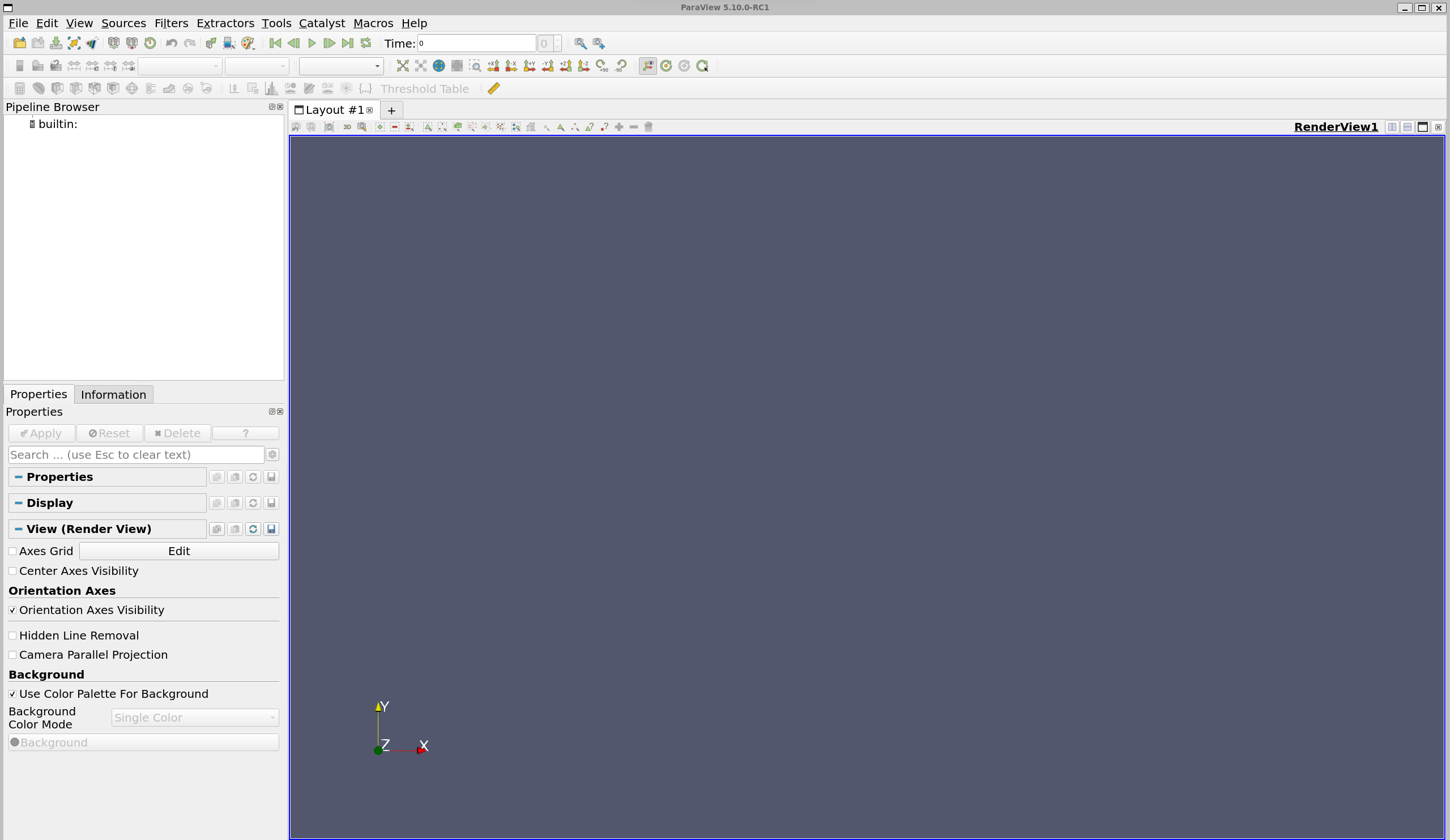
The front size and button size of ParaView on Windows 11 are suitable for me, while those on WSL are too small. I’ve increased the front size of ParaView on WSL. Is there any possible way to increase the button size as well?
In addition, ParaView on WSL will dead if I click “Maximize” on the toolbar. If I don’t do that, everything works normally.
My motivation of installing ParaView on WSL is because the speed of loading data in WSL file system. Although it is allowed for ParaView on Windows 11 to access the data in WSL via //wsl/… but the speed is very slow.
Thanks!
Best,
Ziyang
---
### Author:  [@mwestphal](https://discourse.paraview.org/u/mwestphal)
#### Post date: [June 10, 2024, 8:38am UTC](https://discourse.paraview.org/t/change-button-size-in-gui/14803/2 "2024-06-10T08:38:08Z")
Hi @ZiyangHuang !
Thanks for doing extensive testing of ParaView on WSL!
Please keep in mind WSL is not an officially supported platform.
That being said, does using `QT_SCALE_FACTOR=2 ./bin/paraview` works ?
---
### Author:  [@Atmaja](https://discourse.paraview.org/u/Atmaja)
#### Post date: [March 24, 2025, 3:34am UTC](https://discourse.paraview.org/t/change-button-size-in-gui/14803/3 "2025-03-24T03:34:51Z")
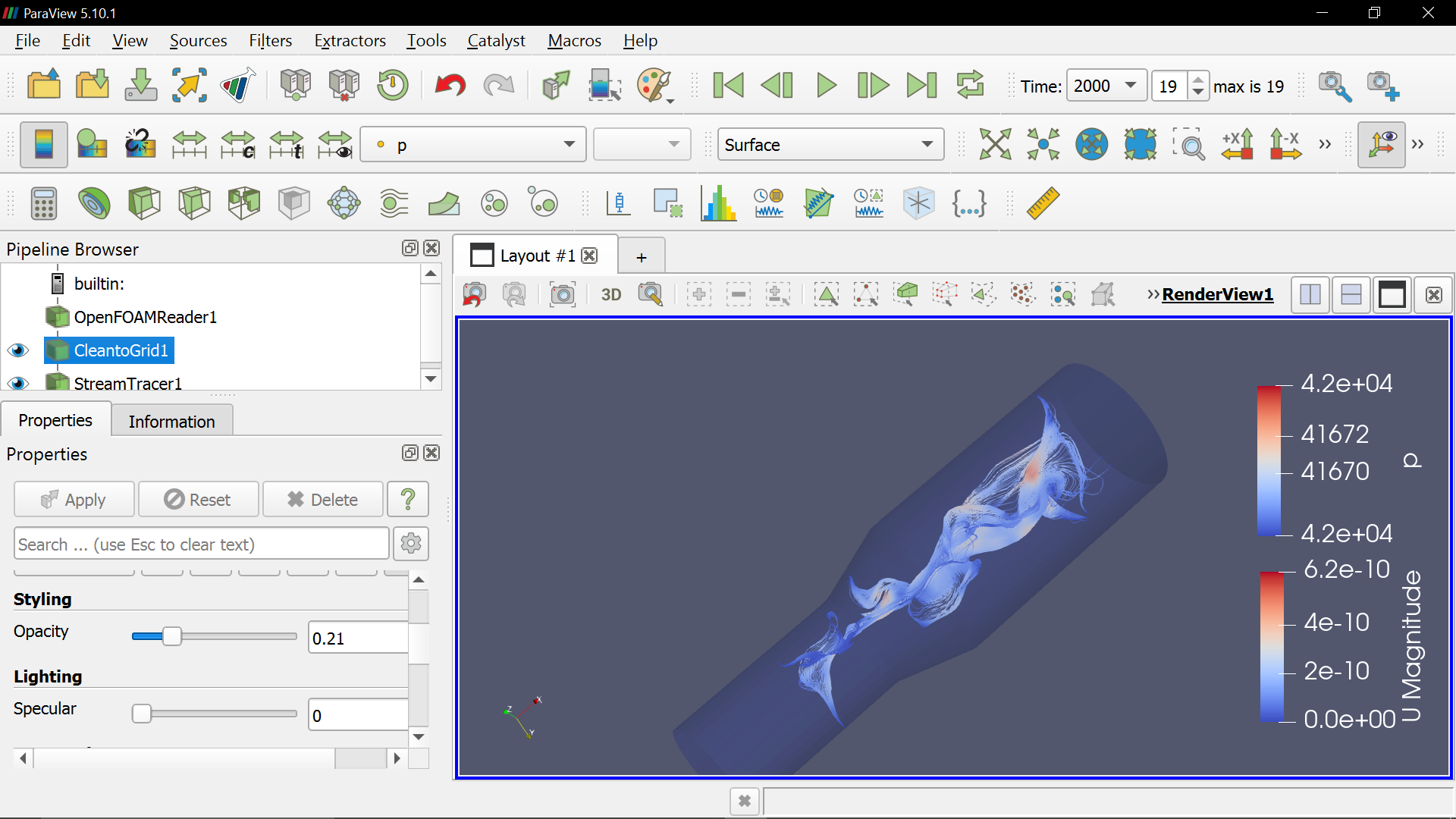
Hi guys I also have problem with button size, looks to big for my notebook with Windows 10 Pro
Thanks for kindly any advice.
---
### Author:  [@mwestphal](https://discourse.paraview.org/u/mwestphal)
#### Post date: [March 24, 2025, 11:02am UTC](https://discourse.paraview.org/t/change-button-size-in-gui/14803/4 "2025-03-24T11:02:07Z")
> [@mwestphal](#):
>
> does using `QT_SCALE_FACTOR=2 ./bin/paraview` works ?
does using QT\_SCALE\_FACTOR=2 ./bin/paraview works ?
---
### Author:  [@Atmaja](https://discourse.paraview.org/u/Atmaja)
#### Post date: [March 25, 2025, 1:50am UTC](https://discourse.paraview.org/t/change-button-size-in-gui/14803/5 "2025-03-25T01:50:17Z")
> [@mwestphal](#):
>
> QT\_SCALE\_FACTOR=2 ./bin/paraview
Mathieu, How I can generate the code? sorry I am beginner.
thanks for advice
---
### Author:  [@mwestphal](https://discourse.paraview.org/u/mwestphal)
#### Post date: [March 25, 2025, 8:16am UTC](https://discourse.paraview.org/t/change-button-size-in-gui/14803/6 "2025-03-25T08:16:19Z")
> [@Atmaja](#):
>
> How I can generate the code? sorry I am beginner.
You need to use the terminal.
---
### Author:  [@Atmaja](https://discourse.paraview.org/u/Atmaja)
#### Post date: [March 25, 2025, 8:59am UTC](https://discourse.paraview.org/t/change-button-size-in-gui/14803/7 "2025-03-25T08:59:32Z")
> [@mwestphal](#):
>
> QT\_SCALE\_FACTOR=2 ./bin/paraview
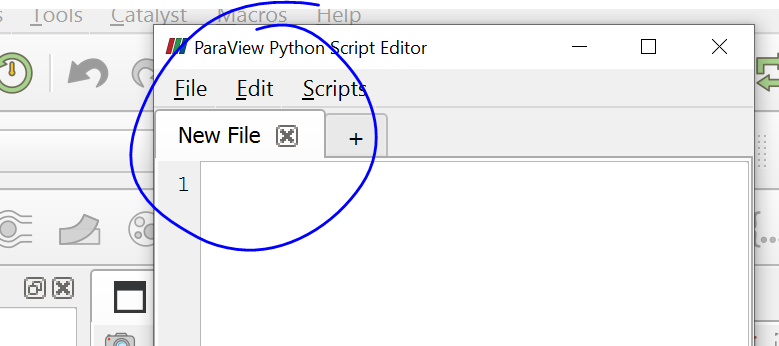
with python script? I’m really sorry haha I tried to find in internet can’t find it (paraview terminal command)
---
### Author:  [@mwestphal](https://discourse.paraview.org/u/mwestphal)
#### Post date: [March 25, 2025, 9:11am UTC](https://discourse.paraview.org/t/change-button-size-in-gui/14803/8 "2025-03-25T09:11:41Z")
Its not related to ParaView, this is about the using the terminal of your system.
Press “Windows” key, type “Command line”, press Enter.
---
### Author:  [@Atmaja](https://discourse.paraview.org/u/Atmaja)
#### Post date: [March 25, 2025, 9:24am UTC](https://discourse.paraview.org/t/change-button-size-in-gui/14803/9 "2025-03-25T09:24:02Z")
> [@mwestphal](#):
>
> QT\_SCALE\_FACTOR=2 ./bin/paraview
well done Mathieu, I tried with Compatibility setting
Thanks for support