# Clip filter not working
**URL:** https://discourse.paraview.org/t/clip-filter-not-working/7545
**Category:** ParaView Support
**Tags:** vtk
**Created:** [July 4, 2021, 4:32pm UTC](https://discourse.paraview.org/t/clip-filter-not-working/7545 "2021-07-04T16:32:47Z")
**Posts on this page:** 7
**Page:** 1
### Author:  [@bnwlkr](https://discourse.paraview.org/u/bnwlkr)
#### Post date: [July 4, 2021, 4:32pm UTC](https://discourse.paraview.org/t/clip-filter-not-working/7545/1 "2021-07-04T16:32:47Z")
Hello,
I have a dataset with a bunch of cells that I’m trying to use a Clip filter on.
The cells are being represented as ‘Point Gaussian’. When I add the clip filter and then click ‘Apply’ it just does nothing. Any hints?

---
### Author:  [@mwestphal](https://discourse.paraview.org/u/mwestphal)
#### Post date: [July 5, 2021, 7:24am UTC](https://discourse.paraview.org/t/clip-filter-not-working/7545/2 "2021-07-05T07:24:31Z")
Click on the eye juste on the left of “out\_out0540-cells.vtk” to hide it.
---
### Author:  [@bnwlkr](https://discourse.paraview.org/u/bnwlkr)
#### Post date: [July 6, 2021, 1:20am UTC](https://discourse.paraview.org/t/clip-filter-not-working/7545/3 "2021-07-06T01:20:24Z")
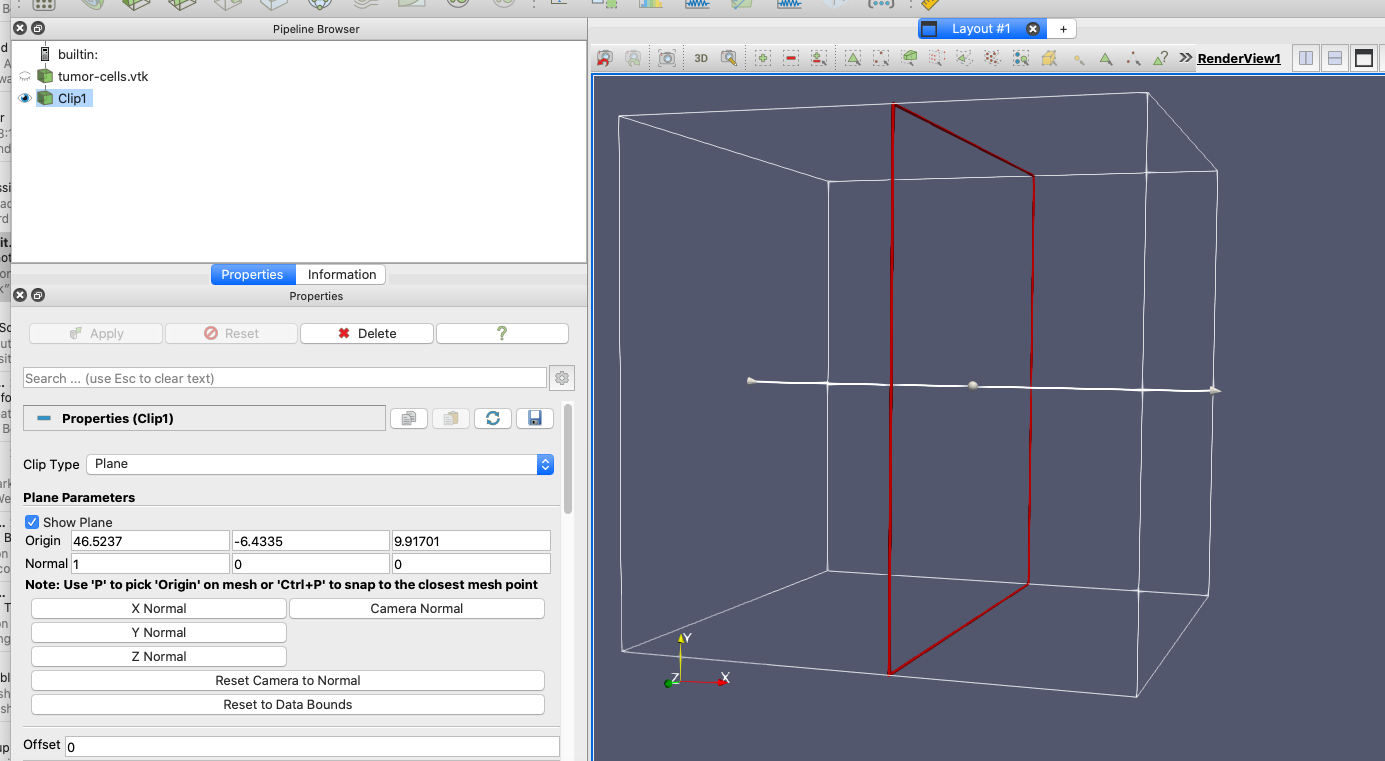
Thanks for the response Mathieu. When I do that, all of the cells disappear…
---
### Author:  [@mwestphal](https://discourse.paraview.org/u/mwestphal)
#### Post date: [July 6, 2021, 7:44am UTC](https://discourse.paraview.org/t/clip-filter-not-working/7545/4 "2021-07-06T07:44:50Z")
Right, because your dataset does not contains any cells. There is a filter in master for that (`ConvertToPointCloud`) but I suppose you are using a release.
Can you share your dataset ?
---
### Author:  [@bnwlkr](https://discourse.paraview.org/u/bnwlkr)
#### Post date: [July 6, 2021, 4:33pm UTC](https://discourse.paraview.org/t/clip-filter-not-working/7545/5 "2021-07-06T16:33:38Z")
Here is the dataset:
> **[iCloud.com](https://www.icloud.com/iclouddrive/0AZlwKE9o1-nTOnSjlGWFeMdw#tumor-cells)**
Thanks
---
### Author:  [@mwestphal](https://discourse.paraview.org/u/mwestphal)
#### Post date: [July 7, 2021, 7:39am UTC](https://discourse.paraview.org/t/clip-filter-not-working/7545/6 "2021-07-07T07:39:39Z")
Use the following to generate vertex cells:
- Add a Glyph filter
- GylphType: 2D Glyph
- GlyphType: Vertex
- Apply
Now all other filters will applies correctly.
---
### Author:  [@bnwlkr](https://discourse.paraview.org/u/bnwlkr)
#### Post date: [July 20, 2021, 8:24pm UTC](https://discourse.paraview.org/t/clip-filter-not-working/7545/7 "2021-07-20T20:24:22Z")
Thanks Mathieu, that did the trick. For anyone arriving via Google, here’s a screen recording of the steps I took: [Paraview tumor clip - YouTube](https://www.youtube.com/watch?v=M_QevkqEni4)