# Clip from polygonal mesh?
**URL:** https://discourse.paraview.org/t/clip-from-polygonal-mesh/12600
**Category:** ParaView Support
**Created:** [July 28, 2023, 5:00pm UTC](https://discourse.paraview.org/t/clip-from-polygonal-mesh/12600 "2023-07-28T17:00:01Z")
**Posts on this page:** 8
**Page:** 1
### Author:  [@caladoa](https://discourse.paraview.org/u/caladoa)
#### Post date: [July 28, 2023, 5:00pm UTC](https://discourse.paraview.org/t/clip-from-polygonal-mesh/12600/1 "2023-07-28T17:00:01Z")
Greetings,
I have a bit of a tricky problem to tackle with Paraview in terms of filtering / clipping.
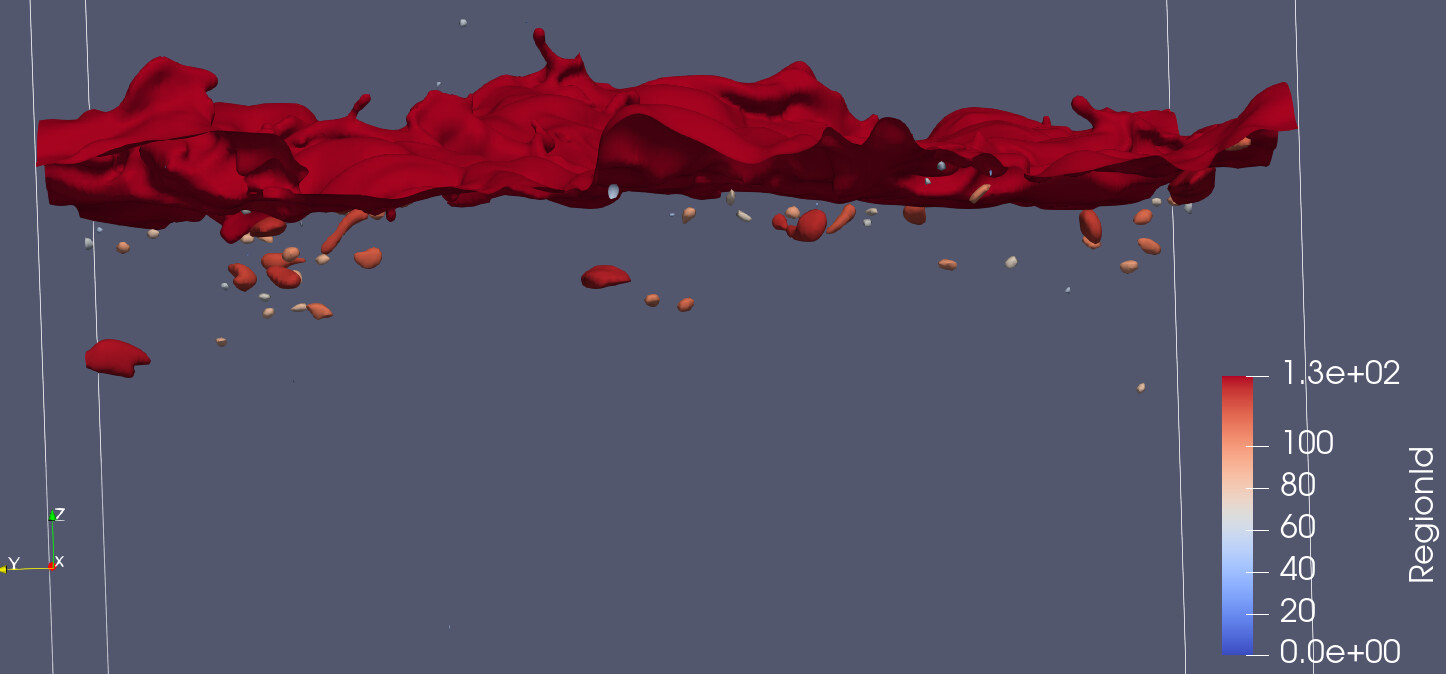
I have a cell var (phi) which for phi=0 defines an an interface (surface). I would like to isolate each of these separately as if they were “bubbles” (see image below). Basically there is a large surface, and a bunch of smaller bubbles above (actually droplets) and below the large surface. If I use the connectivity filter, I am able to split these into separate surface meshes, which is what I want. Plus, if I order the regions by ascending cell count, the last region ID (largest) will give me the large surface (from which I can do other operations).
However, now I want to isolate exclusively the ones which lie below (lower Z value) the large surface. Any ideas on how I can do this ??
Some ideas I still have to try:
1. If I can somehow extract the Z coordinate of the large surface, I could try to filter based on bubbles that have z \< z surface ??
2. If there is a way to “clip” the stuff just in 1 direction (negative Z) from the large surface , this would give me the bubbles that lie underneath.
Any other ideas?
Thanks!
---
### Author:  [@mwestphal](https://discourse.paraview.org/u/mwestphal)
#### Post date: [July 31, 2023, 6:57am UTC](https://discourse.paraview.org/t/clip-from-polygonal-mesh/12600/2 "2023-07-31T06:57:16Z")
> [@caladoa](#):
>
> if there is a way to “clip” the stuff just in 1 direction (negative Z) from the large surface , this would give me the bubbles that lie underneath.
Use the `Clip` filter ?
---
### Author:  [@caladoa](https://discourse.paraview.org/u/caladoa)
#### Post date: [July 31, 2023, 2:13pm UTC](https://discourse.paraview.org/t/clip-from-polygonal-mesh/12600/3 "2023-07-31T14:13:17Z")
But what if it is not a plane / sphere/ etc ? If the Clip filter would allow me to select an arbitrary poly mesh to clip from, this might work.
---
### Author:  [@mwestphal](https://discourse.paraview.org/u/mwestphal)
#### Post date: [July 31, 2023, 2:15pm UTC](https://discourse.paraview.org/t/clip-from-polygonal-mesh/12600/4 "2023-07-31T14:15:27Z")
That is not directly possible but this approach should work:
> [@Slice/Clip with a surface](https://discourse.paraview.org/t/slice-clip-with-a-surface/9436):
>
> It is possible to slice and clip a volume with a surface by using a Phyton Programmable Filter. This relies on the [vtkImplicitPolyDataDistance](https://vtk.org/doc/nightly/html/classvtkImplicitPolyDataDistance.html#details), so the result is an approximation, not an actual boolean operation. Steps for clip: Open a volume, apply Open a surface, apply In the pipeline browser, click on the volume, then press Ctrl, then click on the surface Add a Programmable Filter Set the output type to vtkUnstructuredGrid Set the script to import paraview.modules.vtkPVVTKExtensionsFilte…
---
### Author:  [@caladoa](https://discourse.paraview.org/u/caladoa)
#### Post date: [July 31, 2023, 3:09pm UTC](https://discourse.paraview.org/t/clip-from-polygonal-mesh/12600/5 "2023-07-31T15:09:34Z")
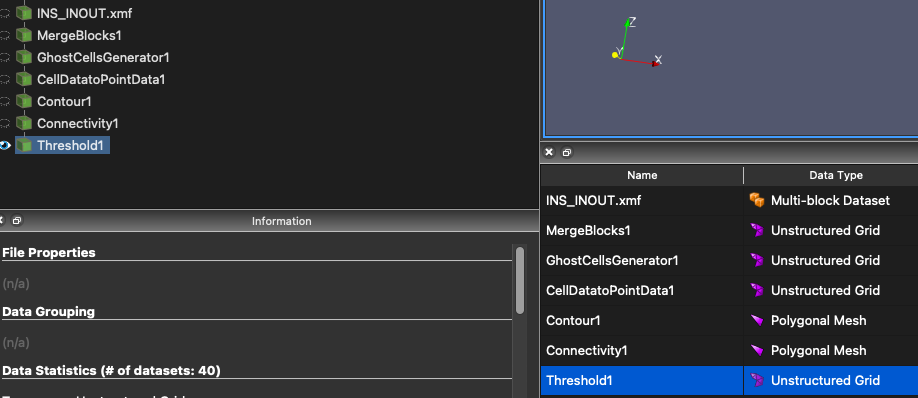
Thanks. I was trying, however not sure how to get the ‘Volume’ representation. I only have unstructured grid and polygonal meshes in my data. How can I create a suitable volume??
---
### Author:  [@caladoa](https://discourse.paraview.org/u/caladoa)
#### Post date: [August 3, 2023, 6:10pm UTC](https://discourse.paraview.org/t/clip-from-polygonal-mesh/12600/6 "2023-08-03T18:10:02Z")
bump
---
### Author:  [@utkarsh.ayachit](https://discourse.paraview.org/u/utkarsh.ayachit)
#### Post date: [August 3, 2023, 6:21pm UTC](https://discourse.paraview.org/t/clip-from-polygonal-mesh/12600/7 "2023-08-03T18:21:36Z")
> [@caladoa](#):
>
> Thanks. I was trying, however not sure how to get the ‘Volume’ representation
You can’t volume render surface mesh. Once you have applied the Contour filter, you have converted that the volumetric data into a surface mesh and hence can’t volume render anymore. You can turn on visibility of the “CellDataToPointData1” filter and the volume render that – not sure if that what you’re intending to do, however. What exactly do you want to volume render in your viz?
---
### Author:  [@caladoa](https://discourse.paraview.org/u/caladoa)
#### Post date: [August 3, 2023, 6:38pm UTC](https://discourse.paraview.org/t/clip-from-polygonal-mesh/12600/8 "2023-08-03T18:38:37Z")
I was just trying to follow the steps from @mwestphal . It does complain about the fact that I am giving it a vtk Unstructured Grid and not vtkPolyData…