# Clip interpolated points with stl
**URL:** https://discourse.paraview.org/t/clip-interpolated-points-with-stl/4669
**Category:** ParaView Support
**Created:** [June 24, 2020, 12:50pm UTC](https://discourse.paraview.org/t/clip-interpolated-points-with-stl/4669 "2020-06-24T12:50:04Z")
**Posts on this page:** 3
**Page:** 1
### Author:  [@Jouv](https://discourse.paraview.org/u/Jouv)
#### Post date: [June 24, 2020, 12:50pm UTC](https://discourse.paraview.org/t/clip-interpolated-points-with-stl/4669/1 "2020-06-24T12:50:05Z")
Hi,
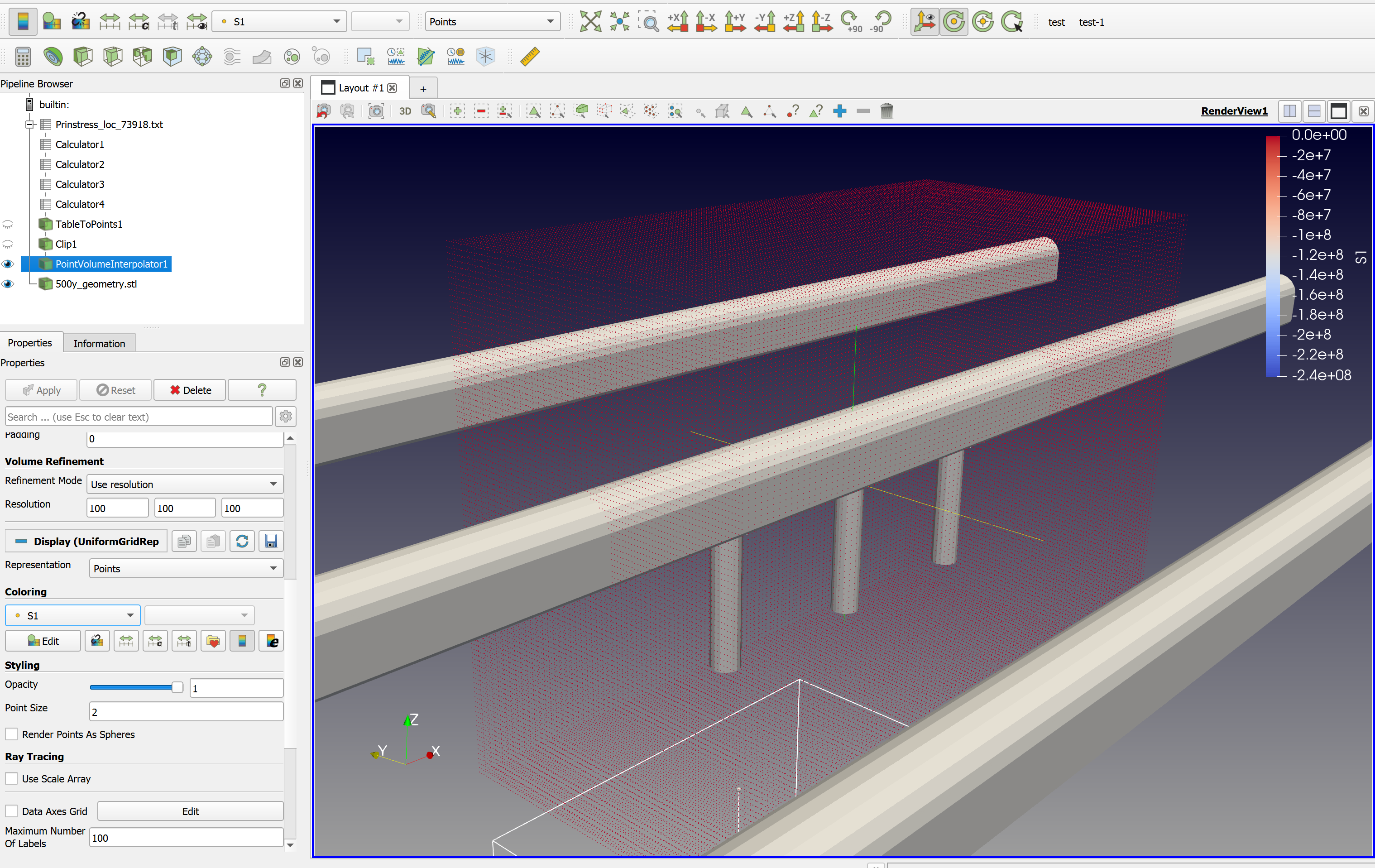
I’m a new Paraview user and am completely stuck on how to perform the following: I have generated interpolated points for a volume of which I would like to create an isosurface for a specific value. The interpolated points are, however, generated for the full volume, while the original data points do not contain points within the stl’s visible in the attached image. If I do not remove these “extra” internal points from the interpolated point cloud, the generated contour or isosurface extends into the stls - which is incorrect. I thought “Find data” would help, but there was no option to use geometrical data to clip the interpolated point cloud. I then looked at programmable filters and it looks like “vtkImplicitPolyDataDistance” might be the method I’m looking for, but I couldn’t wrap my head around how to use it with the programmable filter. I already had a look at [https://vtk.org/Wiki/VTK/Examples/Cxx/PolyData/ImplicitDataSetClipping](https://vtk.org/Wiki/VTK/Examples/Cxx/PolyData/ImplicitDataSetClipping) and [https://www.paraview.org/Wiki/VTK/Examples/Python/Meshes/vtkClipDataSetWithPolydata](https://www.paraview.org/Wiki/VTK/Examples/Python/Meshes/vtkClipDataSetWithPolydata). Just to clarify: I’d like to only use the points OUTSIDE the stl geometry to generate an isosurface or contour for a selected value. Any help is greatly appreciated
---
### Author:  [@Kenichiro-Yoshimi](https://discourse.paraview.org/u/Kenichiro-Yoshimi)
#### Post date: [June 25, 2020, 6:57am UTC](https://discourse.paraview.org/t/clip-interpolated-points-with-stl/4669/2 "2020-06-25T06:57:01Z")
Hello,
I hope the following link is helpful to compute the signed distance field from STL to points in the Programmable filter.
> [@Compute the signed distance field from a polygonal mesh](https://discourse.paraview.org/t/compute-the-signed-distance-field-from-a-polygonal-mesh/123):
>
> Goal Compute the signed distance field from points in a data set to a polygonal mesh. The signed distance field has many applications in computational geometry, and can be used, for instance, to find intersections of objects with a polygonal mesh. Background A signed distance field is a point-associated field that gives the distance from each point in a data set to some location or object. In this case, we’ll compute the signed distance as the nearest point on a polygonal mesh. The sign of the …
---
### Author:  [@Jouv](https://discourse.paraview.org/u/Jouv)
#### Post date: [June 25, 2020, 12:45pm UTC](https://discourse.paraview.org/t/clip-interpolated-points-with-stl/4669/3 "2020-06-25T12:45:15Z")
Hey Kyoshimi, thank you for the help - I managed to get it working, although it isn’t perfect. I have to use a scalar clip to generate a contour after using the programmable filter. The below did it, if I first ctrl selected the data set and then the stl:
mesh = self.GetInputDataObject(0, 0)
import paraview.vtk as vtk
pdd = vtk.vtkImplicitPolyDataDistance()
pdd.SetInput(mesh)
dataset = self.GetInputDataObject(0, 1)
output.CopyAttributes(dataset)
numPts = dataset.GetNumberOfPoints()
distArray = vtk.vtkDoubleArray()
distArray.SetName(“Distance”)
distArray.SetNumberOfComponents(1)
distArray.SetNumberOfTuples(numPts)
for i in range(numPts):
pt = dataset.GetPoint(i)
print(pt)
distArray.SetValue(i, pdd.EvaluateFunction(pt))
output.GetPointData().AddArray(distArray)