# Color Map Editor GUI broken
**URL:** https://discourse.paraview.org/t/color-map-editor-gui-broken/15195
**Category:** ParaView Support
**Created:** [August 8, 2024, 10:18pm UTC](https://discourse.paraview.org/t/color-map-editor-gui-broken/15195 "2024-08-08T22:18:08Z")
**Posts on this page:** 7
**Page:** 1
### Author:  [@MatthiasLang](https://discourse.paraview.org/u/MatthiasLang)
#### Post date: [August 8, 2024, 10:18pm UTC](https://discourse.paraview.org/t/color-map-editor-gui-broken/15195/1 "2024-08-08T22:18:08Z")
Hello everyone,
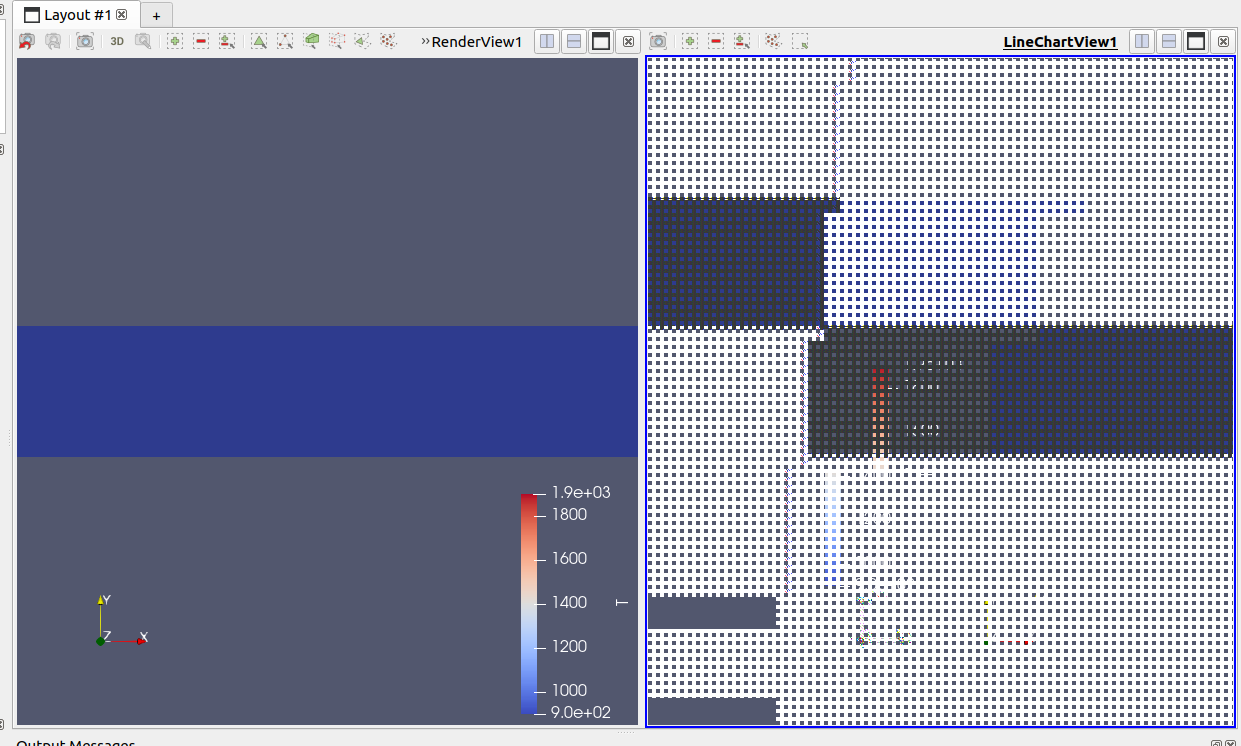
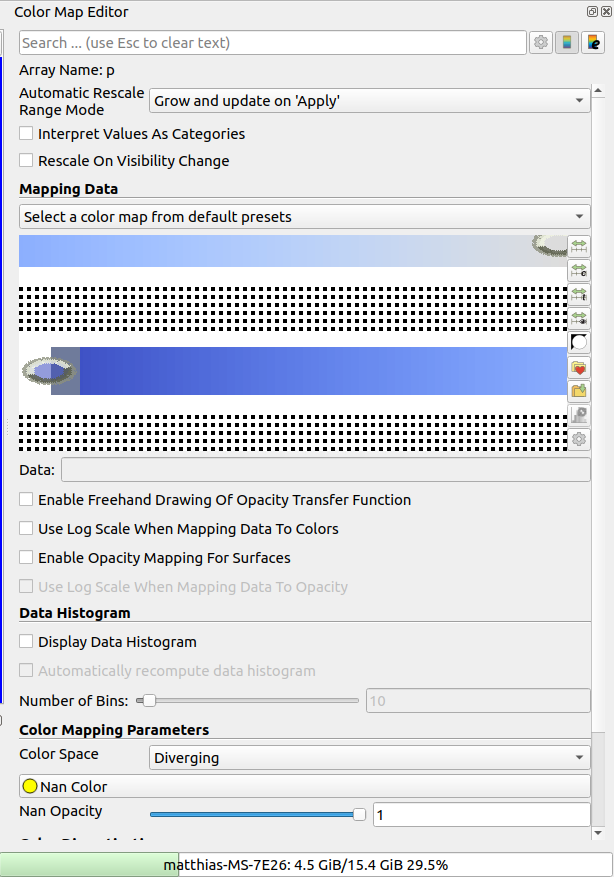
I’m experiencing some issues with ParaView. Both my Color Map Editor and LineChartView are no longer functioning. I’ve tried reinstalling ParaView, but the problem persists. It used to work perfectly fine, and I can’t recall making any specific changes that might have caused this issue.
Does anyone have any suggestions on what could be causing this problem or how I might fix it?
Thanks in advance for your help!
OS: Ubuntu 22.04.4 LTS
Paraview Version: 5.10.0-RC1
---
### Author:  [@nicolas.vuaille](https://discourse.paraview.org/u/nicolas.vuaille)
#### Post date: [August 9, 2024, 7:25am UTC](https://discourse.paraview.org/t/color-map-editor-gui-broken/15195/2 "2024-08-09T07:25:50Z")
5.10 is quite old version now.
Please try a more recent version from the download page: [https://www.paraview.org/download/](https://www.paraview.org/download/)
5.12 is the last stable, 5.13 is in the release stage (RC)
---
### Author:  [@MatthiasLang](https://discourse.paraview.org/u/MatthiasLang)
#### Post date: [August 9, 2024, 10:12am UTC](https://discourse.paraview.org/t/color-map-editor-gui-broken/15195/3 "2024-08-09T10:12:51Z")
Thank you for your reply!
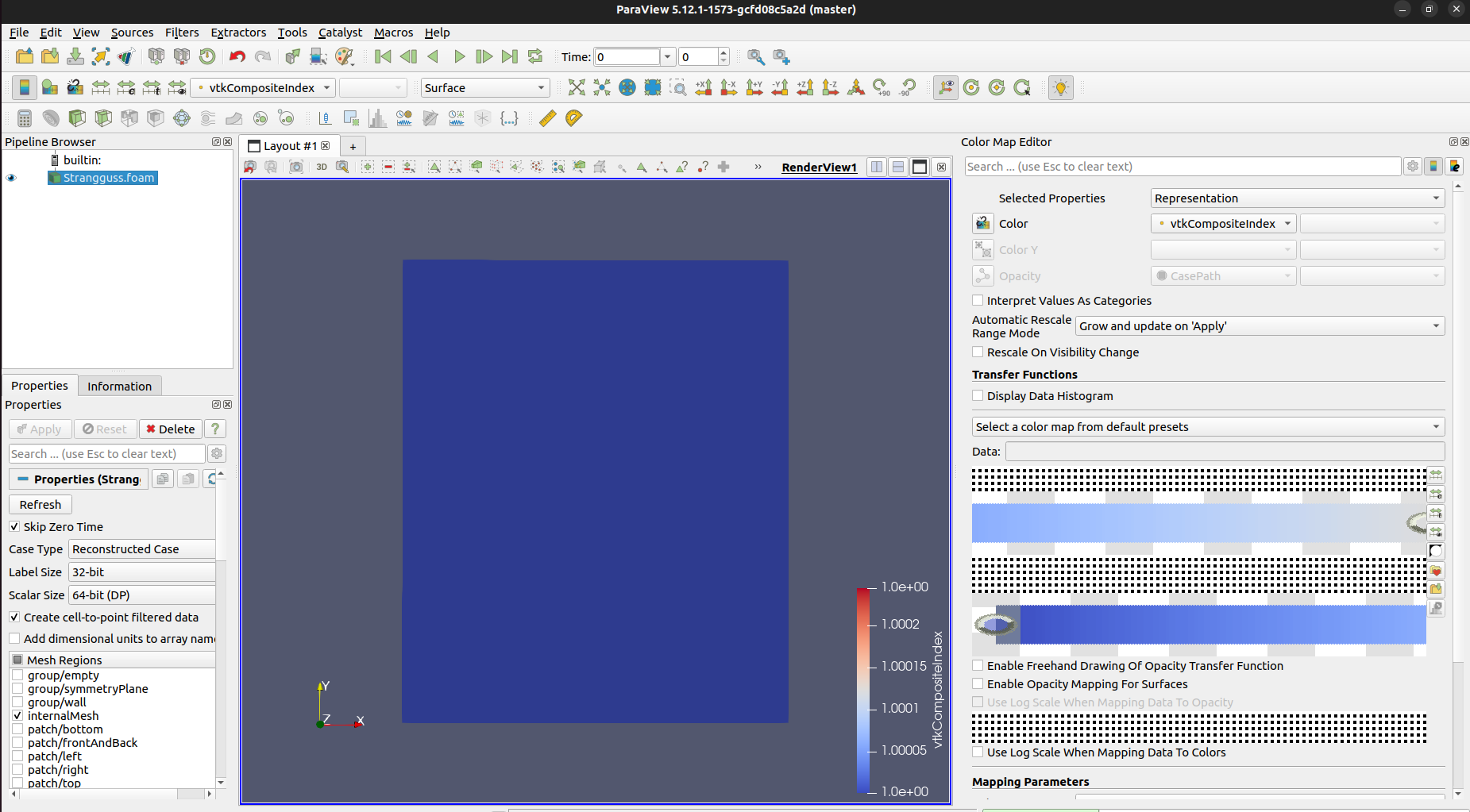
I uninstalled my current installation and installed ParaView 5.12.1 following the guide from [this link](https://gitlab.kitware.com/paraview/paraview/blob/master/Documentation/dev/build.md#linux).
Weirdly enough, the problem persists, as shown in the following screenshot:
Below is the log file from my build process. I encountered some warnings, but I’m not sure if they are relevant to this issue:
[log.paraview\_build](https://discourse.paraview.org/uploads/short-url/67WqSsobsQNrPbEWS8CCkPDzMbK.paraview_b) (229.7 KB)
---
### Author:  [@mwestphal](https://discourse.paraview.org/u/mwestphal)
#### Post date: [August 9, 2024, 3:26pm UTC](https://discourse.paraview.org/t/color-map-editor-gui-broken/15195/4 "2024-08-09T15:26:07Z")
Can you try with the binary release from [https://paraview.org/download](https://paraview.org/download) ?
---
### Author:  [@cory.quammen](https://discourse.paraview.org/u/cory.quammen)
#### Post date: [August 10, 2024, 1:54pm UTC](https://discourse.paraview.org/t/color-map-editor-gui-broken/15195/5 "2024-08-10T13:54:07Z")
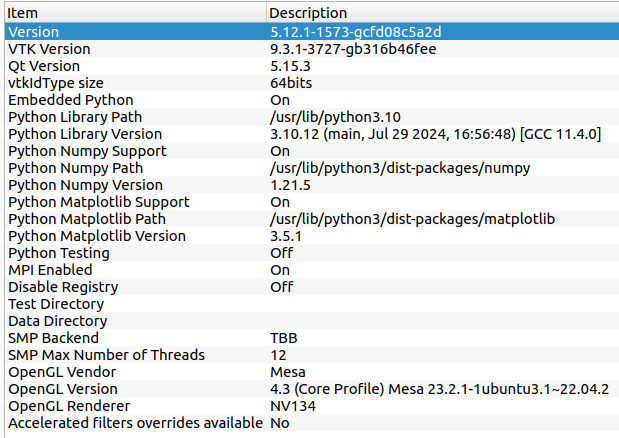
The fact that you see strange graphics in both the LineChartView and Color Map Editor suggests to me that there is possibly a graphics driver issue at play, especially since you said it used to work. An update may have started this behavior. What is reported as your OpenGL graphics in Help → About?
---
### Author:  [@MatthiasLang](https://discourse.paraview.org/u/MatthiasLang)
#### Post date: [August 14, 2024, 7:44pm UTC](https://discourse.paraview.org/t/color-map-editor-gui-broken/15195/6 "2024-08-14T19:44:10Z")
Thank you for your suggestion. I tried it with the binary release 15.13.0, but still the problem persists.
---
### Author:  [@MatthiasLang](https://discourse.paraview.org/u/MatthiasLang)
#### Post date: [August 14, 2024, 8:34pm UTC](https://discourse.paraview.org/t/color-map-editor-gui-broken/15195/7 "2024-08-14T20:34:59Z")
Under Help → About it states:
OpenGL Vendor: Mesa
OpenGL Version: 4.3 (Core Profile) Mesa 23.2.1-1ubuntu3.1~22.04.2
OpenGL Renderer: NV134
Additional information:
EDIT:
Reinstalling my drivers using ‘sudo ubuntu-drivers install’ resolved the issue.
Thank you for your help!