# Comparative Visualization: Visibility
**URL:** https://discourse.paraview.org/t/comparative-visualization-visibility/5561
**Category:** Development
**Created:** [October 14, 2020, 9:12am UTC](https://discourse.paraview.org/t/comparative-visualization-visibility/5561 "2020-10-14T09:12:05Z")
**Posts on this page:** 4
**Page:** 1
### Author:  [@louisgag](https://discourse.paraview.org/u/louisgag)
#### Post date: [October 14, 2020, 9:12am UTC](https://discourse.paraview.org/t/comparative-visualization-visibility/5561/1 "2020-10-14T09:12:05Z")
Hi,
I’m under the impression something in the comparative visualization is not working as intended, but I tested with 5.6.0, 5.8.1, and the latest nightly (5.8.1-1454-gf84473df96), so maybe I’m just not doing it properly.
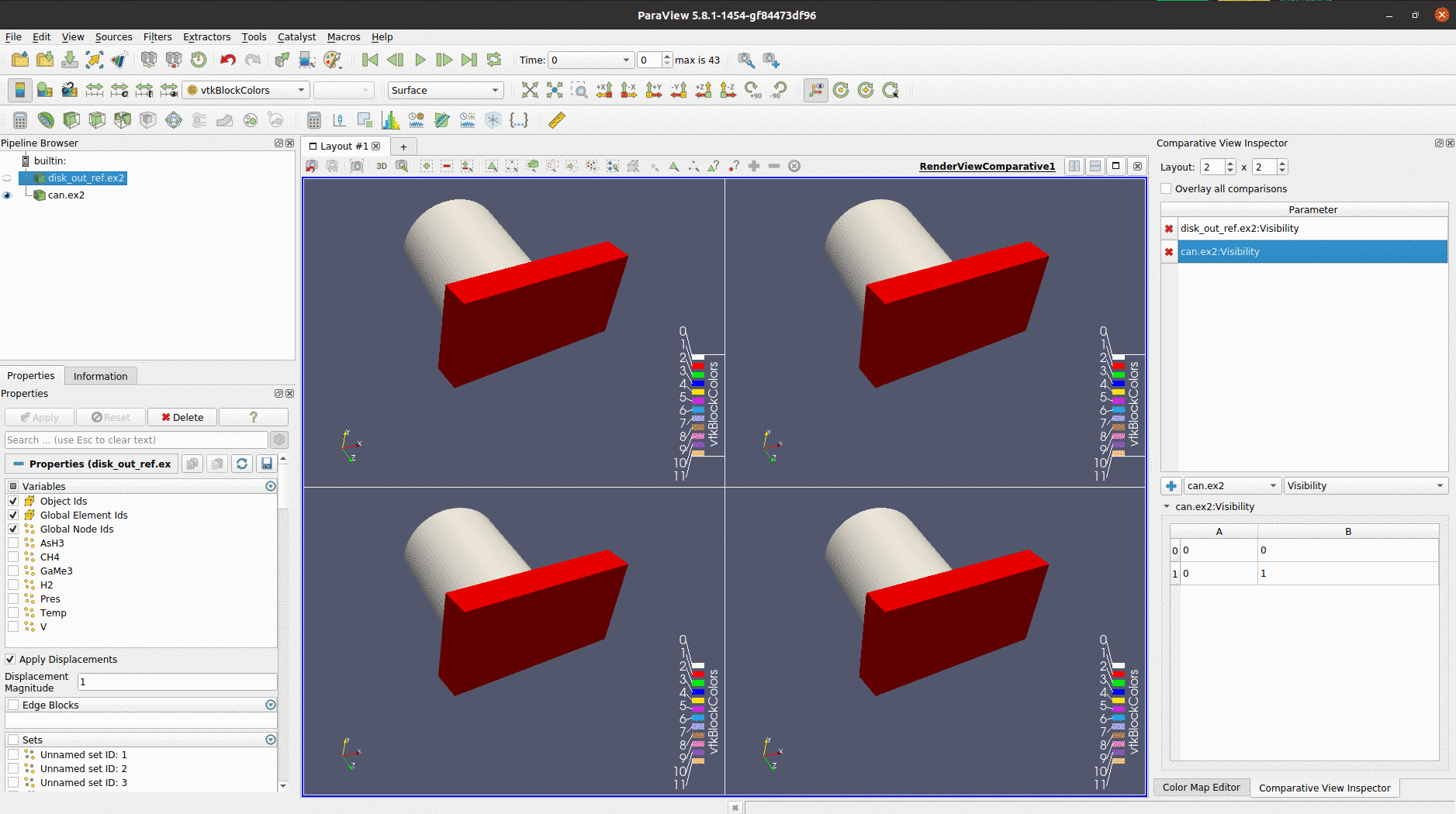
Shortly said, the “visibility” option of the comparative view makes the given **dataset either visible in every layout or in none** of them based on the value (0 or 1) of the last cell (bottom right) of the visibility table.
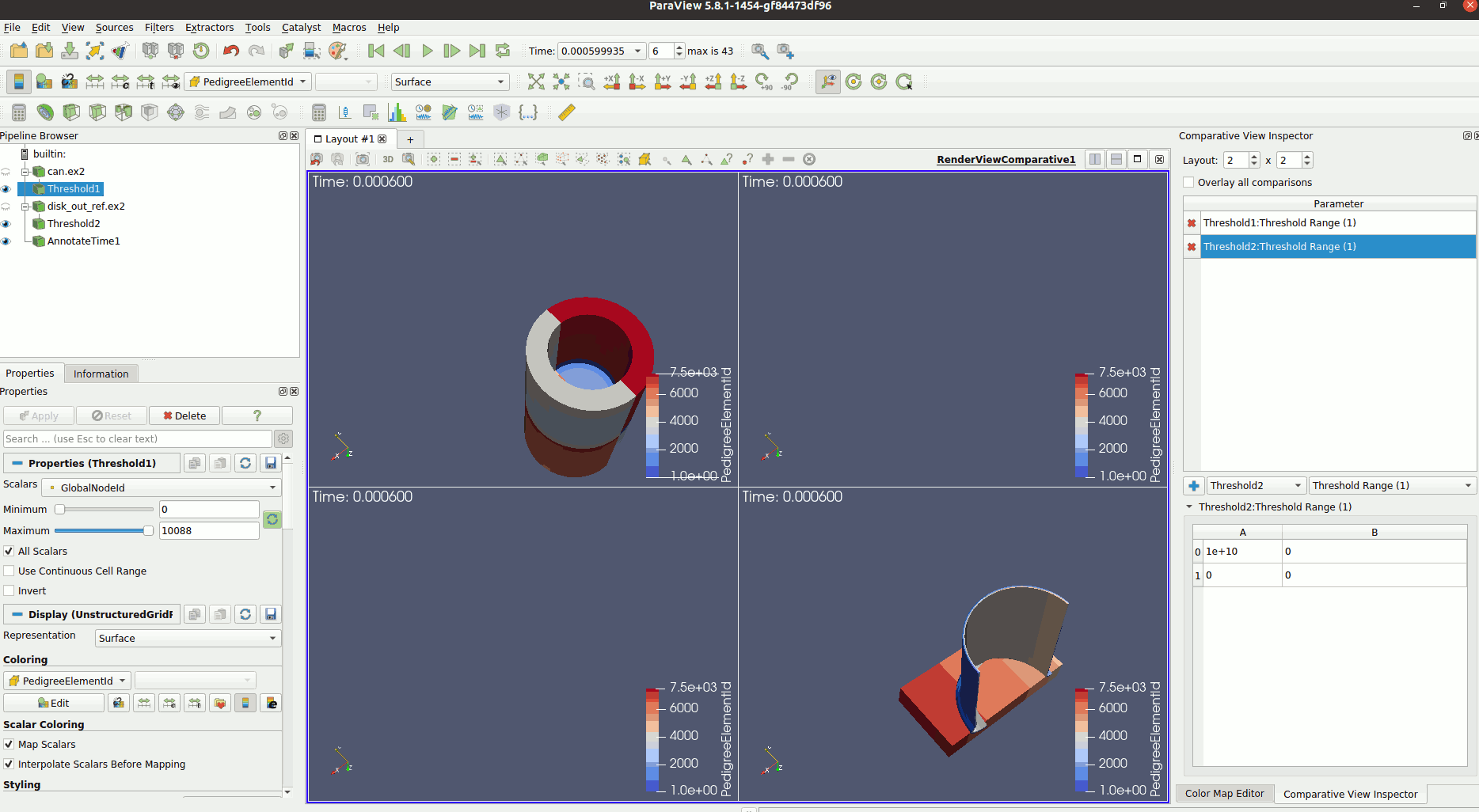
So, if I actually want to have different datasets displayed in different layouts, I use the threshold filter with the “Range (1)” variable. Doing that I’m able to show and hide datasets in each of the comparative view layouts as I wish.
Anyone also experiences this behavior?
Example with “visibility”
Example with “threshold”
---
### Author:  [@utkarsh.ayachit](https://discourse.paraview.org/u/utkarsh.ayachit)
#### Post date: [October 14, 2020, 9:15am UTC](https://discourse.paraview.org/t/comparative-visualization-visibility/5561/2 "2020-10-14T09:15:50Z")
Indeed, visibility was not intended to controllable across views the way you’re wanting. Using another filter to achieve the same, as you do is perhaps a reasonable workaround.
---
### Author:  [@frank\_forster](https://discourse.paraview.org/u/frank_forster)
#### Post date: [May 28, 2021, 12:36pm UTC](https://discourse.paraview.org/t/comparative-visualization-visibility/5561/3 "2021-05-28T12:36:53Z")
Hello @utkarsh.ayachit,
I’m having the same problem but can’t do this workaround because I’m working with raster.
I want to display 2 different rasters in the comparative view but I’m enable choose which data put in separated comparative views.
I have the same impression that @Louis, it seems that “comparative view” mode have been built in order to do that task but it’s not working.
Thanks in advance, Frank
---
### Author:  [@utkarsh.ayachit](https://discourse.paraview.org/u/utkarsh.ayachit)
#### Post date: [January 17, 2023, 1:33pm UTC](https://discourse.paraview.org/t/comparative-visualization-visibility/5561/5 "2023-01-17T13:33:13Z")
I don’t think you want to use Comparative View for your case. If you have four different models that you simply want to compare in 4 views: do the following instead:
- split the main render view into 4 using the split buttons
- link cameras between all views
- now show each dataset in each of the views as you want.
Alternatively, there’s a meta-file that you can setup to which you provide the 4 datasets as the datasets defining the parameter sweep. I am not fully aware of that capability. cc-ing a few folks who’d have better insight on the meta-file approach: @berkgeveci, @danlipsa