# configure web based paraview lite but can't launch the paraview
**URL:** https://discourse.paraview.org/t/configure-web-based-paraview-lite-but-cant-launch-the-paraview/15723
**Category:** ParaView Support
**Created:** [November 13, 2024, 9:09pm UTC](https://discourse.paraview.org/t/configure-web-based-paraview-lite-but-cant-launch-the-paraview/15723 "2024-11-13T21:09:40Z")
**Posts on this page:** 2
**Page:** 1
### Author:  [@chris.yang](https://discourse.paraview.org/u/chris.yang)
#### Post date: [November 13, 2024, 9:09pm UTC](https://discourse.paraview.org/t/configure-web-based-paraview-lite-but-cant-launch-the-paraview/15723/1 "2024-11-13T21:09:40Z")
Hi,
I created a custom docker image (see the dockerfile below) and ran the image in codespace linux environment. I followed this documentation to setup the launch.config and 001-pvw.conf file.
`https://kitware.github.io/paraview-lite/docs/index.html`
I can open the frontend page, but couldnt connect to the paraview (click connect button). I feel like the paraview app did not initialized. only the web page was launched. not sure if thats true.
this is the command I used to build the docker image
`docker build -t paraview-multiuser:5.10.0-osmesa .`
this is the command I used to run the container
`docker run -p 8080:80 -p 9000:9000 paraview-multiuser:5.10.0-osmesa`
then open
`http://localhost:8080/`
What did I miss here? please give me some guidance.
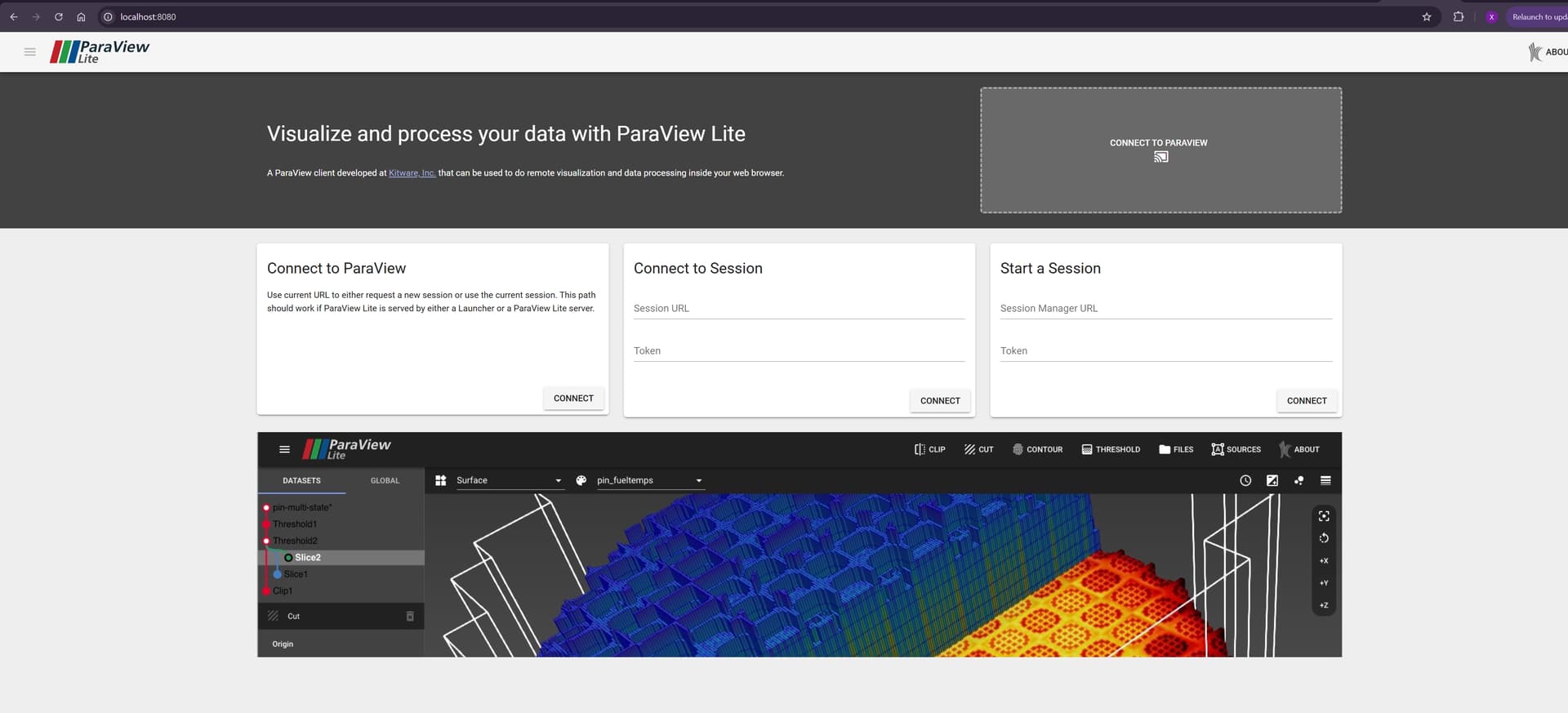
here is the dockerfile I created.
```auto
# Use a lightweight Ubuntu base image
FROM ubuntu:20.04
# Set environment variables to make `tzdata` install without prompts
ENV DEBIAN_FRONTEND=noninteractive
# Install required packages, including Apache and APR development packages
RUN apt-get update && apt-get install -y \
wget \
apache2 \
apache2-dev \
libapr1-dev \
apache2-utils \
libglapi-mesa \
libosmesa6 \
libglu1-mesa \
python3 \
python3-pip \
&& apt-get clean && rm -rf /var/lib/apt/lists/*
# Download and extract the new ParaView 5.11 package with OSMesa and Python 3.9
RUN wget https://www.paraview.org/files/v5.10/ParaView-5.10.0-osmesa-MPI-Linux-Python3.9-x86_64.tar.gz && \
tar -xzf ParaView-5.10.0-osmesa-MPI-Linux-Python3.9-x86_64.tar.gz -C /opt && \
rm ParaView-5.10.0-osmesa-MPI-Linux-Python3.9-x86_64.tar.gz
# Set up environment paths for ParaView binaries
ENV PATH="/opt/ParaView-5.10.0-osmesa-MPI-Linux-Python3.9-x86_64/bin:$PATH"
# Install wslink and Twisted for the Python launcher
RUN pip3 install wslink twisted
# Set up proxy/mapping file with permissions
RUN mkdir -p /opt/proxy-mapping /opt/viz-logs && \
touch /opt/proxy-mapping/proxy.txt && \
groupadd mappingfileusers && \
usermod -a -G mappingfileusers www-data && \
chgrp mappingfileusers /opt/proxy-mapping/proxy.txt && \
chmod 660 /opt/proxy-mapping/proxy.txt
# Copy the launcher configuration
COPY launcher.config /opt/proxy-mapping/launcher.config
# Copy Apache configuration for the virtual host and proxy
COPY 001-pvw.conf /etc/apache2/sites-available/001-pvw.conf
# Enable necessary Apache modules and the new site configuration
RUN a2enmod vhost_alias proxy proxy_http proxy_wstunnel rewrite && \
a2ensite 001-pvw
# Expose the ports needed for Apache, ParaView, and the Python launcher
EXPOSE 80 8080 9000
# Start Apache, ParaView Lite, and the launcher in the background
CMD apachectl -D FOREGROUND & \
python3 -m wslink.launcher /opt/proxy-mapping/launcher.config
```
here is the launcher.config file.
```auto
{
"configuration": {
"host": "localhost",
"port": 9000,
"endpoint": "paraview",
"content": "/opt/ParaView-5.10.0-osmesa-MPI-Linux-Python3.9-x86_64/share/paraview-5.10/web/lite/www",
"proxy_file": "/opt/proxy-mapping/proxy.txt",
"sessionURL": "ws://localhost/proxy?sessionId=${id}&path=ws",
"timeout": 25,
"log_dir": "/opt/viz-logs",
"fields": ["file", "host", "port", "updir"]
},
"resources": [
{ "host": "localhost", "port_range": [9001, 9003] }
],
"properties": {
"dataDir": "/data",
"lite_path": "/opt/ParaView-5.10.0-osmesa-MPI-Linux-Python3.9-x86_64/share/paraview-5.10/web/lite",
"python_exec": "/opt/ParaView-5.10.0-osmesa-MPI-Linux-Python3.9-x86_64/bin/pvpython"
},
"apps": {
"paraview-lite": {
"cmd": [
"${python_exec}", "--dr", "${lite_path}/server/pvw-lite.py",
"--port", "${port}",
"--data", "${dataDir}",
"--authKey", "${secret}"
],
"ready_line": "Starting factory"
}
}
}
```
here is the 001-pvw.conf file.
```auto
ServerName localhost
ServerAdmin webmaster@example-host.example.com
DocumentRoot /opt/ParaView-5.10.0-osmesa-MPI-Linux-Python3.9-x86_64/share/paraview-5.10/web/lite/www
ErrorLog ${APACHE_LOG_DIR}/error.log
CustomLog ${APACHE_LOG_DIR}/access.log combined
# Rule to forward ParaViewWeb launcher requests
ProxyPass /paraview http://localhost:9000/paraview
ProxyPassReverse /paraview http://localhost:9000/paraview
# Enable session-based proxying for multi-user
RewriteEngine On
RewriteMap session-to-port txt:/opt/proxy-mapping/proxy.txt
RewriteCond %{QUERY_STRING} ^sessionId=(.*)&path=(.*)$ [NC]
RewriteRule ^/proxy.*$ ws://${session-to-port:%1}/%2 [P]
Options Indexes FollowSymLinks
AllowOverride None
Require all granted
```
---
### Author:  [@jourdain](https://discourse.paraview.org/u/jourdain)
#### Post date: [November 16, 2024, 12:23am UTC](https://discourse.paraview.org/t/configure-web-based-paraview-lite-but-cant-launch-the-paraview/15723/2 "2024-11-16T00:23:46Z")
The `overrideCommand: false` is probably easier. You can see such setup with trame [here](https://github.com/jourdain/trame-codedev/).