# consistent size of contour shapes across datasets for screenshot
**URL:** https://discourse.paraview.org/t/consistent-size-of-contour-shapes-across-datasets-for-screenshot/14572
**Category:** ParaView Support
**Created:** [May 7, 2024, 10:04am UTC](https://discourse.paraview.org/t/consistent-size-of-contour-shapes-across-datasets-for-screenshot/14572 "2024-05-07T10:04:31Z")
**Posts on this page:** 5
**Page:** 1
### Author:  [@simonw](https://discourse.paraview.org/u/simonw)
#### Post date: [May 7, 2024, 10:04am UTC](https://discourse.paraview.org/t/consistent-size-of-contour-shapes-across-datasets-for-screenshot/14572/1 "2024-05-07T10:04:31Z")
I have contours of circle like shapes with different radii and want to make screenshots of them individually
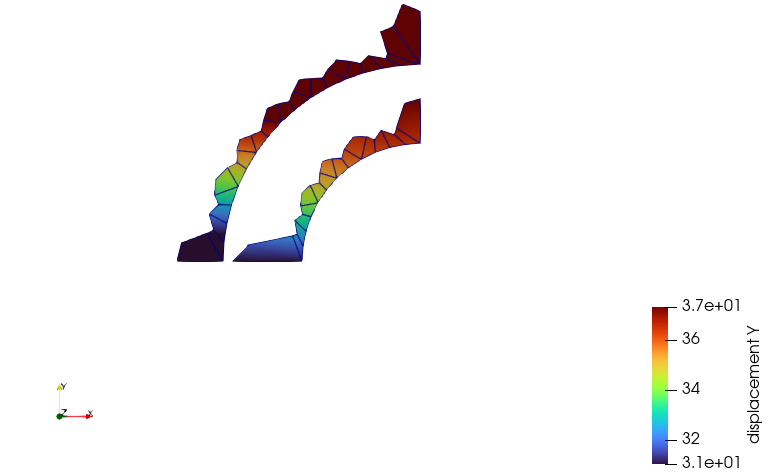
When I make both of them active in the pipeline, we can see the scale between them
However, when only of them is the active source, the scale gets lost and both circles cover the same area in the view:
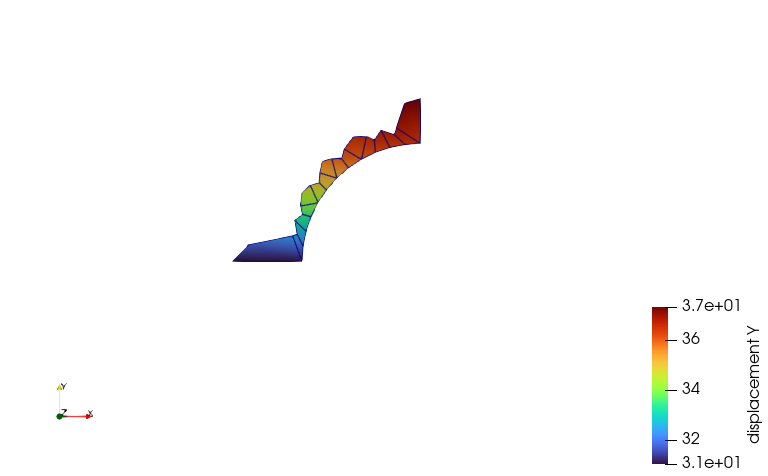
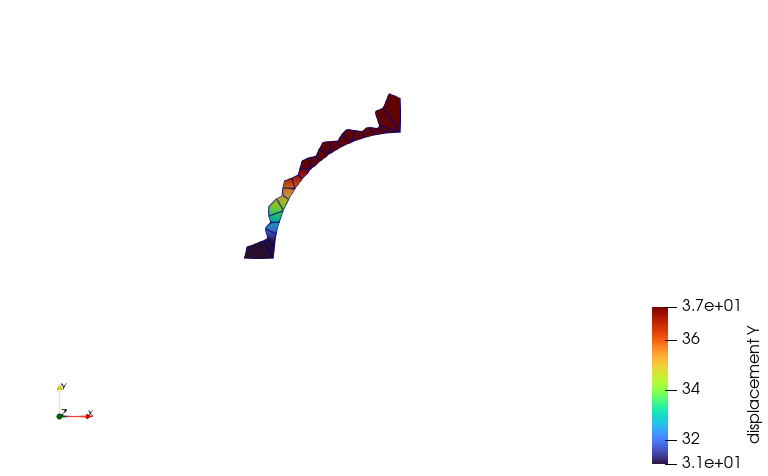
Is it possible to preserve the “dimension” across different datasets like in this case?
---
### Author:  [@cory.quammen](https://discourse.paraview.org/u/cory.quammen)
#### Post date: [May 7, 2024, 11:57am UTC](https://discourse.paraview.org/t/consistent-size-of-contour-shapes-across-datasets-for-screenshot/14572/2 "2024-05-07T11:57:57Z")
You are seeing the effects of ParaView trying to do something helpful which is recentering the view onto the dataset that first becomes visible. Usually this is useful, but in this case it is not!
There is an “advanced” Setting (Edit → Settings) under the General tab named “Reset Display Empty Views”. Turn this off and you won’t see the camera reset as you toggle the visibility on and off.
---
### Author:  [@simonw](https://discourse.paraview.org/u/simonw)
#### Post date: [May 7, 2024, 1:43pm UTC](https://discourse.paraview.org/t/consistent-size-of-contour-shapes-across-datasets-for-screenshot/14572/3 "2024-05-07T13:43:04Z")
@cory.quammen So the idea is to first make all shapes visible (to have the proper arrangents) and then turning the option off?
---
### Author:  [@cory.quammen](https://discourse.paraview.org/u/cory.quammen)
#### Post date: [May 7, 2024, 2:27pm UTC](https://discourse.paraview.org/t/consistent-size-of-contour-shapes-across-datasets-for-screenshot/14572/4 "2024-05-07T14:27:48Z")
All the setting does is turn off the automatic recentering of the camera. You can click the  button to recenter the scene as needed, or use your mouse to position the scene. The important thing is that with that setting off, the scene won’t be automatically reset in a way you don’t want.
---
### Author:  [@Kenneth\_Moreland](https://discourse.paraview.org/u/Kenneth_Moreland)
#### Post date: [May 7, 2024, 3:19pm UTC](https://discourse.paraview.org/t/consistent-size-of-contour-shapes-across-datasets-for-screenshot/14572/5 "2024-05-07T15:19:14Z")
Complementary to everything that @cory.quammen said, ParaView also has the ability to save and restore viewpoints. This feature is available on the top tool bar all the way to the right.

This allows you to set up the viewpoint that you want and add that as a custom viewpoint. Then, as you load each source, before you take the screenshot apply the viewpoint. This will help ensure consistency from anything that might change the camera such as reseting the view, errant mouse movements, etc.