# Contour Label and Area Calculation - U magnitude in ParaView
**URL:** https://discourse.paraview.org/t/contour-label-and-area-calculation-u-magnitude-in-paraview/8884
**Category:** ParaView Support
**Created:** [February 2, 2022, 8:06pm UTC](https://discourse.paraview.org/t/contour-label-and-area-calculation-u-magnitude-in-paraview/8884 "2022-02-02T20:06:07Z")
**Posts on this page:** 3
**Page:** 1
### Author:  [@limpideyes](https://discourse.paraview.org/u/limpideyes)
#### Post date: [February 2, 2022, 8:06pm UTC](https://discourse.paraview.org/t/contour-label-and-area-calculation-u-magnitude-in-paraview/8884/1 "2022-02-02T20:06:07Z")
Hello,
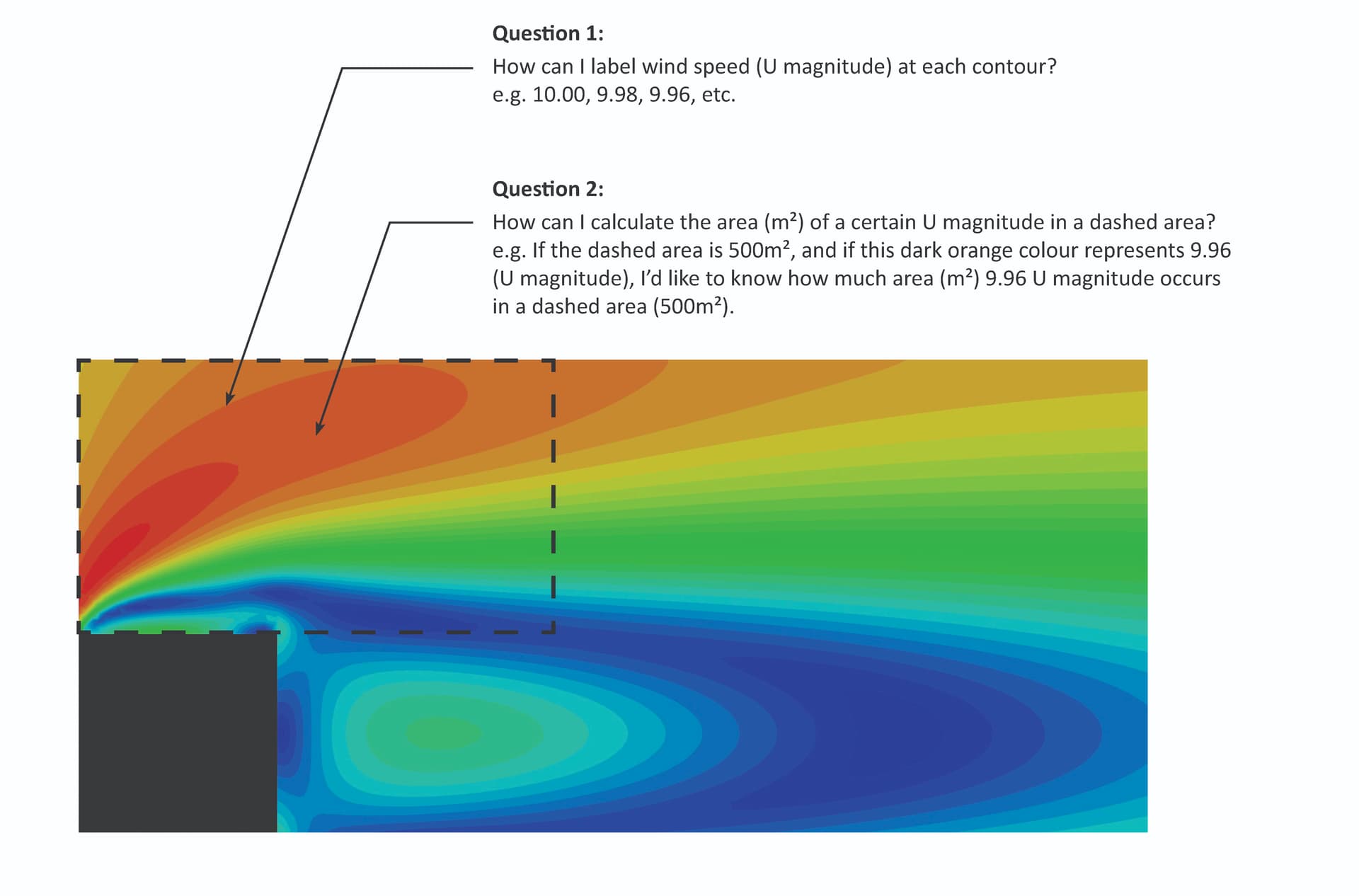
I have got questions about labelling contours and calculating the area of a certain wind speed.
Question 1:
How can I label wind speed (U magnitude) at each contour?
e.g. 10.00, 9.98, 9.96, etc.
Question 2:
How can I calculate the area (m²) of a certain U magnitude in a dashed area?
e.g. If the dashed area is 500m², and if this dark orange colour represents 9.96 (U magnitude), I’d like to know how much area (m²) 9.96 U magnitude occurs in a dashed area (500m²).
Please see the attached image.
Please help,
Thanks in advance!
---
### Author:  [@pavel](https://discourse.paraview.org/u/pavel)
#### Post date: [February 3, 2022, 8:22am UTC](https://discourse.paraview.org/t/contour-label-and-area-calculation-u-magnitude-in-paraview/8884/2 "2022-02-03T08:22:56Z")
Hello Mary,
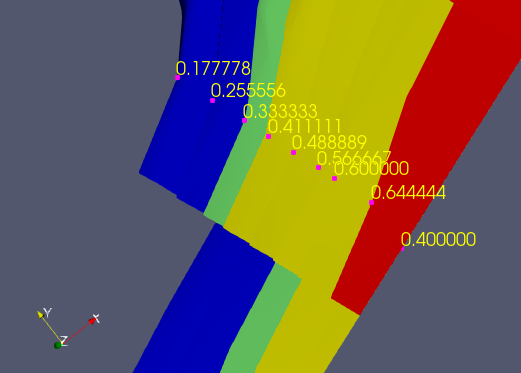
Regarding question #1:
[Is it possible to add labels to contour lines?](https://discourse.paraview.org/t/is-it-possible-to-add-labels-to-contour-lines/1466)
Example made based on that discussion (using _Interactive Select Points On_ tool + _Edit-\>Find Data_):
Regarding question #2:
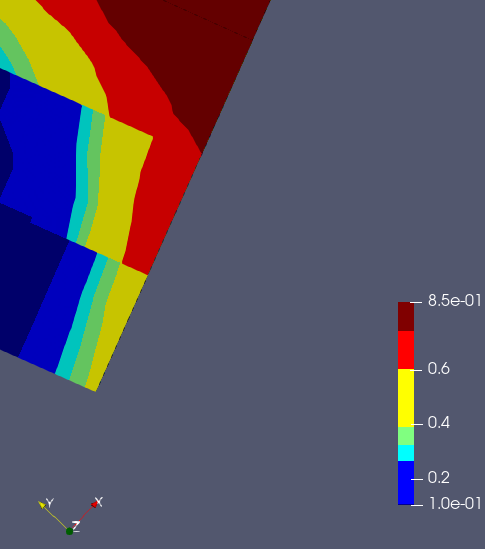
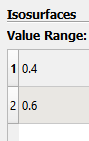
you could apply Countour filter with requested range of U magnitude values, then CellSize filter, and finally IntegrateVariables filter. In the Information panel you’ll see the area of interest. Example:
1.Model
2.Countour filter:
2A. Set range:
2B. View after filter applying:

3.CellSize filter - Area array (on Infromation tab):

4.IntegrateVafiables filter - Total area of region of interest (on Information tab):

You can also use Python Calculator filter for the last step.
Hope it helps.
Best Regards,
Pavel
---
### Author:  [@limpideyes](https://discourse.paraview.org/u/limpideyes)
#### Post date: [February 3, 2022, 7:46pm UTC](https://discourse.paraview.org/t/contour-label-and-area-calculation-u-magnitude-in-paraview/8884/3 "2022-02-03T19:46:14Z")
Hi Pavel,
Thank you so much for your notes. It helps a lot!!
When tried, I have got some questions:
**Question 3**
Selecting the zone that I am interested in:
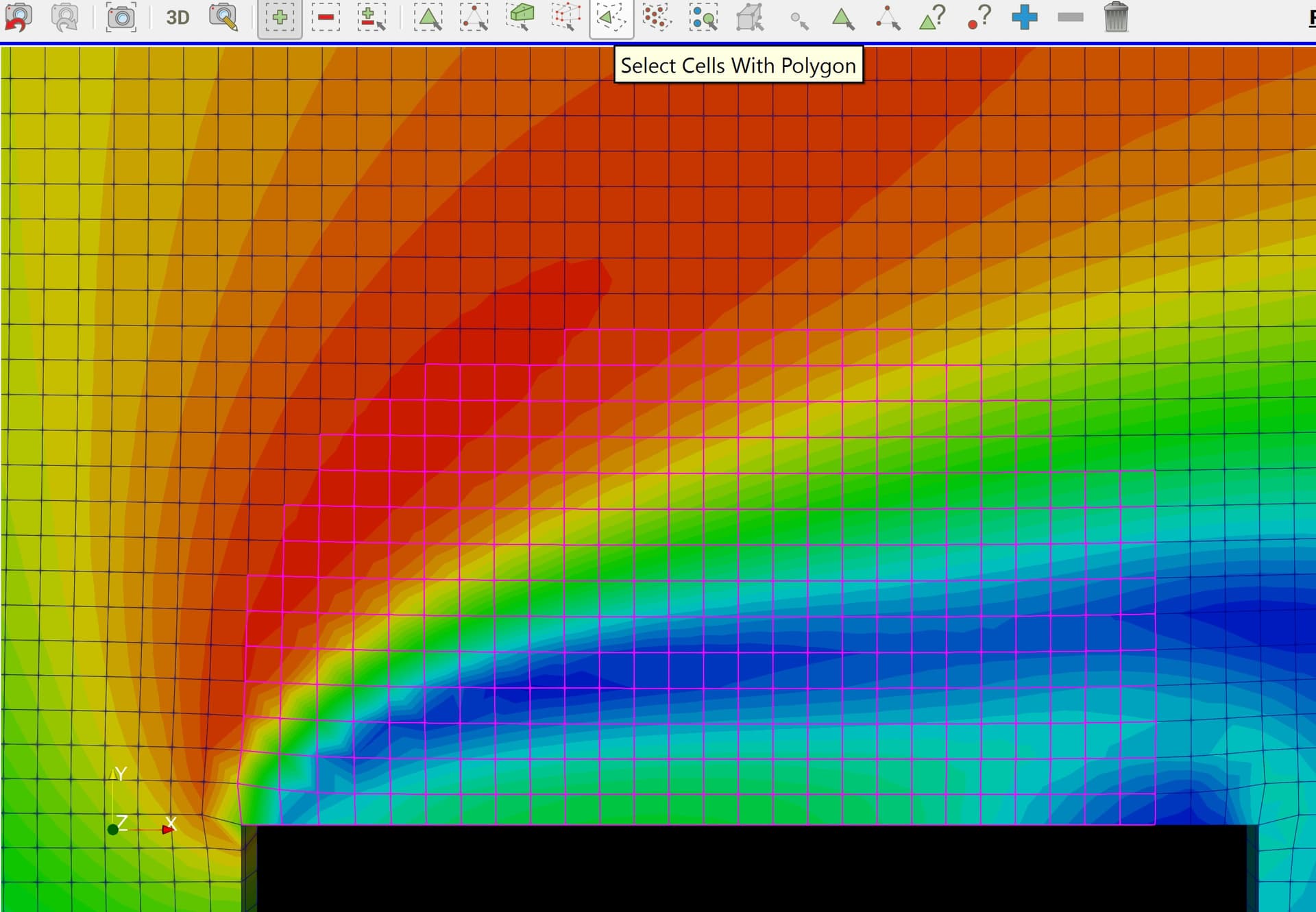
I used ‘Select Cells With Polygon’ to select the zone. However, it is not handy. I have to select the zone that is 1.3 multiplied by a building width. In order to do that, I manually counted the cell number.
Is there anyway that I can select the zone easily?
**Question 4**
Contour for U is missing:
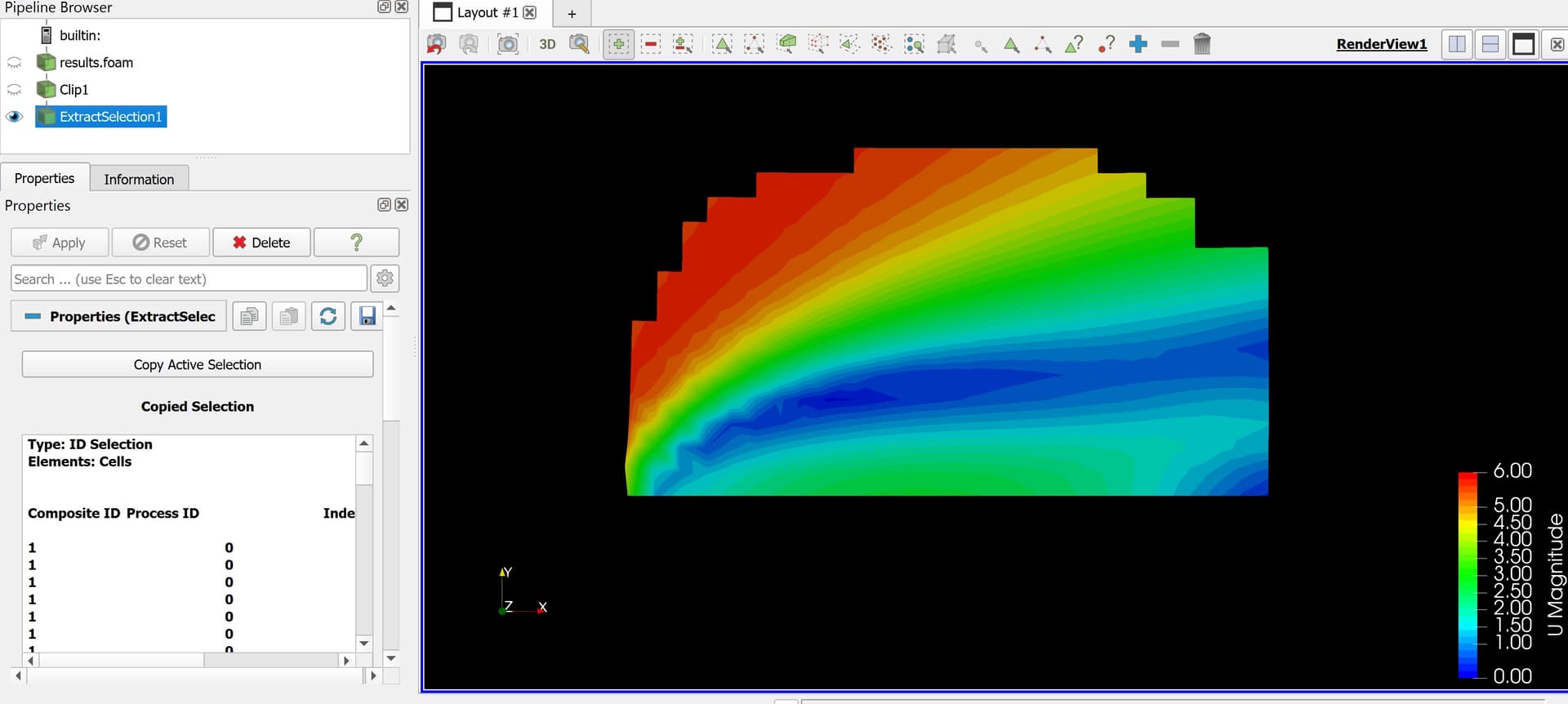
I extracted the zone from Edit/ Find Data/ Extract Selection.
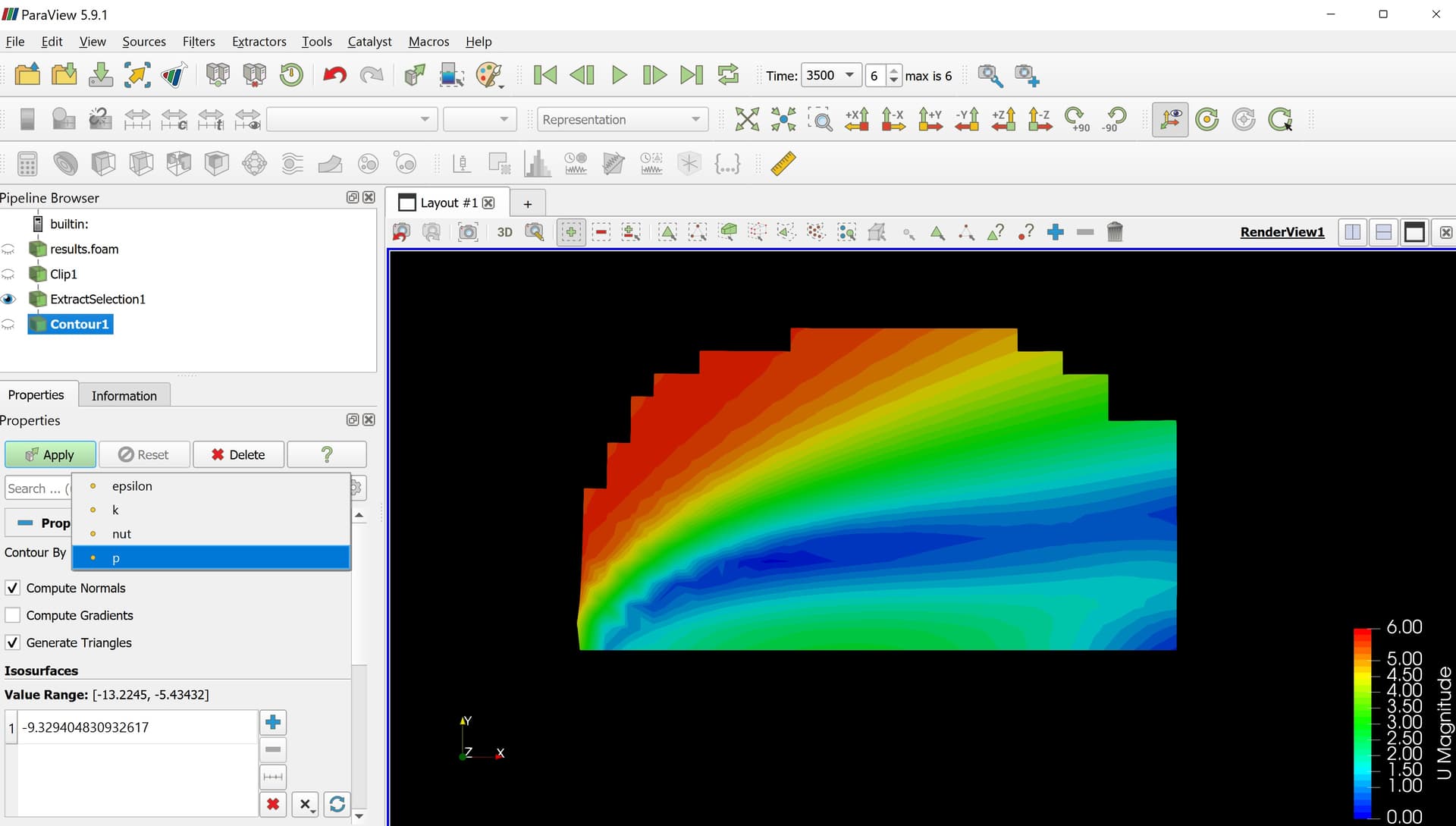
From the Extract Selection, I applied ‘contour filter’. Then, scrolled down for ‘contour By’. But there is no U magnitude. Only epsilon, k, nut, and p were shown. So, I could not get contour for U magnitude. How to get ‘contour By - U magnitude’?
Please help,
Thank you in advance!!