# Creating streamlines
**URL:** https://discourse.paraview.org/t/creating-streamlines/3290
**Category:** ParaView Support
**Created:** [January 8, 2020, 6:59pm UTC](https://discourse.paraview.org/t/creating-streamlines/3290 "2020-01-08T18:59:07Z")
**Posts on this page:** 11
**Page:** 1
### Author:  [@nayla\_salvador](https://discourse.paraview.org/u/nayla_salvador)
#### Post date: [January 8, 2020, 6:59pm UTC](https://discourse.paraview.org/t/creating-streamlines/3290/1 "2020-01-08T18:59:07Z")
Hello everybody,
I have a velocity field where velocities in one region are much higher than in other regions.
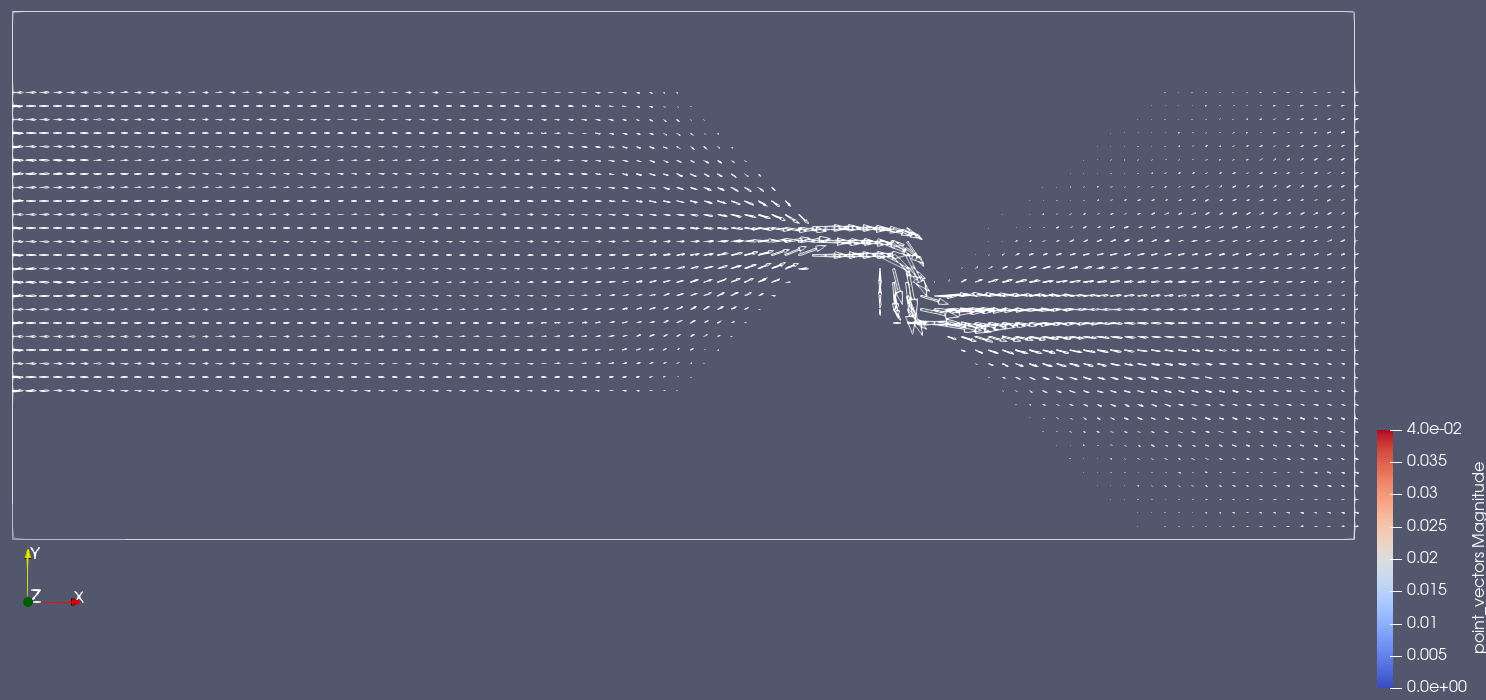
I wonder if there is any way to plot that can help me in visualizing these results.
From what I thought, one option would be to select the data that will appear (example: show data every 5 points in x)
Another option would be to create hydrodynamic streamlines for easy viewing.
Are some of these options possible in paraview?
Is there any easier way to make speed visualizations easier?
Thanks
---
### Author:  [@mwestphal](https://discourse.paraview.org/u/mwestphal)
#### Post date: [January 9, 2020, 10:34am UTC](https://discourse.paraview.org/t/creating-streamlines/3290/2 "2020-01-09T10:34:17Z")
Filters -\> Streamlines ?
---
### Author:  [@nayla\_salvador](https://discourse.paraview.org/u/nayla_salvador)
#### Post date: [January 9, 2020, 5:09pm UTC](https://discourse.paraview.org/t/creating-streamlines/3290/3 "2020-01-09T17:09:38Z")
Thank you Mathieu, I had not found this option.
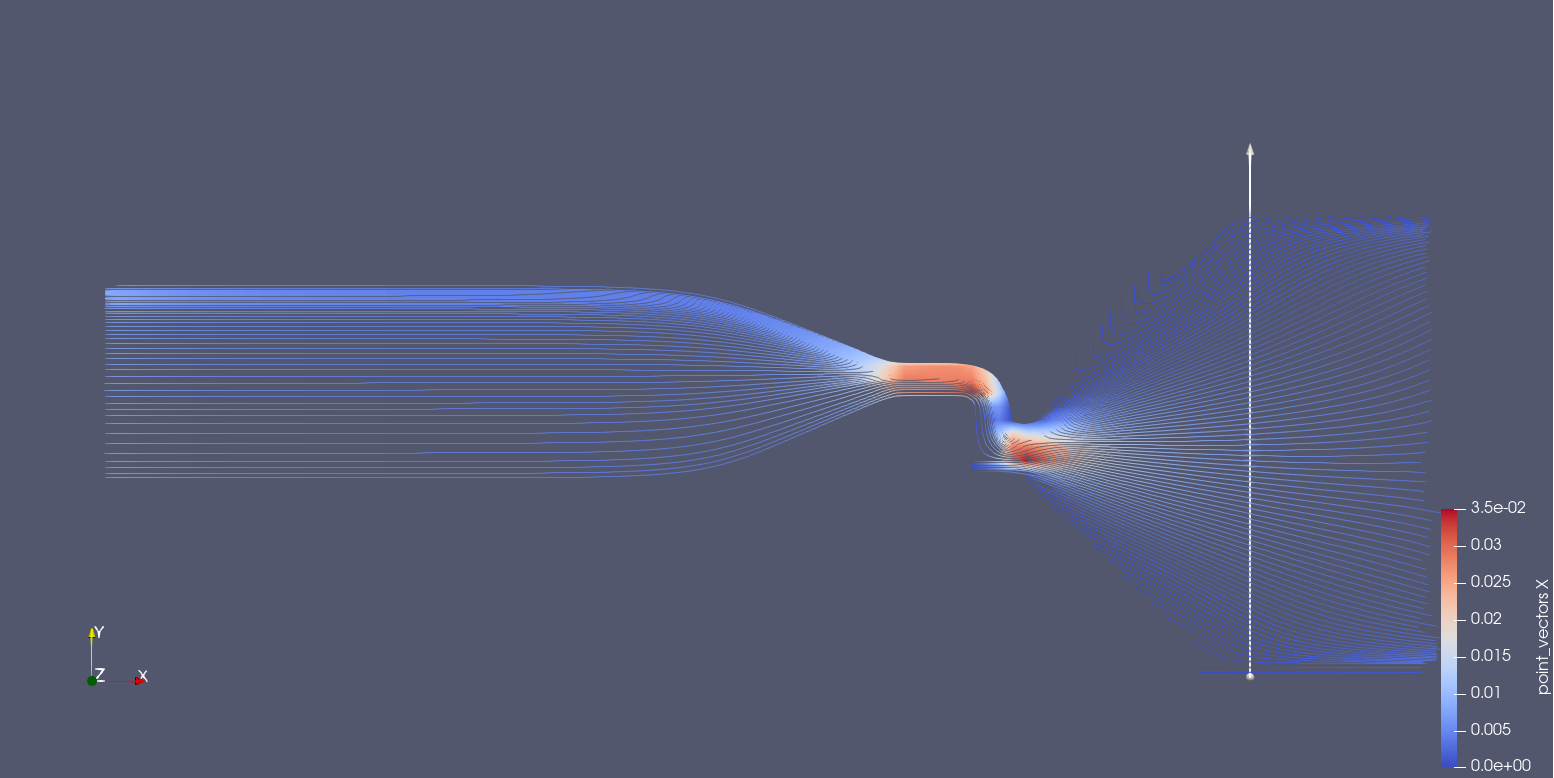
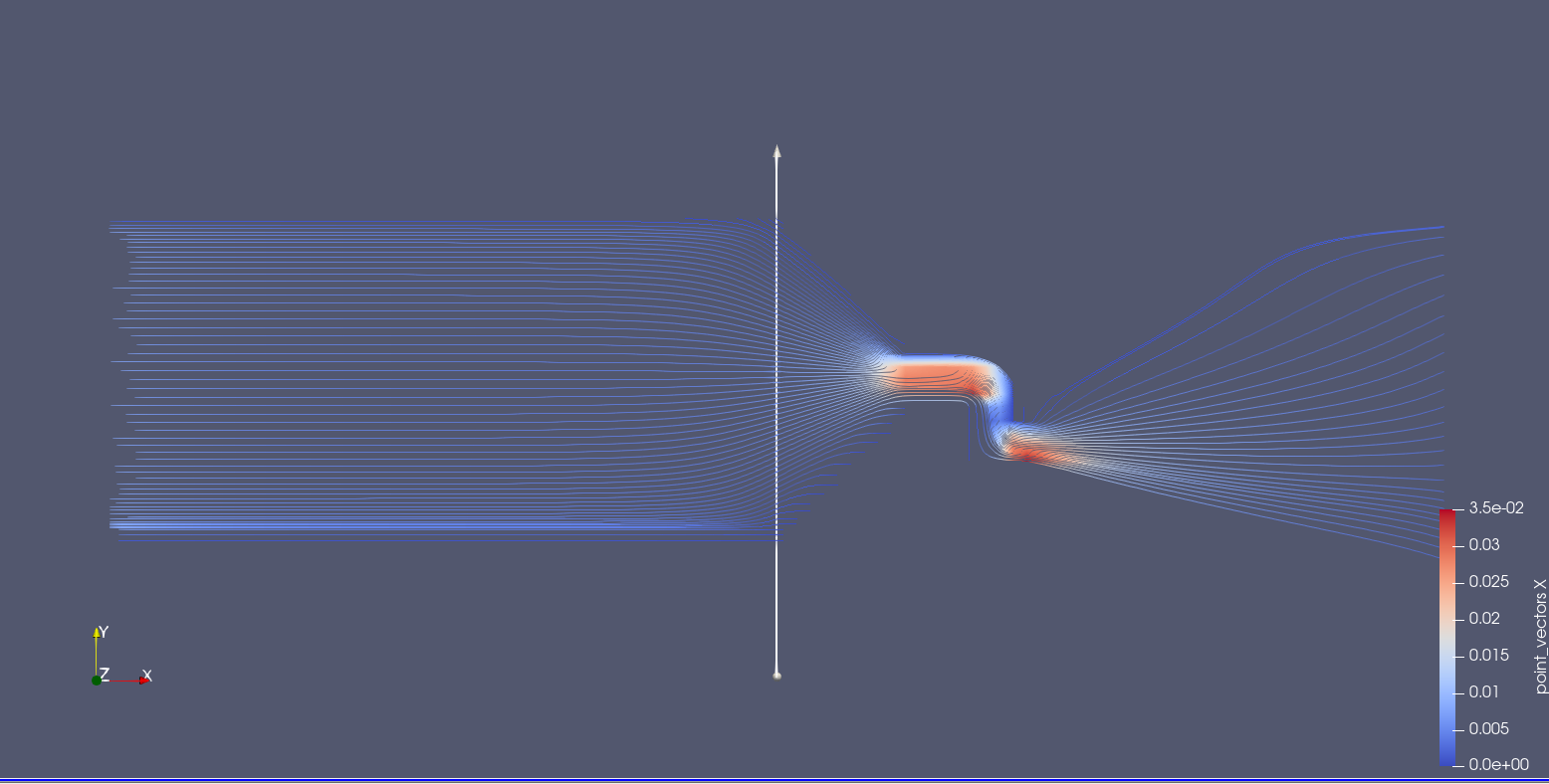
Another question, because when I change the parameter line the streamlines change, getting more detailed on one side than the other?
Is there any option that I can make them detailed equally?
Thanks
---
### Author:  [@mwestphal](https://discourse.paraview.org/u/mwestphal)
#### Post date: [January 9, 2020, 5:20pm UTC](https://discourse.paraview.org/t/creating-streamlines/3290/4 "2020-01-09T17:20:59Z")
No idea what you mean. The line is used to generate the streamlines.
---
### Author:  [@danlipsa](https://discourse.paraview.org/u/danlipsa)
#### Post date: [January 9, 2020, 6:32pm UTC](https://discourse.paraview.org/t/creating-streamlines/3290/5 "2020-01-09T18:32:41Z")
You can try
[https://blog.kitware.com/evenly-spaced-streamlines-2d/](https://blog.kitware.com/evenly-spaced-streamlines-2d/)
to have the same density of streamlines everywhere.
---
### Author:  [@nayla\_salvador](https://discourse.paraview.org/u/nayla_salvador)
#### Post date: [January 9, 2020, 10:24pm UTC](https://discourse.paraview.org/t/creating-streamlines/3290/6 "2020-01-09T22:24:24Z")
Dear Dan Lipsa,
Thanks for the guidelines on the filter.
My velocity field is 3D, with 13 layers in the Z direction. I wonder if there is any way to use this filter in this situation.
Because in my analysis I will need the speed fields only in the first and last layer.
Any suggestion?
Thanks
---
### Author:  [@danlipsa](https://discourse.paraview.org/u/danlipsa)
#### Post date: [January 10, 2020, 3:03pm UTC](https://discourse.paraview.org/t/creating-streamlines/3290/7 "2020-01-10T15:03:13Z")
The vectors would need to be in the plane you want to analyze or need to be projected to be in that plane. In that case it should work by choosing the starting point in that plane as well.
---
### Author:  [@nayla\_salvador](https://discourse.paraview.org/u/nayla_salvador)
#### Post date: [January 13, 2020, 12:23pm UTC](https://discourse.paraview.org/t/creating-streamlines/3290/8 "2020-01-13T12:23:07Z")
Hello!
Is there an option to place arrows on streamlines? How can I proceed?
---
### Author:  [@danlipsa](https://discourse.paraview.org/u/danlipsa)
#### Post date: [January 13, 2020, 2:41pm UTC](https://discourse.paraview.org/t/creating-streamlines/3290/9 "2020-01-13T14:41:21Z")
The state file included in this blog
[https://blog.kitware.com/evenly-spaced-streamlines-2d/](https://blog.kitware.com/evenly-spaced-streamlines-2d/)
shows you how to place arrows equidistantly along streamlines.
---
### Author:  [@nayla\_salvador](https://discourse.paraview.org/u/nayla_salvador)
#### Post date: [January 13, 2020, 3:15pm UTC](https://discourse.paraview.org/t/creating-streamlines/3290/10 "2020-01-13T15:15:19Z")
Dear Dan,
My streamline is 3D, do you have the option to put arrows?
---
### Author:  [@danlipsa](https://discourse.paraview.org/u/danlipsa)
#### Post date: [January 13, 2020, 3:29pm UTC](https://discourse.paraview.org/t/creating-streamlines/3290/11 "2020-01-13T15:29:33Z")
Yes, you do. You can use Stream Tracer (instead of Evenly Spaced Streamlines 2D) and then apply the same series of filters (AppendArcLength, Contour and GlyphWithCustomSource)