# Delaunay 2D connecting wrong points
**URL:** https://discourse.paraview.org/t/delaunay-2d-connecting-wrong-points/7885
**Category:** ParaView Support
**Created:** [August 29, 2021, 4:22pm UTC](https://discourse.paraview.org/t/delaunay-2d-connecting-wrong-points/7885 "2021-08-29T16:22:27Z")
**Posts on this page:** 2
**Page:** 1
### Author:  [@Diogo\_Cecilio](https://discourse.paraview.org/u/Diogo_Cecilio)
#### Post date: [August 29, 2021, 4:22pm UTC](https://discourse.paraview.org/t/delaunay-2d-connecting-wrong-points/7885/1 "2021-08-29T16:22:27Z")
Hello,
I’m trying to coloring of a flat surface from a data in a four columns (x, y, z, scalar) .csv format ([Dropbox - sqrtJ2SRM-Determ.csv - Simplify your life](https://www.dropbox.com/s/qi4tnffvv5gvo2z/sqrtJ2SRM-Determ.csv?dl=0)). I open the .csv file and use the filters “Table To Points” and “Delaunay 2D”, and this is what I get:
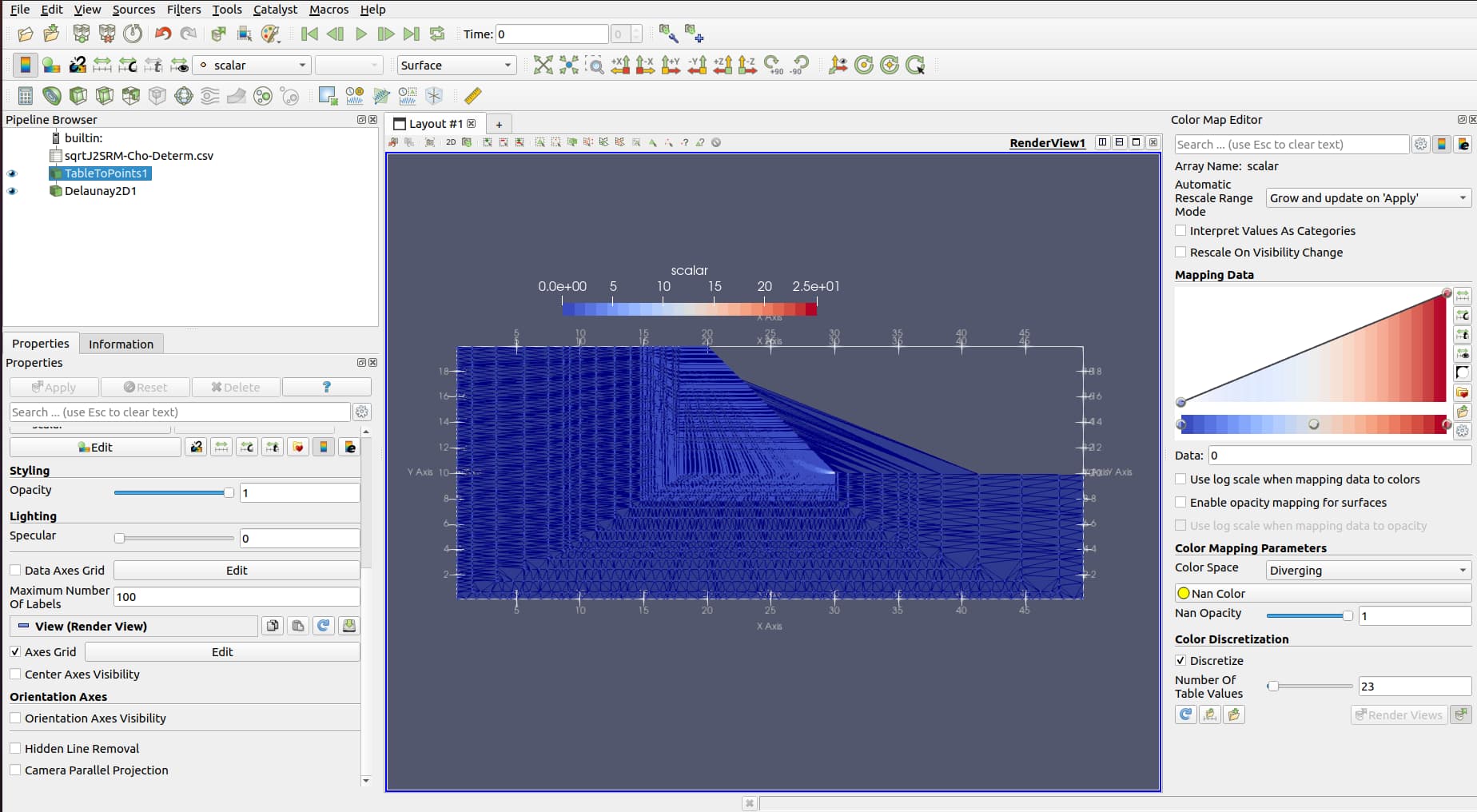
But the geometry I get is wrong, the is some lines connecting in wrong places near the slope toe.
See the point data:
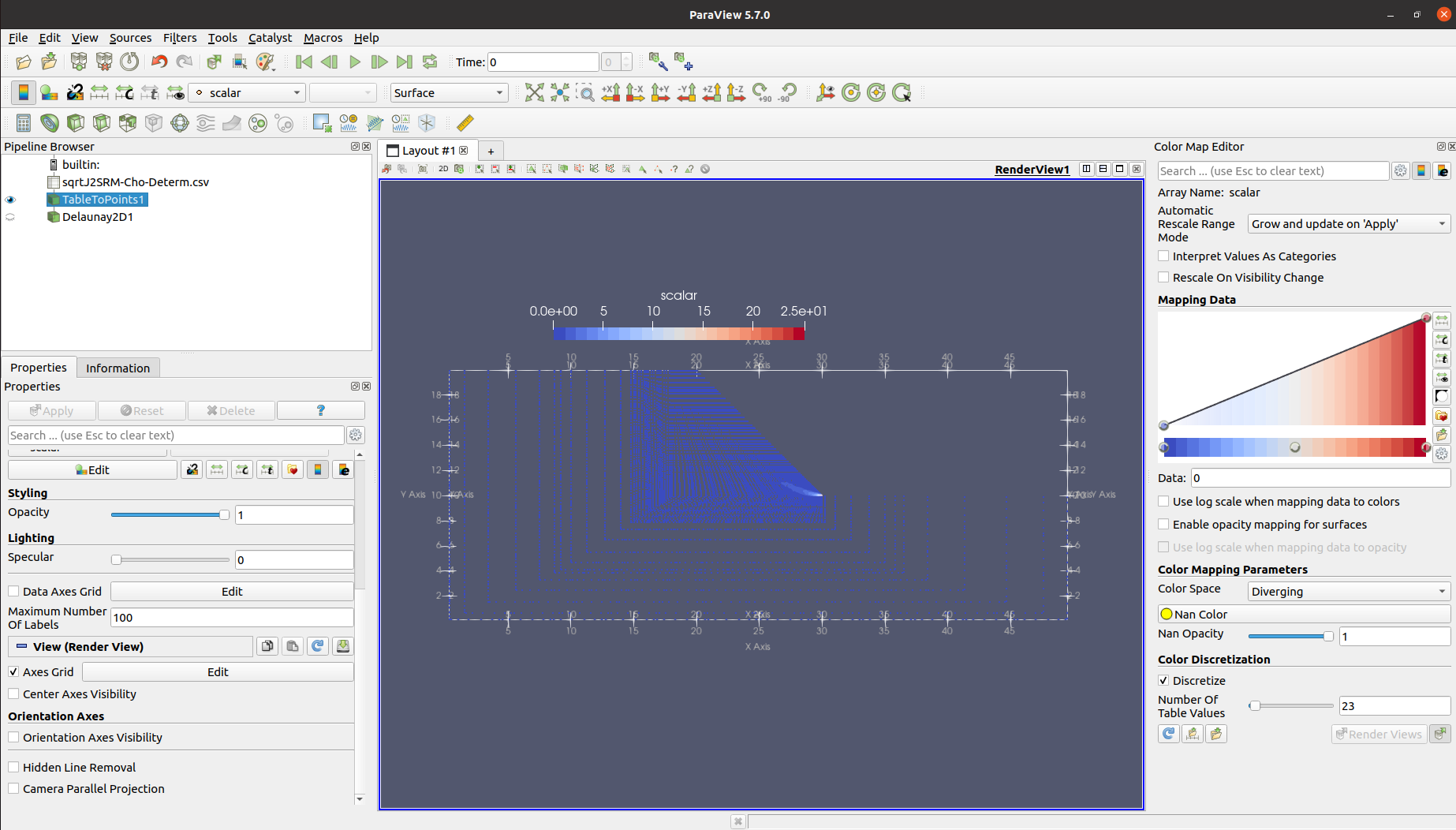
How to fix this?
---
### Author:  [@Kenichiro-Yoshimi](https://discourse.paraview.org/u/Kenichiro-Yoshimi)
#### Post date: [September 1, 2021, 2:18am UTC](https://discourse.paraview.org/t/delaunay-2d-connecting-wrong-points/7885/2 "2021-09-01T02:18:32Z")
Hello,
Increasing the value of **Alpha** in the **Delaunay2D** filter will improve it.
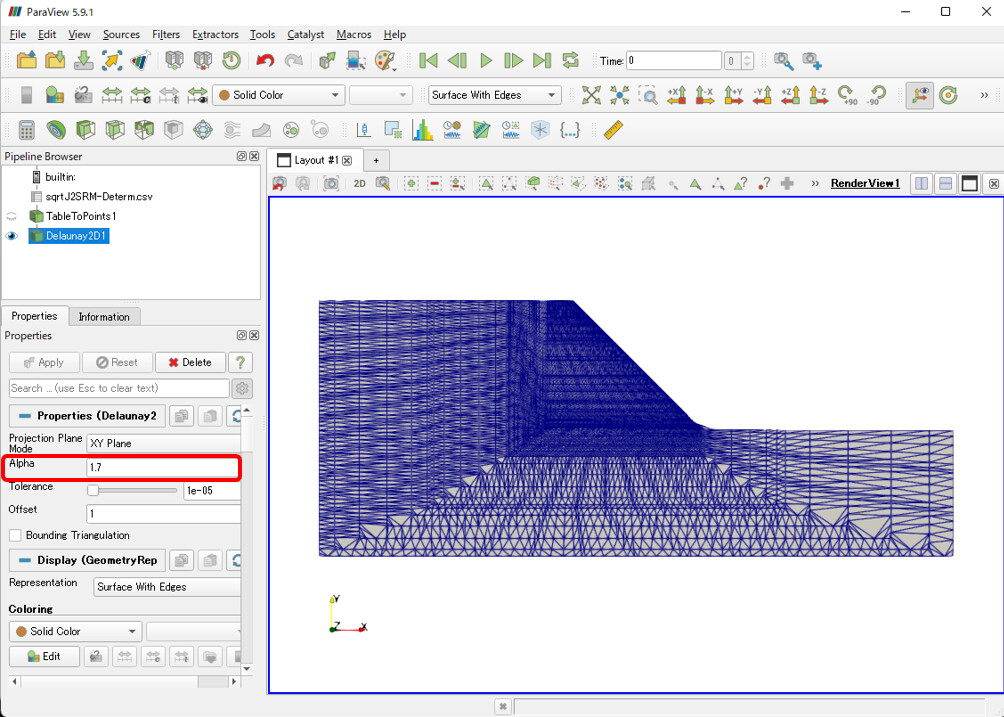
If the incorrect parts still remain, you may need to select them manually, then check **Invert Selection** in the **Find Data** tool to make sure only the correct parts are selected, and use the **Extract Selection** filter.