# Different animation time for different render view
**URL:** https://discourse.paraview.org/t/different-animation-time-for-different-render-view/6870
**Category:** ParaView Support
**Created:** [April 5, 2021, 9:27am UTC](https://discourse.paraview.org/t/different-animation-time-for-different-render-view/6870 "2021-04-05T09:27:29Z")
**Posts on this page:** 9
**Page:** 1
### Author:  [@proxy](https://discourse.paraview.org/u/proxy)
#### Post date: [April 5, 2021, 9:27am UTC](https://discourse.paraview.org/t/different-animation-time-for-different-render-view/6870/1 "2021-04-05T09:27:29Z")
Hello again,
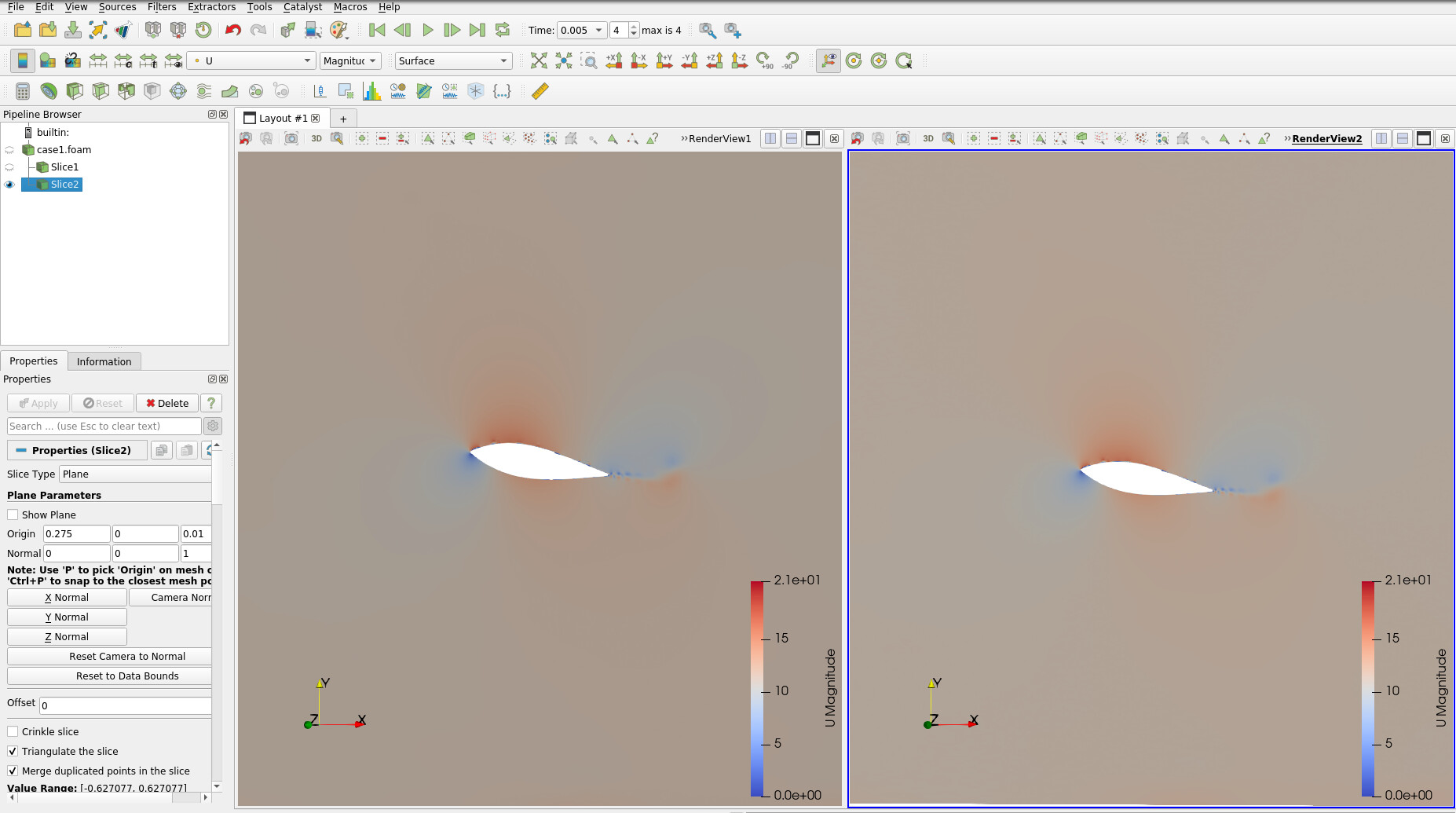
In continuation to the previous post [Help in scripting to produce 2D slices plot (in eps) at different time](https://discourse.paraview.org/t/help-in-scripting-to-produce-2d-slices-plot-in-eps-at-different-time/6867) I was trying to get the render view option to be used for my problem. I am wondering if is it possible to have different animation time for different render views, for example in the following screenshot, on the left panel suppose I need the the figure at time 1 and for right panel I need the figure at time 4. I had even tried to take different slices for different panel, but as I change the time in right panel the time also changes for left panel and both the right as well right panel shows the figure corresponding to same time. Could any one please help.
---
### Author:  [@mwestphal](https://discourse.paraview.org/u/mwestphal)
#### Post date: [April 5, 2021, 10:07am UTC](https://discourse.paraview.org/t/different-animation-time-for-different-render-view/6870/2 "2021-04-05T10:07:12Z")
You can user ForceTime filter for that. Another solution is to use ComparativeView.
---
### Author:  [@proxy](https://discourse.paraview.org/u/proxy)
#### Post date: [April 5, 2021, 11:40am UTC](https://discourse.paraview.org/t/different-animation-time-for-different-render-view/6870/3 "2021-04-05T11:40:43Z")
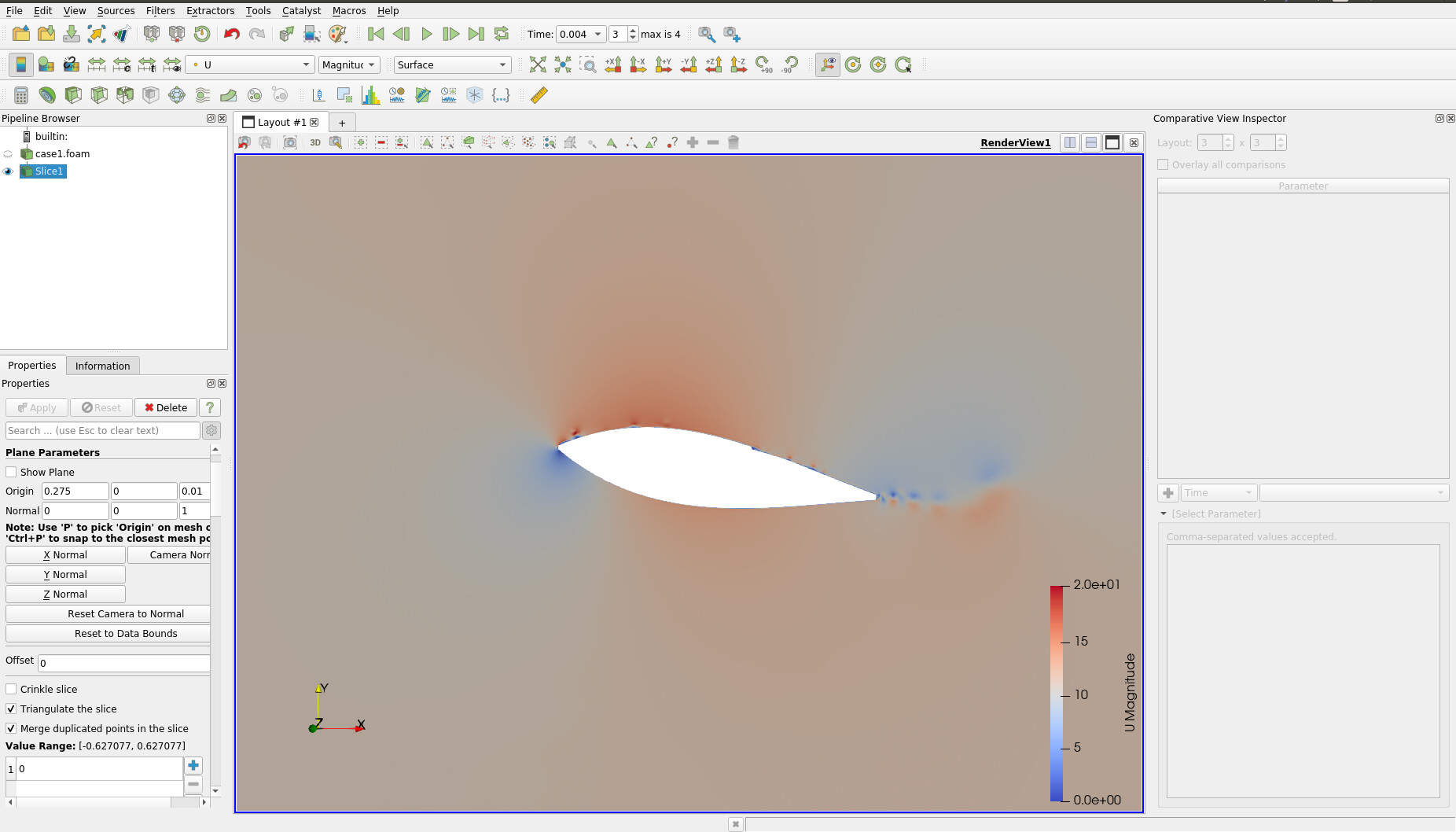
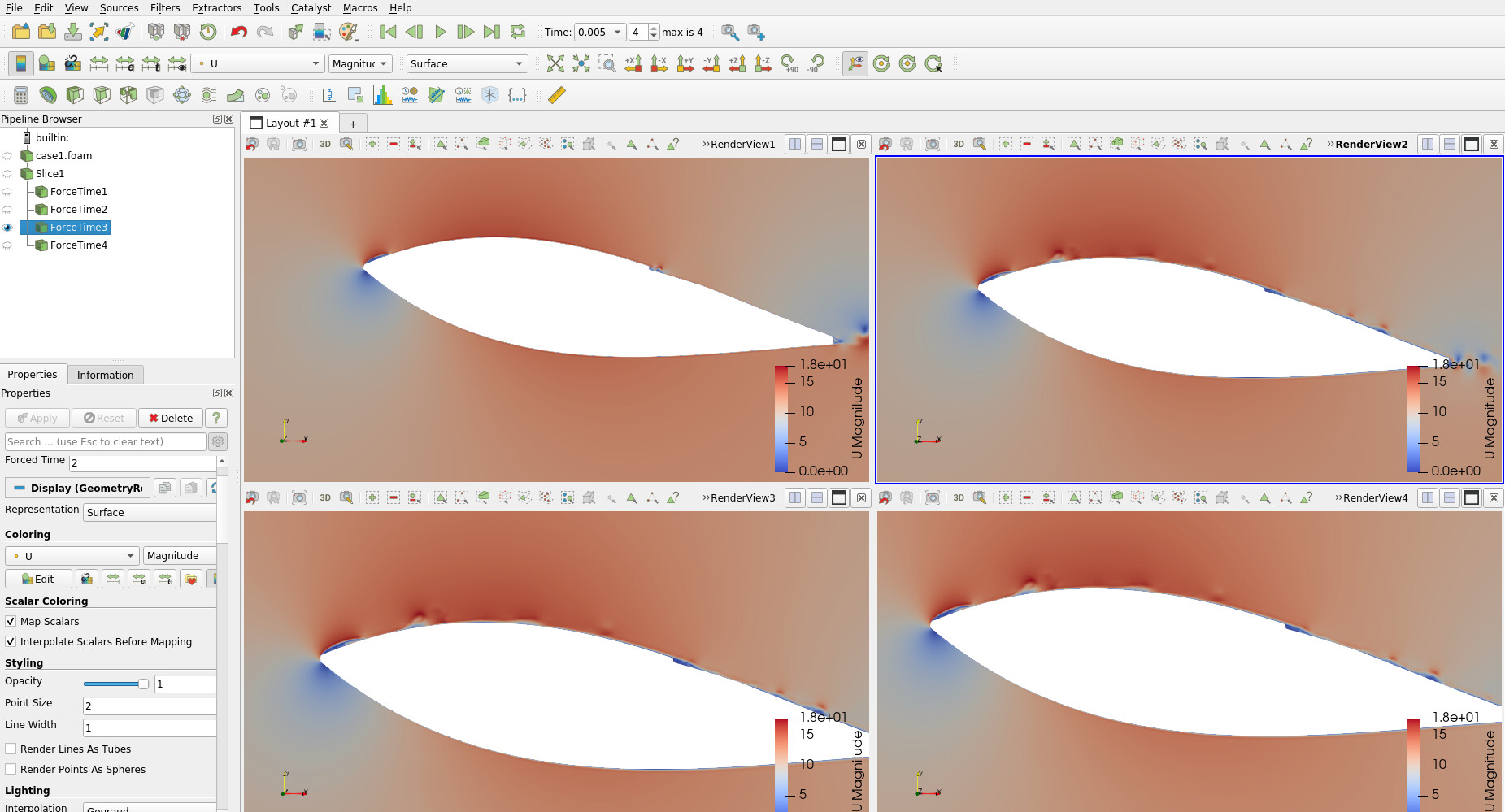
Thanks a lot for your help, sorry for asking again, but I tried to use the forcetime filter for each view (4 views), like the attached screenshot, but don’t know if that is the correct way of doing it, could you please share some link, where it has been done.
Sorry again but could not use the ComparativeView filter, I tried to use it, as could be seen from the 2 screenshot but unable to proceed. Could you kindly elaborate both ways? I guess comparativeView method could be more effective, what you suggest ?
---
### Author:  [@mwestphal](https://discourse.paraview.org/u/mwestphal)
#### Post date: [April 6, 2021, 8:06am UTC](https://discourse.paraview.org/t/different-animation-time-for-different-render-view/6870/4 "2021-04-06T08:06:20Z")
Your force time seems correct, just choose the right values, in your screenshot, 2 doesn’t seem correct.
To use comparative view, just create a new Layout by clicking on the + and choose “Render View(Comparative)”
---
### Author:  [@proxy](https://discourse.paraview.org/u/proxy)
#### Post date: [April 6, 2021, 8:09am UTC](https://discourse.paraview.org/t/different-animation-time-for-different-render-view/6870/5 "2021-04-06T08:09:33Z")
Many thanks @mwestphal for your help and cooperation. Infact I found a very relevant post related to this issue, I thought may be worth sharing:
> [@Multiple Layouts without sinchronization](https://discourse.paraview.org/t/multiple-layouts-without-sinchronization/1096):
>
> Hi, I’m postprocessing CalculiX modal results, and would like to create a display showing all the modes, every one in a different layout. I have tried splitting the first layout, or even loading the same ressult file with different names, but when I switch the mode (time), all the layouts go to the same one. Is there a way to de-sinchronize those multiple layouts? Regards, and thanks in advance.
Thanks again for your kind support 🙂
---
### Author:  [@proxy](https://discourse.paraview.org/u/proxy)
#### Post date: [April 6, 2021, 8:23am UTC](https://discourse.paraview.org/t/different-animation-time-for-different-render-view/6870/6 "2021-04-06T08:23:24Z")
Sorry again @mwestphal for multiple posts, but I think “comparativeview render” option is fitting the best for mine case. But I have noticed that while using this “comparativeview render” option I could not export the figures in the eps files, infact I am not able to see that option active using… File → Export Scene . Could you please comment/help further. Thanks again in advance.
---
### Author:  [@mwestphal](https://discourse.paraview.org/u/mwestphal)
#### Post date: [April 6, 2021, 8:24am UTC](https://discourse.paraview.org/t/different-animation-time-for-different-render-view/6870/7 "2021-04-06T08:24:09Z")
I’m afraid export scene is not compatible with the comparative views. Feel free to open an issue about it.
---
### Author:  [@proxy](https://discourse.paraview.org/u/proxy)
#### Post date: [April 6, 2021, 8:29am UTC](https://discourse.paraview.org/t/different-animation-time-for-different-render-view/6870/8 "2021-04-06T08:29:01Z")
Thanks @mwestphal a lot for your prompt reply, actually I was struggling a bit for this issue. I was thinking may be I am doing something wrong.
Could you please suggest in which subsection this issue will belong, ie support, insitu support, development etc?
---
### Author:  [@mwestphal](https://discourse.paraview.org/u/mwestphal)
#### Post date: [April 6, 2021, 8:30am UTC](https://discourse.paraview.org/t/different-animation-time-for-different-render-view/6870/9 "2021-04-06T08:30:17Z")
Issues should be opened on our gitlab:
[https://gitlab.kitware.com/paraview/paraview/-/issues](https://gitlab.kitware.com/paraview/paraview/-/issues)