# Display of 2D images inside 3D scene in Render View
**URL:** https://discourse.paraview.org/t/display-of-2d-images-inside-3d-scene-in-render-view/4286
**Category:** Development
**Created:** [May 8, 2020, 8:07am UTC](https://discourse.paraview.org/t/display-of-2d-images-inside-3d-scene-in-render-view/4286 "2020-05-08T08:07:02Z")
**Posts on this page:** 2
**Page:** 1
### Author:  [@cobo](https://discourse.paraview.org/u/cobo)
#### Post date: [May 8, 2020, 8:07am UTC](https://discourse.paraview.org/t/display-of-2d-images-inside-3d-scene-in-render-view/4286/1 "2020-05-08T08:07:02Z")
Some time ago and thanks to hints that I got here in the forum I managed to attach 2D text labels to point items in 3D space. Basically that is working with a plain XML based representation that makes the `vtkDataLabelRepresentation` class accessible.
Right now I am trying to generate similar “labels” that do not display text but 2D images in a similar way. In some ways I still do not really know what I do with “actors”, “mappers” etc. and what their exact purpose is (but I am learning!), so I simply “cloned” that `vtkDataLabelRepresentation` class, kicked out many of the properties that are not applicable to images and replaced the `vtkTextMapper` by a `vtkImageMapper`. And in a test with a little dummy image it worked - almost!
This is the dummy image, a PNG file, in a GIMP screenshot of another GIMP window:
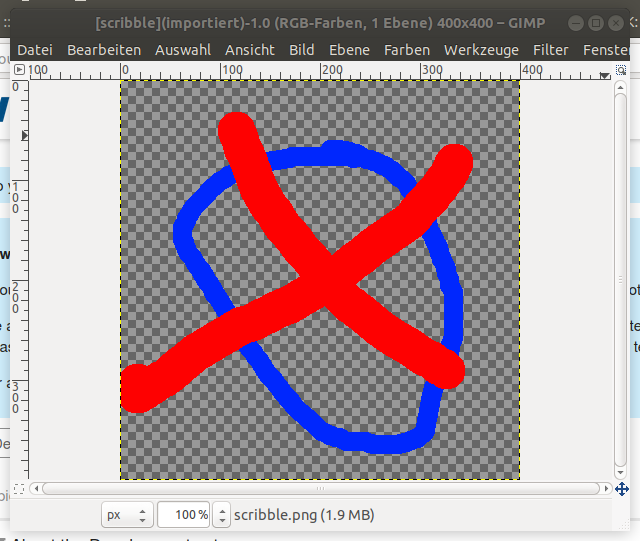
With that GIMP window you can also see that the image has a “transparent” background and some full color red and blue lines.
And this is what I get now in ParaView:
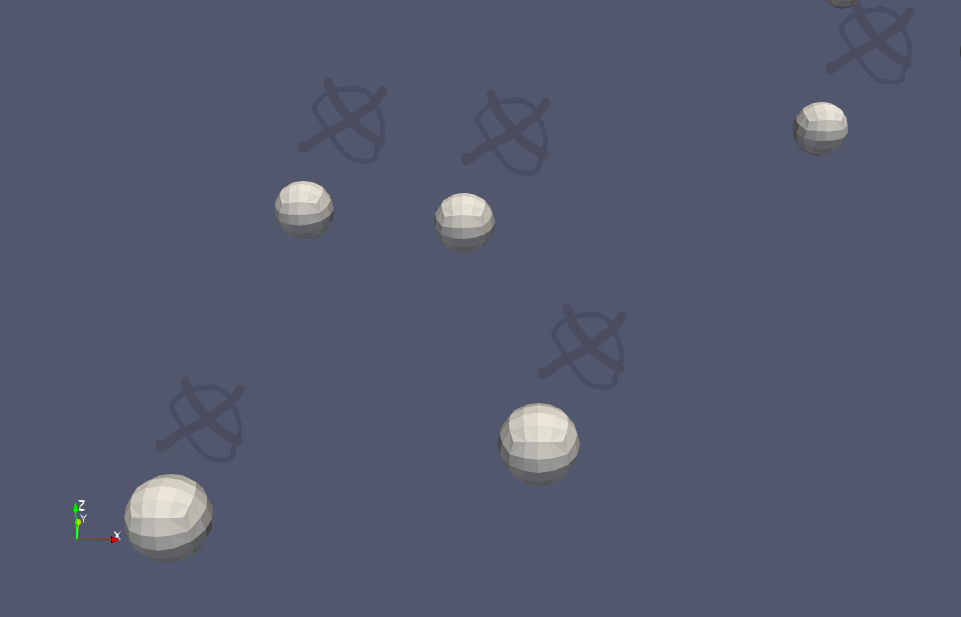
You can see that the little “spheres” are “labelled” with the above test image, but in a way that they are “mostly opaque”. What I would like to achieve is a display where they would appear full color at the blue and red lines, not transparent where alpha is not indicating it.
What I see as well: Colors are indeed not only dimmed, but transperent, i.e. you can see spheres “through” the image. Furthermore do the images not have a “depth location”, or rather: It is in front of everything (even if they are “attached” so a point in space), but that’s ok for me! (If I wanted to change that I would have to generate little “planes” in space and “drape” the images to them, but that’s another story and not relevant for the given case).
The question is now: Where or how can I change this opacity behaviour? To me it looks like that the alpha channel of the image is somewhere somehow multiplied with some factor which is less than 1, so 0 remains 0, while “full color” is now something semi-transparent.
---
### Author:  [@cobo](https://discourse.paraview.org/u/cobo)
#### Post date: [May 8, 2020, 9:46am UTC](https://discourse.paraview.org/t/display-of-2d-images-inside-3d-scene-in-render-view/4286/2 "2020-05-08T09:46:06Z")
Answering my own question: the answer is in the two attributes ColorWindow and ColorLevel that can be set in the `vtkImageMapper` class. I have no clue what they are doing, nor did I find any explanation, but by default their values are:
```
this->ColorWindow = 2000;
this->ColorLevel = 1000;
```
But then I found in the `vtkOpenGLImageMapper` that there are two different equally cryptic parameters - `shift` and `scale` -, and they seem to play a role for deciding between two different ways of doing the rendering:
```
if (shift == 0.0 && scale == 1.0)
...
```
There is no way to set shift and scale directly, but in vtkImageMapper I found the following formulas linking the two pairs:
```
shift = window / 2 - level
scale = 255 / window
```
So solving this system of two unknowns you end up with the following pair of values for window and level that trigger the “special case” in vtkOpenGLImageMapper:
```
window = 255.;
level = 127.4;
```
And that seems to be the solution of the riddle! In any case, by setting the above two values, I ended up with the following result - which is exactly what I wanted to see:
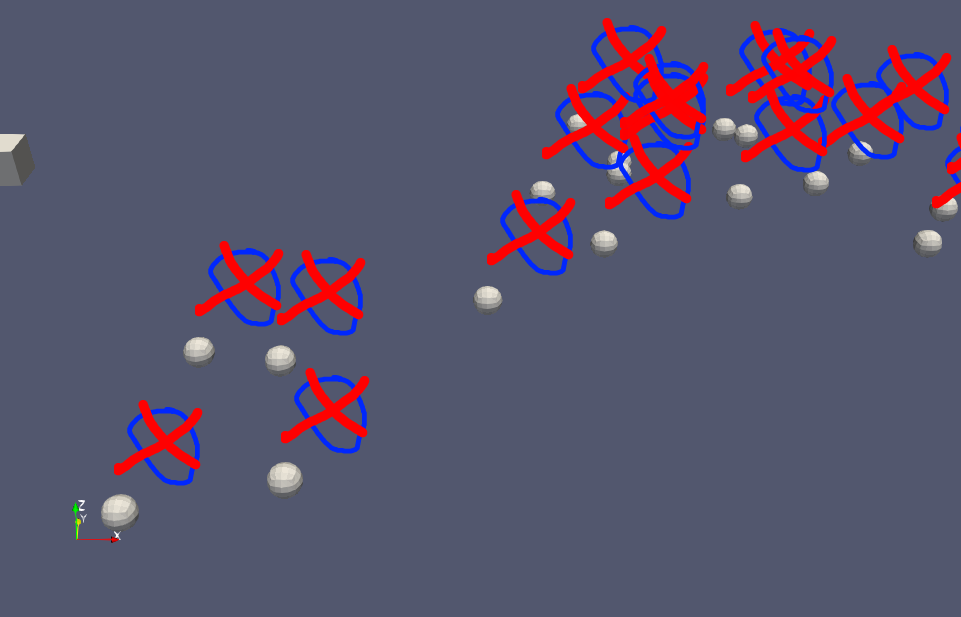
(even though it does not make much sense so far yet…)