# distorted mesh view - paraview 5.10.0
**URL:** https://discourse.paraview.org/t/distorted-mesh-view-paraview-5-10-0/8972
**Category:** ParaView Support
**Created:** [February 15, 2022, 1:54pm UTC](https://discourse.paraview.org/t/distorted-mesh-view-paraview-5-10-0/8972 "2022-02-15T13:54:10Z")
**Posts on this page:** 10
**Page:** 1
### Author:  [@Rob777](https://discourse.paraview.org/u/Rob777)
#### Post date: [February 15, 2022, 1:54pm UTC](https://discourse.paraview.org/t/distorted-mesh-view-paraview-5-10-0/8972/1 "2022-02-15T13:54:10Z")
Hello,
I’m visualizing a structured multi-block data set with paraview, but I have some problems in doing that.
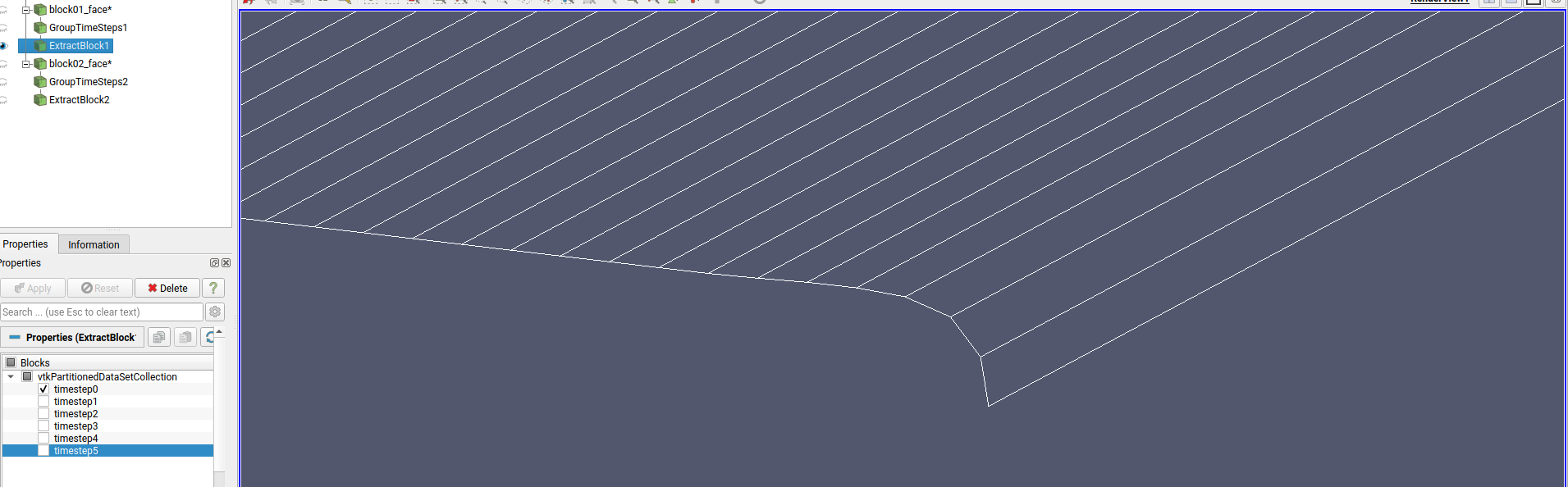
The first image show the mesh associated with block number 1. The blocks are treated as time steps by paraview.
Then I add the mesh associated with the other block.
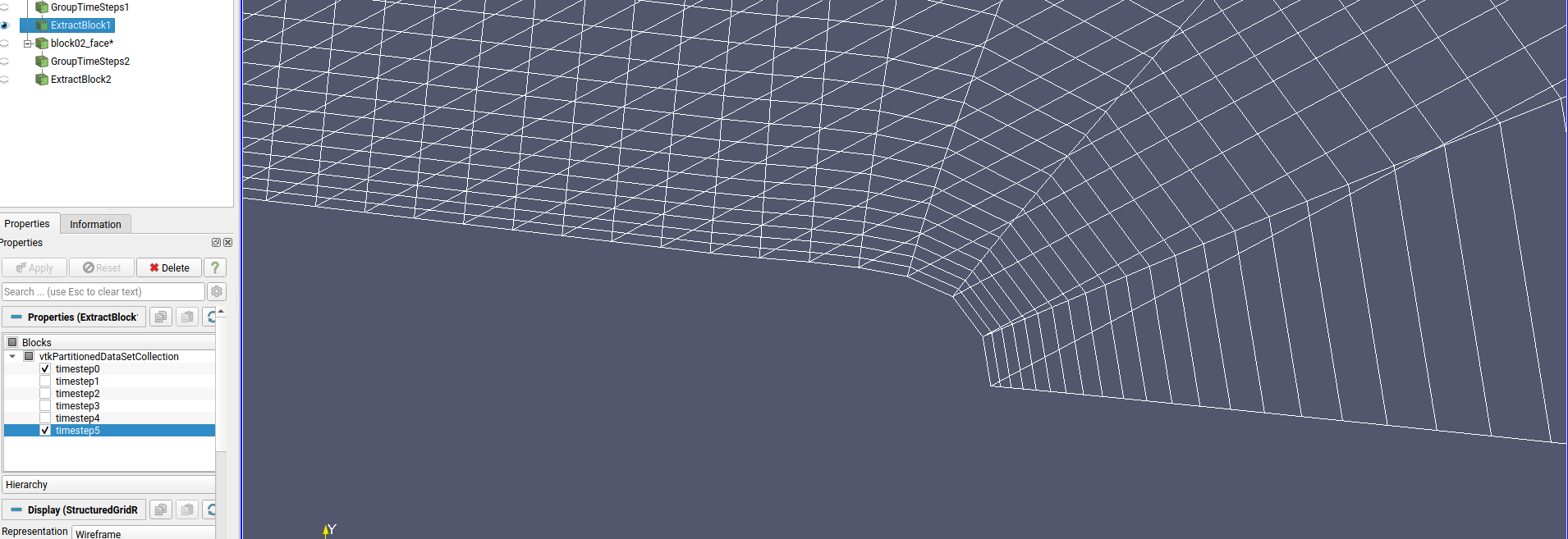
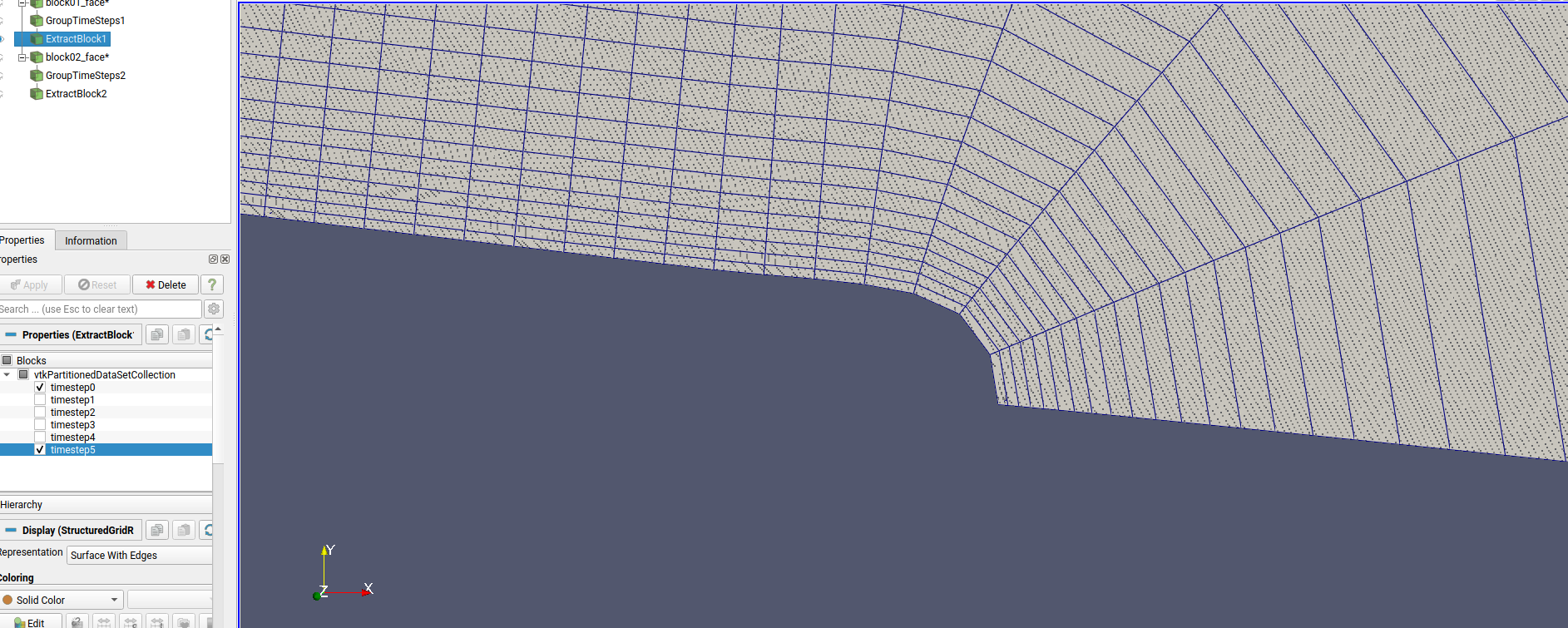
The third image shows the same mesh as the second but with surface with edges representation.
Everything works until I deselect the first block from the extract block filter in order to visualize only the last block.
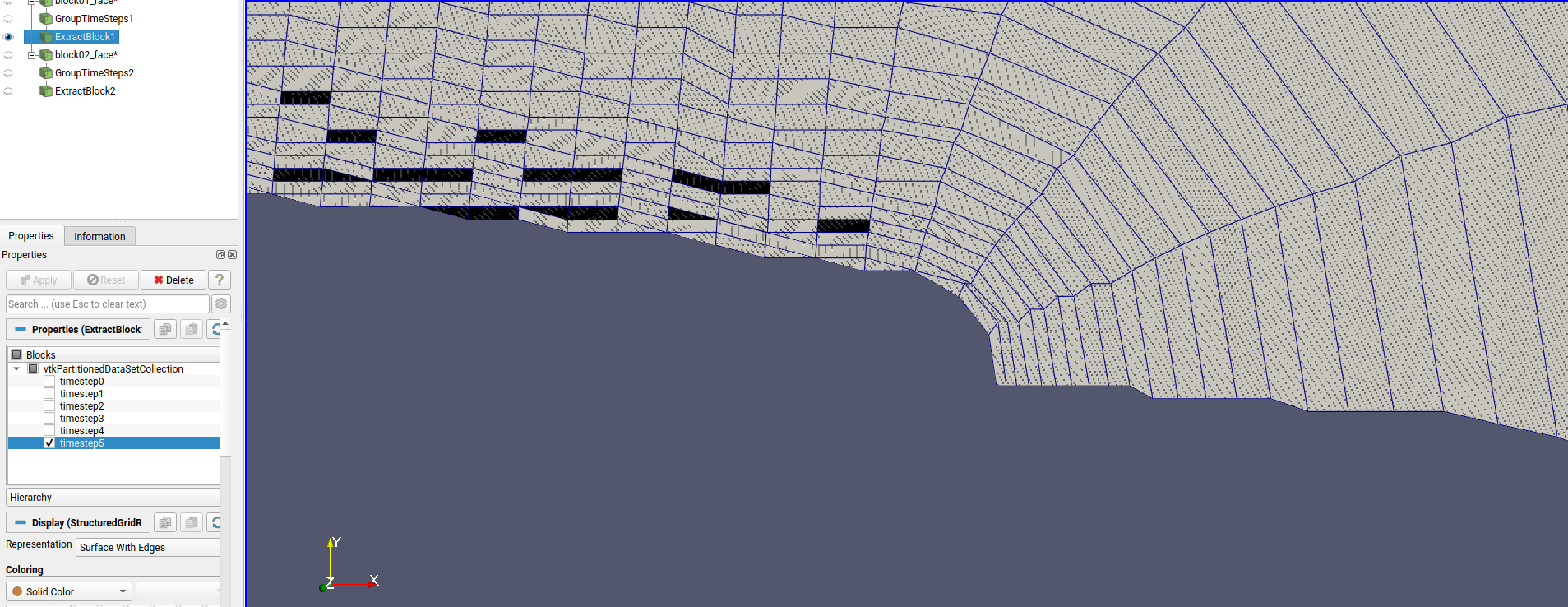
The mesh is completely distorted. Is a paraview bug?
Thank you
---
### Author:  [@mwestphal](https://discourse.paraview.org/u/mwestphal)
#### Post date: [February 15, 2022, 3:23pm UTC](https://discourse.paraview.org/t/distorted-mesh-view-paraview-5-10-0/8972/2 "2022-02-15T15:23:15Z")
Is you dataset really small or really big in the 3D space ?
---
### Author:  [@Rob777](https://discourse.paraview.org/u/Rob777)
#### Post date: [February 15, 2022, 3:30pm UTC](https://discourse.paraview.org/t/distorted-mesh-view-paraview-5-10-0/8972/3 "2022-02-15T15:30:24Z")
It is medium sized.
This is the mesh block I can’t see properly.
> **[block01\_face6.vtk](https://drive.google.com/file/d/1sTS70SXA1F8eea-syOYaYCO5xMjT8mM4/view?usp=sharing)**
>
> Google Drive file.
---
### Author:  [@mwestphal](https://discourse.paraview.org/u/mwestphal)
#### Post date: [February 15, 2022, 3:33pm UTC](https://discourse.paraview.org/t/distorted-mesh-view-paraview-5-10-0/8972/4 "2022-02-15T15:33:36Z")
It does not appear distorded here

---
### Author:  [@Rob777](https://discourse.paraview.org/u/Rob777)
#### Post date: [February 15, 2022, 3:37pm UTC](https://discourse.paraview.org/t/distorted-mesh-view-paraview-5-10-0/8972/5 "2022-02-15T15:37:29Z")
You have to zoom a lot as displayed in the previous images I uploaded.
This is how I see the mesh near the trailing edge…

Also a state file…edit the path to the vtk file…
[distorted5.py](https://discourse.paraview.org/uploads/short-url/a8vQp2cBpWwwM8STwaNlQSZRTsk.py) (3.8 KB)
---
### Author:  [@mwestphal](https://discourse.paraview.org/u/mwestphal)
#### Post date: [February 15, 2022, 3:48pm UTC](https://discourse.paraview.org/t/distorted-mesh-view-paraview-5-10-0/8972/6 "2022-02-15T15:48:28Z")
This is only a visual artifact, I’m not sure why it appears though.
@martink @timothee.chabat
---
### Author:  [@Rob777](https://discourse.paraview.org/u/Rob777)
#### Post date: [February 15, 2022, 3:51pm UTC](https://discourse.paraview.org/t/distorted-mesh-view-paraview-5-10-0/8972/7 "2022-02-15T15:51:09Z")
I tried to visualize different meshes, each with a different number of points…
It appears only for a number of radial points greater than…let say at least 160… this is not a big number
---
### Author:  [@timothee.chabat](https://discourse.paraview.org/u/timothee.chabat)
#### Post date: [February 15, 2022, 4:05pm UTC](https://discourse.paraview.org/t/distorted-mesh-view-paraview-5-10-0/8972/8 "2022-02-15T16:05:00Z")
It seems there is indeed a bug with how the display is made. My wild guess is that there is some floating point error happening when too much points lives in a too small geometrical space.
The selection does appear correctly though
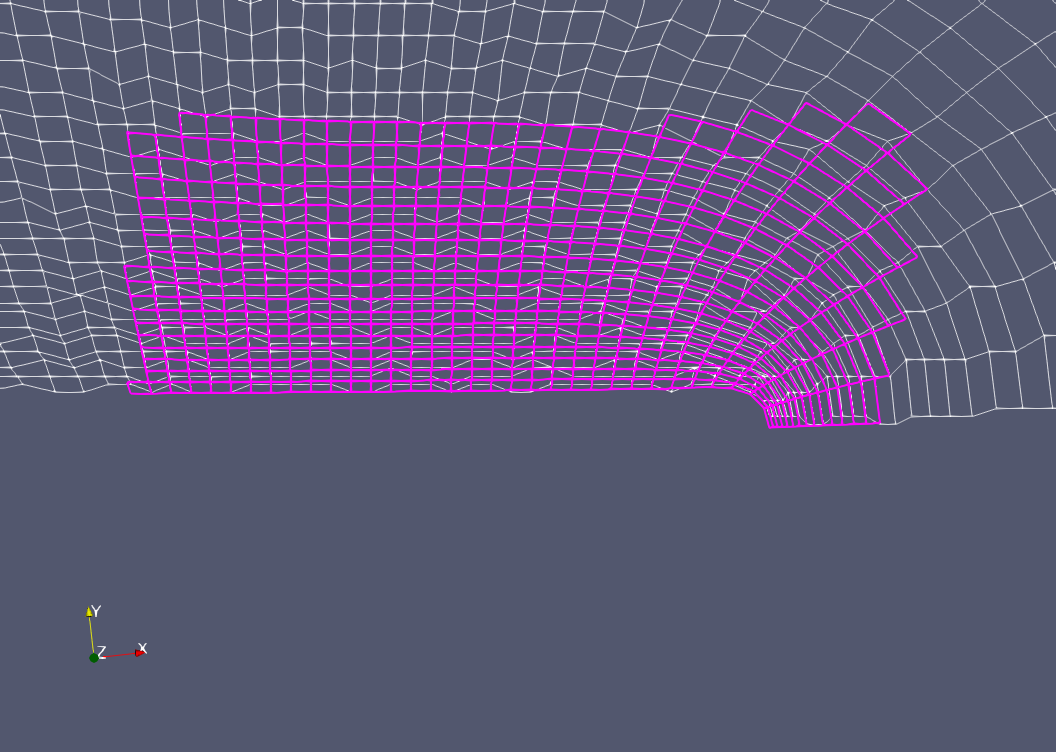
Sadly I don’t have any workaround in mind.
---
### Author:  [@martink](https://discourse.paraview.org/u/martink)
#### Post date: [February 15, 2022, 6:44pm UTC](https://discourse.paraview.org/t/distorted-mesh-view-paraview-5-10-0/8972/9 "2022-02-15T18:44:41Z")
That is almost certainly a floating point issue. Tiny cells in a larger area. Try playing with the shiftscale setting in paraview for that representation.
---
### Author:  [@timothee.chabat](https://discourse.paraview.org/u/timothee.chabat)
#### Post date: [March 9, 2022, 10:37am UTC](https://discourse.paraview.org/t/distorted-mesh-view-paraview-5-10-0/8972/10 "2022-03-09T10:37:10Z")
Echo-ing Ken response, I just stumbled upon this in the release notes of ParaView (thanks Mathieu) :
> “Focal Point Shift Scale” method (left) fixes rendering problems with floating-point precision compared to the “Auto Shift Scale” coordinate rescaling method (right).
Image : [https://www.kitware.com/main/wp-content/uploads/2021/01/shift-scale-improvements.png](https://www.kitware.com/main/wp-content/uploads/2021/01/shift-scale-improvements.png)
See section `Faithful rendering of meshes with significantly different cell sizes` of the [ParaView 5.9 Release Notes](https://www.kitware.com/paraview-5-9-0-release-notes/).