# DSMC - Mass flow rate thorugh cylinder
**URL:** https://discourse.paraview.org/t/dsmc-mass-flow-rate-thorugh-cylinder/6489
**Category:** ParaView Support
**Created:** [February 17, 2021, 7:01pm UTC](https://discourse.paraview.org/t/dsmc-mass-flow-rate-thorugh-cylinder/6489 "2021-02-17T19:01:21Z")
**Posts on this page:** 5
**Page:** 1
### Author:  [@Owen99](https://discourse.paraview.org/u/Owen99)
#### Post date: [February 17, 2021, 7:01pm UTC](https://discourse.paraview.org/t/dsmc-mass-flow-rate-thorugh-cylinder/6489/1 "2021-02-17T19:01:21Z")
Hello,
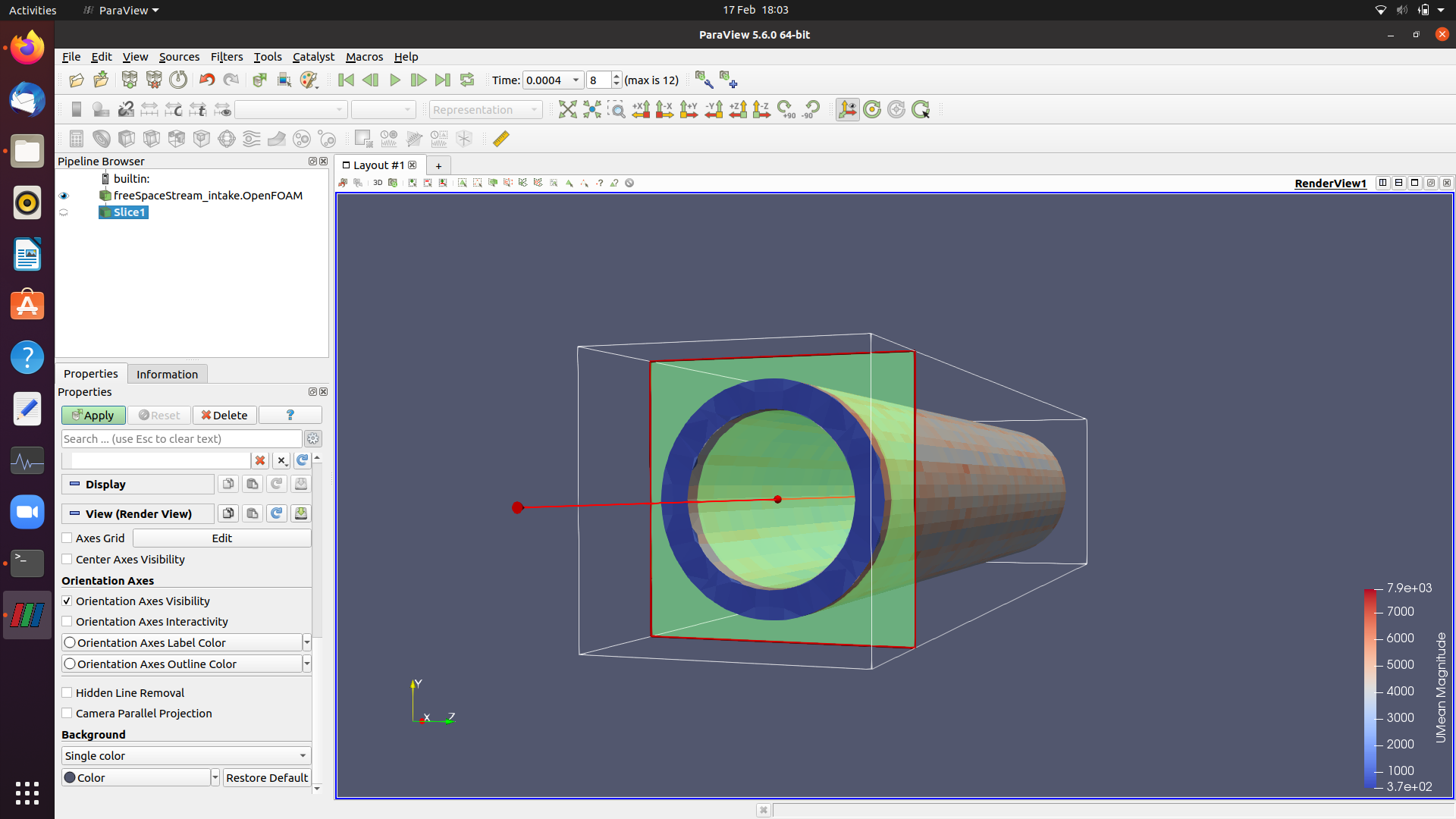
Apologies if this has already been asked but I couldn’t find it anywhere of the internet. I’m trying to find the mass flow rate through a cylinder in dsmcFoam. I used the blockMesh then snappyHexMesh for the geometry, so the inlet of the blockMesh patch is not the same as the cylinders open end.
Is it possible to make a surface at the inlet and outlet using the slice or clip feature? Then later make this a patch so I can integrate the velocity over it.
Below I’ve attached a screenshot of what I’m working with.
Any advice would be greatly appreaciated!
---
### Author:  [@woodscn](https://discourse.paraview.org/u/woodscn)
#### Post date: [February 17, 2021, 11:32pm UTC](https://discourse.paraview.org/t/dsmc-mass-flow-rate-thorugh-cylinder/6489/2 "2021-02-17T23:32:38Z")
I’ve done something like this before. In my case, I created a cylindrical clip extending from the outlet toward the outflow boundary and added up the mass contained in the clip. Since you want a rate, I would multiply that result by velocity / length-of-the-integration-volume.
Your idea of using a slice followed by an Integrate Variables filter seems like it should work, too. I don’t know what a ‘patch’ is in the context of Paraview.
Hope that helps!
---
### Author:  [@Owen99](https://discourse.paraview.org/u/Owen99)
#### Post date: [February 18, 2021, 10:33am UTC](https://discourse.paraview.org/t/dsmc-mass-flow-rate-thorugh-cylinder/6489/3 "2021-02-18T10:33:28Z")
Hi Nathan,
Thank you very much for your quick reply, it is much appreciated.
I hadn’t considered doing it that way but I’ll give it a try.
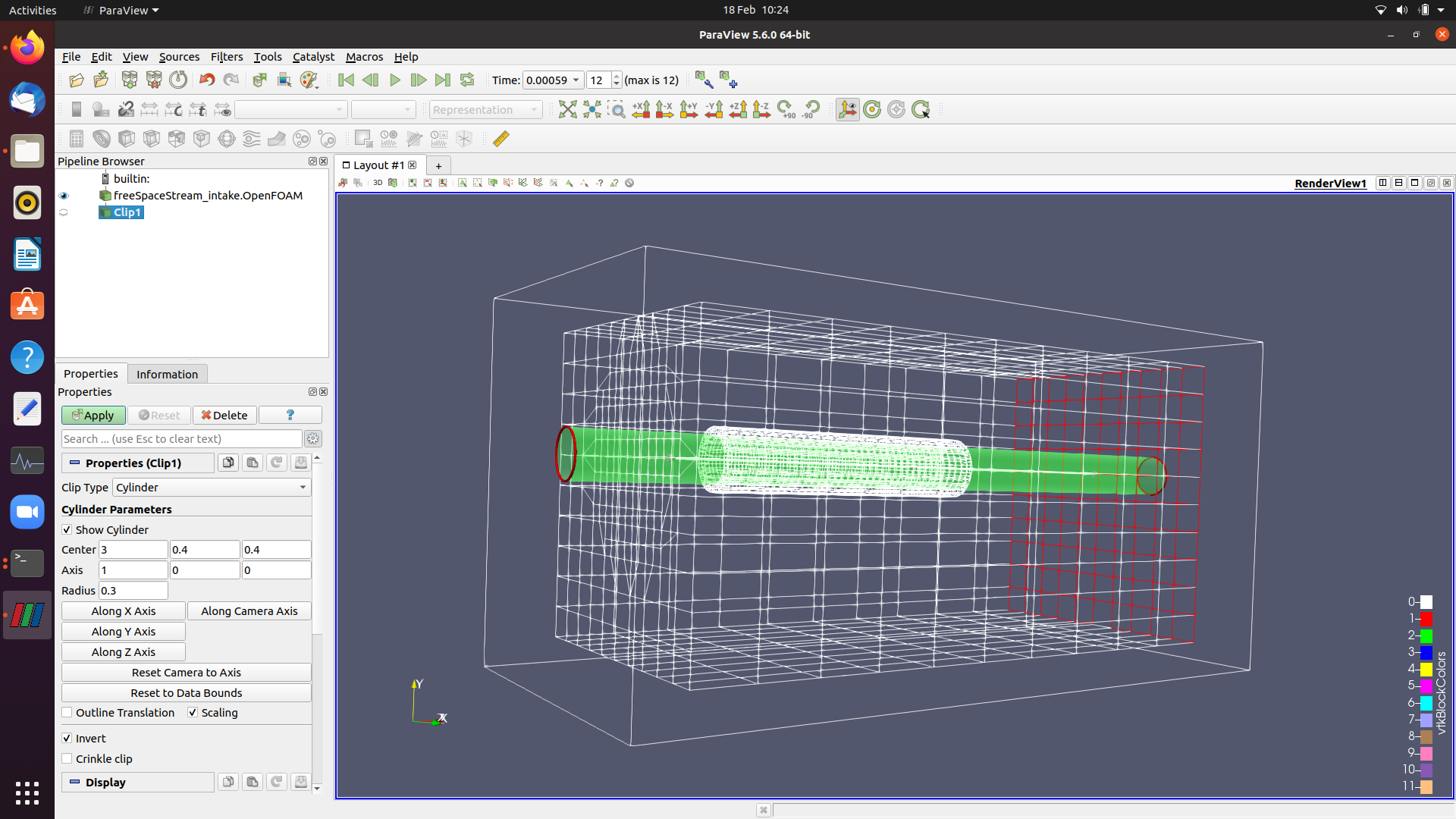
I’m a complete beginner when it comes to paraview, but do you know if the way I’m doing it below is the right step? I can’t seem to shorten the cylinder so that it meets the open end of my cylinder with the blockMesh’s inlet (Or the other way around with the outlet).
Do you have any advice as to how I should proceed?
Kind regards,
Owen.
---
### Author:  [@woodscn](https://discourse.paraview.org/u/woodscn)
#### Post date: [February 18, 2021, 4:16pm UTC](https://discourse.paraview.org/t/dsmc-mass-flow-rate-thorugh-cylinder/6489/4 "2021-02-18T16:16:56Z")
The Cylinder clip doesn’t have end caps. You’ll need to add one of those yourself using a Plane clip.
---
### Author:  [@Owen99](https://discourse.paraview.org/u/Owen99)
#### Post date: [February 18, 2021, 5:05pm UTC](https://discourse.paraview.org/t/dsmc-mass-flow-rate-thorugh-cylinder/6489/5 "2021-02-18T17:05:05Z")
I think that’s solved my problem.
Thank you so much for your help. I had been stuck for a while.