# Error in PLY files when exported
**URL:** https://discourse.paraview.org/t/error-in-ply-files-when-exported/16168
**Category:** ParaView Support
**Created:** [February 13, 2025, 3:33am UTC](https://discourse.paraview.org/t/error-in-ply-files-when-exported/16168 "2025-02-13T03:33:03Z")
**Posts on this page:** 12
**Page:** 1
### Author:  [@GKH](https://discourse.paraview.org/u/GKH)
#### Post date: [February 13, 2025, 3:33am UTC](https://discourse.paraview.org/t/error-in-ply-files-when-exported/16168/1 "2025-02-13T03:33:03Z")
Hello everyone!
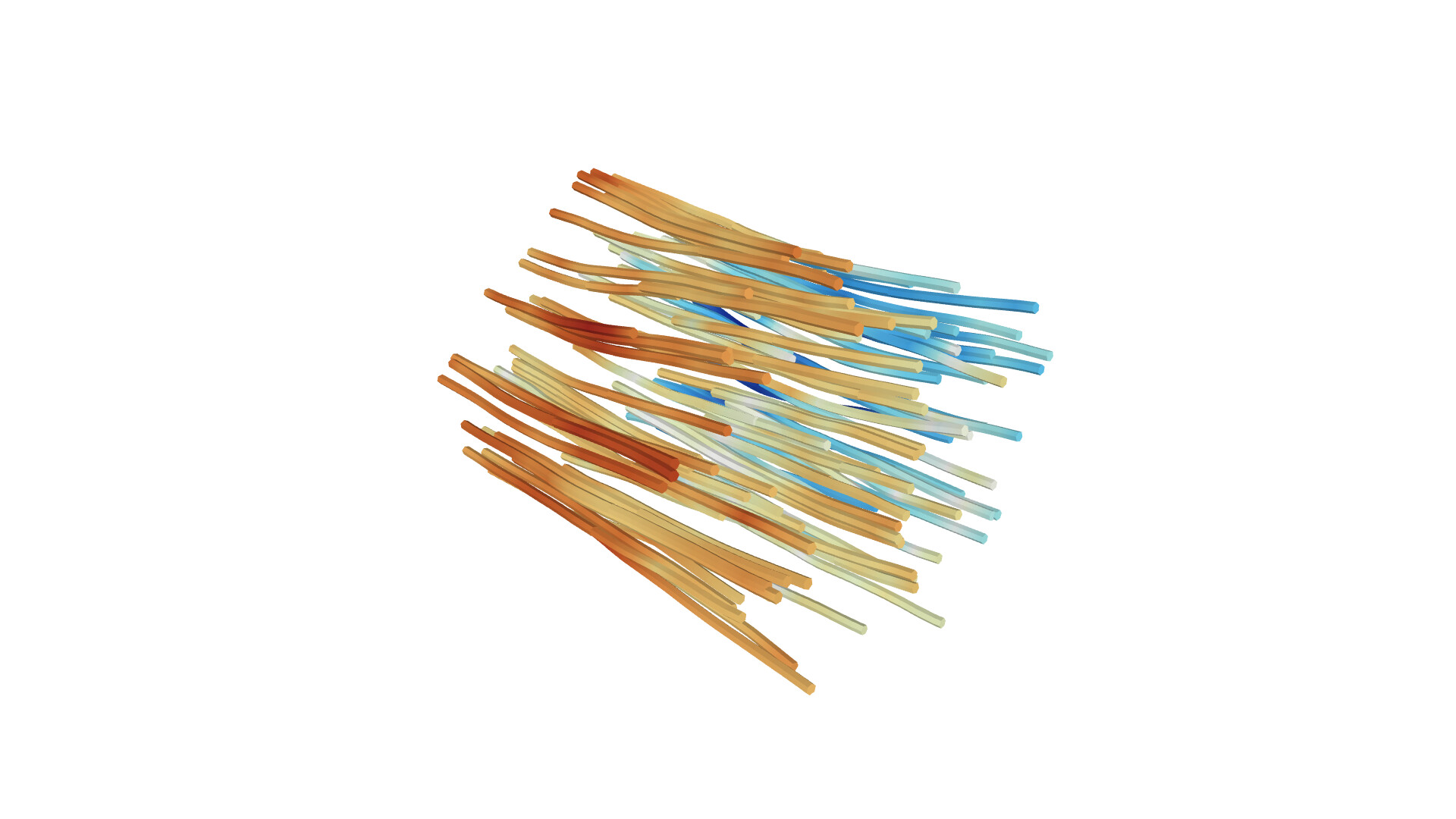
I have a VTK file from a FastFARM simulation of a wind turbine and the air flow around it. I used the Stream Tracer function with a point cloud as seed type, and then the Tube function to increase its width.
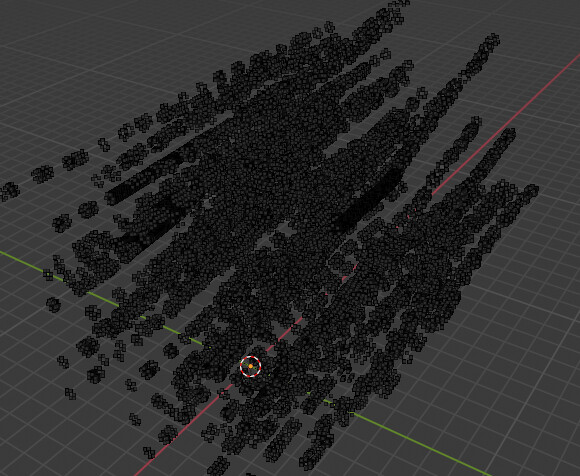
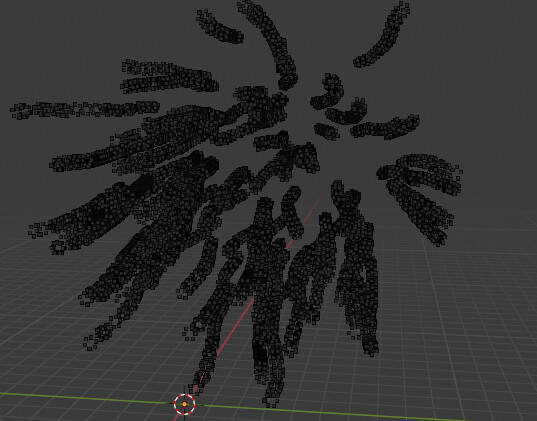
Now, I want to export every time step of the tube mesh generated so I can animate with Blender afterwards. For the turbine I exported every part as an STL file (with the save data option), yet, since I want to retain the colors of the tubes, I need to export as either a PLY or a GLTF, however the latter one would require me to export it frame by frame, so I would prefer to do it as a PLY; and here is the catch, whenever I export as a PLY, with or without colors, binary or ascii, the surface goes missing (I am sorry, but I don’t know what is going on to explain it further), the 3D visualizer from windows can’t open the files, and when I import it to Blender there is no surface, only dots where the surface should be (I inserted two pictures below, hope that makes everyone understand what is going on).
I was able to download as an STL without colors and a single frame as a GLTF with the colors, so the surfaces are there.
Does anyone know why this is happening and know a fix for the PLY file type?
I suppose that writing a script in python to download every frame as a GLTF files is also possible, but have no idea how it would work, so if anyone knows about it, I would appreciate the tips.
Thanks for the attention!
---
### Author:  [@mwestphal](https://discourse.paraview.org/u/mwestphal)
#### Post date: [February 13, 2025, 1:14pm UTC](https://discourse.paraview.org/t/error-in-ply-files-when-exported/16168/2 "2025-02-13T13:14:20Z")
> [@GKH](#):
>
> I have a VTK file from a FastFARM simulation of a wind turbine and the air flow around it. I used the Stream Tracer function with a point cloud as seed type, and then the Tube function to increase its width.
Please share your data and a state file.
---
### Author:  [@GKH](https://discourse.paraview.org/u/GKH)
#### Post date: [February 13, 2025, 11:40pm UTC](https://discourse.paraview.org/t/error-in-ply-files-when-exported/16168/3 "2025-02-13T23:40:23Z")
Here is the state file in the .py format. The data (I assuming you mean the VTK files) and the .pvsm are over the maximum size for the forum, so please tell me if there is any other way I could send it.
[StateFile.py](https://discourse.paraview.org/uploads/short-url/yEAV1bcsZ1948E75FVfd8RQUUA1.py) (1.9 MB)
---
### Author:  [@mwestphal](https://discourse.paraview.org/u/mwestphal)
#### Post date: [February 14, 2025, 9:14am UTC](https://discourse.paraview.org/t/error-in-ply-files-when-exported/16168/4 "2025-02-14T09:14:06Z")
> [@GKH](#):
>
> so please tell me if there is any other way I could send it.
> **[WeTransfer | Send Large Files Fast](https://wetransfer.com)**
>
> The simple, quick and secure way to send your files around the world without an account. Share your files, photos, and videos today for free.
---
### Author:  [@GKH](https://discourse.paraview.org/u/GKH)
#### Post date: [February 18, 2025, 2:09am UTC](https://discourse.paraview.org/t/error-in-ply-files-when-exported/16168/5 "2025-02-18T02:09:18Z")
Sorry for the delay, I was away during the weekend.
Here are the files: [Unique Download Link | WeTransfer](https://we.tl/t-bWLaXVMoWK)
This is the files from simulation, stream tracer and tubes as VTK files, the state files and a GLTF file of how is supposed to be.
---
### Author:  [@mwestphal](https://discourse.paraview.org/u/mwestphal)
#### Post date: [February 18, 2025, 8:49am UTC](https://discourse.paraview.org/t/error-in-ply-files-when-exported/16168/6 "2025-02-18T08:49:23Z")
Hi @GKH
I confirm that there is a limitation in the vtkPLYWriter that skip unsupported cell types.
Your tubes are composed of triangle strip, which is not supported:
[https://gitlab.kitware.com/paraview/paraview/-/issues/22886](https://gitlab.kitware.com/paraview/paraview/-/issues/22886)
The simplest workaround is to convert to triangles using the Triangulate filter before using SaveData.
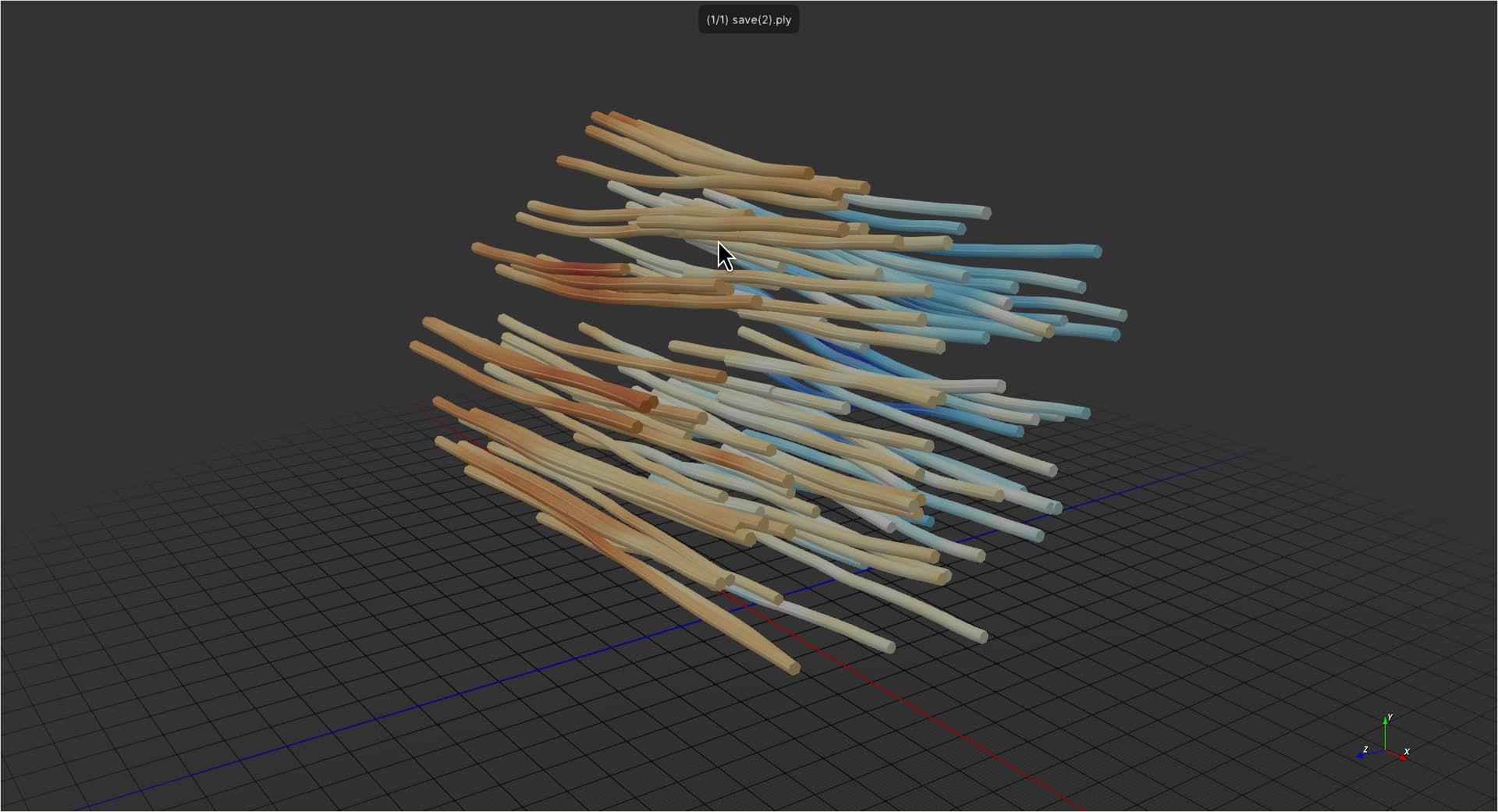
[save.ply](https://discourse.paraview.org/uploads/short-url/d6bcLNolL2yYhTj52ZlPwHPBxsf.ply) (2.5 MB)
---
### Author:  [@GKH](https://discourse.paraview.org/u/GKH)
#### Post date: [February 18, 2025, 6:05pm UTC](https://discourse.paraview.org/t/error-in-ply-files-when-exported/16168/7 "2025-02-18T18:05:28Z")
Hi, thanks for the fast answer.
Using the Triangulate filter did make possible to export as PLY, however, there is still no color in the files, even when enabled the coloring option, with or without the alpha channel. Can you tell me if there is a workaround this?
---
### Author:  [@mwestphal](https://discourse.paraview.org/u/mwestphal)
#### Post date: [February 19, 2025, 8:23am UTC](https://discourse.paraview.org/t/error-in-ply-files-when-exported/16168/8 "2025-02-19T08:23:17Z")
Not sure what you mean, there is coloring information in the file I shared above:
---
### Author:  [@GKH](https://discourse.paraview.org/u/GKH)
#### Post date: [February 24, 2025, 3:40pm UTC](https://discourse.paraview.org/t/error-in-ply-files-when-exported/16168/9 "2025-02-24T15:40:25Z")
Hello,
That is very weird, when I download the file you sent, it doesn’t have any color, nor when I export from the paraview myself. It must be a problem in my end, but just to be sure, what are the configurations when downloading the ply file? Thank you.
---
### Author:  [@mwestphal](https://discourse.paraview.org/u/mwestphal)
#### Post date: [February 24, 2025, 3:52pm UTC](https://discourse.paraview.org/t/error-in-ply-files-when-exported/16168/10 "2025-02-24T15:52:29Z")
> [@GKH](#):
>
> when I download the file you sent, it doesn’t have any color, nor when I export from the paraview myself.
Well, how do you check if there is any color ?
Personnaly I used F3D: [https://f3d.app/](https://f3d.app/)
---
### Author:  [@GKH](https://discourse.paraview.org/u/GKH)
#### Post date: [February 24, 2025, 3:56pm UTC](https://discourse.paraview.org/t/error-in-ply-files-when-exported/16168/11 "2025-02-24T15:56:44Z")
I tried with the 3D viewer from windows and in Blender, the file appears gray in both.
---
### Author:  [@mwestphal](https://discourse.paraview.org/u/mwestphal)
#### Post date: [February 24, 2025, 4:11pm UTC](https://discourse.paraview.org/t/error-in-ply-files-when-exported/16168/12 "2025-02-24T16:11:08Z")
Well, I think you have issue in your checking process.
Here is another tool that is able to show the color without issues:
> **[Online 3D Viewer](https://3dviewer.net/)**
>
> A free and open source web solution to visualize and explore 3D models right in your browser. Supported file formats: 3dm, 3ds, 3mf, amf, bim, brep, dae, fbx, fcstd, gltf, ifc, iges, step, stl, obj, off, ply, wrl.