# Export data for all time frame
**URL:** https://discourse.paraview.org/t/export-data-for-all-time-frame/11826
**Category:** ParaView Support
**Created:** [April 6, 2023, 9:22pm UTC](https://discourse.paraview.org/t/export-data-for-all-time-frame/11826 "2023-04-06T21:22:12Z")
**Posts on this page:** 3
**Page:** 1
### Author:  [@katherine\_1104](https://discourse.paraview.org/u/katherine_1104)
#### Post date: [April 6, 2023, 9:22pm UTC](https://discourse.paraview.org/t/export-data-for-all-time-frame/11826/1 "2023-04-06T21:22:12Z")
Hi community,
I have a time dependent model. I choose the points data and showed in a spreadsheet view. I want to save the data by clicking export spreadsheet, but this way only save the current timestep. Is there a way to save the select data for all time steps?
I tried to do plot selection over time and then show this as a spreadsheet view, but it seems automatically did a average for all the data for each time step.
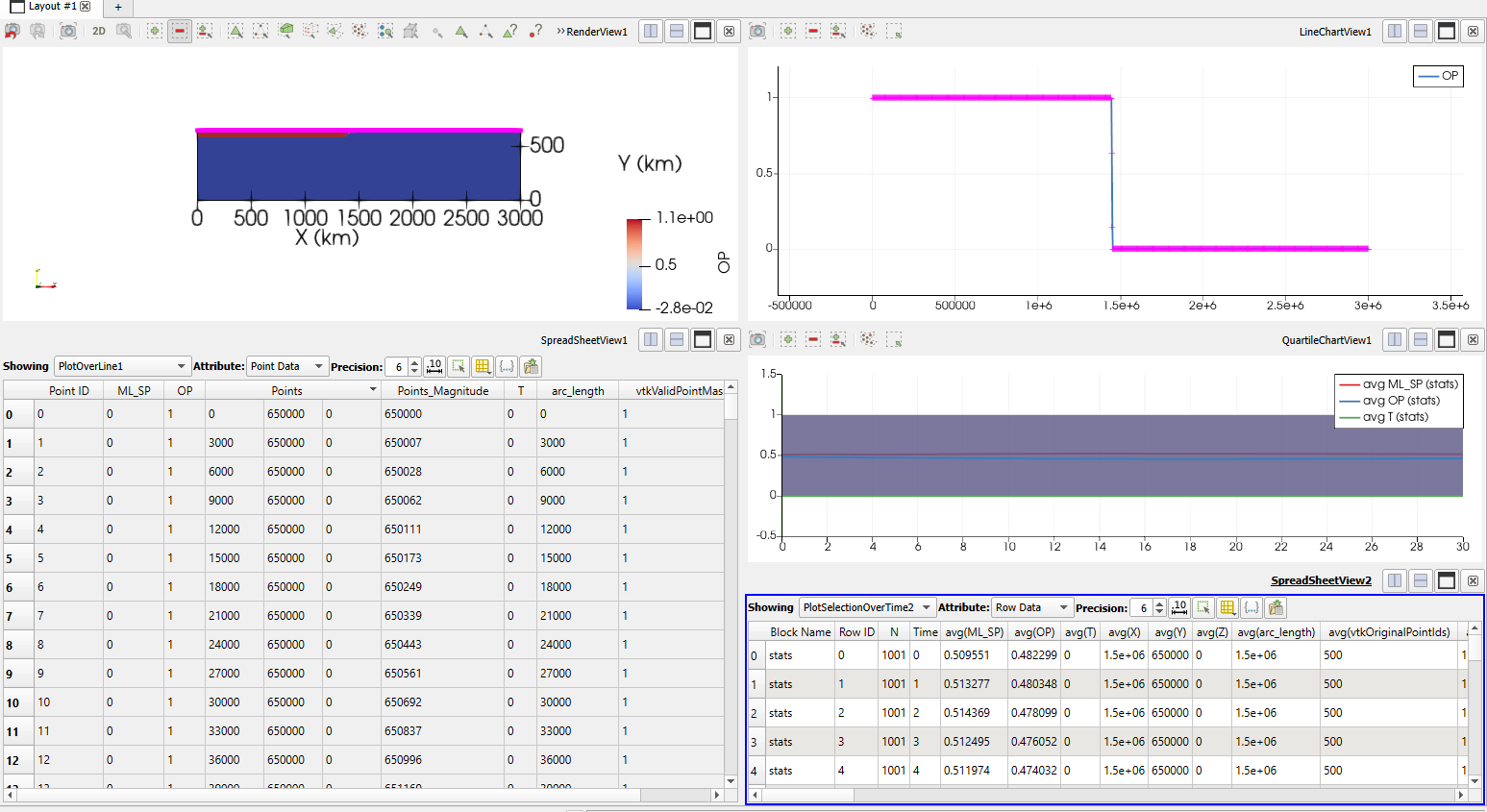
Thank you.
---
### Author:  [@Kenneth\_Moreland](https://discourse.paraview.org/u/Kenneth_Moreland)
#### Post date: [April 6, 2023, 9:37pm UTC](https://discourse.paraview.org/t/export-data-for-all-time-frame/11826/2 "2023-04-06T21:37:29Z")
You can do `Extract Selection`  and then use `Save Data`  on the result. In the save file dialog, select `Comma or Tab Delimited Files` as the file type. When you select the output file, you will get a second dialog box that provides a `Write Time Steps` option.
---
### Author:  [@katherine\_1104](https://discourse.paraview.org/u/katherine_1104)
#### Post date: [April 6, 2023, 9:44pm UTC](https://discourse.paraview.org/t/export-data-for-all-time-frame/11826/3 "2023-04-06T21:44:52Z")
Thank you. That works!