# Export data from COMSOL via VTK; Unable to see the streamlines
**URL:** https://discourse.paraview.org/t/export-data-from-comsol-via-vtk-unable-to-see-the-streamlines/14954
**Category:** ParaView Support
**Created:** [June 28, 2024, 3:42pm UTC](https://discourse.paraview.org/t/export-data-from-comsol-via-vtk-unable-to-see-the-streamlines/14954 "2024-06-28T15:42:40Z")
**Posts on this page:** 18
**Page:** 1
### Author:  [@He2020nyc](https://discourse.paraview.org/u/He2020nyc)
#### Post date: [June 28, 2024, 3:42pm UTC](https://discourse.paraview.org/t/export-data-from-comsol-via-vtk-unable-to-see-the-streamlines/14954/1 "2024-06-28T15:42:40Z")
Hello,
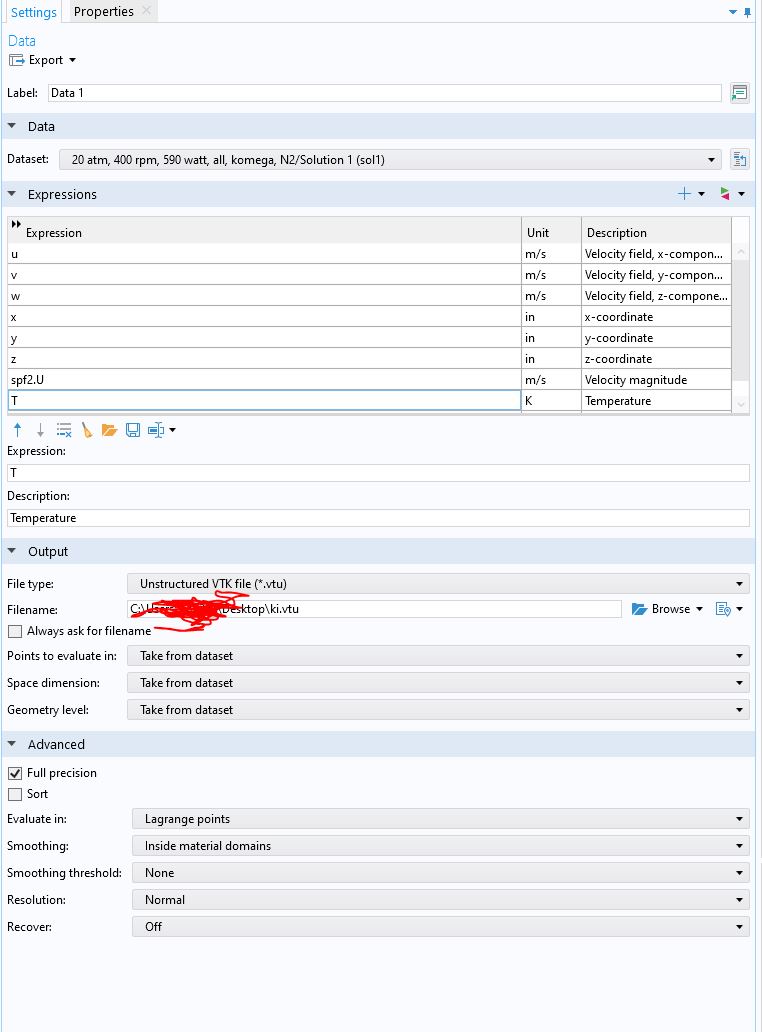
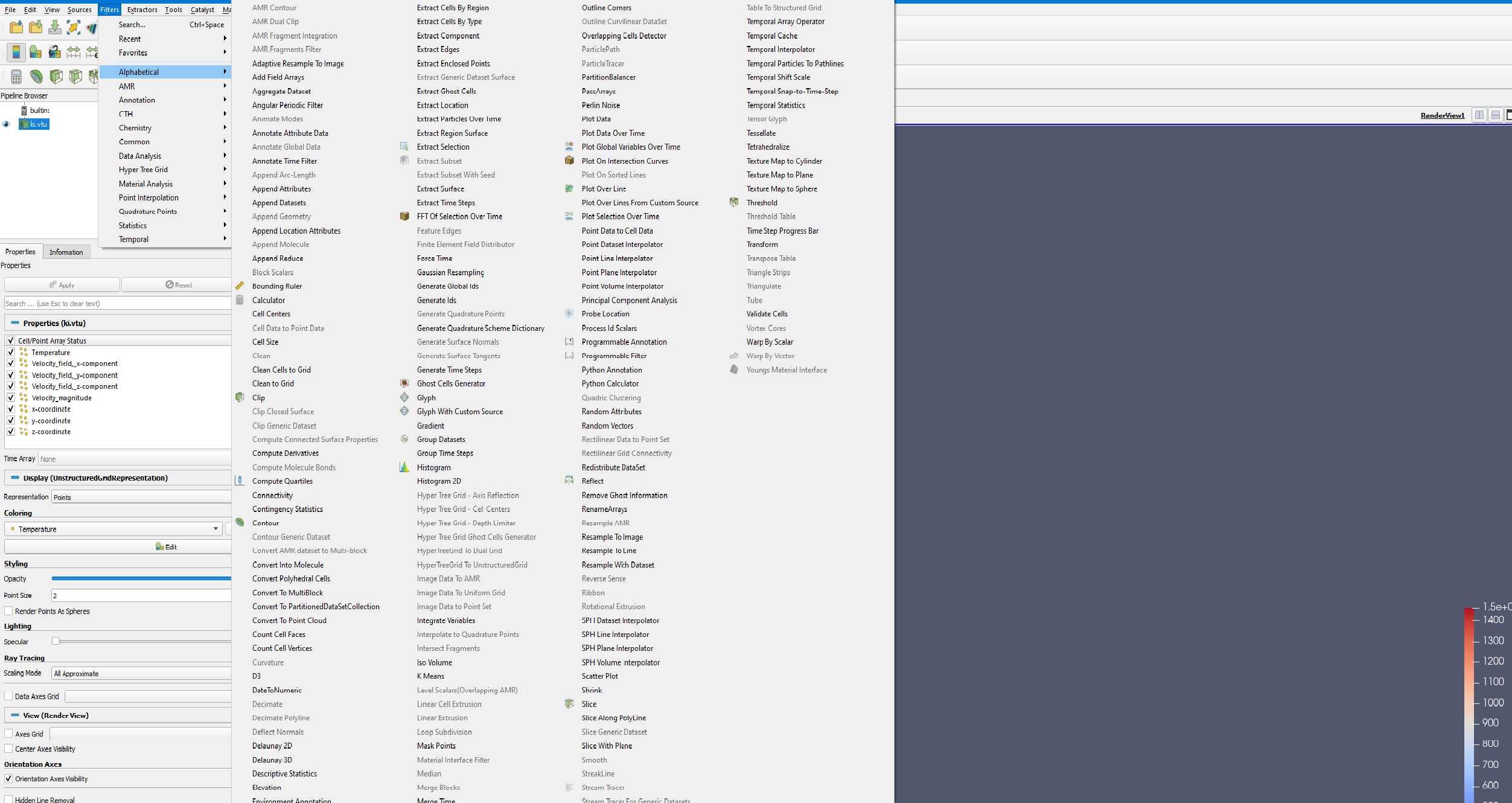
I want to see the streamlines in Paravie using COMSOL data. I export data as VTK (please see attached files). The streamlines look fine in my COMSOL sample file but I can not see the streamlines in Paraview after I load data in Paraview. The tracer filter is greyed out.
Velocity or temperature contours are working properly tho on a 2D plane.
I appreciate any tips.
---
### Author:  [@mwestphal](https://discourse.paraview.org/u/mwestphal)
#### Post date: [June 28, 2024, 3:46pm UTC](https://discourse.paraview.org/t/export-data-from-comsol-via-vtk-unable-to-see-the-streamlines/14954/2 "2024-06-28T15:46:08Z")
Please share your data (ki.vtu)
---
### Author:  [@He2020nyc](https://discourse.paraview.org/u/He2020nyc)
#### Post date: [June 28, 2024, 3:50pm UTC](https://discourse.paraview.org/t/export-data-from-comsol-via-vtk-unable-to-see-the-streamlines/14954/3 "2024-06-28T15:50:08Z")
I am not able to share data as it is confidential.
---
### Author:  [@mwestphal](https://discourse.paraview.org/u/mwestphal)
#### Post date: [June 28, 2024, 3:51pm UTC](https://discourse.paraview.org/t/export-data-from-comsol-via-vtk-unable-to-see-the-streamlines/14954/4 "2024-06-28T15:51:15Z")
You may want to reach out to Kitware to set up a NDA then: [https://www.kitware.com/](https://www.kitware.com/)
---
### Author:  [@He2020nyc](https://discourse.paraview.org/u/He2020nyc)
#### Post date: [June 28, 2024, 3:53pm UTC](https://discourse.paraview.org/t/export-data-from-comsol-via-vtk-unable-to-see-the-streamlines/14954/5 "2024-06-28T15:53:47Z")
I am afraid that it is not an option for now.
Are you aware of a specific data format that ParaView needs to process data?
Or any other tips that I could check on my end?
---
### Author:  [@Kenichiro-Yoshimi](https://discourse.paraview.org/u/Kenichiro-Yoshimi)
#### Post date: [June 29, 2024, 1:28am UTC](https://discourse.paraview.org/t/export-data-from-comsol-via-vtk-unable-to-see-the-streamlines/14954/6 "2024-06-29T01:28:25Z")
To utilize the Stream Tracer filter, it is necessary to construct a velocity vector. This can be accomplished by employing the Merge Vector Components filter to combine the three component variables of velocity present in the data.
---
### Author:  [@He2020nyc](https://discourse.paraview.org/u/He2020nyc)
#### Post date: [June 29, 2024, 12:12pm UTC](https://discourse.paraview.org/t/export-data-from-comsol-via-vtk-unable-to-see-the-streamlines/14954/7 "2024-06-29T12:12:48Z")
Thank you for your response.
I considered the Merge Vector Components filter and the stream tracer is now visible.
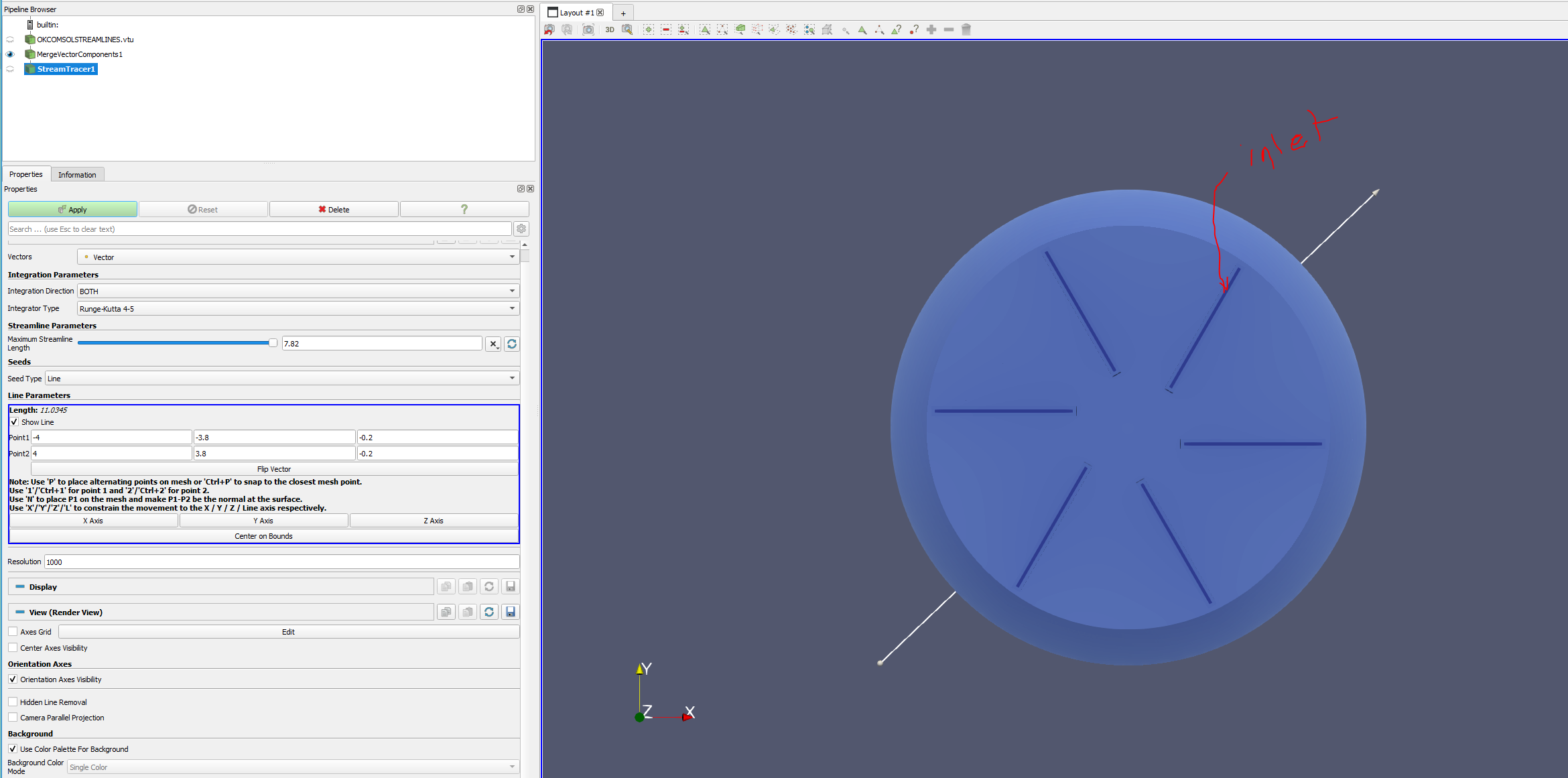
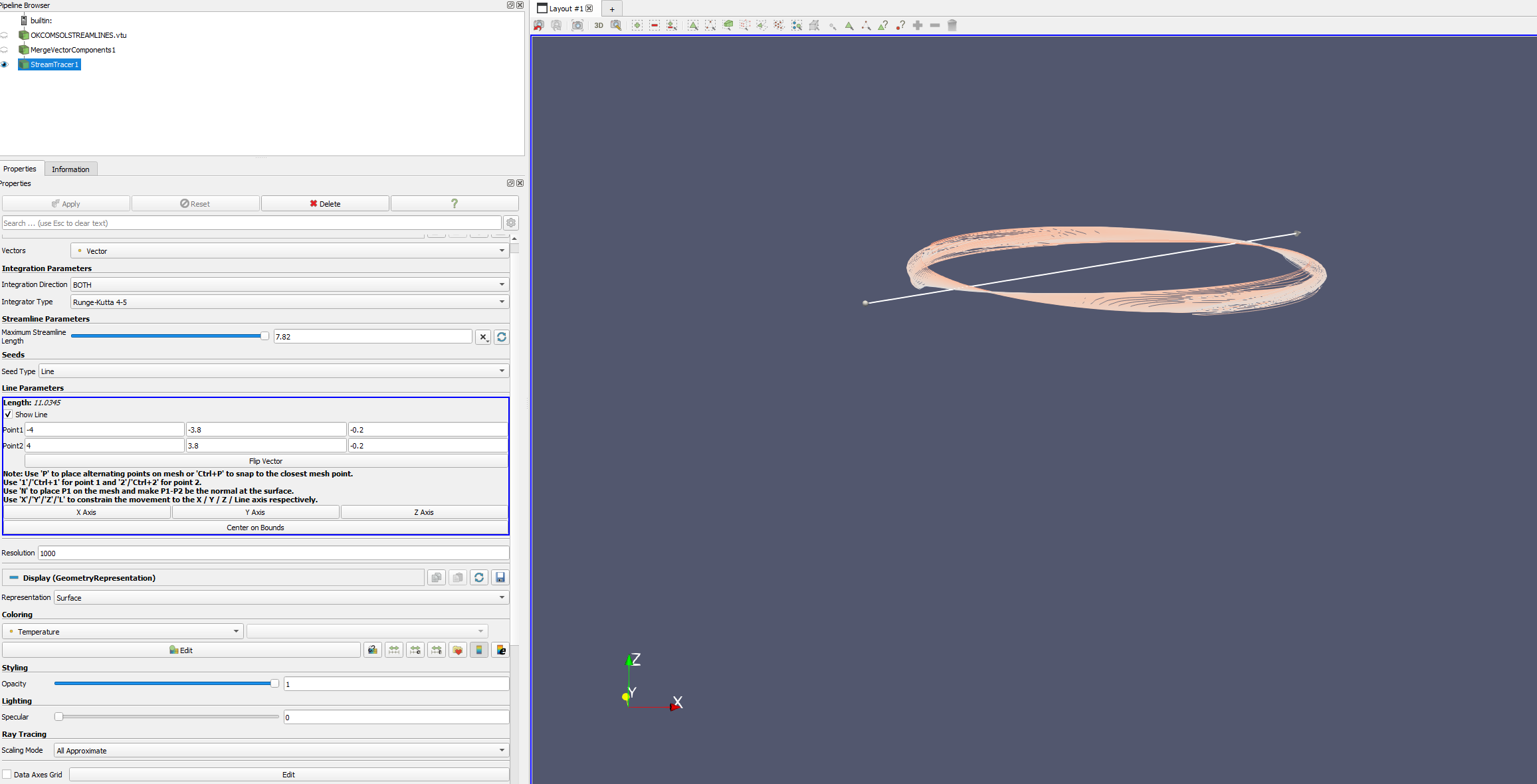
However, I don’t find the streamlines correct. In fact, I want to select my 6 inlets and then see how the streamlines would be inside the fluid domain. Not sure what I see as streamlines right now and how to increase the number of streamlines (not length)
Is there a way to select a specific surface or surfaces and see how the streamlines would evolve from there?
Thank you for your time.
---
### Author:  [@Kenichiro-Yoshimi](https://discourse.paraview.org/u/Kenichiro-Yoshimi)
#### Post date: [June 30, 2024, 12:52am UTC](https://discourse.paraview.org/t/export-data-from-comsol-via-vtk-unable-to-see-the-streamlines/14954/8 "2024-06-30T00:52:00Z")
To create streamlines from a specific location, you typically use the `Stream Tracer With Custom Source` filter. (See link below:
[16. Targeted: Computational Fluid Dynamics — ParaView Documentation 5.12.0 documentation](https://docs.paraview.org/en/latest/Tutorials/ClassroomTutorials/targetedComputationFluidDynamics.html#stream-tracers-with-custom-source))
Since actual data is lacking, I cannot provide a more precise method, but a typical approach involves the following steps:
1. Select nodes at the inlet. Refer to the link below for instructions on how to make the selection: [6. Selecting Data — ParaView Documentation 5.12.0 documentation](https://docs.paraview.org/en/latest/UsersGuide/selectingData.html#selecting-data)
2. Convert the selected nodes into data objects using the `Extract Selection` filter.
3. Apply the `Stream Tracer With Custom Source` filter.
---
### Author:  [@He2020nyc](https://discourse.paraview.org/u/He2020nyc)
#### Post date: [July 8, 2024, 4:50pm UTC](https://discourse.paraview.org/t/export-data-from-comsol-via-vtk-unable-to-see-the-streamlines/14954/9 "2024-07-08T16:50:39Z")
Thank you for your input.
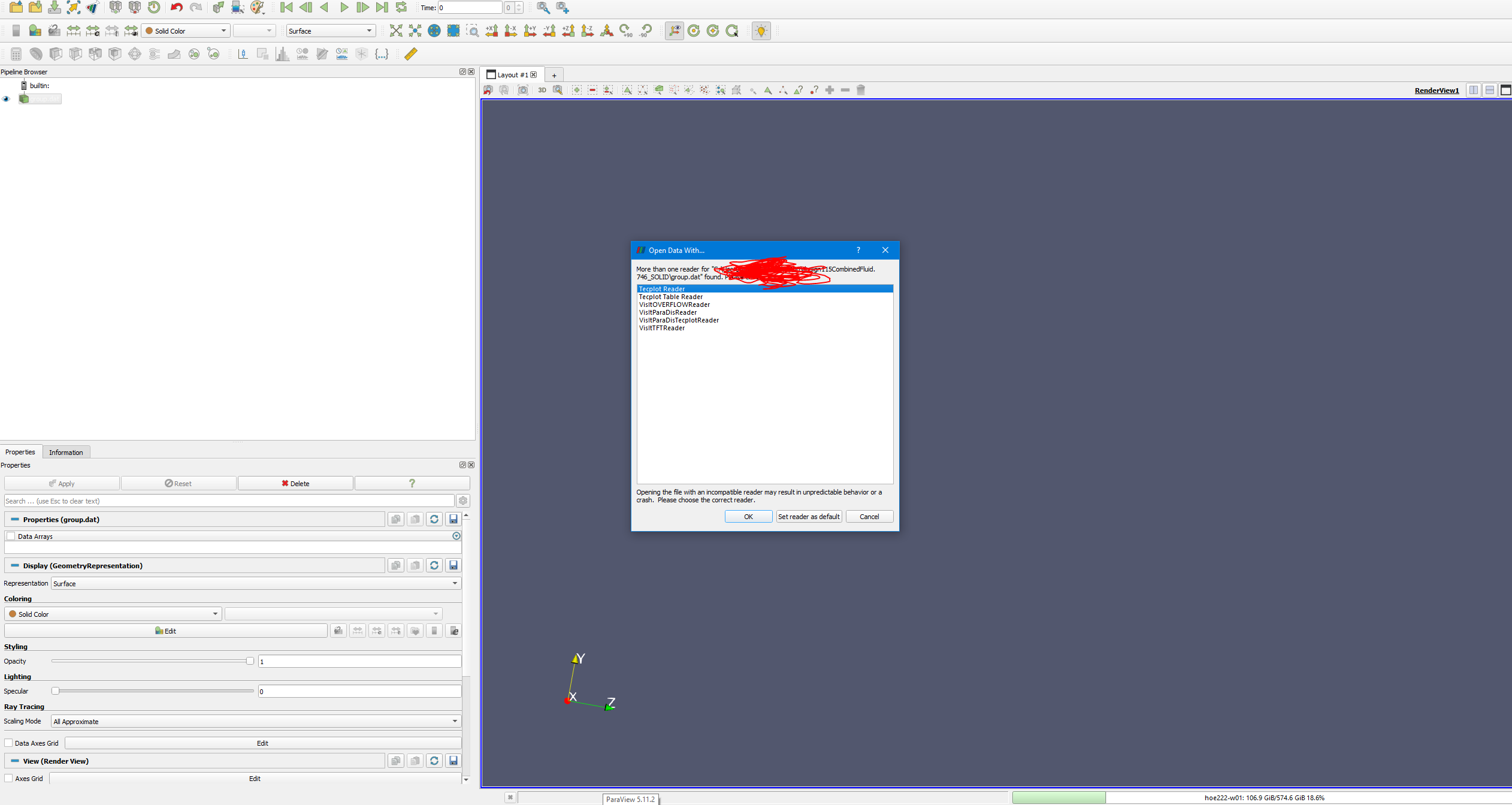
Are aware of this? Which reader should I use and why?
---
### Author:  [@Kenichiro-Yoshimi](https://discourse.paraview.org/u/Kenichiro-Yoshimi)
#### Post date: [July 8, 2024, 9:12pm UTC](https://discourse.paraview.org/t/export-data-from-comsol-via-vtk-unable-to-see-the-streamlines/14954/10 "2024-07-08T21:12:43Z")
I am not sure what data format you are using, but it is most likely not supported by ParaView. You need to provide a file format that ParaView supports.
---
### Author:  [@He2020nyc](https://discourse.paraview.org/u/He2020nyc)
#### Post date: [July 9, 2024, 2:10pm UTC](https://discourse.paraview.org/t/export-data-from-comsol-via-vtk-unable-to-see-the-streamlines/14954/11 "2024-07-09T14:10:47Z")
It is .dat file.
---
### Author:  [@Kenichiro-Yoshimi](https://discourse.paraview.org/u/Kenichiro-Yoshimi)
#### Post date: [July 9, 2024, 3:55pm UTC](https://discourse.paraview.org/t/export-data-from-comsol-via-vtk-unable-to-see-the-streamlines/14954/12 "2024-07-09T15:55:52Z")
Check the file format of the .dat file. If ParaView does not support this file format, it will be unable to read it.
---
### Author:  [@He2020nyc](https://discourse.paraview.org/u/He2020nyc)
#### Post date: [July 15, 2024, 3:30pm UTC](https://discourse.paraview.org/t/export-data-from-comsol-via-vtk-unable-to-see-the-streamlines/14954/13 "2024-07-15T15:30:34Z")
[design115CombinedFluid.843\_SOLID.vtk.vol.600.vtu](https://discourse.paraview.org/uploads/short-url/eEKfhRutAYKpgFoF0NlWeOShaNE.vtu) (272.4 KB)
Hi,
Would you be able to use the attached VTK file and show me how to select the inlet and have the streamlines?
Thank you
---
### Author:  [@He2020nyc](https://discourse.paraview.org/u/He2020nyc)
#### Post date: [July 15, 2024, 4:19pm UTC](https://discourse.paraview.org/t/export-data-from-comsol-via-vtk-unable-to-see-the-streamlines/14954/14 "2024-07-15T16:19:31Z")
Also, when I watch this video ([https://www.youtube.com/watch?v=7WMaHXLK6No](https://www.youtube.com/watch?v=7WMaHXLK6No)) starting 20.07,
I am not able to select points from the inlet surface.
Thank you for your time.
---
### Author:  [@He2020nyc](https://discourse.paraview.org/u/He2020nyc)
#### Post date: [July 15, 2024, 9:32pm UTC](https://discourse.paraview.org/t/export-data-from-comsol-via-vtk-unable-to-see-the-streamlines/14954/15 "2024-07-15T21:32:16Z")
Adding to my previous comment:
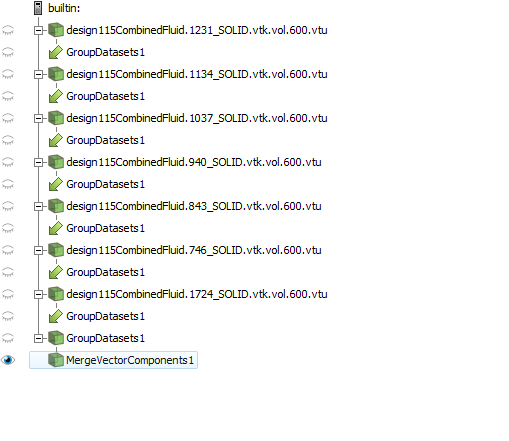
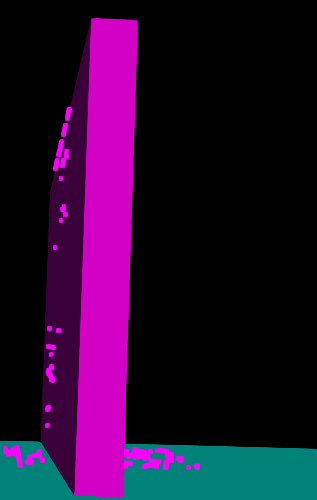
I have 6 similar domains as the shared VTK file which I grouped them with my main fluid domain. The issue is about extractselection function. I am not able to define points only on the inlet surfaces. It selects other points around the inlets. Any thoughts?
---
### Author:  [@Kenichiro-Yoshimi](https://discourse.paraview.org/u/Kenichiro-Yoshimi)
#### Post date: [July 16, 2024, 12:29pm UTC](https://discourse.paraview.org/t/export-data-from-comsol-via-vtk-unable-to-see-the-streamlines/14954/16 "2024-07-16T12:29:00Z")
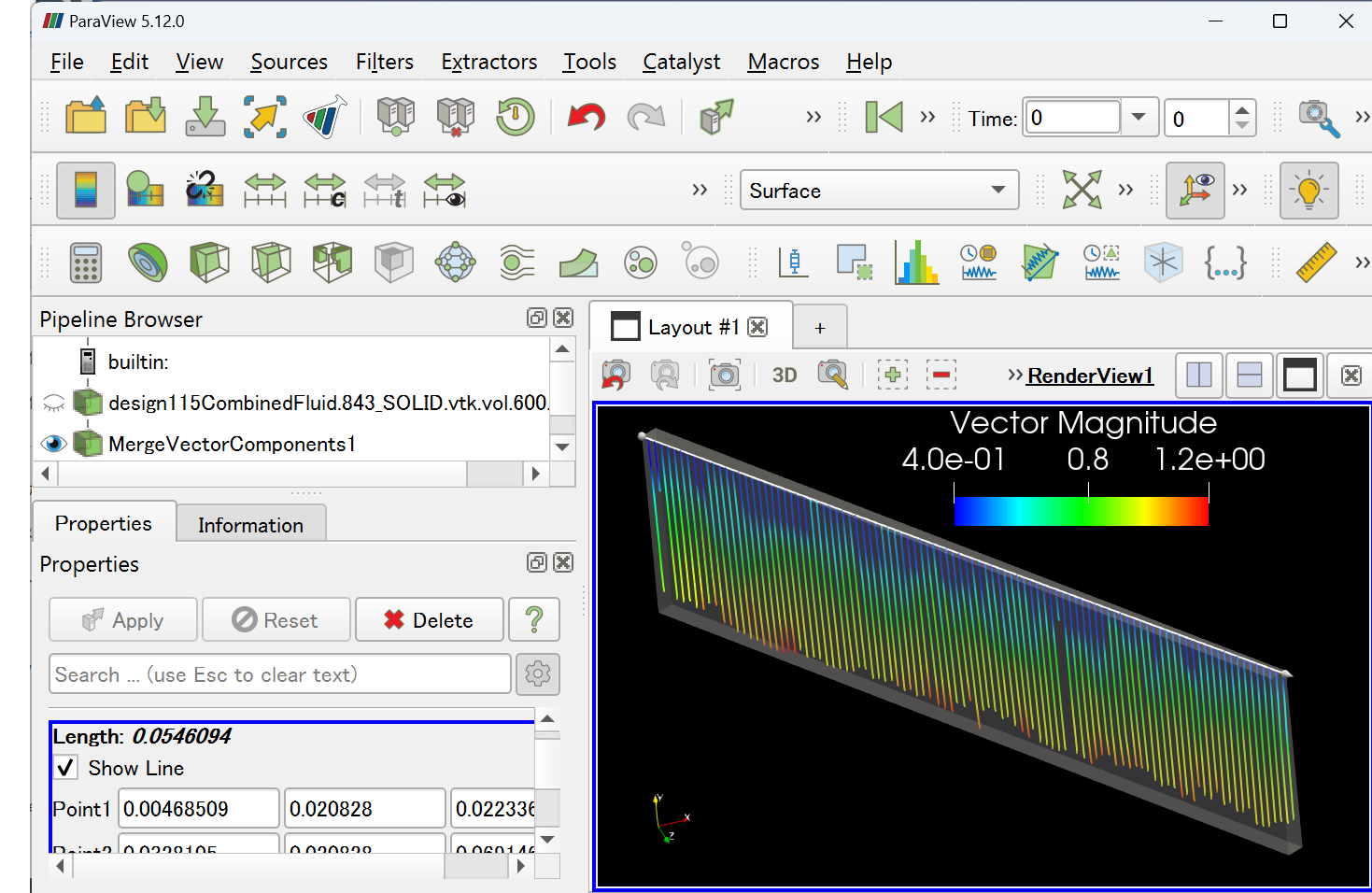
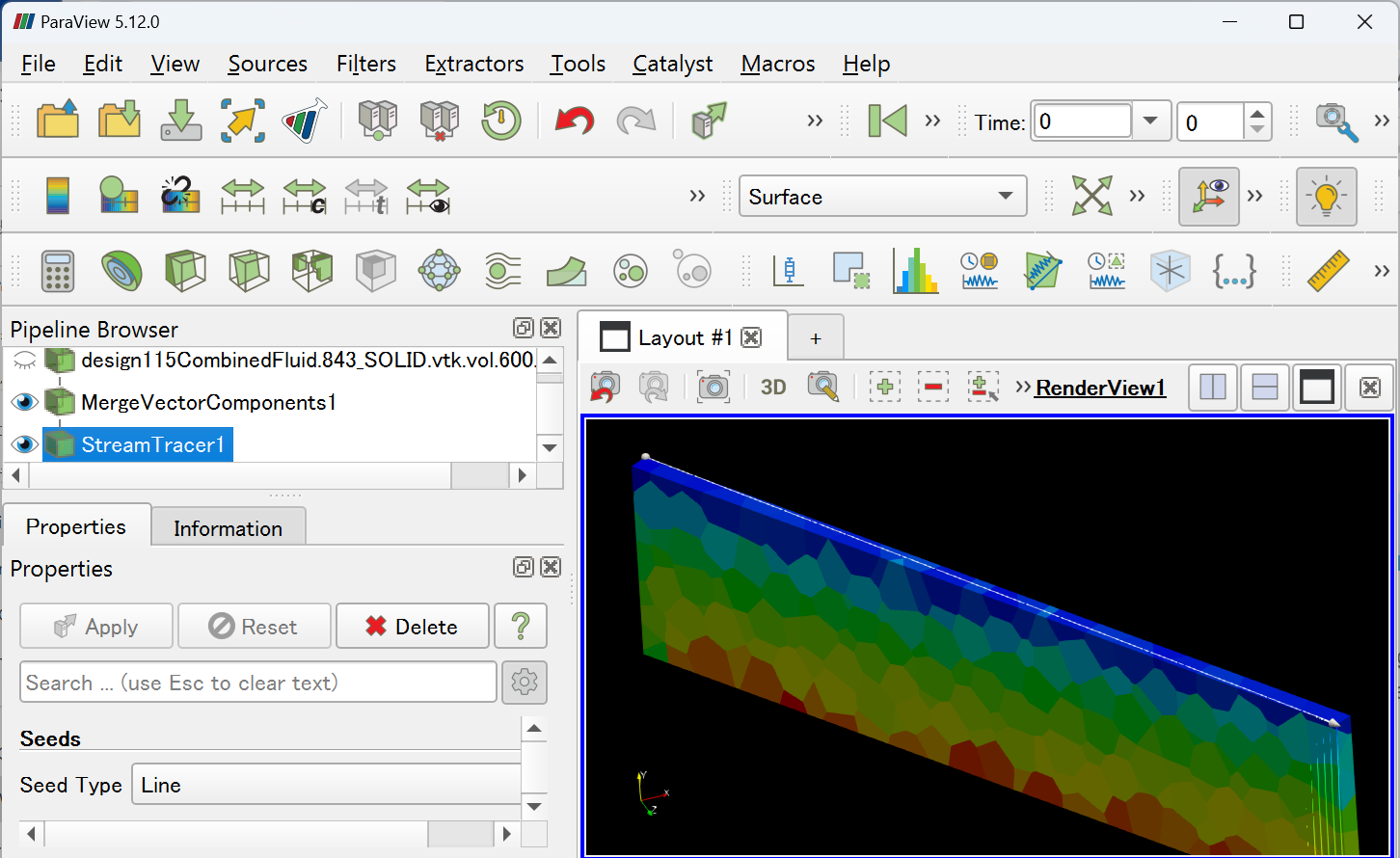
If you’re having difficulty selecting points, consider using the Line in the `Stream Tracer` filter to define the starting points for the streamlines.
---
### Author:  [@He2020nyc](https://discourse.paraview.org/u/He2020nyc)
#### Post date: [July 16, 2024, 8:19pm UTC](https://discourse.paraview.org/t/export-data-from-comsol-via-vtk-unable-to-see-the-streamlines/14954/17 "2024-07-16T20:19:41Z")
Thanks for the input.
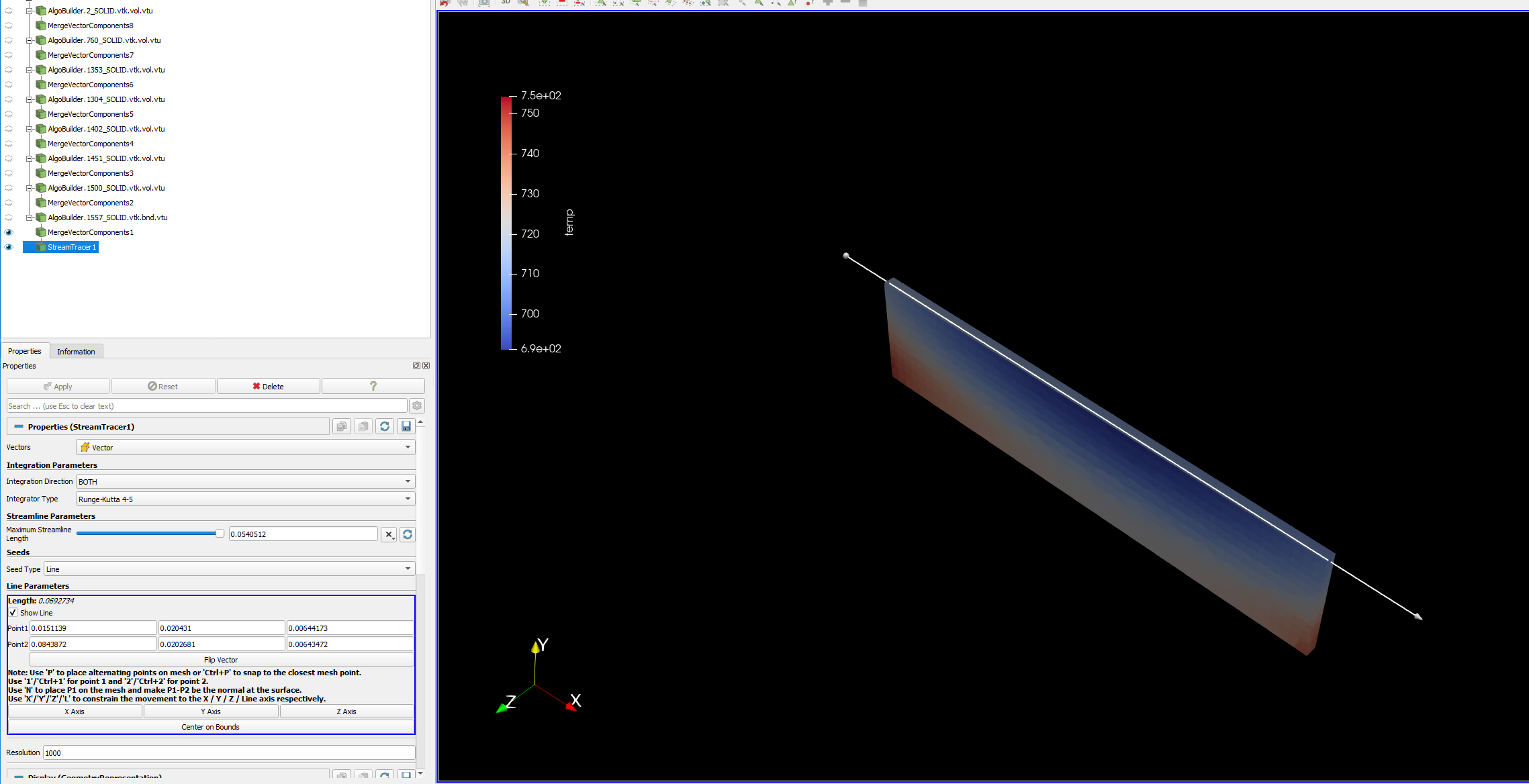
Were you able to have the streamlines using the suggested method (using line)?
I am not able to show
---
### Author:  [@Kenichiro-Yoshimi](https://discourse.paraview.org/u/Kenichiro-Yoshimi)
#### Post date: [July 16, 2024, 9:52pm UTC](https://discourse.paraview.org/t/export-data-from-comsol-via-vtk-unable-to-see-the-streamlines/14954/18 "2024-07-16T21:52:17Z")
If the line is correctly aligned with the inlet’s face, I believe we can draw streamlines. In this case, you can easily align the endpoints of the line by using the ‘P’ button or ‘Ctrl+P’.