# Export distributed point from slice
**URL:** https://discourse.paraview.org/t/export-distributed-point-from-slice/15123
**Category:** ParaView Support
**Created:** [July 25, 2024, 4:44pm UTC](https://discourse.paraview.org/t/export-distributed-point-from-slice/15123 "2024-07-25T16:44:57Z")
**Posts on this page:** 2
**Page:** 1
### Author:  [@NM1293](https://discourse.paraview.org/u/NM1293)
#### Post date: [July 25, 2024, 4:44pm UTC](https://discourse.paraview.org/t/export-distributed-point-from-slice/15123/1 "2024-07-25T16:44:57Z")
Hello Everyone,
I uploaded an .stp file of a blade into ParaView. My goal is to obtain a series of airfoil profiles. I accomplished this by using a slice filter. By exporting the data, I obtained a .csv file containing the x, y, and z coordinates of a series of points that make up the blade’s airfoil.
However, these points are not uniformly distributed along the airfoil, and I am unable to select a specific number of points to extract.
The attached figure and file help illustrate what I mean.
Is there a way to specify a desired number of uniformly distributed points along the airfoil?
Thank you 😀
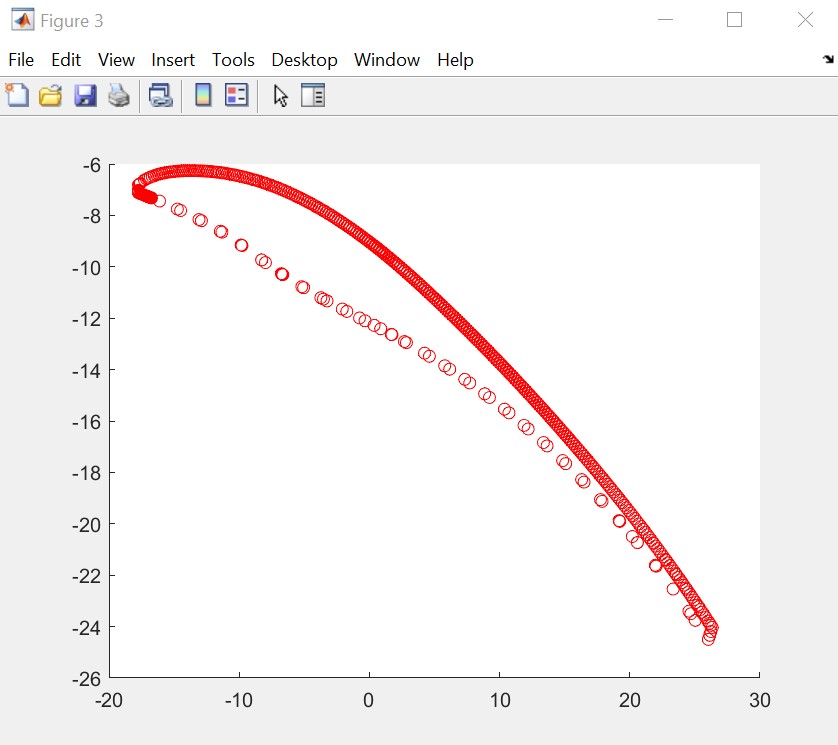
[Airfoil\_1.csv](https://discourse.paraview.org/uploads/short-url/tL5eNSG07s0JICtHii1j68T4qBz.csv) (10.4 KB)
---
### Author:  [@Kenichiro-Yoshimi](https://discourse.paraview.org/u/Kenichiro-Yoshimi)
#### Post date: [July 26, 2024, 3:11am UTC](https://discourse.paraview.org/t/export-distributed-point-from-slice/15123/2 "2024-07-26T03:11:59Z")
The most straightforward approach consists of the following steps. However, for intricate airfoils, this method may not yield optimal results.
1. Load a STEP file.
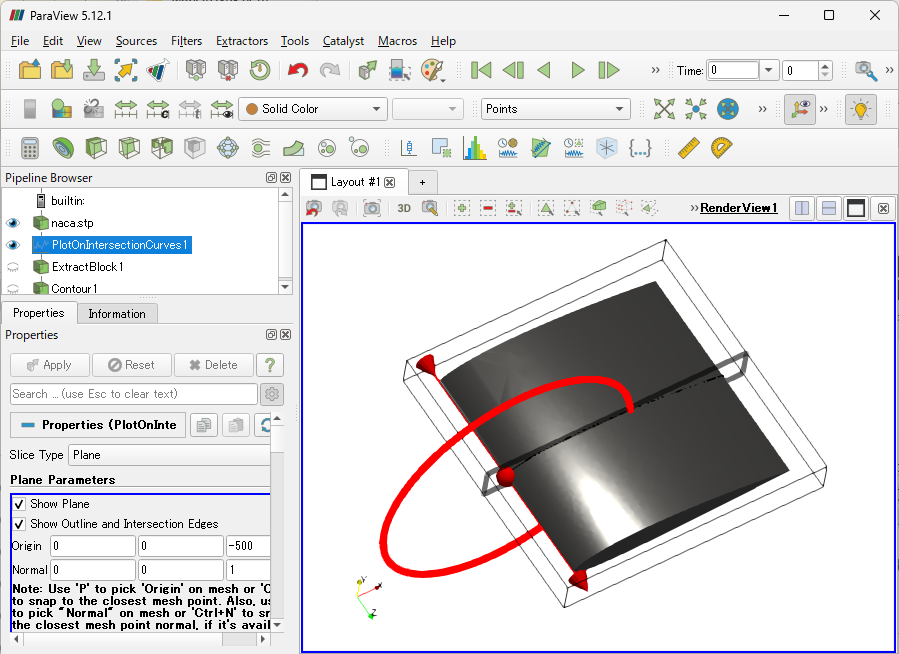
2. Use the `Plot On Intersection Curves` filter to cut the wing shape.
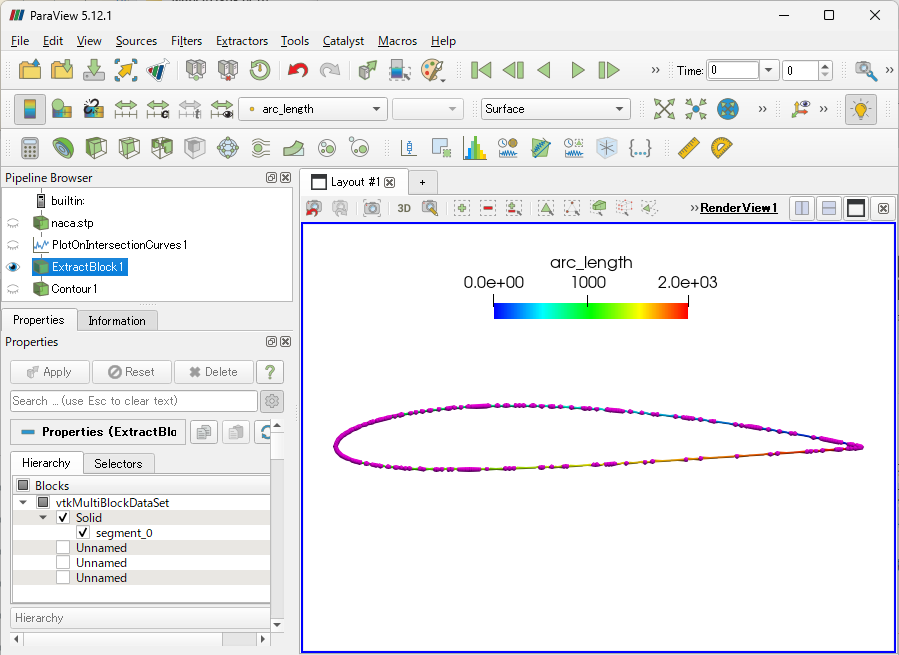
3. Extract the desired cut line using the `Extract Block` filter. Note that the nodes forming this cut line may not be uniform, but they are sorted in order, and their arc lengths are calculated.
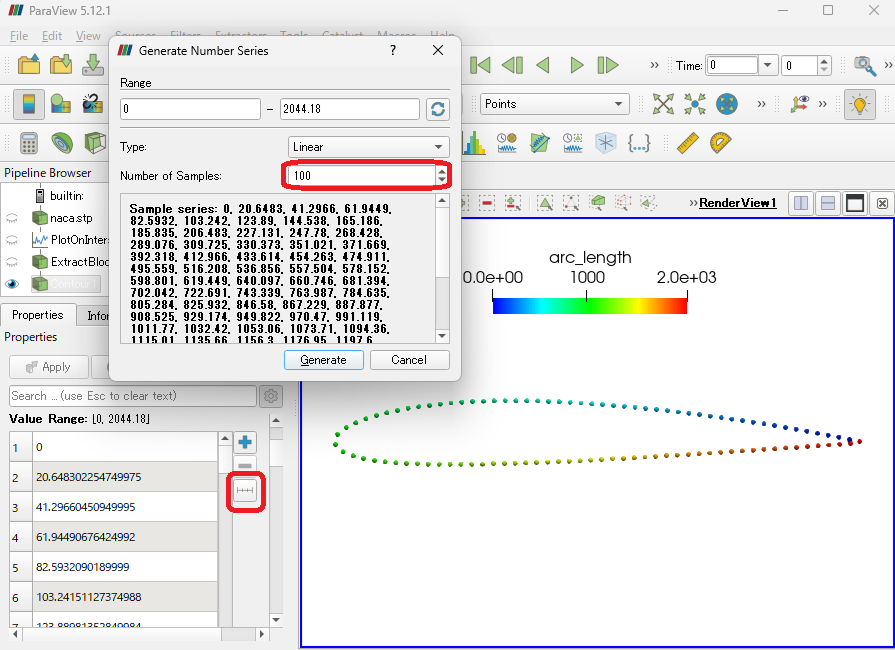
4. Apply the `Contour` filter to extract points uniformly based on the arc length.
- `Contour By`: arc\_length
- `Value Range` Table: Click the `Add a range of values` button and define the desired number of samples in the `Number of Samples`.