# Exporting Streamline Representation Animation
**URL:** https://discourse.paraview.org/t/exporting-streamline-representation-animation/1802
**Category:** ParaView Support
**Created:** [May 9, 2019, 6:10am UTC](https://discourse.paraview.org/t/exporting-streamline-representation-animation/1802 "2019-05-09T06:10:57Z")
**Posts on this page:** 15
**Page:** 1
### Author:  [@shu](https://discourse.paraview.org/u/shu)
#### Post date: [May 9, 2019, 6:10am UTC](https://discourse.paraview.org/t/exporting-streamline-representation-animation/1802/1 "2019-05-09T06:10:57Z")
Hi All,
I’ve managed to get the streamline representation working and it looks pretty great. However, there seems to be some disparity between the streamline representation and the actual streamlines themselves.
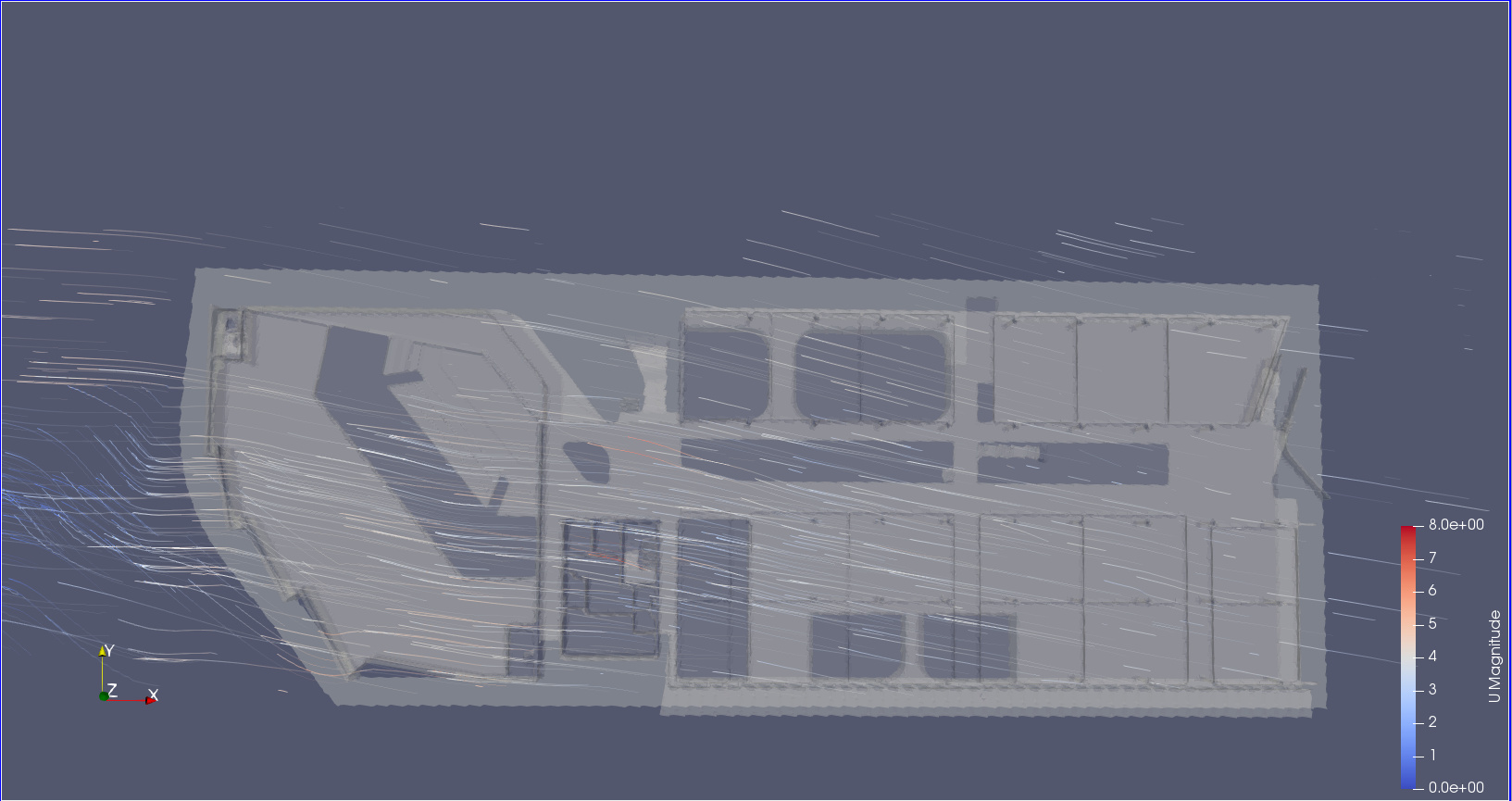 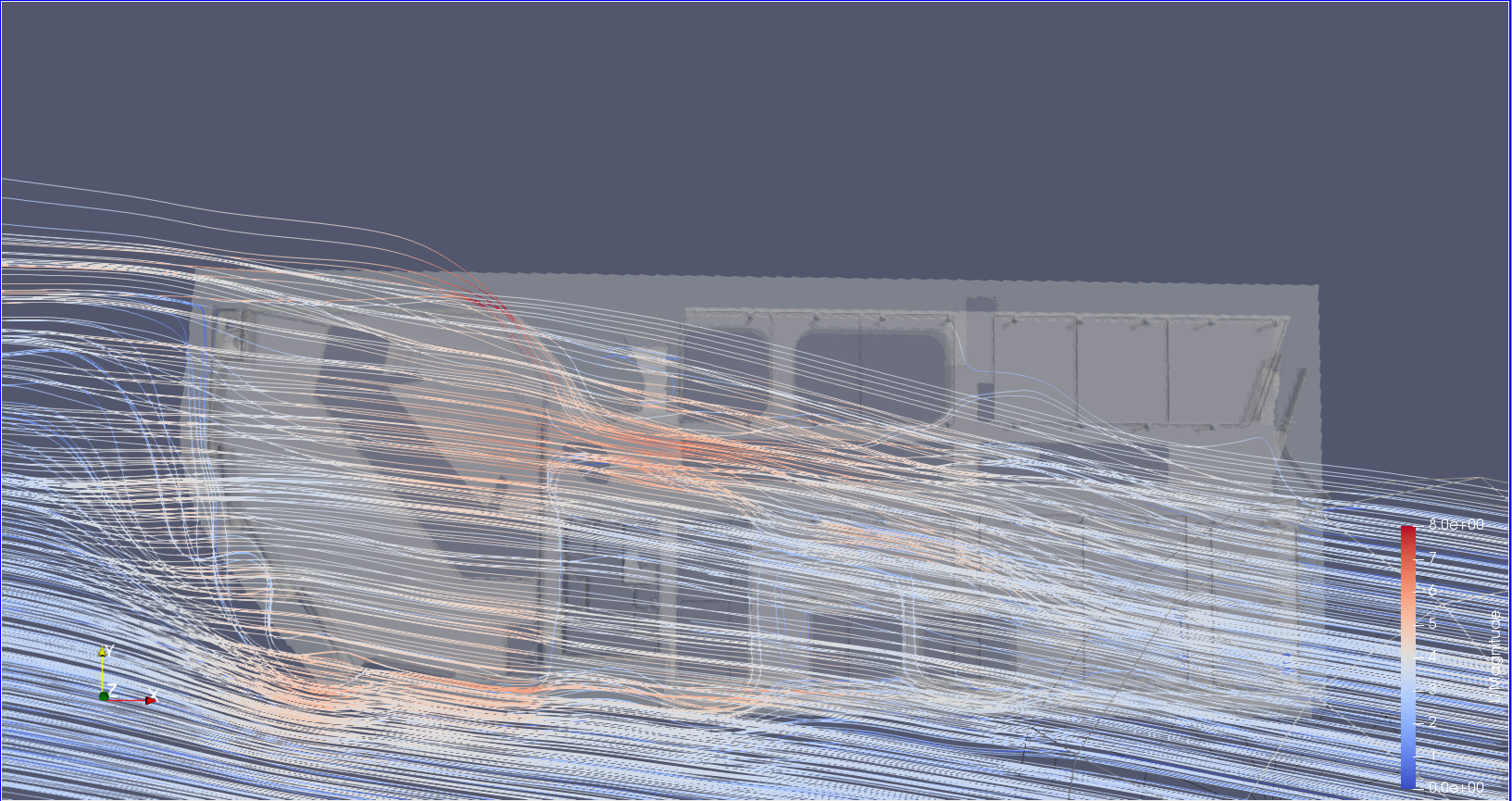
Also could anyone weigh in on the following video?
was it just purely captured with a screencapture device or is there a better way to export this??
[https://www.youtube.com/watch?v=w6ElNFp3cSU](https://www.youtube.com/watch?v=w6ElNFp3cSU)
---
### Author:  [@mwestphal](https://discourse.paraview.org/u/mwestphal)
#### Post date: [May 9, 2019, 7:47am UTC](https://discourse.paraview.org/t/exporting-streamline-representation-animation/1802/2 "2019-05-09T07:47:38Z")
StreamTracer and StreamlineRepresentation are two different algorithms, resulting to different results.
To export the StreamlineRepresentation output, one must use a screencapture software indeed.
---
### Author:  [@Davey\_Gravy](https://discourse.paraview.org/u/Davey_Gravy)
#### Post date: [June 25, 2020, 1:50am UTC](https://discourse.paraview.org/t/exporting-streamline-representation-animation/1802/3 "2020-06-25T01:50:53Z")
Will there be a way to export StreamlineRepresentation output in the future?
---
### Author:  [@Gwang-Jin\_Lee](https://discourse.paraview.org/u/Gwang-Jin_Lee)
#### Post date: [October 29, 2021, 6:25am UTC](https://discourse.paraview.org/t/exporting-streamline-representation-animation/1802/4 "2021-10-29T06:25:51Z")
I’ve obtain the StreamlineRepresentaion output in Paraview 5.9.

1. Open View \> “Animation View”.
2. Turn off “TimeKeeper1 - Time”
3. Mode \> Real Time
4. Big Duration 10000
5. File \> Save Animation \> png export
6. Using ffmpeg like:
> ffmpeg -r 30 -i stream%04d.png -c:v mpeg4 -vcodec libx264 -pix\_fmt yuv420p stream.mp4
My step could have needless step.
Best regards,
Gwang-Jin
---
### Author:  [@mwestphal](https://discourse.paraview.org/u/mwestphal)
#### Post date: [October 29, 2021, 9:53am UTC](https://discourse.paraview.org/t/exporting-streamline-representation-animation/1802/5 "2021-10-29T09:53:05Z")
That’s ingenious !
---
### Author:  [@ANTONIO\_ESCOBAR](https://discourse.paraview.org/u/ANTONIO_ESCOBAR)
#### Post date: [October 29, 2021, 4:35pm UTC](https://discourse.paraview.org/t/exporting-streamline-representation-animation/1802/6 "2021-10-29T16:35:23Z")
Hi your results are very cool, I have a question,
how did you do to load the picture of the city in the backgroud,
I’m looking for something similar. Can you help me?
I´m new ParaView user.
---
### Author:  [@Gwang-Jin\_Lee](https://discourse.paraview.org/u/Gwang-Jin_Lee)
#### Post date: [November 1, 2021, 8:30am UTC](https://discourse.paraview.org/t/exporting-streamline-representation-animation/1802/7 "2021-11-01T08:30:20Z")
Hello,
1. Satellite image:
I’m using QGIS 3 to export Google Satellite image to geoTIFF file. The link ([How to Save Google Map Satellite Imagery in QGIS](https://www.geodose.com/2020/08/how-to-save-google-map-satellite-imagery-qgis.html)) would be helpful. The exported image could be rotated or reverted for texture map.
2. 3D city model(vtk file format):
GIS files regarding to Terrain height and building height are needed. And the GIS files need to be converted to one vtk format. “Embossing representations” plugin of paraview could make 2D data to 3D object.
[A new Embossing Representations Plugin for ParaView - Kitware Blog](https://blog.kitware.com/a-new-embossing-representations-plugin-for-paraview/)
And exporting the 3D city model to one vtk file is helpful.
3. Paraview
Then I used the filter “Texture map to plane” in Paraview. It will map the 2D satellite image onto 3D city model. Also the ray tracing algorithm for building shades would improve quality of building rendering.
---
### Author:  [@ANTONIO\_ESCOBAR](https://discourse.paraview.org/u/ANTONIO_ESCOBAR)
#### Post date: [November 1, 2021, 6:04pm UTC](https://discourse.paraview.org/t/exporting-streamline-representation-animation/1802/8 "2021-11-01T18:04:49Z")
Thank you for your answer is very interesting I’ll, try it; other alternative I found this weekend is exporting the CFD’s results in x3d format and then using blender to combine the results with CAD files given a lot of possibilities. Thank you again for you reply.
Regards
---
### Author:  [@Gwang-Jin\_Lee](https://discourse.paraview.org/u/Gwang-Jin_Lee)
#### Post date: [November 2, 2021, 7:14am UTC](https://discourse.paraview.org/t/exporting-streamline-representation-animation/1802/9 "2021-11-02T07:14:16Z")
For reference, it has been impossible to export StreamlineRepresentation and volume rendered output to x3d file. I’m also using Blender to make final vtk as background in Paraview. But I think Blender has many limitations for rendering CFD results (e.g. volume, moving streamline).
---
### Author:  [@woodscn](https://discourse.paraview.org/u/woodscn)
#### Post date: [June 8, 2022, 8:50pm UTC](https://discourse.paraview.org/t/exporting-streamline-representation-animation/1802/10 "2022-06-08T20:50:32Z")
This does not appear to work anymore in 5.10.0. The streamlines are there, but not animated. I tried both Real Time and Sequence.
---
### Author:  [@mwestphal](https://discourse.paraview.org/u/mwestphal)
#### Post date: [June 9, 2022, 12:13pm UTC](https://discourse.paraview.org/t/exporting-streamline-representation-animation/1802/11 "2022-06-09T12:13:35Z")
Works perfectly here.
---
### Author:  [@woodscn](https://discourse.paraview.org/u/woodscn)
#### Post date: [June 9, 2022, 4:17pm UTC](https://discourse.paraview.org/t/exporting-streamline-representation-animation/1802/12 "2022-06-09T16:17:28Z")
To be more explicit:
When I attempt to Save Animation of the animated StreamLineRepresentation as described by @Gwang-Jin_Lee, I only get a static image in 5.10.0. I get animations in 5.9.0, though they’re not smooth.
I’m running on a Windows client, which may be relevant.
---
### Author:  [@mwestphal](https://discourse.paraview.org/u/mwestphal)
#### Post date: [June 10, 2022, 6:56am UTC](https://discourse.paraview.org/t/exporting-streamline-representation-animation/1802/13 "2022-06-10T06:56:46Z")
> [@woodscn](#):
>
> I only get a static image in 5.10.0
Provide steps to reproduce. It is working great here (on linux)
> I get animations in 5.9.0, though they’re not smooth.
Increase the FPS.
---
### Author:  [@woodscn](https://discourse.paraview.org/u/woodscn)
#### Post date: [June 10, 2022, 7:23pm UTC](https://discourse.paraview.org/t/exporting-streamline-representation-animation/1802/14 "2022-06-10T19:23:51Z")
I increased the sequence length from 1e4 to 1e5. I guess that did it.
---
### Author:  [@Gwang-Jin\_Lee](https://discourse.paraview.org/u/Gwang-Jin_Lee)
#### Post date: [June 2, 2023, 7:11am UTC](https://discourse.paraview.org/t/exporting-streamline-representation-animation/1802/15 "2023-06-02T07:11:55Z")
I succeeded in exporting animated streamline in Paraview 5.11 of windows version. But I worry that real time mode will be depreciated in near future.