# Extracting a surface
**URL:** https://discourse.paraview.org/t/extracting-a-surface/3386
**Category:** ParaView Support
**Created:** [January 23, 2020, 10:23am UTC](https://discourse.paraview.org/t/extracting-a-surface/3386 "2020-01-23T10:23:15Z")
**Posts on this page:** 3
**Page:** 1
### Author:  [@vishruthdilip](https://discourse.paraview.org/u/vishruthdilip)
#### Post date: [January 23, 2020, 10:23am UTC](https://discourse.paraview.org/t/extracting-a-surface/3386/1 "2020-01-23T10:23:15Z")
Hi,
I need to create a surface across which I need to measure the mass flow rate.
My geometry is such that I have two circular surfaces, the edges of which are concentric circles.
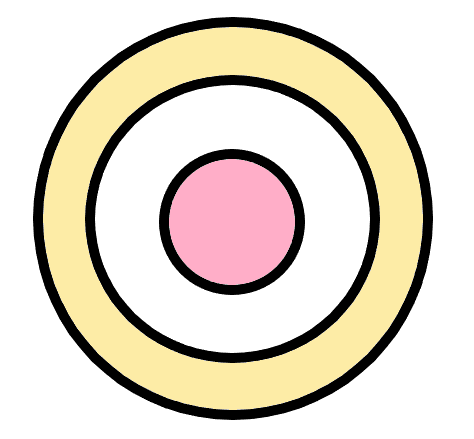
For instance, I need to extract the yellow surface in the above image. I need to plot the mass flow rate across this surface.
What’s the best way to do this. And also, since I use the Lagrange approach, and my solver is Point based, I can not use Extract Selection and plot the data.
Any help will be appreciated.
Thank you
---
### Author:  [@Kenneth\_Moreland](https://discourse.paraview.org/u/Kenneth_Moreland)
#### Post date: [January 23, 2020, 4:11pm UTC](https://discourse.paraview.org/t/extracting-a-surface/3386/2 "2020-01-23T16:11:47Z")
I’m not sure I totally understand what you are trying to do. I don’t think you want to extract the yellow pixels in the image you sent. It would help if you sent a screenshot of the data in ParaView.
I assume you have a planar surface defined by polygons in the shape you described. I mocked something like that in ParaView that looks like this.
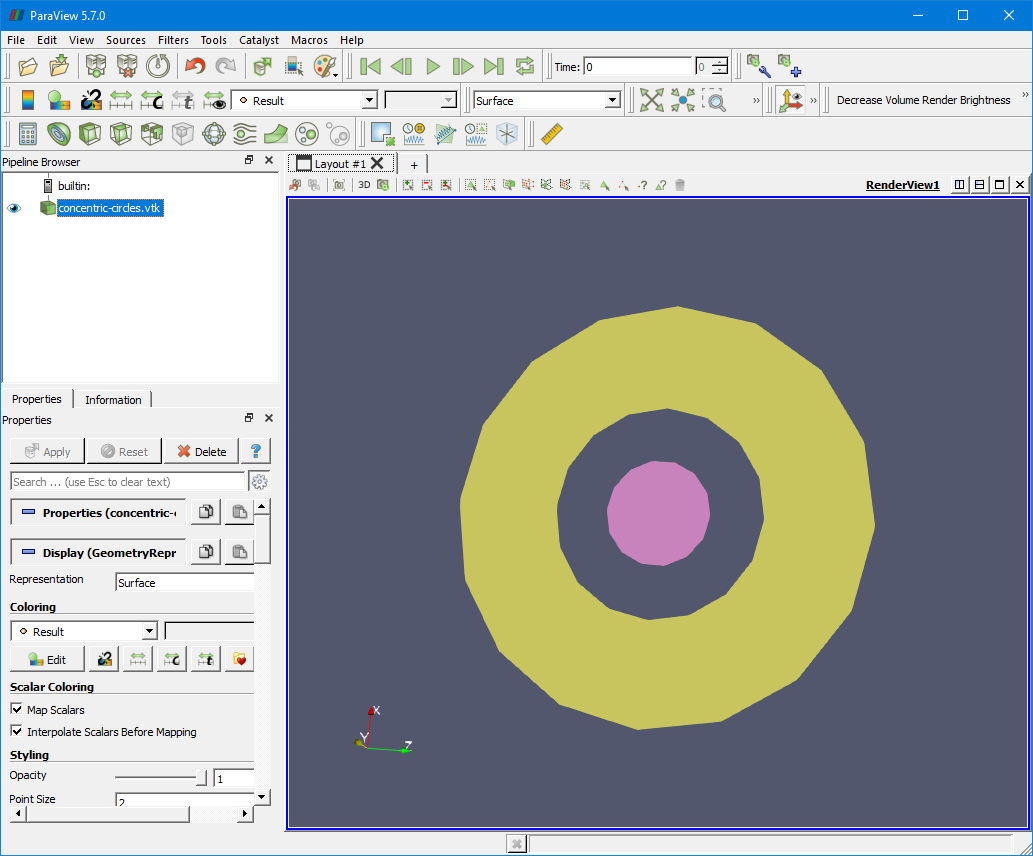
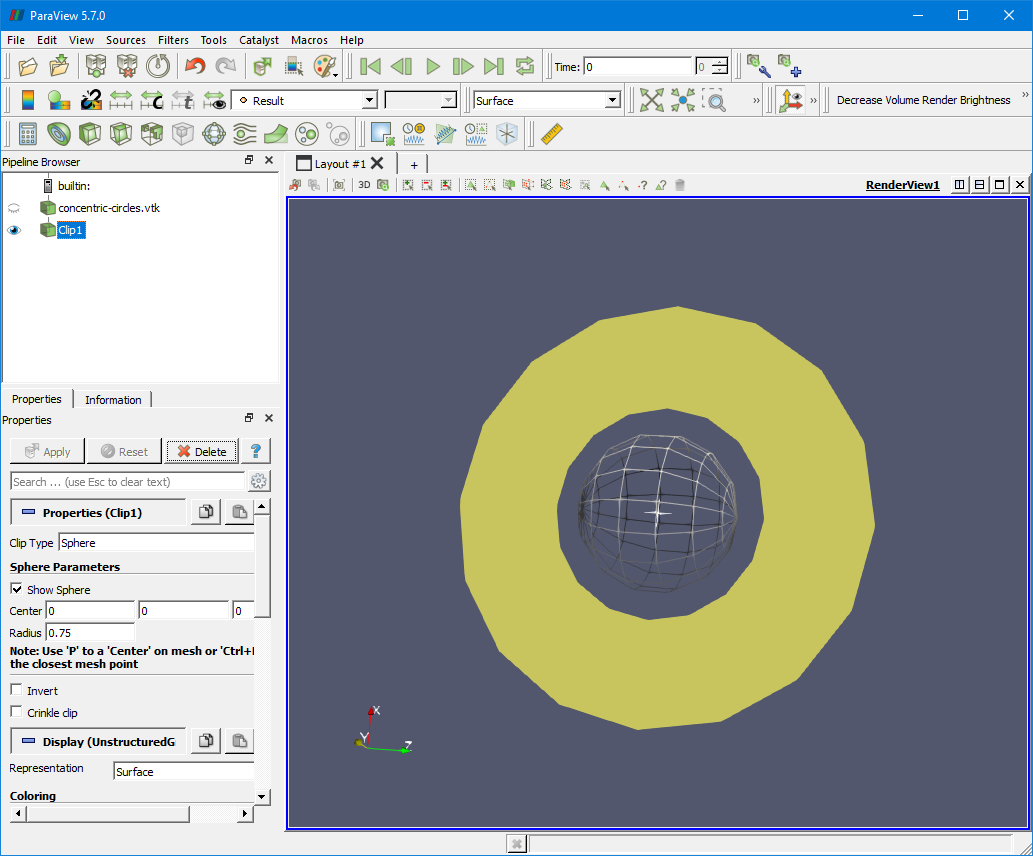
You can extract the yellow ring by using the `Clip` filter to remove the pink circle. Do this by adding the `Clip`  filter. Change `Clip Type` to `Sphere` and then adjust the `Center` and `Radius` so that the drawn sphere is over the pink circle and not the yellow ring.

Now turn off the `Invert` option and finally click `Apply`. The pink circle will now be clipped out.
---
### Author:  [@Lemon](https://discourse.paraview.org/u/Lemon)
#### Post date: [May 16, 2025, 2:04am UTC](https://discourse.paraview.org/t/extracting-a-surface/3386/3 "2025-05-16T02:04:25Z")
Sorry, I’m going to interrupt here. I want to know how to calculate the distance between the top and bottom of the yellow area, that is, the thickness?