# Facing problem in plotting side view or top view of velocity of fluid past through a cylinder
**URL:** https://discourse.paraview.org/t/facing-problem-in-plotting-side-view-or-top-view-of-velocity-of-fluid-past-through-a-cylinder/12233
**Category:** ParaView Support
**Tags:** python
**Created:** [June 5, 2023, 8:02am UTC](https://discourse.paraview.org/t/facing-problem-in-plotting-side-view-or-top-view-of-velocity-of-fluid-past-through-a-cylinder/12233 "2023-06-05T08:02:19Z")
**Posts on this page:** 18
**Page:** 1
### Author:  [@qaz](https://discourse.paraview.org/u/qaz)
#### Post date: [June 5, 2023, 8:02am UTC](https://discourse.paraview.org/t/facing-problem-in-plotting-side-view-or-top-view-of-velocity-of-fluid-past-through-a-cylinder/12233/1 "2023-06-05T08:02:19Z")
Hello everyone
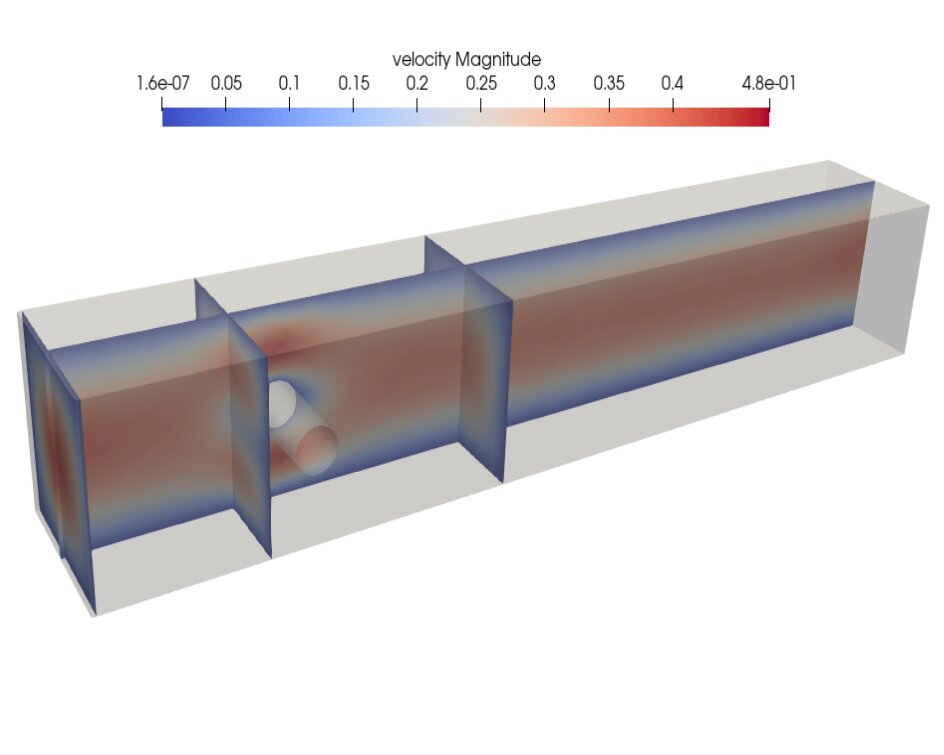
I want to plot such a side view plot for velocity. How I can plot it in paraview ? The side of pvd file is more than 4mb. I can’t able to upload it. Help me in plotting this side view or top view.
---
### Author:  [@FEngineer](https://discourse.paraview.org/u/FEngineer)
#### Post date: [June 5, 2023, 10:42am UTC](https://discourse.paraview.org/t/facing-problem-in-plotting-side-view-or-top-view-of-velocity-of-fluid-past-through-a-cylinder/12233/2 "2023-06-05T10:42:48Z")
You can use two Slice filters with multiple slice planes (added using the Value Range table in advanced properties) to achieve such an effect.
---
### Author:  [@qaz](https://discourse.paraview.org/u/qaz)
#### Post date: [June 5, 2023, 12:51pm UTC](https://discourse.paraview.org/t/facing-problem-in-plotting-side-view-or-top-view-of-velocity-of-fluid-past-through-a-cylinder/12233/3 "2023-06-05T12:51:40Z")
not able to get such an effect. can you tell me properly ?
---
### Author:  [@qaz](https://discourse.paraview.org/u/qaz)
#### Post date: [June 7, 2023, 5:20am UTC](https://discourse.paraview.org/t/facing-problem-in-plotting-side-view-or-top-view-of-velocity-of-fluid-past-through-a-cylinder/12233/4 "2023-06-07T05:20:07Z")
someone please tell me exactly how to do.
Also tell me how to plot isovalues of a scalar valued function ?
---
### Author:  [@jfausty](https://discourse.paraview.org/u/jfausty)
#### Post date: [June 7, 2023, 7:20am UTC](https://discourse.paraview.org/t/facing-problem-in-plotting-side-view-or-top-view-of-velocity-of-fluid-past-through-a-cylinder/12233/5 "2023-06-07T07:20:10Z")
Hi @qaz,
Thanks for posting your questions and welcome to the discourse!
If you are looking for some good basics on using ParaView you can find some resources here: [https://www.paraview.org/tutorials/](https://www.paraview.org/tutorials/). You should find some self-directed tutorials to follow as well as webinars around using ParaView in different settings.
Hope that helps!
Best regards,
Julien
---
### Author:  [@FEngineer](https://discourse.paraview.org/u/FEngineer)
#### Post date: [June 7, 2023, 9:26am UTC](https://discourse.paraview.org/t/facing-problem-in-plotting-side-view-or-top-view-of-velocity-of-fluid-past-through-a-cylinder/12233/6 "2023-06-07T09:26:54Z")
Here’s an example of what it should look like:

---
### Author:  [@qaz](https://discourse.paraview.org/u/qaz)
#### Post date: [June 7, 2023, 12:05pm UTC](https://discourse.paraview.org/t/facing-problem-in-plotting-side-view-or-top-view-of-velocity-of-fluid-past-through-a-cylinder/12233/7 "2023-06-07T12:05:57Z")
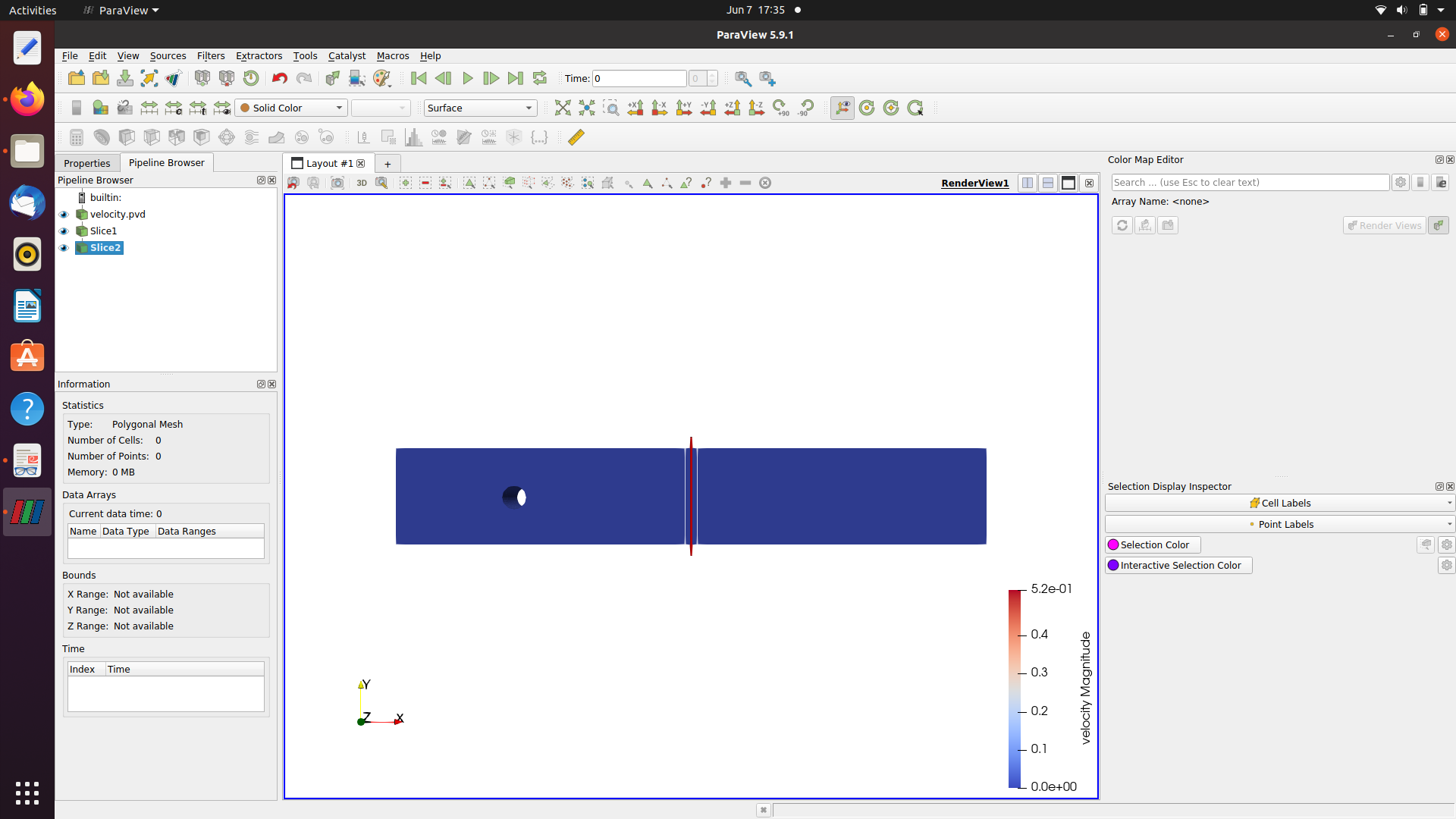
their is no option for range setting. Please help me in this regard.
---
### Author:  [@FEngineer](https://discourse.paraview.org/u/FEngineer)
#### Post date: [June 7, 2023, 12:13pm UTC](https://discourse.paraview.org/t/facing-problem-in-plotting-side-view-or-top-view-of-velocity-of-fluid-past-through-a-cylinder/12233/8 "2023-06-07T12:13:32Z")
It’s in advanced settings (button with gear symbol) in the Properties tab.
---
### Author:  [@qaz](https://discourse.paraview.org/u/qaz)
#### Post date: [June 7, 2023, 12:56pm UTC](https://discourse.paraview.org/t/facing-problem-in-plotting-side-view-or-top-view-of-velocity-of-fluid-past-through-a-cylinder/12233/9 "2023-06-07T12:56:34Z")
not able to found anything in the properties tab ? sorry to trouble you. I tried to found out.
---
### Author:  [@FEngineer](https://discourse.paraview.org/u/FEngineer)
#### Post date: [June 7, 2023, 7:44pm UTC](https://discourse.paraview.org/t/facing-problem-in-plotting-side-view-or-top-view-of-velocity-of-fluid-past-through-a-cylinder/12233/10 "2023-06-07T19:44:23Z")
In your case, the Properties tab is here:
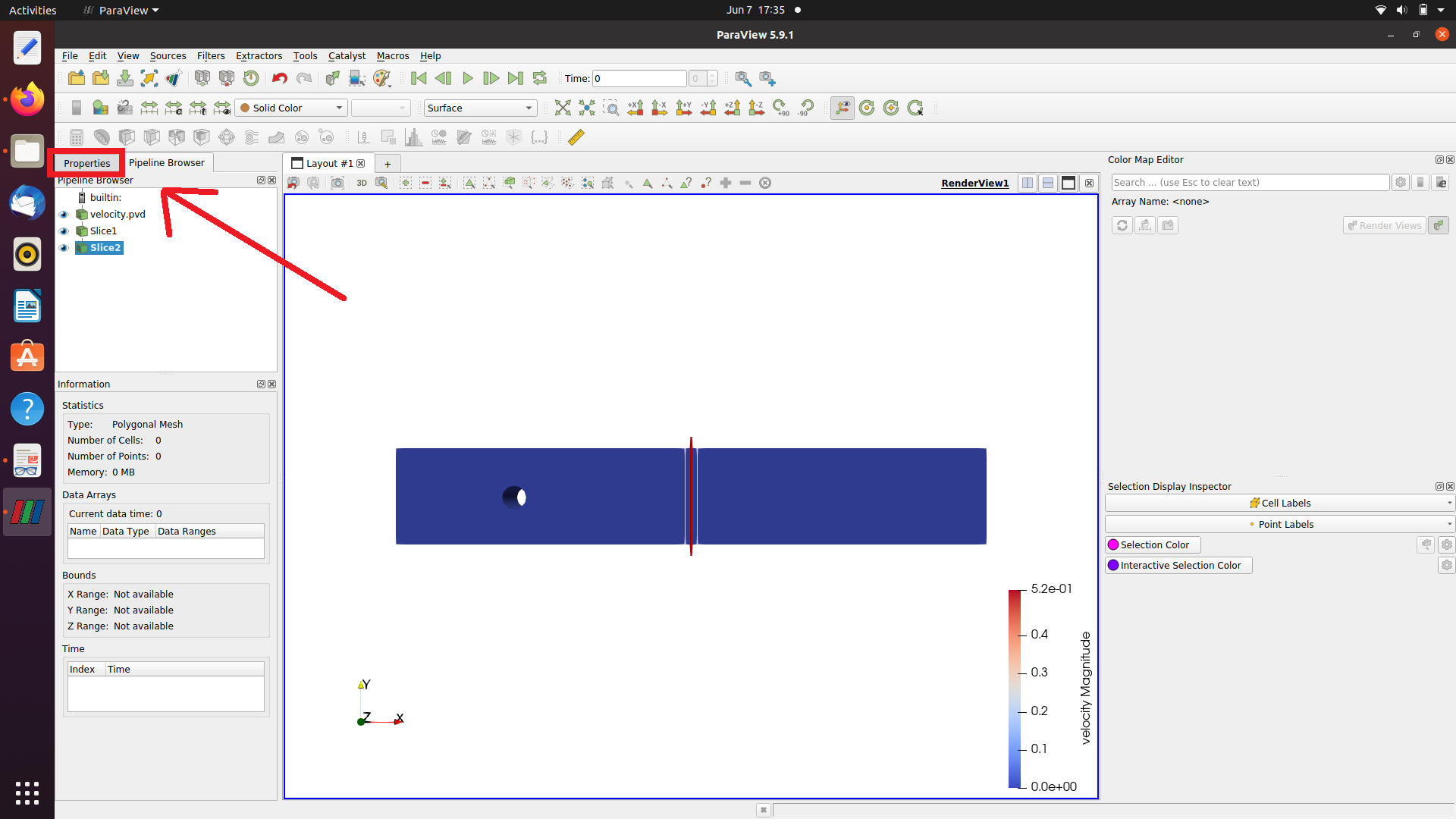
and it should contain the filter options once it’s selected in the tree.
---
### Author:  [@qaz](https://discourse.paraview.org/u/qaz)
#### Post date: [June 8, 2023, 4:53am UTC](https://discourse.paraview.org/t/facing-problem-in-plotting-side-view-or-top-view-of-velocity-of-fluid-past-through-a-cylinder/12233/11 "2023-06-08T04:53:48Z")
not able to find filter option in properties…below I attach my data …
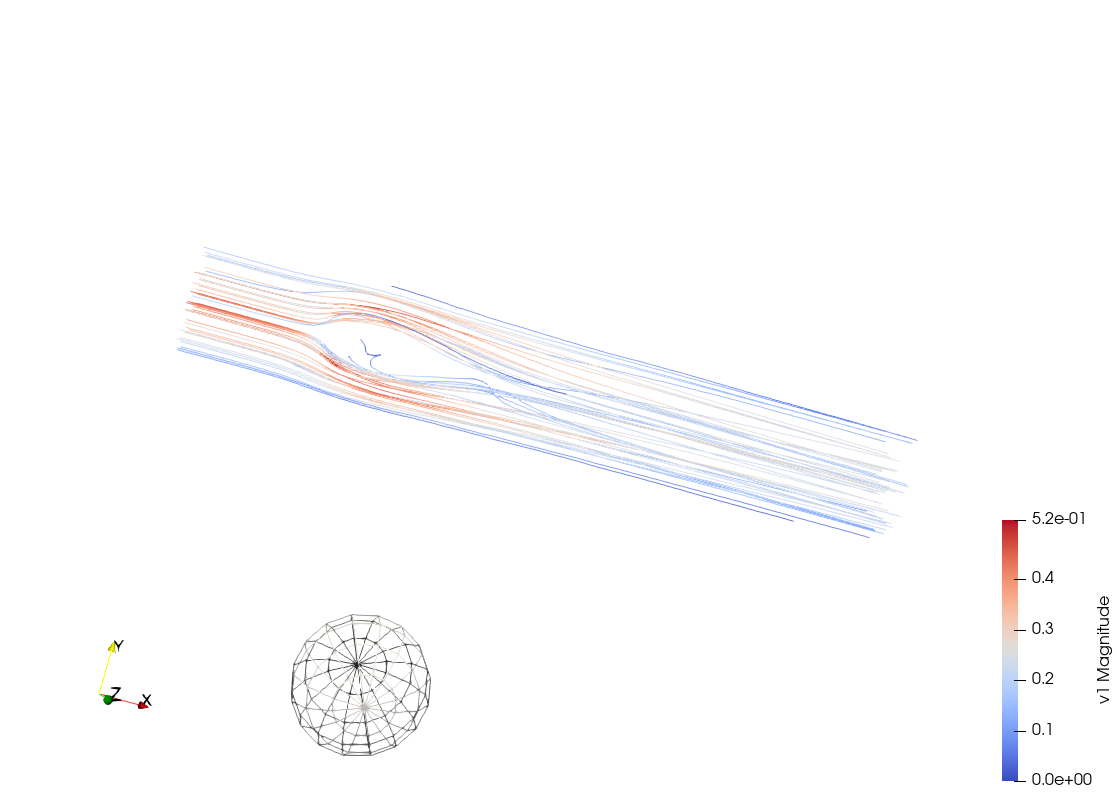
Not able to convert these stremlines into tube …PLease help me
[22000 reynold no.zip](https://discourse.paraview.org/uploads/short-url/gkrtbZWTvcTcTZ8yr9pexqAtmC4.zip) (2.6 MB)
---
### Author:  [@FEngineer](https://discourse.paraview.org/u/FEngineer)
#### Post date: [June 8, 2023, 5:41pm UTC](https://discourse.paraview.org/t/facing-problem-in-plotting-side-view-or-top-view-of-velocity-of-fluid-past-through-a-cylinder/12233/12 "2023-06-08T17:41:27Z")
Try opening this state file:
[slices.pvsm](https://discourse.paraview.org/uploads/short-url/i3hdtrIJlP8fCud6CxTQTZgLx95.pvsm) (557.4 KB)

---
### Author:  [@qaz](https://discourse.paraview.org/u/qaz)
#### Post date: [June 8, 2023, 6:18pm UTC](https://discourse.paraview.org/t/facing-problem-in-plotting-side-view-or-top-view-of-velocity-of-fluid-past-through-a-cylinder/12233/13 "2023-06-08T18:18:02Z")
How you do this ? I am not able to do. Please guide me.
---
### Author:  [@qaz](https://discourse.paraview.org/u/qaz)
#### Post date: [June 8, 2023, 7:42pm UTC](https://discourse.paraview.org/t/facing-problem-in-plotting-side-view-or-top-view-of-velocity-of-fluid-past-through-a-cylinder/12233/14 "2023-06-08T19:42:31Z")
I want same plot.
---
### Author:  [@FEngineer](https://discourse.paraview.org/u/FEngineer)
#### Post date: [June 8, 2023, 9:09pm UTC](https://discourse.paraview.org/t/facing-problem-in-plotting-side-view-or-top-view-of-velocity-of-fluid-past-through-a-cylinder/12233/15 "2023-06-08T21:09:02Z")
I attached the file that you can open to see this plot in ParaView.
---
### Author:  [@qaz](https://discourse.paraview.org/u/qaz)
#### Post date: [June 9, 2023, 9:25am UTC](https://discourse.paraview.org/t/facing-problem-in-plotting-side-view-or-top-view-of-velocity-of-fluid-past-through-a-cylinder/12233/17 "2023-06-09T09:25:30Z")
I am not able to open this plot in paraview. I want to plot for different parameters that’s why i want to know How you plot it ?
---
### Author:  [@FEngineer](https://discourse.paraview.org/u/FEngineer)
#### Post date: [June 9, 2023, 2:41pm UTC](https://discourse.paraview.org/t/facing-problem-in-plotting-side-view-or-top-view-of-velocity-of-fluid-past-through-a-cylinder/12233/18 "2023-06-09T14:41:35Z")
To open this .pvsm file, use File → Load State. You will be asked for file names/directories and you can either let it locate the data automatically or manually select the data files if the first option doesn’t work properly.
---
### Author:  [@qaz](https://discourse.paraview.org/u/qaz)
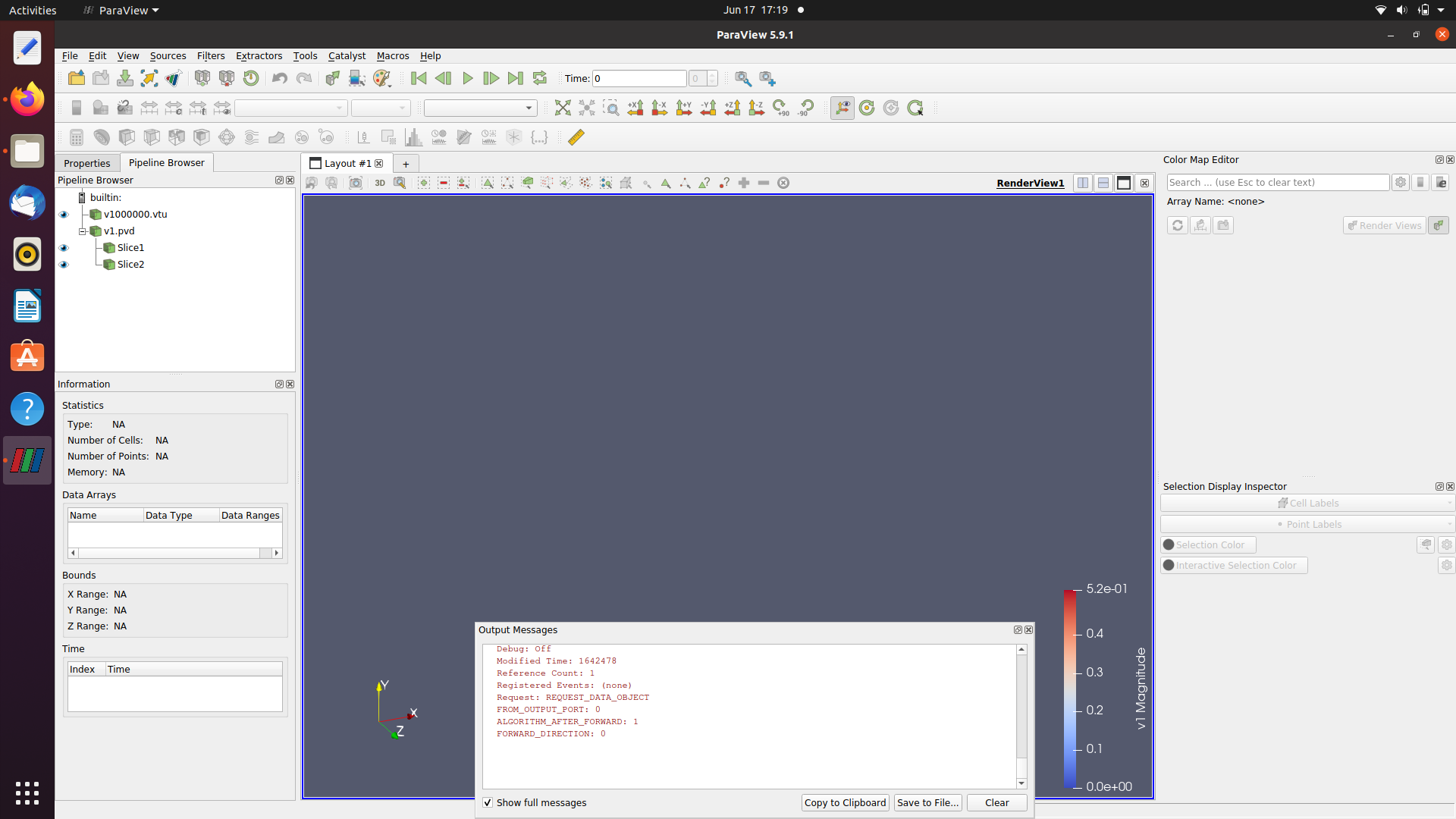
#### Post date: [June 17, 2023, 11:51am UTC](https://discourse.paraview.org/t/facing-problem-in-plotting-side-view-or-top-view-of-velocity-of-fluid-past-through-a-cylinder/12233/21 "2023-06-17T11:51:38Z")
It is following error.