# FDSReader / vtkPartitionedDataSetCollection
**URL:** https://discourse.paraview.org/t/fdsreader-vtkpartitioneddatasetcollection/13599
**Category:** ParaView Support
**Created:** [December 25, 2023, 9:02pm UTC](https://discourse.paraview.org/t/fdsreader-vtkpartitioneddatasetcollection/13599 "2023-12-25T21:02:06Z")
**Posts on this page:** 8
**Page:** 1
### Author:  [@fire35](https://discourse.paraview.org/u/fire35)
#### Post date: [December 25, 2023, 9:02pm UTC](https://discourse.paraview.org/t/fdsreader-vtkpartitioneddatasetcollection/13599/1 "2023-12-25T21:02:06Z")
Hi,
I am trying to use paraview to process the results of the Fire Dynamics Simulator (FDS). Recently, a new reader has been implemented in paraview and I am trying to use it.
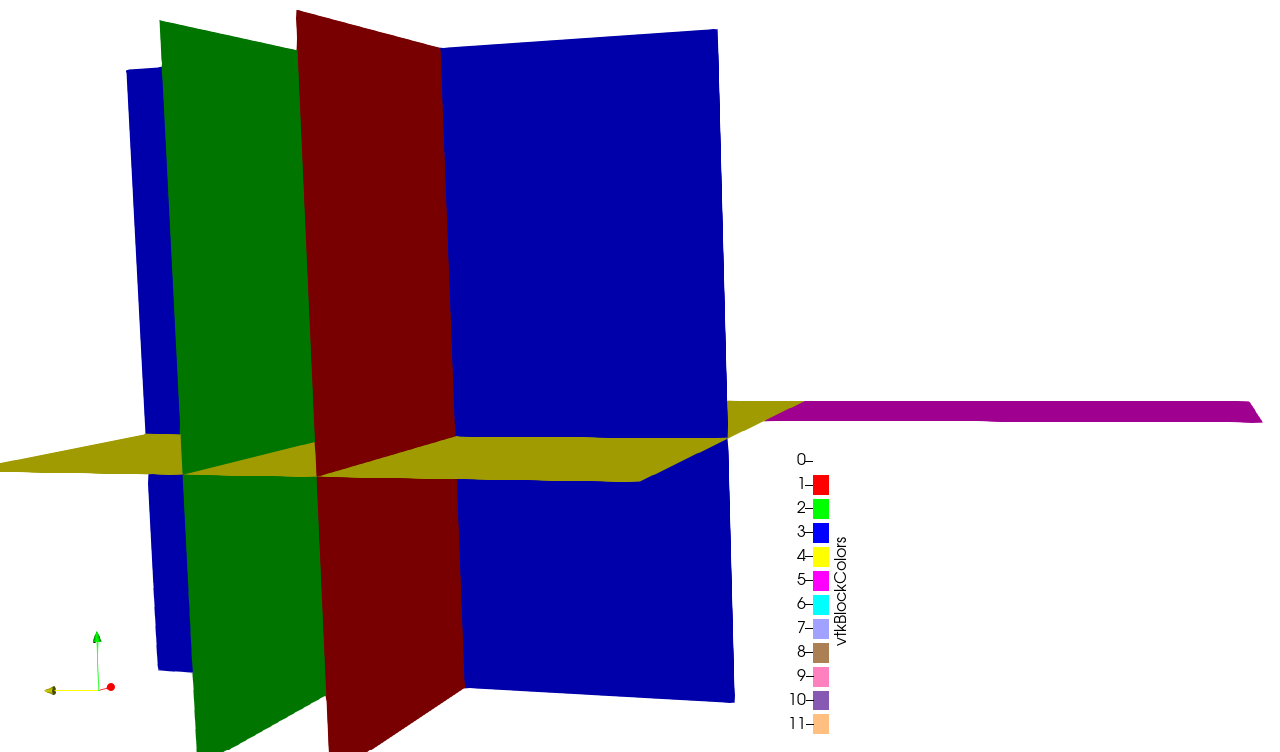
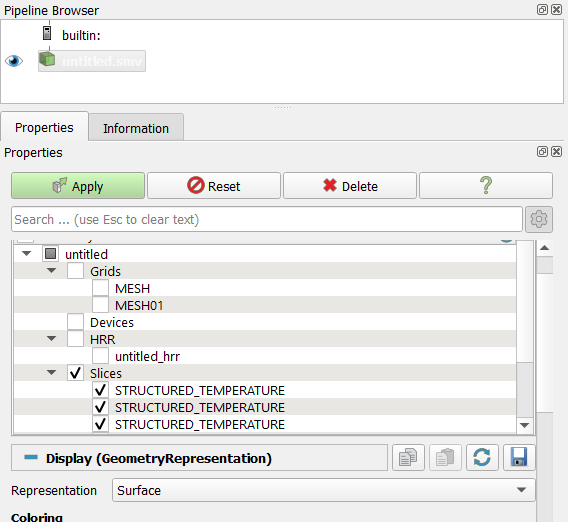
I set a simple case of a convective heat transfer with slides defined by FDS. When I try to process the results the reader can see the different temperature slices but I can’t select only one, they are all selected, even though I click on only one “STRUCTURE\_TEMPERATURE” (see image). When I check vtkBlockColors it seems that each slice has a unique block number but I don’t know how I can isolate it : the information tab says that the data is a “vtkPartionedDataSetCollection”. I am not familiar with this kind of data.
I searched on the forum and internet but i couldn’t find useful information about how to process it using Paraview Gui or Python Shell.
I would appreciate some help on it, thank you.
Best,
---
### Author:  [@mwestphal](https://discourse.paraview.org/u/mwestphal)
#### Post date: [January 2, 2024, 8:57am UTC](https://discourse.paraview.org/t/fdsreader-vtkpartitioneddatasetcollection/13599/2 "2024-01-02T08:57:15Z")
Are you looking for the `Extract Blocks` filter maybe ?
---
### Author:  [@fire35](https://discourse.paraview.org/u/fire35)
#### Post date: [January 2, 2024, 1:59pm UTC](https://discourse.paraview.org/t/fdsreader-vtkpartitioneddatasetcollection/13599/3 "2024-01-02T13:59:48Z")
Thank you for your reply,
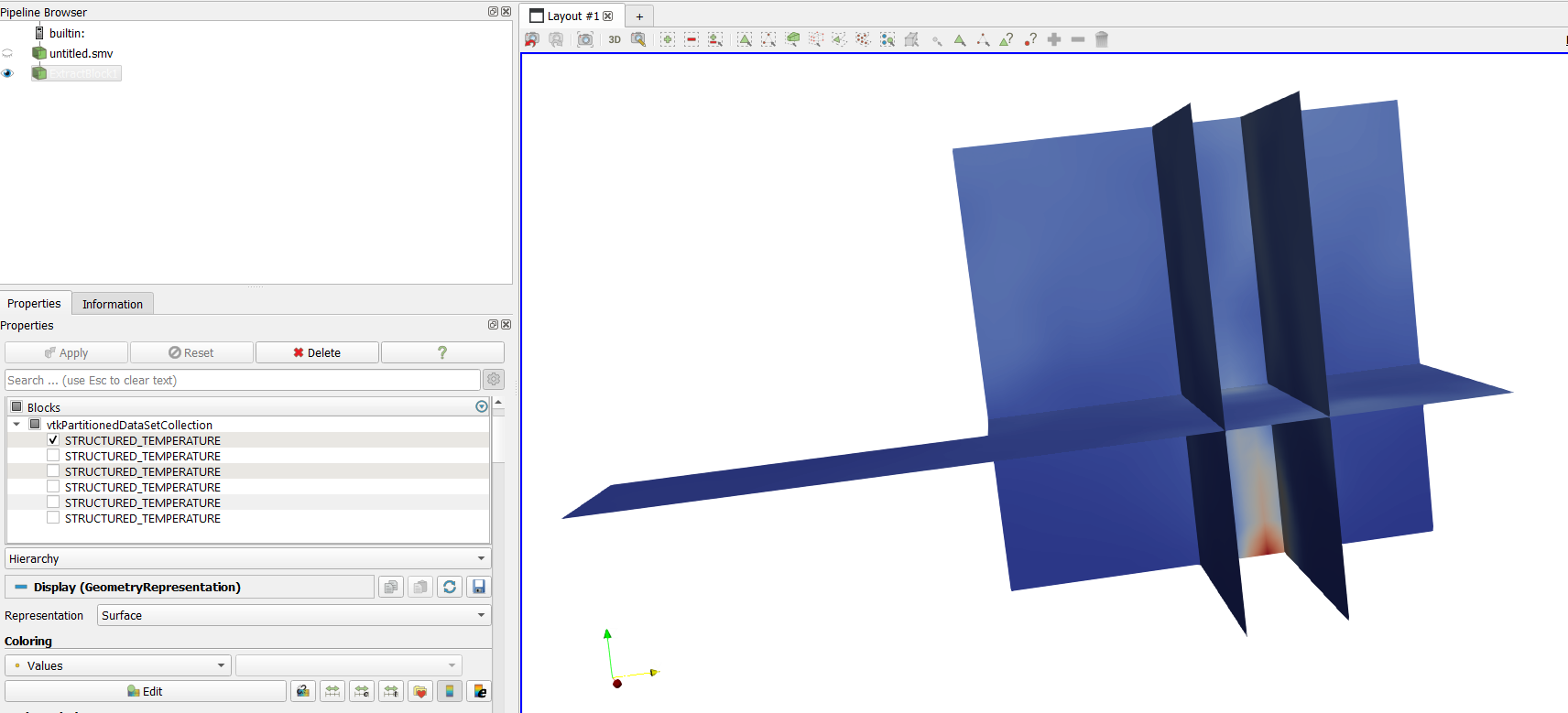
I tried to use the Extract Block filter but when I select one block it does not select only one but all of them.
---
### Author:  [@mwestphal](https://discourse.paraview.org/u/mwestphal)
#### Post date: [January 2, 2024, 2:00pm UTC](https://discourse.paraview.org/t/fdsreader-vtkpartitioneddatasetcollection/13599/4 "2024-01-02T14:00:28Z")
please share your data
---
### Author:  [@fire35](https://discourse.paraview.org/u/fire35)
#### Post date: [January 2, 2024, 2:13pm UTC](https://discourse.paraview.org/t/fdsreader-vtkpartitioneddatasetcollection/13599/5 "2024-01-02T14:13:03Z")
no problem, here are my simple case data
> **[data.zip](https://drive.google.com/file/d/1qkpeSWS-wzQle3jLEaCPMNHRWrp7Qw7g/view?usp=drive_link)**
>
> Google Drive file.
---
### Author:  [@mwestphal](https://discourse.paraview.org/u/mwestphal)
#### Post date: [January 2, 2024, 2:27pm UTC](https://discourse.paraview.org/t/fdsreader-vtkpartitioneddatasetcollection/13599/6 "2024-01-02T14:27:51Z")
This is caused by the fact all your blocks have the same name. This is an issue, could you open it:
[https://gitlab.kitware.com/paraview/paraview/-/issues](https://gitlab.kitware.com/paraview/paraview/-/issues)
You can workaround it by saving the data to a file and modifying the blocknames manually.
---
### Author:  [@fire35](https://discourse.paraview.org/u/fire35)
#### Post date: [January 2, 2024, 2:32pm UTC](https://discourse.paraview.org/t/fdsreader-vtkpartitioneddatasetcollection/13599/7 "2024-01-02T14:32:57Z")
Ok. Thanks for the answer I will submit a new issue.
Could it be possible to rename the blocks using a Python Script ?
---
### Author:  [@mwestphal](https://discourse.paraview.org/u/mwestphal)
#### Post date: [January 2, 2024, 2:35pm UTC](https://discourse.paraview.org/t/fdsreader-vtkpartitioneddatasetcollection/13599/8 "2024-01-02T14:35:29Z")
I supose.
you can also edit the .smv file manually or with a python script, here is a corrected version:
[untitled.smv](https://discourse.paraview.org/uploads/short-url/qe4itlpX59cwfHbPEIhABXVkH2B.smv) (12.4 KB)