# Getting right color when opening geotiff
**URL:** https://discourse.paraview.org/t/getting-right-color-when-opening-geotiff/15112
**Category:** ParaView Support
**Created:** [July 24, 2024, 2:24am UTC](https://discourse.paraview.org/t/getting-right-color-when-opening-geotiff/15112 "2024-07-24T02:24:03Z")
**Posts on this page:** 3
**Page:** 1
### Author:  [@Vinicius](https://discourse.paraview.org/u/Vinicius)
#### Post date: [July 24, 2024, 2:24am UTC](https://discourse.paraview.org/t/getting-right-color-when-opening-geotiff/15112/1 "2024-07-24T02:24:03Z")
Hi,
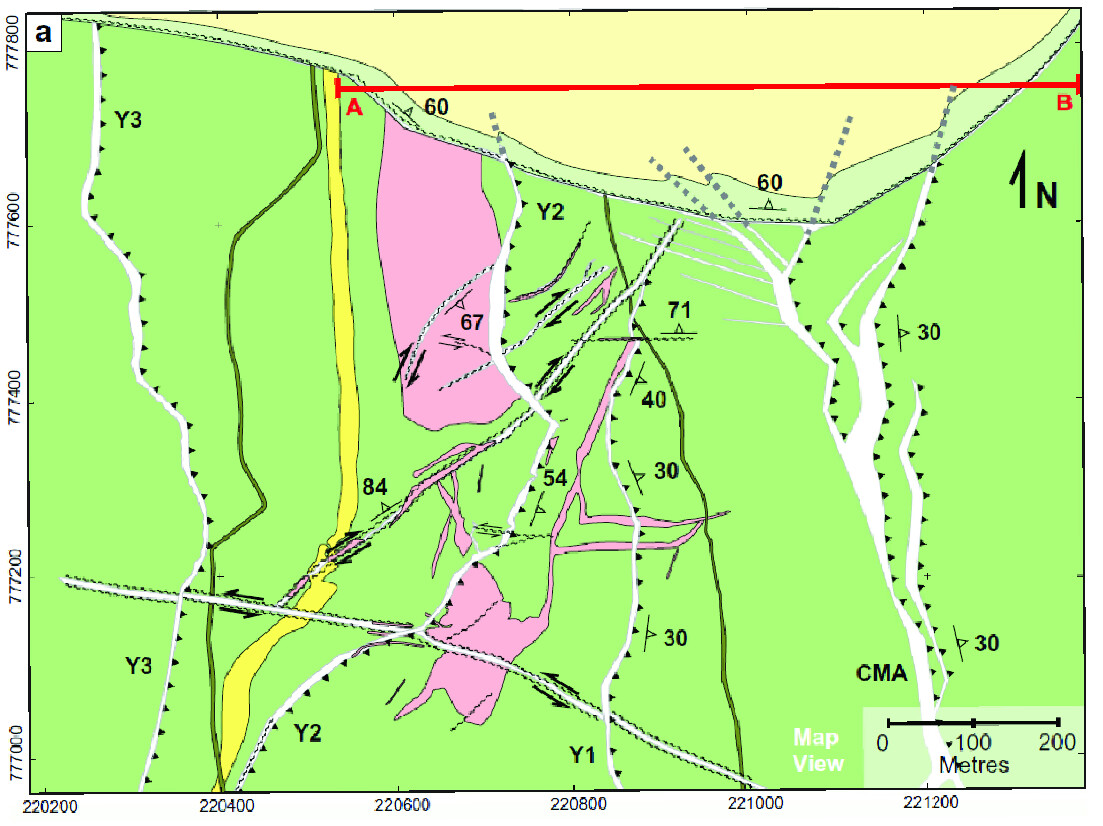
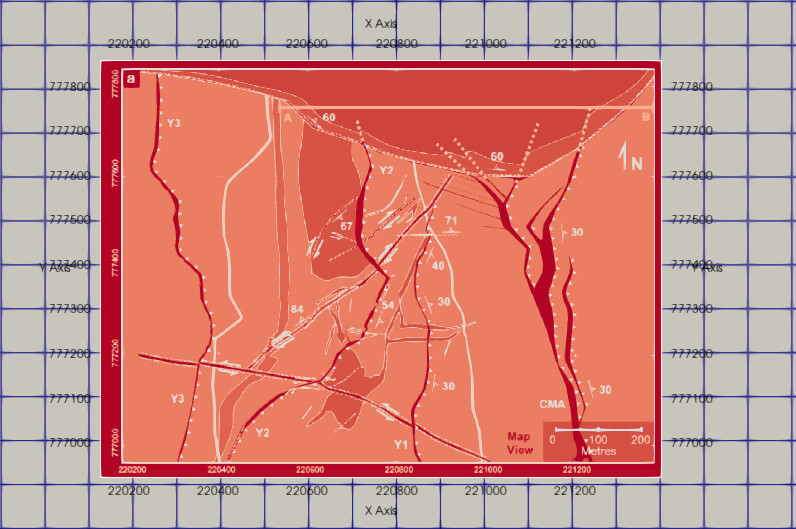
I am trying to open the following GeoTIFF in ParaView to associate the geological map with my VTK 3D mesh. However, ParaView displays the image with different red tones. Is there a way to import the GeoTIFF with the correct colors, or is there a format I can convert the GeoTIFF to (using QGIS) so it opens properly?
Original geotiff:
ParaView importing:
Thank you in advance.
---
### Author:  [@cory.quammen](https://discourse.paraview.org/u/cory.quammen)
#### Post date: [July 24, 2024, 10:19am UTC](https://discourse.paraview.org/t/getting-right-color-when-opening-geotiff/15112/2 "2024-07-24T10:19:19Z")
Hi @Vinicius , it looks to me like ParaView might be treating the RGB colors in the GeoTIFF as a vector field and mapping the magnitude of that vector to color.
To stop this mapping and show the RGB colors, go to the Properties panel and search for the **Scalar Coloring** section. Uncheck the box that says **Map Scalars**. That should hopefully do it.
If not, please share one of these GeoTIFFs if you can so someone can take a closer look.
---
### Author:  [@Vinicius](https://discourse.paraview.org/u/Vinicius)
#### Post date: [July 26, 2024, 12:06am UTC](https://discourse.paraview.org/t/getting-right-color-when-opening-geotiff/15112/3 "2024-07-26T00:06:35Z")
Hi @cory.quammen, it worked. Thank you very much.
Just sharing here (in case someone is facing the same issue): to toggle advanced properties, you need to click the button with the gear icon to the right of the search field in the Properties panel.