# Glyph Vector and Streamline Plot
**URL:** https://discourse.paraview.org/t/glyph-vector-and-streamline-plot/14494
**Category:** ParaView Support
**Created:** [April 26, 2024, 12:28am UTC](https://discourse.paraview.org/t/glyph-vector-and-streamline-plot/14494 "2024-04-26T00:28:32Z")
**Posts on this page:** 6
**Page:** 1
### Author:  [@scabo](https://discourse.paraview.org/u/scabo)
#### Post date: [April 26, 2024, 12:28am UTC](https://discourse.paraview.org/t/glyph-vector-and-streamline-plot/14494/1 "2024-04-26T00:28:32Z")
I am using Paraview 5.10 but when I am trying to use glyph, I am not able to control the size of the arrowheads of the vectors. THere is no option for that to increase/decrease the size. What should I do?
And how to give arrows on streamlines in paraview?
Thanks.
---
### Author:  [@mwestphal](https://discourse.paraview.org/u/mwestphal)
#### Post date: [April 26, 2024, 7:15am UTC](https://discourse.paraview.org/t/glyph-vector-and-streamline-plot/14494/2 "2024-04-26T07:15:25Z")
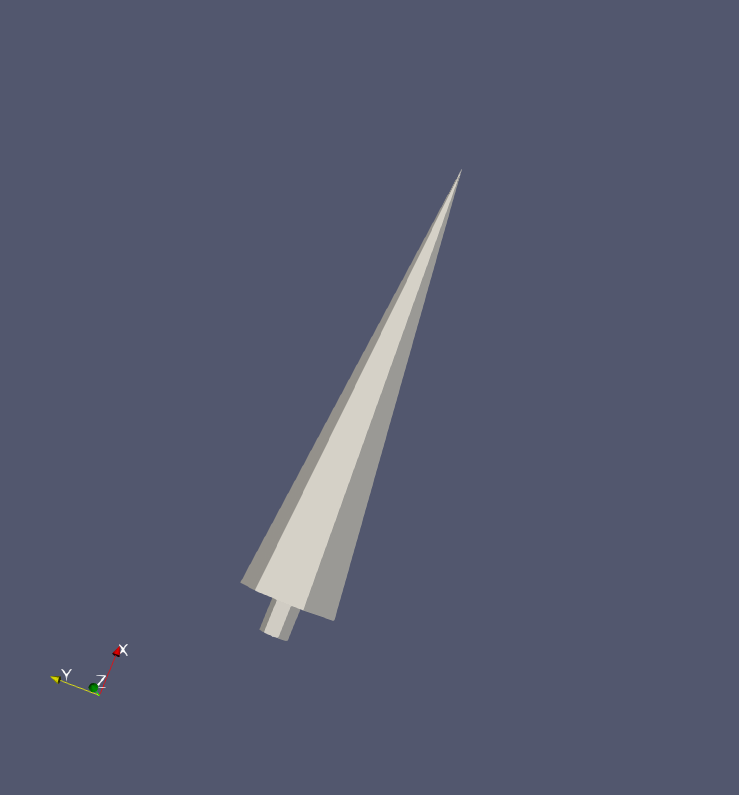
You can change the “Tip to arrow” ratio by changing the “Tip length” property, which is not a great name, I agree.
---
### Author:  [@scabo](https://discourse.paraview.org/u/scabo)
#### Post date: [April 26, 2024, 11:30am UTC](https://discourse.paraview.org/t/glyph-vector-and-streamline-plot/14494/3 "2024-04-26T11:30:52Z")
But I cannot see any tip length property…under glyph… There is only scale factor.
---
### Author:  [@scabo](https://discourse.paraview.org/u/scabo)
#### Post date: [April 26, 2024, 11:31am UTC](https://discourse.paraview.org/t/glyph-vector-and-streamline-plot/14494/4 "2024-04-26T11:31:17Z")
But I cannot see any tip length property…under glyph… There is only scale factor.
---
### Author:  [@mwestphal](https://discourse.paraview.org/u/mwestphal)
#### Post date: [April 26, 2024, 11:33am UTC](https://discourse.paraview.org/t/glyph-vector-and-streamline-plot/14494/5 "2024-04-26T11:33:04Z")
It’s an advanced option:
> [@I can't find an option/parameter/control in a dialog, or tab (such as the Properties tab)](https://discourse.paraview.org/t/i-cant-find-an-option-parameter-control-in-a-dialog-or-tab-such-as-the-properties-tab/4512):
>
> Make sure to enable the advanced option by clicking on the gear icon: [2020-05-24-111301\_31x30\_scrot]
---
### Author:  [@scabo](https://discourse.paraview.org/u/scabo)
#### Post date: [April 26, 2024, 11:50am UTC](https://discourse.paraview.org/t/glyph-vector-and-streamline-plot/14494/6 "2024-04-26T11:50:35Z")
Thanks.