# GPU stress testing ?
**URL:** https://discourse.paraview.org/t/gpu-stress-testing/10170
**Category:** ParaView Support
**Tags:** opengl
**Created:** [August 20, 2022, 11:44pm UTC](https://discourse.paraview.org/t/gpu-stress-testing/10170 "2022-08-20T23:44:24Z")
**Posts on this page:** 4
**Page:** 1
### Author:  [@Nicholas\_Yue](https://discourse.paraview.org/u/Nicholas_Yue)
#### Post date: [August 20, 2022, 11:44pm UTC](https://discourse.paraview.org/t/gpu-stress-testing/10170/1 "2022-08-20T23:44:24Z")
Are there any out of the box operations one can do to stress test GPU usage via Paraview.
Currently, I load the head volume render to exercise the OpenGL operations.
I may have a brief access to some new hardware to try out Paraview and was hoping to have something I can do with the latest Paraview out of the box without having to download external dataset.
If the above is not feasible, I will then consider e.g. large \*.vti files to download
Thank you in advanced.
---
### Author:  [@cory.quammen](https://discourse.paraview.org/u/cory.quammen)
#### Post date: [August 21, 2022, 1:01am UTC](https://discourse.paraview.org/t/gpu-stress-testing/10170/2 "2022-08-21T01:01:32Z")
You can create large datasets using the **Wavelet** or **Unstructured Cell Types** sources.
---
### Author:  [@Nicholas\_Yue](https://discourse.paraview.org/u/Nicholas_Yue)
#### Post date: [August 21, 2022, 2:09am UTC](https://discourse.paraview.org/t/gpu-stress-testing/10170/3 "2022-08-21T02:09:21Z")
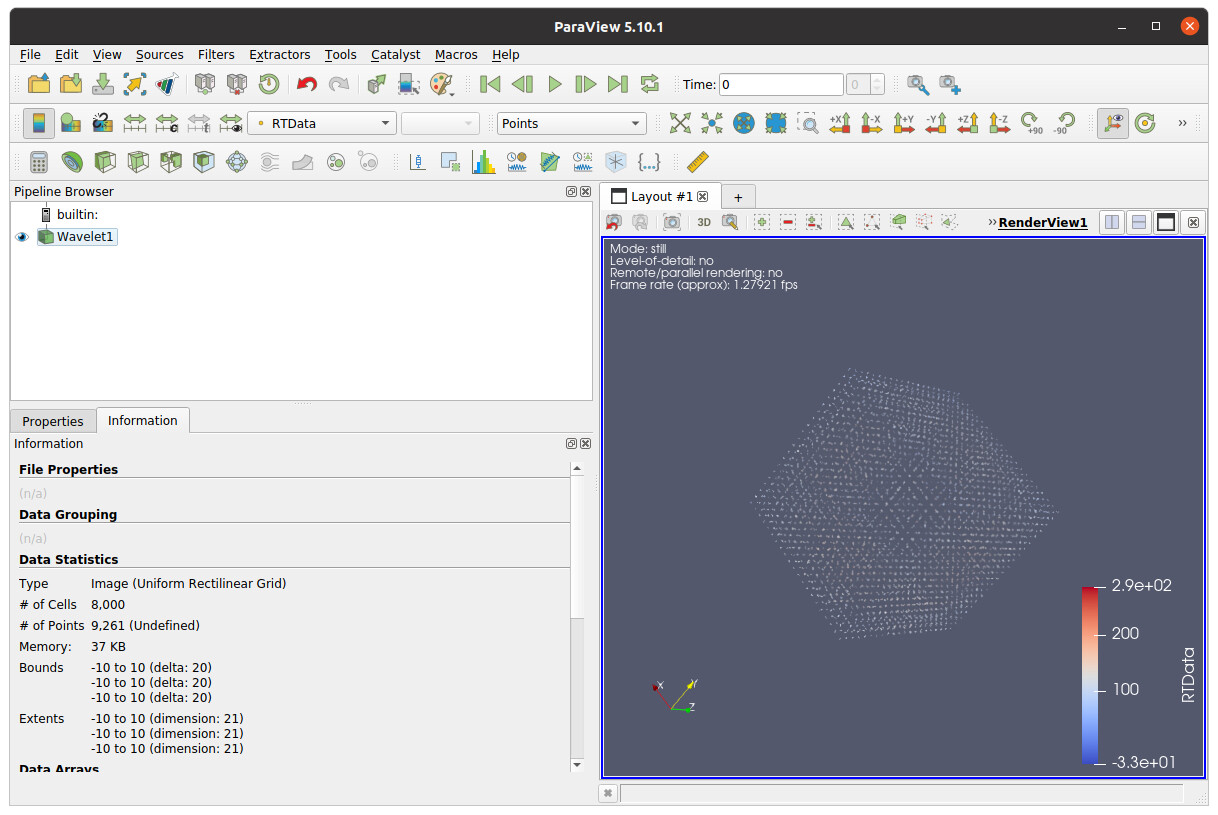
I am trying out Wavelet and viewing the volume representation.
Is there a way to increase the density of the points that comes out of the wavelet node ? I tried clicking on the `gear` in the hope there are some additional parameters I can tweak but so far, I have not found one that increases the point density (which I hope will create denser volume there by putting more load on the GPU when rendering)
---
### Author:  [@cory.quammen](https://discourse.paraview.org/u/cory.quammen)
#### Post date: [August 21, 2022, 2:18am UTC](https://discourse.paraview.org/t/gpu-stress-testing/10170/4 "2022-08-21T02:18:03Z")
The **Whole Extent** property in the _Properties_ tab is what controls the number of samples in each dimenion. Hover over the property for more information in the tooltip.