# Gradient and ComputeDerivatives gave different results
**URL:** https://discourse.paraview.org/t/gradient-and-computederivatives-gave-different-results/12328
**Category:** ParaView Support
**Tags:** vtk
**Created:** [June 16, 2023, 7:48pm UTC](https://discourse.paraview.org/t/gradient-and-computederivatives-gave-different-results/12328 "2023-06-16T19:48:59Z")
**Posts on this page:** 3
**Page:** 1
### Author:  [@Gening\_Dong](https://discourse.paraview.org/u/Gening_Dong)
#### Post date: [June 16, 2023, 7:49pm UTC](https://discourse.paraview.org/t/gradient-and-computederivatives-gave-different-results/12328/1 "2023-06-16T19:49:00Z")
Hi,
I’m trying to compute the gradient of displacement. I used `Gradient` and `ComputeDerivatives`, however, they gave me different results. I’m wondering what’s the “more correct” one and why they computed differently.
My steps were as follows:
1. `Gradient`, select “displacement” as “Scalar Array”, check “Compute Gradient”, “Apply”
2. `Point Data to Cell Data`
And the output is:
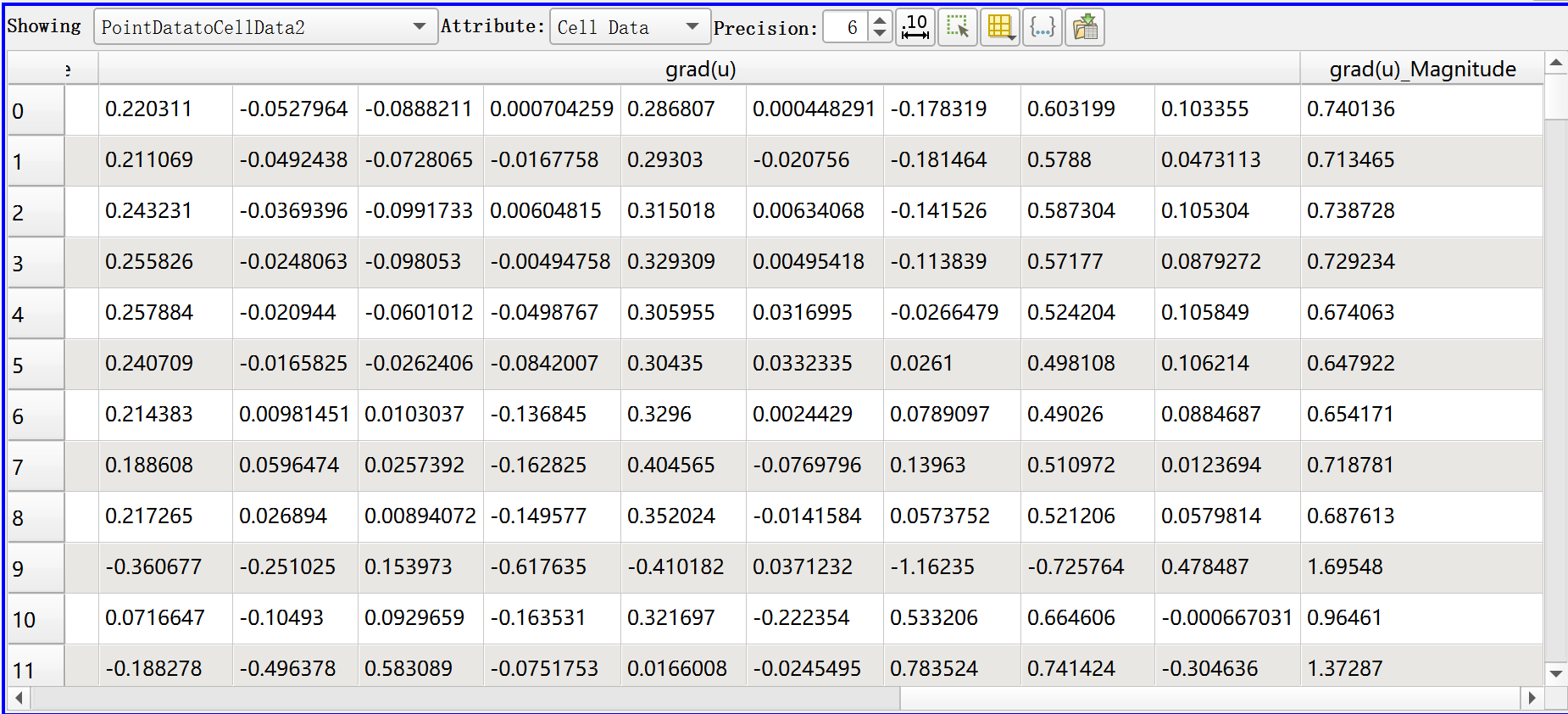
Then I tried with the `Compute Derivatives` :
1. `Compute Derivatives`, select “displacement” as “Vectors”, “Output Tensor Type” select “Vector Gradient”, “Apply”
And the output is:
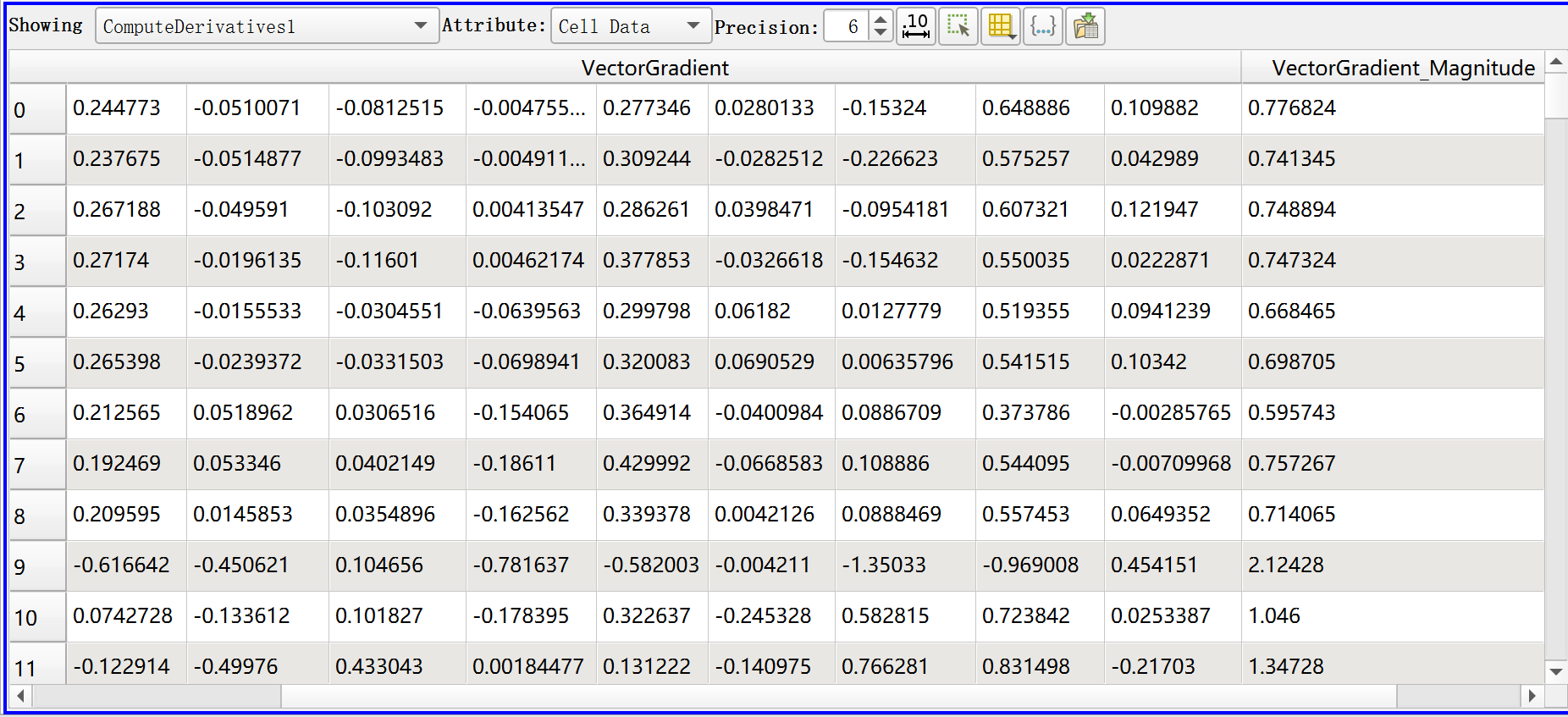
Any idea why the two results are different? Thanks in advance!
Best,
Gening
---
### Author:  [@Francois\_Mazen](https://discourse.paraview.org/u/Francois_Mazen)
#### Post date: [June 19, 2023, 6:50am UTC](https://discourse.paraview.org/t/gradient-and-computederivatives-gave-different-results/12328/2 "2023-06-19T06:50:00Z")
Hi @Gening_Dong
> [@Gening\_Dong](#):
>
> Point Data to Cell Data
This filter averages the points results to one value per cell, so this is likely the source of the difference.
---
### Author:  [@Kenneth\_Moreland](https://discourse.paraview.org/u/Kenneth_Moreland)
#### Post date: [June 19, 2023, 1:07pm UTC](https://discourse.paraview.org/t/gradient-and-computederivatives-gave-different-results/12328/3 "2023-06-19T13:07:39Z")
@Francois_Mazen’s reply is correct, but I can give a bit more detail on what these two filters are doing.
But before that, I need to recall that data in ParaView is (usually) represented as a mesh of cells. For the purposes of this discussion, we will assume that the data field is represented as samples on the points of the mesh (i.e. “point data”), and these values are interpolated within each cell. This results in the field being C0 continuous (meaning there are no discontinuities, particularly when going from cell to cell), but the field is not C1 continuous. The derivative is continuous within each cell but different as you go cell to cell.
Because the gradient/derivative is continuous within each cell but not across cells, the `Compute Derivatives` filter just computes the derivative within each cell where the derivative is well defined. It finds the centroid of each cell, computes the derivative there, and records the result as a cell data field.
Even though the gradient/derivative is ill defined at the points (because it is discontinuous there), it is often the case where you want a reasonable approximation. This comes up a lot when you want to use the gradient for shading, but it is also useful for other operations such as finding interfaces where a field transitions quickly. To provide this approximation, the `Gradient` filter looks at all cells incident on a point, computes the derivative/gradient at that point location within the cell, and then averages the values. Because it is computing derivatives at different locations, the `Gradient` filter will give a slightly different answer than `Compute Derivatives`.
That said, the `Gradient` filter is slower than `Compute Derivatives` because it has to compute the derivative multiple times within each cell. Because of this, the `Gradient` filter has a `Faster Approximation` option (in the advanced properties) that instead computes the gradient/derivative once in the centroid of each cell and then averages those out at each point. This is equivalent to running `Compute Derivatives` and then `Cell Data to Point Data`, and you will find that you will get the same answer if you run `Gradient` with `Faster Approximation` and `Compute Derivatives` followed by `Cell Data to Point Data`.