# Higher versions of paraview do not display colors when drawing VTK files
**URL:** https://discourse.paraview.org/t/higher-versions-of-paraview-do-not-display-colors-when-drawing-vtk-files/8463
**Category:** ParaView Support
**Created:** [November 23, 2021, 3:58am UTC](https://discourse.paraview.org/t/higher-versions-of-paraview-do-not-display-colors-when-drawing-vtk-files/8463 "2021-11-23T03:58:23Z")
**Posts on this page:** 5
**Page:** 1
### Author:  [@code-whale](https://discourse.paraview.org/u/code-whale)
#### Post date: [November 23, 2021, 3:58am UTC](https://discourse.paraview.org/t/higher-versions-of-paraview-do-not-display-colors-when-drawing-vtk-files/8463/1 "2021-11-23T03:58:23Z")
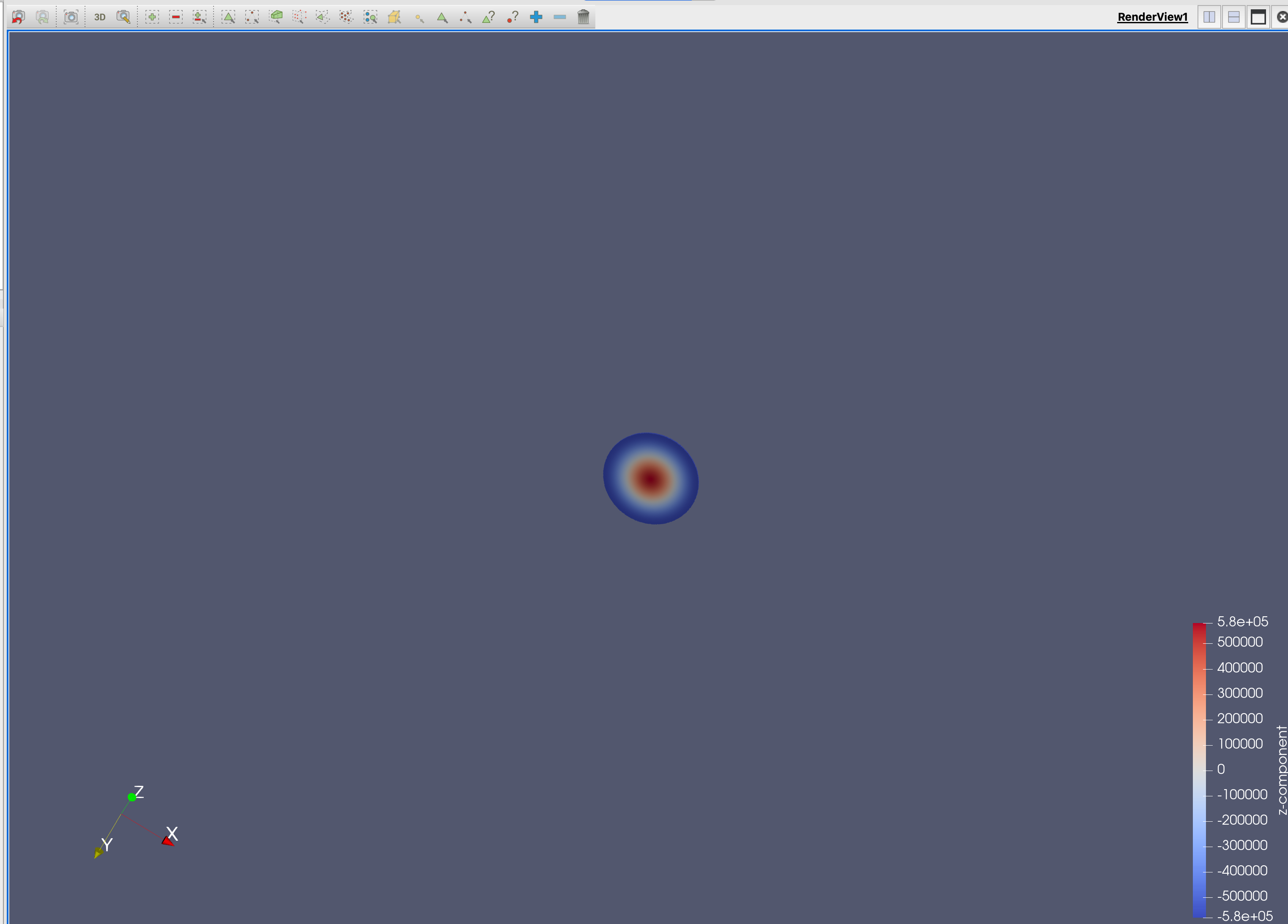
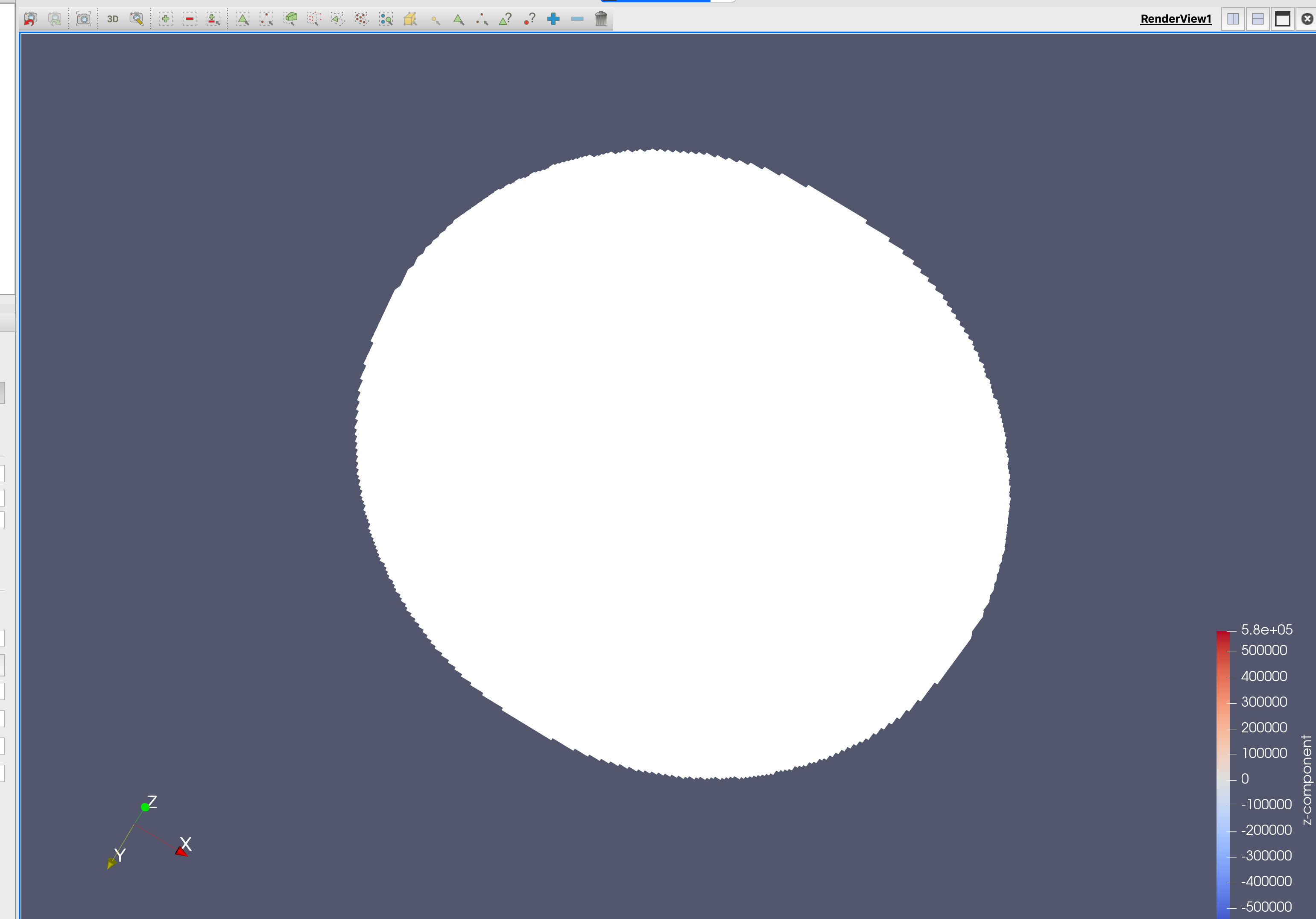
In the MAC system, I installed version 5.9 and above. After testing, I found that the color cannot be displayed when the image is closer, but only white. Is this a bug or does the new version need some settings? I present this in the attached videos and images. Look forward to your help!
[/uploads/default/original/2X/6/6a692b6fc1854eb1f04e6642126e688e63c322bd.mov](https://discourse.paraview.org/uploads/default/original/2X/6/6a692b6fc1854eb1f04e6642126e688e63c322bd.mov)
---
### Author:  [@mwestphal](https://discourse.paraview.org/u/mwestphal)
#### Post date: [November 23, 2021, 9:50am UTC](https://discourse.paraview.org/t/higher-versions-of-paraview-do-not-display-colors-when-drawing-vtk-files/8463/2 "2021-11-23T09:50:49Z")
Looks like normal issue with your dataset, please share it.
---
### Author:  [@code-whale](https://discourse.paraview.org/u/code-whale)
#### Post date: [November 23, 2021, 10:10am UTC](https://discourse.paraview.org/t/higher-versions-of-paraview-do-not-display-colors-when-drawing-vtk-files/8463/3 "2021-11-23T10:10:58Z")
This is the VTK file I used to draw. Please refer to
[7890.vtk.zip](https://discourse.paraview.org/uploads/short-url/90zDYl5brXq2m2f1CGnWQqeV3o7.zip) (2.5 MB)
---
### Author:  [@mwestphal](https://discourse.paraview.org/u/mwestphal)
#### Post date: [November 23, 2021, 10:15am UTC](https://discourse.paraview.org/t/higher-versions-of-paraview-do-not-display-colors-when-drawing-vtk-files/8463/4 "2021-11-23T10:15:03Z")
Your dataset is very small and this is causing issues with the rendering. Use a transform filter with 1000 scaling in all axes to workaround this issue.
---
### Author:  [@code-whale](https://discourse.paraview.org/u/code-whale)
#### Post date: [November 23, 2021, 10:18am UTC](https://discourse.paraview.org/t/higher-versions-of-paraview-do-not-display-colors-when-drawing-vtk-files/8463/5 "2021-11-23T10:18:58Z")
That is great! This solves the problem! Thank you very much for your help!!