# How can I draw a particle with an exact diameter?
**URL:** https://discourse.paraview.org/t/how-can-i-draw-a-particle-with-an-exact-diameter/12574
**Category:** ParaView Support
**Created:** [July 24, 2023, 3:09pm UTC](https://discourse.paraview.org/t/how-can-i-draw-a-particle-with-an-exact-diameter/12574 "2023-07-24T15:09:45Z")
**Posts on this page:** 2
**Page:** 1
### Author:  [@unknown\_family\_name](https://discourse.paraview.org/u/unknown_family_name)
#### Post date: [July 24, 2023, 3:09pm UTC](https://discourse.paraview.org/t/how-can-i-draw-a-particle-with-an-exact-diameter/12574/1 "2023-07-24T15:09:46Z")
As far as I know, using the point Gaussian method is the best way to draw a particle with its correct diameter.
I have found information about this method at the following
URL: [https://www.kitware.com/paraview-5-introducing-the-point-gaussian-representation/](https://www.kitware.com/paraview-5-introducing-the-point-gaussian-representation/)
However, my PARAVIEW (version 5.10.1 for Ubuntu) does not seem to support editing the “Scale transfer function” as explained in the above URL.

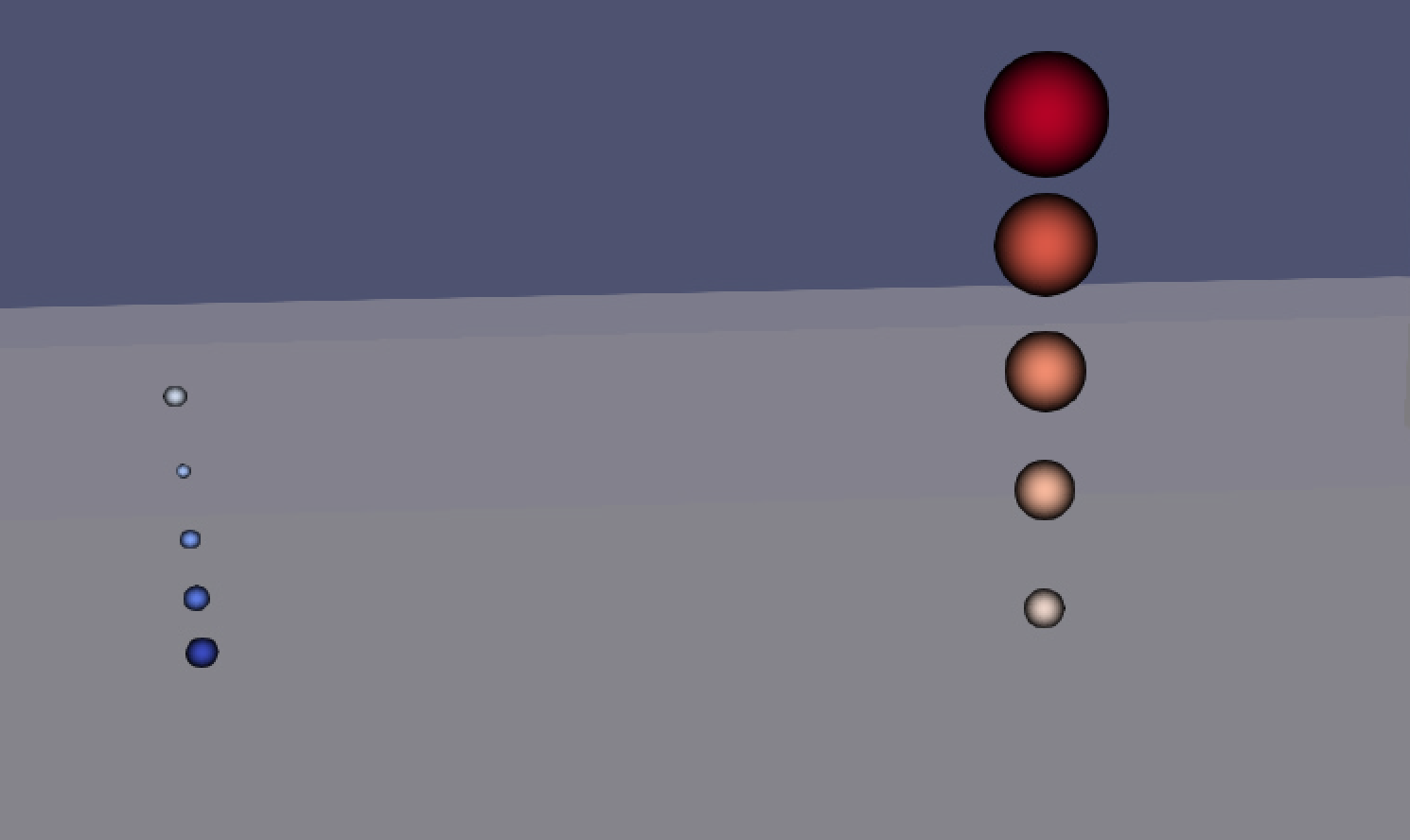
In my vtk data, a total of 10 spheres with a diameter range from 0.0005 to 0.0014 are generated, as shown in the figure.
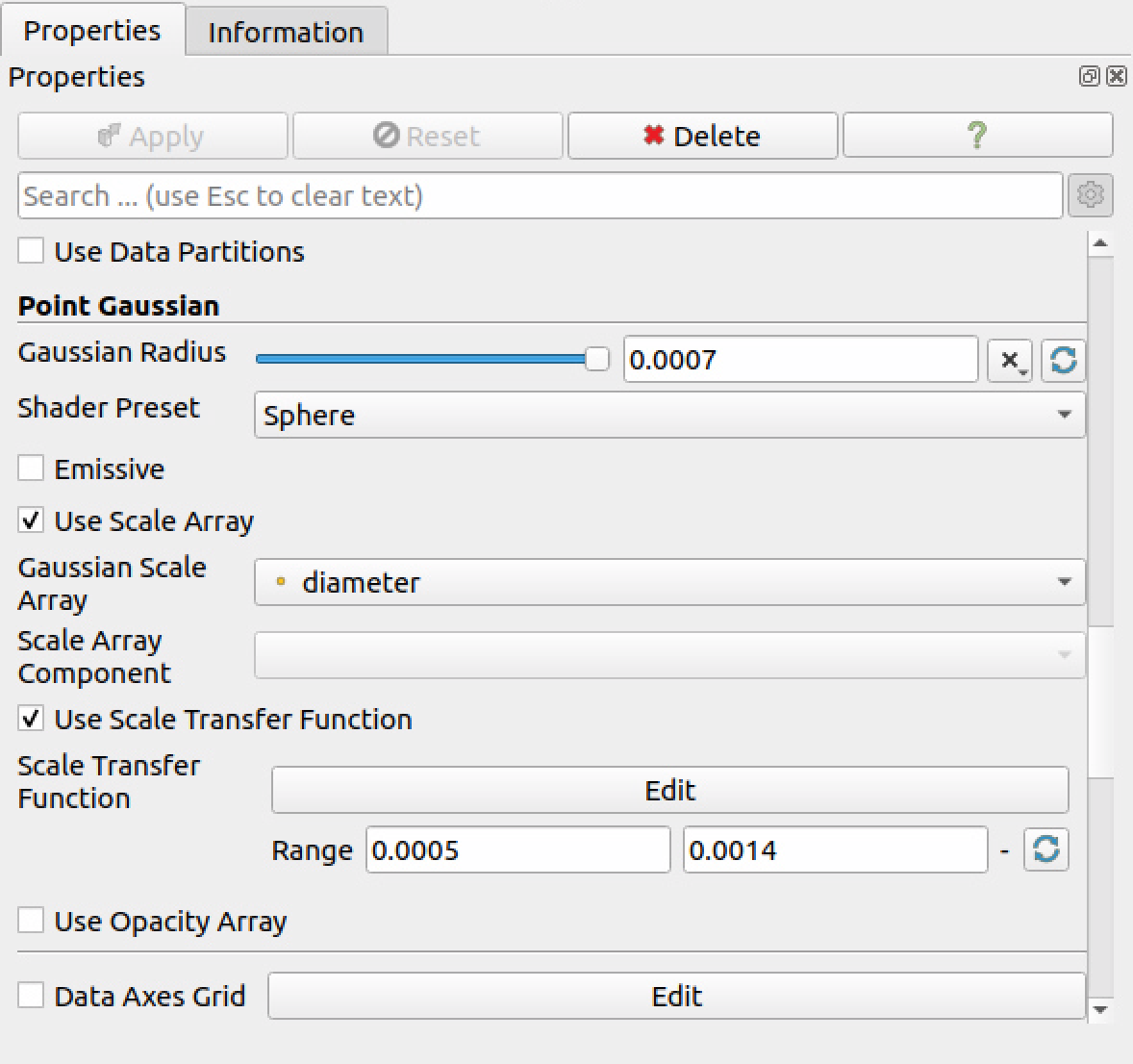
As I understand it, the Gaussian Radius should be set to the maximum radius of the spheres, and the Scale Transfer function should be adjusted to represent the maximum radius as 1.0.
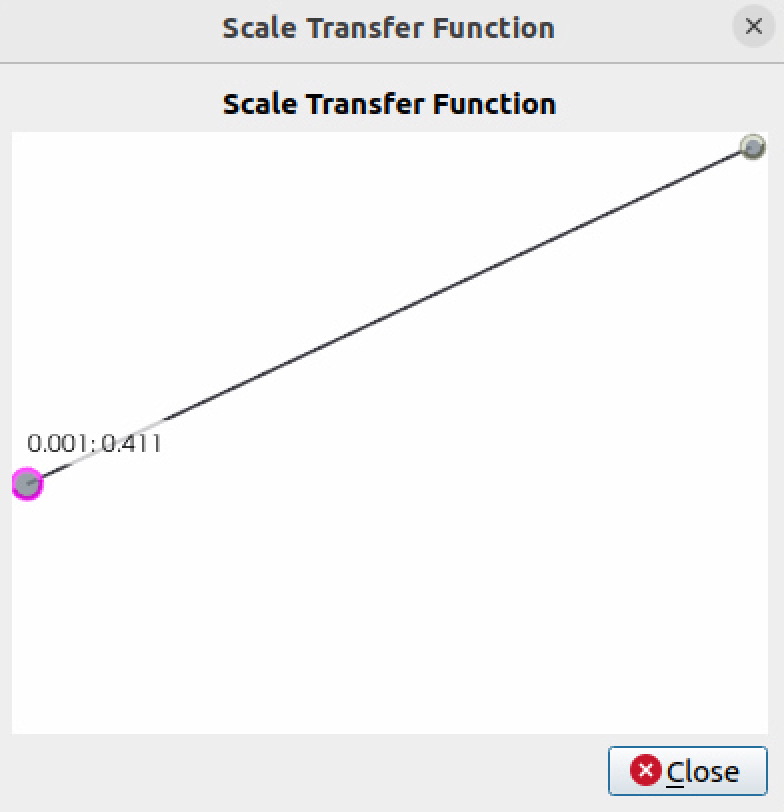
However, in the “EDIT” window of the scale transfer function, the range is limited to 0.001 to 0.001. Additionally, the value can only be adjusted by mouse dragging, not by typing in a specific number.
Please let me know if I am misunderstanding the use of the point Gaussian method.
Regards.
---
### Author:  [@mwestphal](https://discourse.paraview.org/u/mwestphal)
#### Post date: [July 24, 2023, 3:21pm UTC](https://discourse.paraview.org/t/how-can-i-draw-a-particle-with-an-exact-diameter/12574/2 "2023-07-24T15:21:04Z")
> [@unknown\_family\_name](#):
>
> the range is limited to 0.001 to 0.001.
The range should be set outside, just below the edit button.
> Additionally, the value can only be adjusted by mouse dragging, not by typing in a specific number.
Correct, this is a missing feature.