# How to add black line to color map
**URL:** https://discourse.paraview.org/t/how-to-add-black-line-to-color-map/10162
**Category:** ParaView Support
**Created:** [August 18, 2022, 10:16pm UTC](https://discourse.paraview.org/t/how-to-add-black-line-to-color-map/10162 "2022-08-18T22:16:00Z")
**Posts on this page:** 9
**Page:** 1
### Author:  [@Ying](https://discourse.paraview.org/u/Ying)
#### Post date: [August 18, 2022, 10:16pm UTC](https://discourse.paraview.org/t/how-to-add-black-line-to-color-map/10162/1 "2022-08-18T22:16:00Z")
Hi, the color map of my vorticity contour looks like:
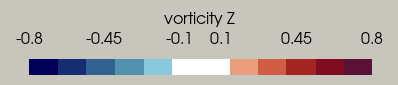
Is there any way to make it become:

that is use black line to divide different colors?
And any question is I use discretized color with 12 parts, so the contour looks like:
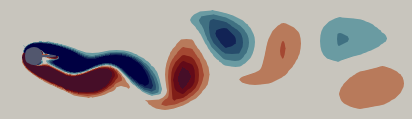
Is there any method to add black line to different color area, like the following

Any suggestion is welcome! Thanks!
---
### Author:  [@cory.quammen](https://discourse.paraview.org/u/cory.quammen)
#### Post date: [August 19, 2022, 12:36am UTC](https://discourse.paraview.org/t/how-to-add-black-line-to-color-map/10162/2 "2022-08-19T00:36:14Z")
First question: there is no way in ParaView to draw black lines between colors in the color legend as you show.
Second question: you can add a **Contour** filter on your dataset and add 12 contour values, each of which is the value where your color legend changes. Color the resulting lines by Solid color and change that color to black. You would have to determine the contour filters.
---
### Author:  [@Ying](https://discourse.paraview.org/u/Ying)
#### Post date: [August 19, 2022, 12:56am UTC](https://discourse.paraview.org/t/how-to-add-black-line-to-color-map/10162/3 "2022-08-19T00:56:23Z")
Hi Cory,
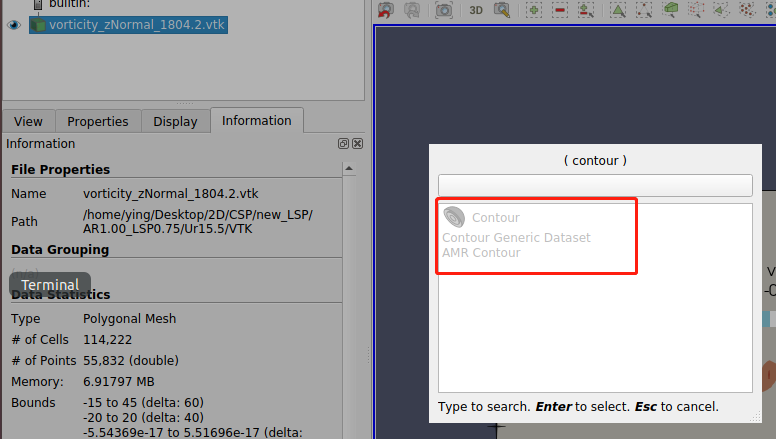
I cannot add contour filter to my vtk file.
---
### Author:  [@cory.quammen](https://discourse.paraview.org/u/cory.quammen)
#### Post date: [August 19, 2022, 1:21am UTC](https://discourse.paraview.org/t/how-to-add-black-line-to-color-map/10162/4 "2022-08-19T01:21:11Z")
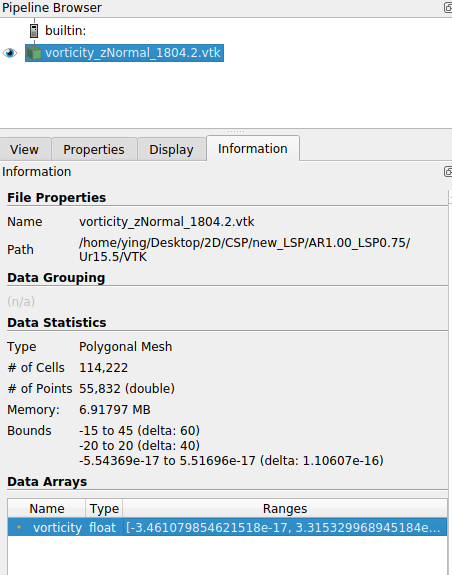
What data arrays are available? I’ll bet your data set has only cell data arrays, or point data arrays with multiple components. Feel free to attach one if you can share the data.
---
### Author:  [@Ying](https://discourse.paraview.org/u/Ying)
#### Post date: [August 19, 2022, 1:27am UTC](https://discourse.paraview.org/t/how-to-add-black-line-to-color-map/10162/5 "2022-08-19T01:27:30Z")
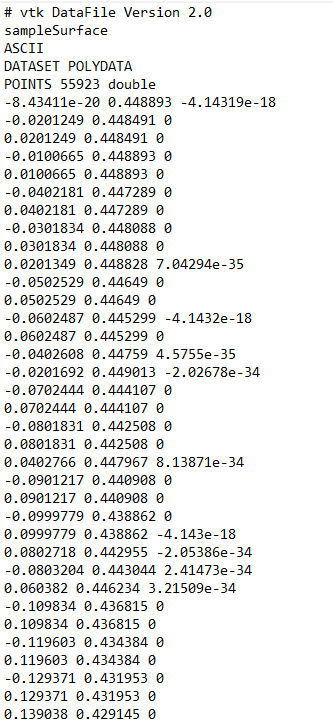
Hi Cory, my dataset is vtk file, and the data file is 4M, too big to upload, so I attach the screen shot here.
---
### Author:  [@cory.quammen](https://discourse.paraview.org/u/cory.quammen)
#### Post date: [August 19, 2022, 1:46am UTC](https://discourse.paraview.org/t/how-to-add-black-line-to-color-map/10162/6 "2022-08-19T01:46:18Z")
Please post a screenshot of the data arrays in the Information panel.
---
### Author:  [@Ying](https://discourse.paraview.org/u/Ying)
#### Post date: [August 19, 2022, 1:47am UTC](https://discourse.paraview.org/t/how-to-add-black-line-to-color-map/10162/7 "2022-08-19T01:47:58Z")
Ok, this is the information of data file.
---
### Author:  [@Ying](https://discourse.paraview.org/u/Ying)
#### Post date: [August 19, 2022, 3:34am UTC](https://discourse.paraview.org/t/how-to-add-black-line-to-color-map/10162/8 "2022-08-19T03:34:58Z")
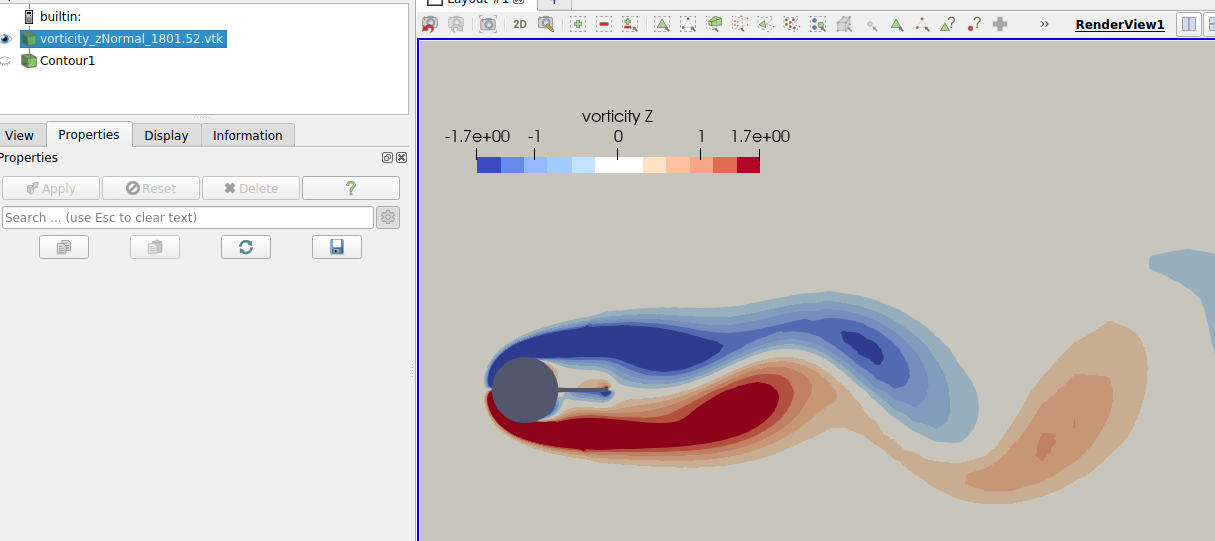
Hi Cory, I open the “auto convert properties” in paraview and now I can add the contour filter. But I met another problem relating to the color of transfer function values. As shown in figure, I set the color within certain range of value as white, and it shows in the color legend, but the contour seems to be grey not white, why would this happen?
---
### Author:  [@cory.quammen](https://discourse.paraview.org/u/cory.quammen)
#### Post date: [August 19, 2022, 3:55am UTC](https://discourse.paraview.org/t/how-to-add-black-line-to-color-map/10162/9 "2022-08-19T03:55:20Z")
Lighting is applied to the surface, Since the light isn’t bouncing directly off the surface to the camera, white appears gray.
You can effectively disable lighting by changing these Display properties to these values:
Specular Power: 0
Ambient: 1
Diffuse: 0
Cheers