# How to adjust the opacity of the mesh in a map
**URL:** https://discourse.paraview.org/t/how-to-adjust-the-opacity-of-the-mesh-in-a-map/3041
**Category:** ParaView Support
**Created:** [November 25, 2019, 10:54am UTC](https://discourse.paraview.org/t/how-to-adjust-the-opacity-of-the-mesh-in-a-map/3041 "2019-11-25T10:54:28Z")
**Posts on this page:** 4
**Page:** 1
### Author:  [@leo](https://discourse.paraview.org/u/leo)
#### Post date: [November 25, 2019, 10:54am UTC](https://discourse.paraview.org/t/how-to-adjust-the-opacity-of-the-mesh-in-a-map/3041/1 "2019-11-25T10:54:28Z")
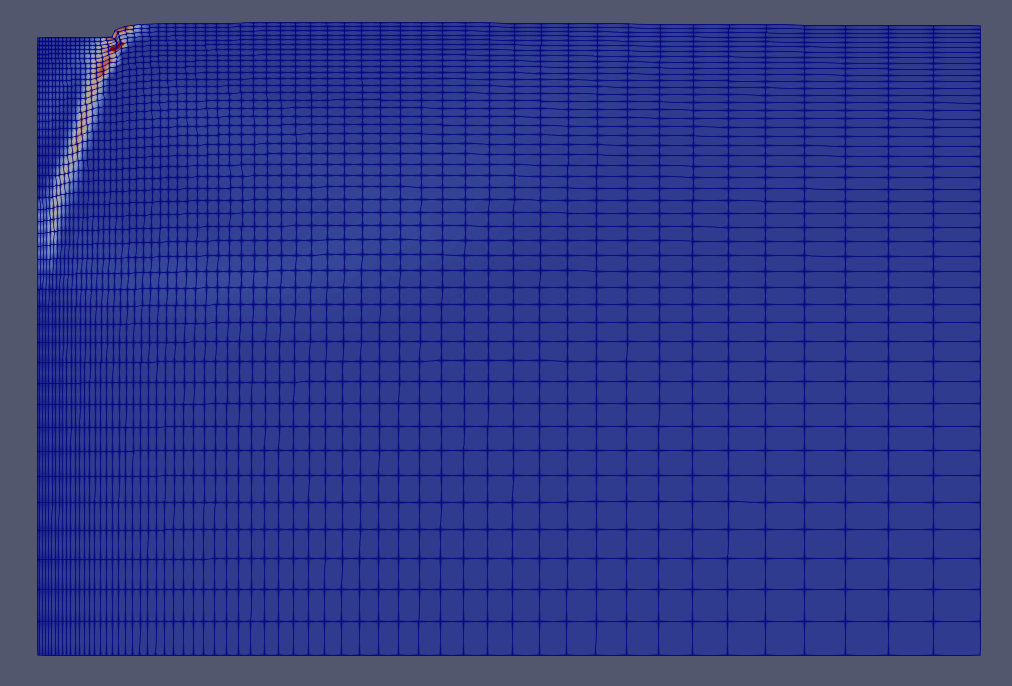
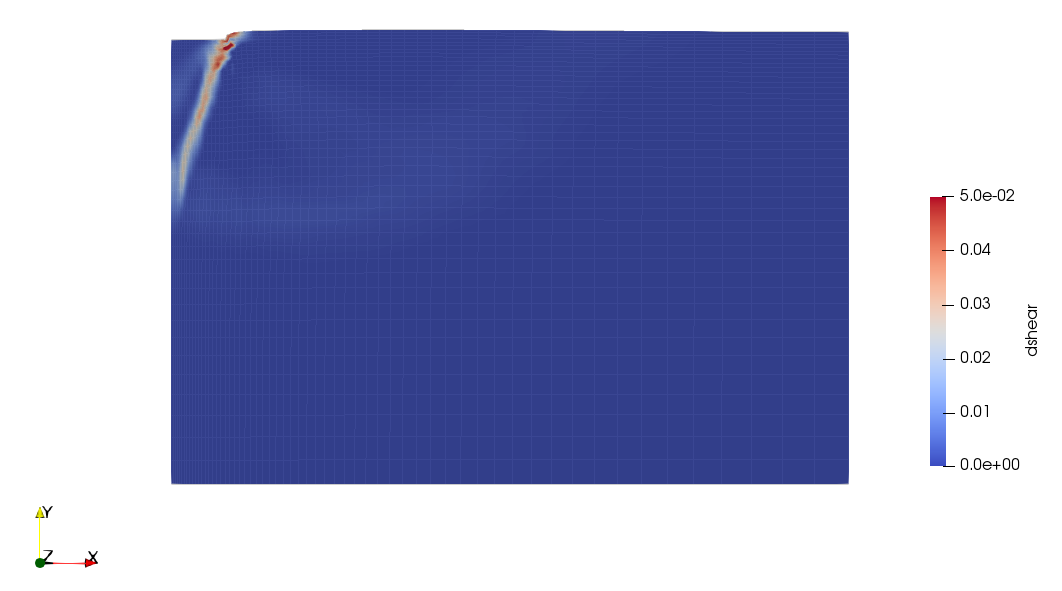
Hi, I’d like to adjust the opacity of the mesh of map by rendering to get the mesh more transparent than the map. However, I can just adjust the backface’s opacity and I have no idea adjusting the opacity of the mesh, any suggestions? Here is my original map and the map I want to get.
---
### Author:  [@mwestphal](https://discourse.paraview.org/u/mwestphal)
#### Post date: [November 25, 2019, 10:56am UTC](https://discourse.paraview.org/t/how-to-adjust-the-opacity-of-the-mesh-in-a-map/3041/2 "2019-11-25T10:56:38Z")
Use the opacity property ?
---
### Author:  [@leo](https://discourse.paraview.org/u/leo)
#### Post date: [November 25, 2019, 11:01am UTC](https://discourse.paraview.org/t/how-to-adjust-the-opacity-of-the-mesh-in-a-map/3041/3 "2019-11-25T11:01:57Z")
I have tried it, but I could only adjust the whole map’s opacity(including mesh).I have no ideas adjusting the opacity of mesh individually.
---
### Author:  [@mwestphal](https://discourse.paraview.org/u/mwestphal)
#### Post date: [November 25, 2019, 12:14pm UTC](https://discourse.paraview.org/t/how-to-adjust-the-opacity-of-the-mesh-in-a-map/3041/4 "2019-11-25T12:14:58Z")
What are you calling a mesh exactly ?