# How to change coloring scheme?
**URL:** https://discourse.paraview.org/t/how-to-change-coloring-scheme/15967
**Category:** Web Support
**Tags:** vtk
**Created:** [January 11, 2025, 11:28pm UTC](https://discourse.paraview.org/t/how-to-change-coloring-scheme/15967 "2025-01-11T23:28:45Z")
**Posts on this page:** 6
**Page:** 1
### Author:  [@CharlesL](https://discourse.paraview.org/u/CharlesL)
#### Post date: [January 11, 2025, 11:28pm UTC](https://discourse.paraview.org/t/how-to-change-coloring-scheme/15967/1 "2025-01-11T23:28:45Z")
I’m new to vtk.js. After reading, I made javascript work though I don’t why; it is just by accident and I don’t even explicitly use lookup table functio. I need help in changing the color schem. In picture below, pressure 0 is red and presure 6.8 is blue. But I want it opposite. Appreciate any help in advance.
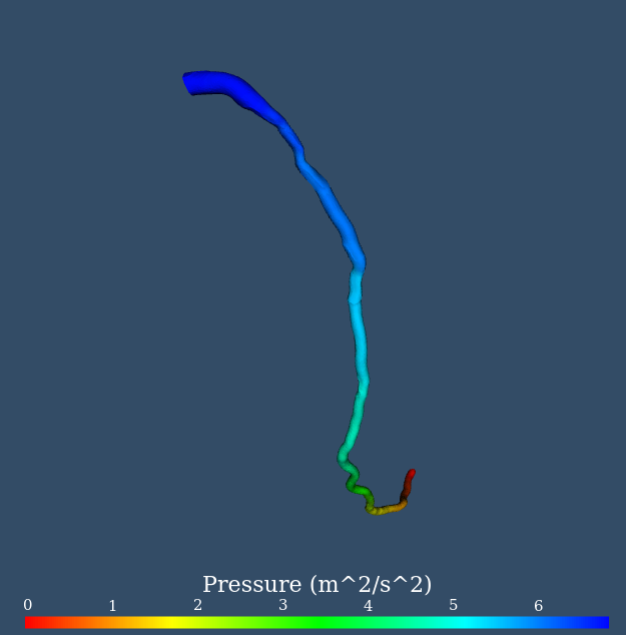
Here is my code.
```auto
// ----
// standard rendering code setup
// ---
const vtkRenderScreen = vtk.Rendering.Misc.vtkFullScreenRenderWindow.newInstance({
container: document.querySelector('#vtkContainer'), background: [0.2, 0.3, 0.4] });
export var renderer = vtkRenderScreen.getRenderer();
export var renderWindow = vtkRenderScreen.getRenderWindow();
// ---
// simple pipeline source --> mapper --> actor
// ---
// source
export const reader = vtk.IO.XML.vtkXMLPolyDataReader.newInstance();
reader.setUrl(vtpsrc).then(() => {
reader.loadData().then(() => {
const source = reader.getOutputData(0);
const scalars = source.getPointData().getScalars();
const dataRange = [].concat(scalars ? scalars.getRange() : [0, 1]);
const location = "PointData";
const ArrayName = "p";
const colorArray = source[`get${location}`]().getArrayByName(ArrayName);
const newDataRange = colorArray.getRange();
dataRange[0] = newDataRange[0];
dataRange[1] = newDataRange[1];
source.getPointData().setScalars(colorArray);
let lut = mapper.getLookupTable()
lut.setRange(dataRange[0], dataRange[1]);
mapper.setScalarModeToUsePointData();
mapper.setColorModeToMapScalars();
mapper.setScalarRange(0, 1);
mapper.setLookupTable(lut);
mapper.setUseLookupTableScalarRange(true);
mapper.update();
const scalarBarActor = vtk.Rendering.Core.vtkScalarBarActor.newInstance();
scalarBarActor.setScalarsToColors(lut);
scalarBarActor.setDrawNanAnnotation(false);
scalarBarActor.setAxisLabel("Pressure (m^2/s^2)");
scalarBarActor.setVisibility(true);
renderer.addActor(scalarBarActor);
renderer.resetCamera();
renderWindow.render();
});
});
// ---
// mapper
// ---
export var mapper = vtk.Rendering.Core.vtkMapper.newInstance();
mapper.setInputConnection(reader.getOutputPort());
// ---
// actor
// ---
export var actor = vtk.Rendering.Core.vtkActor.newInstance();
actor.setMapper(mapper);
// ---
// add the actor to the render
// set the camera based on it
// ---
renderer.addActor(actor);
renderer.resetCamera();
```
---
### Author:  [@jourdain](https://discourse.paraview.org/u/jourdain)
#### Post date: [January 12, 2025, 11:13pm UTC](https://discourse.paraview.org/t/how-to-change-coloring-scheme/15967/2 "2025-01-12T23:13:33Z")
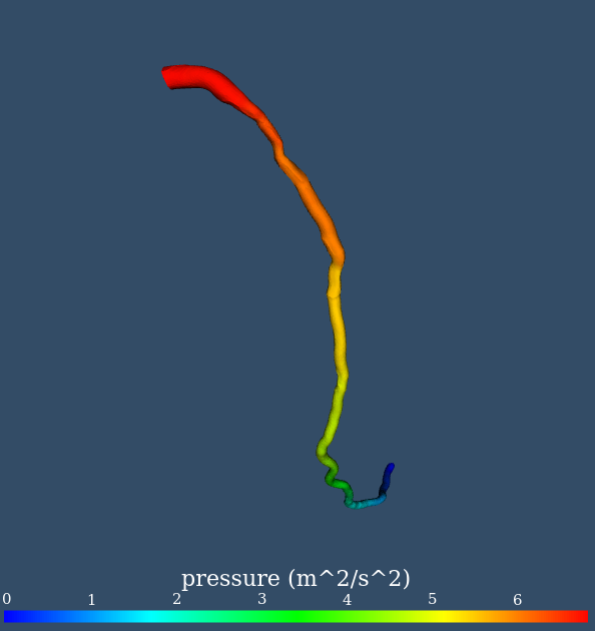
If you aim to stick with the rainbow color, you can find some different settings [here](https://examples.vtk.org/site/Python/Rendering/Rainbow/) (`lut.setHueRange(0.667, 0.0)`) but otherwise, you can use some presets like we do in the [geometry example](https://kitware.github.io/vtk-js/examples/GeometryViewer.html).
---
### Author:  [@CharlesL](https://discourse.paraview.org/u/CharlesL)
#### Post date: [January 13, 2025, 6:09pm UTC](https://discourse.paraview.org/t/how-to-change-coloring-scheme/15967/3 "2025-01-13T18:09:13Z")
> [@jourdain](#):
>
> lut.setHueRange(0.667, 0.0)
Thanks Sebastien. It works very well.
---
### Author:  [@CharlesL](https://discourse.paraview.org/u/CharlesL)
#### Post date: [January 14, 2025, 12:21am UTC](https://discourse.paraview.org/t/how-to-change-coloring-scheme/15967/4 "2025-01-14T00:21:02Z")
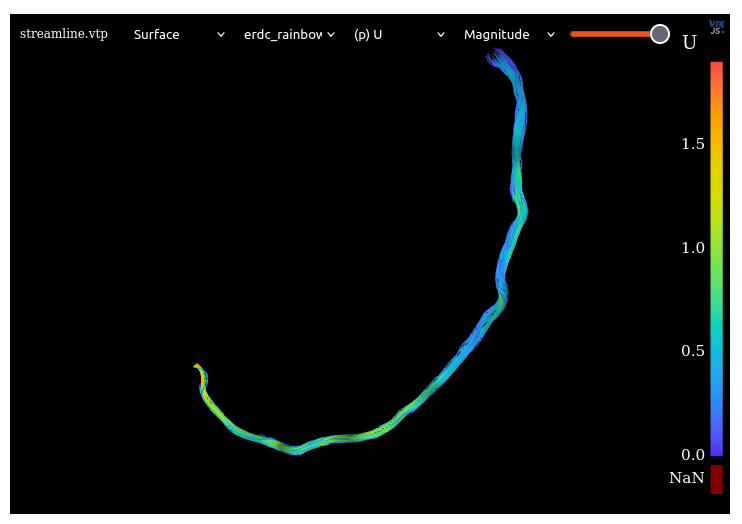
Though the pressure contour is great, the velocity magnitude is strange (see below that I compare my result and with that geometryViewer result). It is from the same set of data but it may not be surface but streamline. Can this be the cause of difference? Thanks in advance.
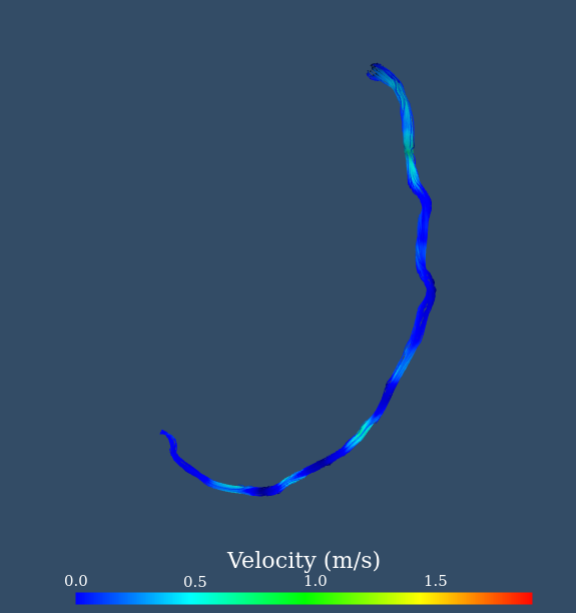
The GeometryViewer is correct.
---
### Author:  [@jourdain](https://discourse.paraview.org/u/jourdain)
#### Post date: [January 15, 2025, 6:56pm UTC](https://discourse.paraview.org/t/how-to-change-coloring-scheme/15967/5 "2025-01-15T18:56:36Z")
Color by magnitude instead of component?
---
### Author:  [@CharlesL](https://discourse.paraview.org/u/CharlesL)
#### Post date: [January 15, 2025, 7:59pm UTC](https://discourse.paraview.org/t/how-to-change-coloring-scheme/15967/6 "2025-01-15T19:59:05Z")
Indeed. It picked component. With magnitude, it looks great!
