# How to change the default settings in Paraview lite?
**URL:** https://discourse.paraview.org/t/how-to-change-the-default-settings-in-paraview-lite/7704
**Category:** ParaView Support
**Created:** [July 28, 2021, 3:44am UTC](https://discourse.paraview.org/t/how-to-change-the-default-settings-in-paraview-lite/7704 "2021-07-28T03:44:47Z")
**Posts on this page:** 6
**Page:** 1
### Author:  [@rasunag27](https://discourse.paraview.org/u/rasunag27)
#### Post date: [July 28, 2021, 3:44am UTC](https://discourse.paraview.org/t/how-to-change-the-default-settings-in-paraview-lite/7704/1 "2021-07-28T03:44:47Z")
Dear all,
I would like to change few default representations in Paraview lite. I have highlighted the needs of change in below points with example. Could anyone please shed a light on this on where I can change this either in pvw-lite.py or in lite\_protocols.py.
1. When I open Paraview lite, it should directly show the parameter representation and not Surface. How can I make it possible to do that?
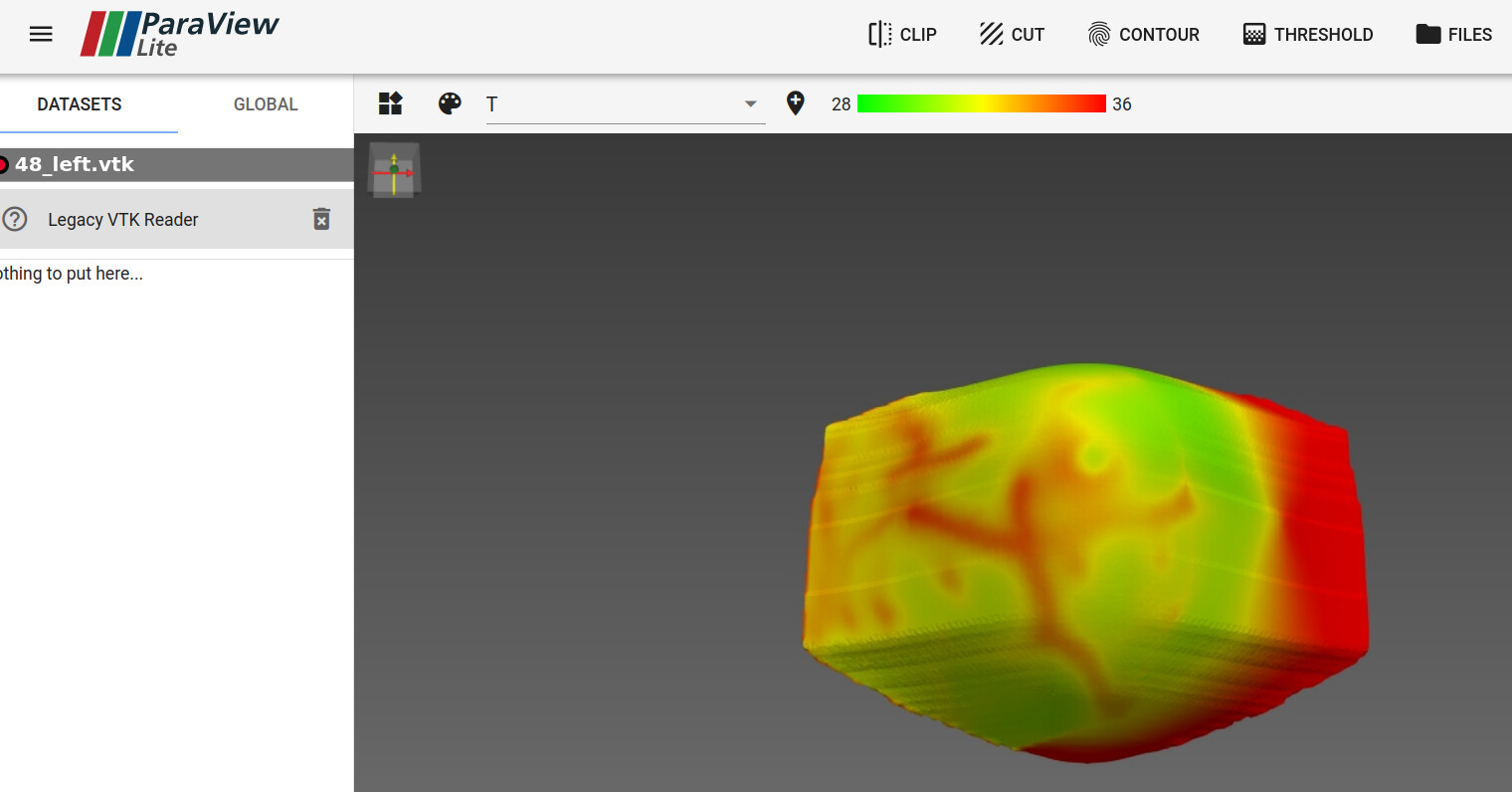
2. I need the parameter, say Temp, to be default in the range of 28~36 (for eg). In Background with Paraview-current, I have made it as default. I thought Paraview lite would take these defaults settings and show it when I open.
If not correct, how can I modify the code to change it to default parameter values?
**Below I have placed an image example for my default setting which is needed after opening paraview-lite without any extra button clicking.**
Say, I have one file in the data. Basically, when I port to Paraview lite, it should directly show that file with the default settings as said above.
Any leads will be appreciated.
Regards,
Sunag R A.
---
### Author:  [@jourdain](https://discourse.paraview.org/u/jourdain)
#### Post date: [July 29, 2021, 8:16pm UTC](https://discourse.paraview.org/t/how-to-change-the-default-settings-in-paraview-lite/7704/2 "2021-07-29T20:16:50Z")
removing the `-dr` argument in your call with PVLite kept pv settings and should solve that issue.
---
### Author:  [@rasunag27](https://discourse.paraview.org/u/rasunag27)
#### Post date: [July 30, 2021, 7:52am UTC](https://discourse.paraview.org/t/how-to-change-the-default-settings-in-paraview-lite/7704/3 "2021-07-30T07:52:08Z")
Hi,
I removed the `-dr` argument in the config file and the color palette worked.
But the range of the color palette is not adjusted as per my requirements. Even if I set the range in pv-current, it changes back to DataRange upon next opening.
So, I checked in `lite_protocols.py` for the relevant color transfer function code.
In `paraview.lite.lut.get`, I tried to change the `lut.GetRange()` to `lut.SetRange(28.0, 36.0)`, the values as per my requirement.
But, I found Type error which says
`TypeError: 'NoneType' object is not subscriptable\n"`.
I found the vtk code in this link: [vtk\_setrange\_doc](https://vtk.org/doc/release/5.4/html/a00980.html)
How do I set it to the range needed? Is it the format of addressing SetRange wrong?
Regards,
Sunag R A.
---
### Author:  [@jourdain](https://discourse.paraview.org/u/jourdain)
#### Post date: [July 30, 2021, 4:27pm UTC](https://discourse.paraview.org/t/how-to-change-the-default-settings-in-paraview-lite/7704/4 "2021-07-30T16:27:22Z")
Get the name of the class from your instance (`print(lut.GetClassName())`) and look at its API (Google class name).
---
### Author:  [@rasunag27](https://discourse.paraview.org/u/rasunag27)
#### Post date: [August 2, 2021, 9:33am UTC](https://discourse.paraview.org/t/how-to-change-the-default-settings-in-paraview-lite/7704/5 "2021-08-02T09:33:29Z")
Hi,
I traced the color setting with python using `python tracer` in paraview and tried to implement in `lite_protocols.py`.
Firstly, I manually set the dataRange as `dataRange = (28.0, 36.0)`. This is done since these range would be constant throughout. This worked and showed in the server within this dataRange.
But the color transfer function values I used was
`Value R G B 28.0 0 1 0 36.0 1 0 0`
These value change in python trace showed as:
`tLUT.RGBPoints = [28.0, 0.0, 1.0, 0.0, 36.0, 1.0, 0.0, 0.0]`
Where do I modify this in the `lite_protocols.py`?
**After dataRange is set manually I have the color palette as shown below:**
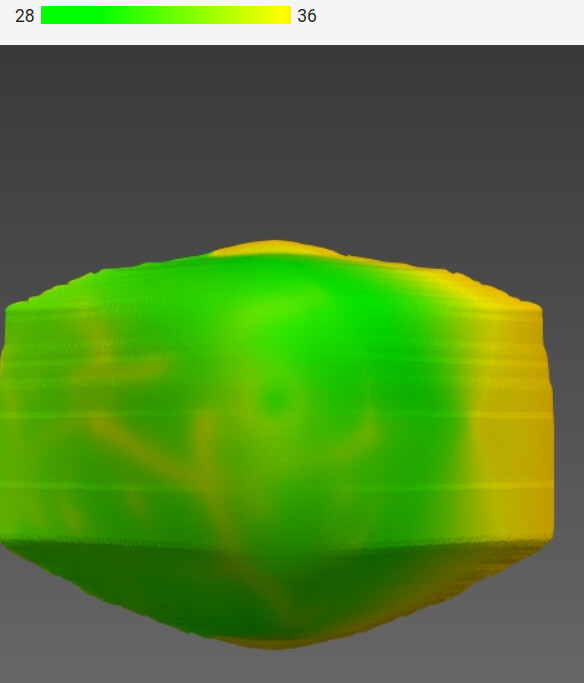
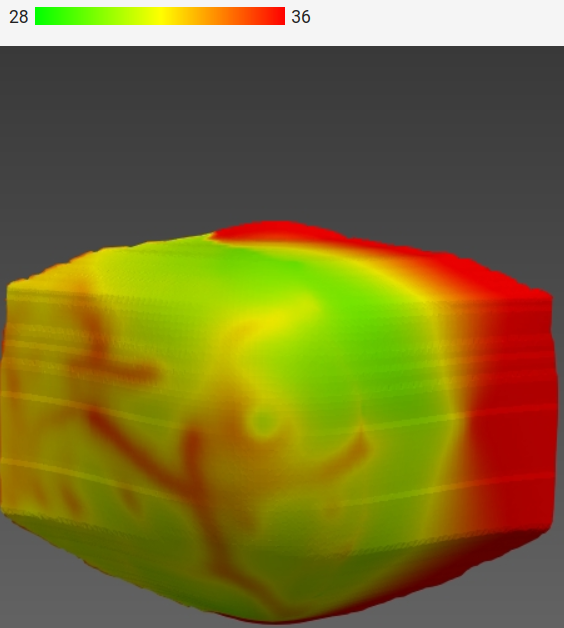
But, I want this color palette which takes when it used `lut.GetRange()`. This was done manually in paraview web lite. So, where to add the lut.RGBPoints so that it gets to this one as shown below:
Regards,
Sunag R A.
---
### Author:  [@jourdain](https://discourse.paraview.org/u/jourdain)
#### Post date: [August 2, 2021, 4:45pm UTC](https://discourse.paraview.org/t/how-to-change-the-default-settings-in-paraview-lite/7704/6 "2021-08-02T16:45:36Z")
Not sure, it depend when you want to perform the change.
But it may happen in the core [protocols](https://github.com/Kitware/ParaView/blob/master/Web/Python/paraview/web/protocols.py).