# how to combine vtu source and their glyph filter to be one source
**URL:** https://discourse.paraview.org/t/how-to-combine-vtu-source-and-their-glyph-filter-to-be-one-source/7981
**Category:** ParaView Support
**Created:** [September 13, 2021, 3:12am UTC](https://discourse.paraview.org/t/how-to-combine-vtu-source-and-their-glyph-filter-to-be-one-source/7981 "2021-09-13T03:12:53Z")
**Posts on this page:** 5
**Page:** 1
### Author:  [@sofeiya2021](https://discourse.paraview.org/u/sofeiya2021)
#### Post date: [September 13, 2021, 3:12am UTC](https://discourse.paraview.org/t/how-to-combine-vtu-source-and-their-glyph-filter-to-be-one-source/7981/1 "2021-09-13T03:12:53Z")
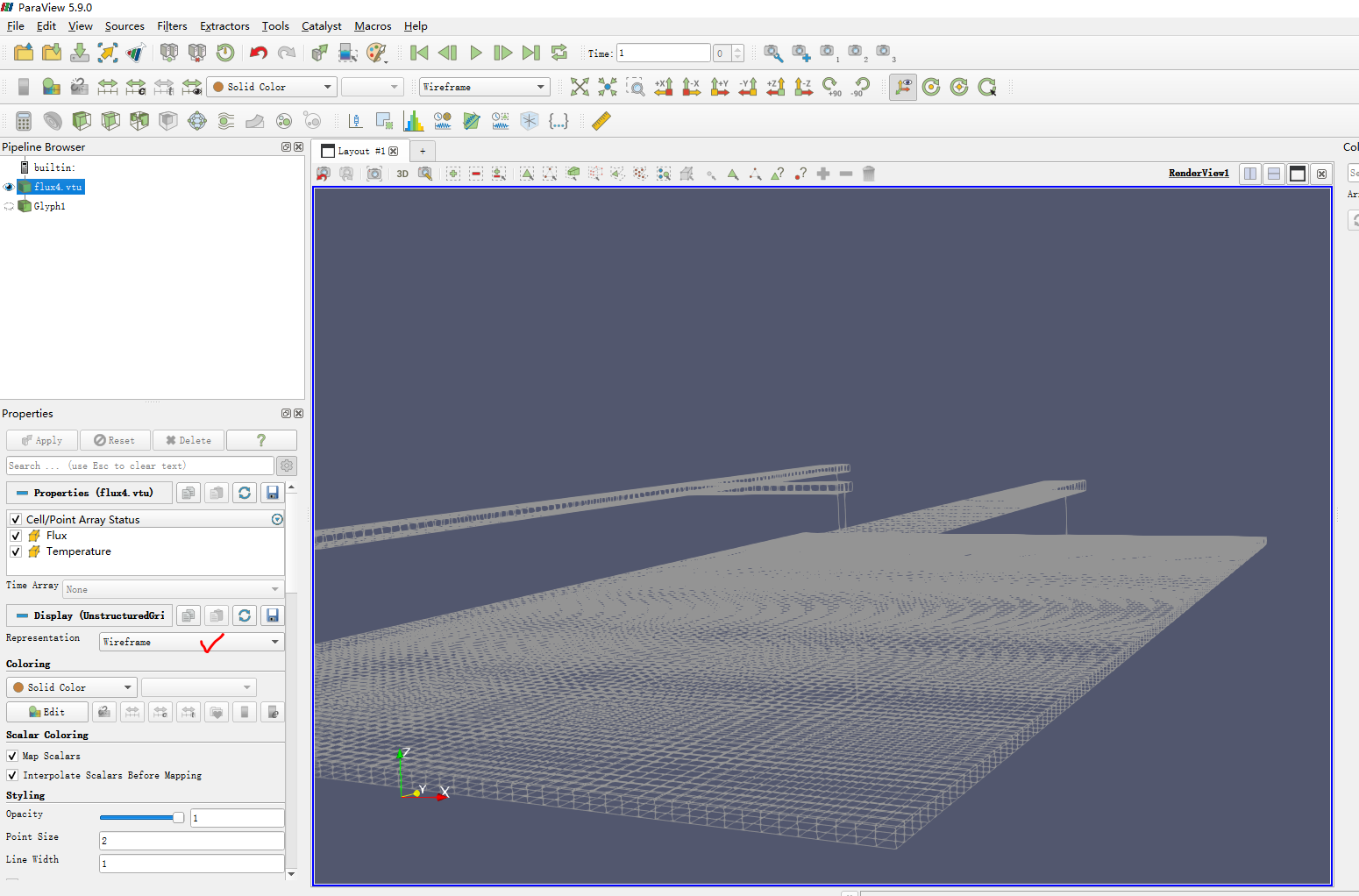
1.this is my souce flux4.vtu,the representation is Wireframe
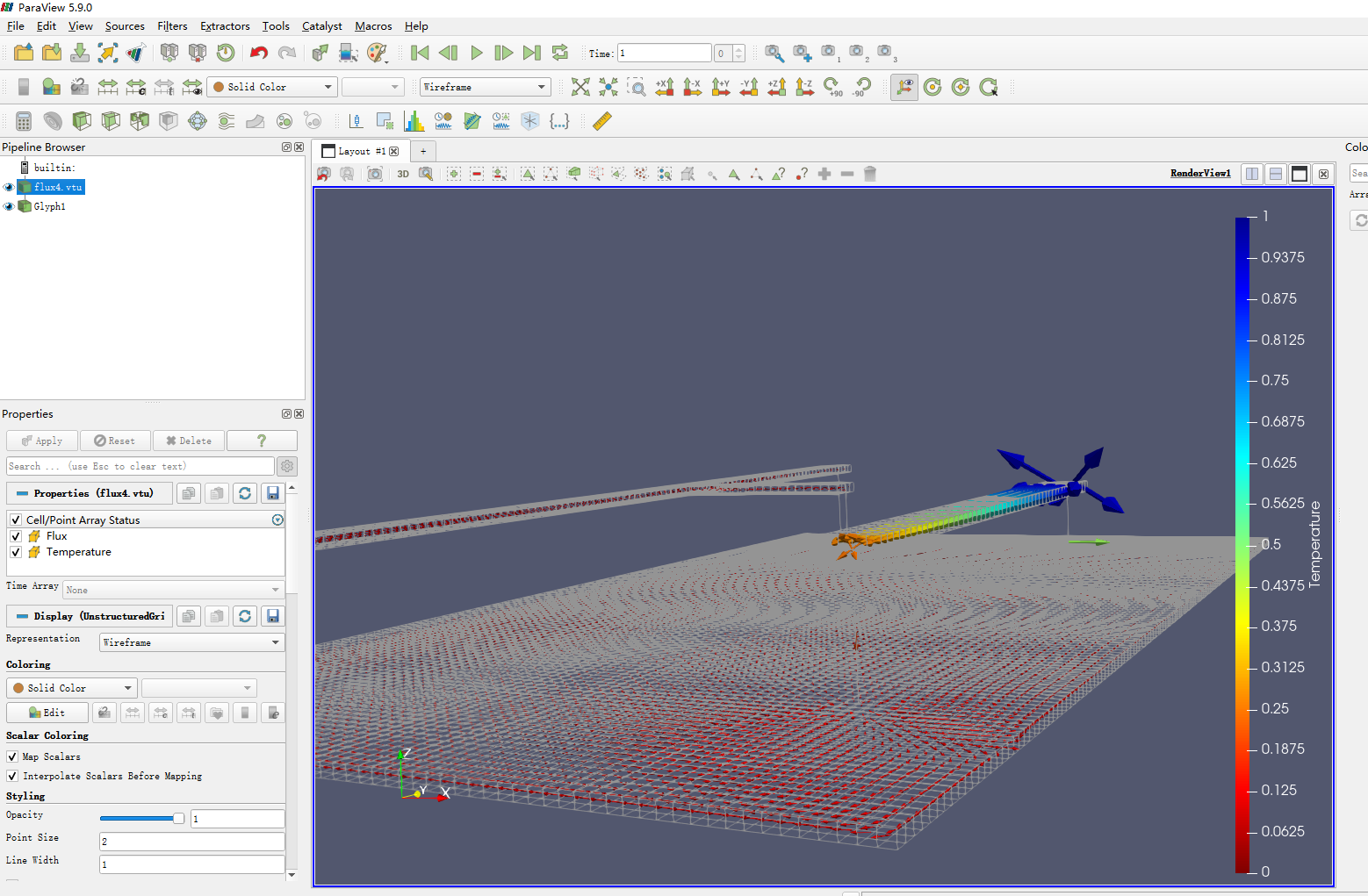
2.this is the glyph filter form flux4.vtu source

3.I can show flux4.vtu and glyph1 at the same time. The merging effect is as shown in render view in the figure below. However, there can be no two resources in the pipline browser, and only one resource name can be reserved. How do I do it?
---
### Author:  [@Kenichiro-Yoshimi](https://discourse.paraview.org/u/Kenichiro-Yoshimi)
#### Post date: [September 13, 2021, 10:16am UTC](https://discourse.paraview.org/t/how-to-combine-vtu-source-and-their-glyph-filter-to-be-one-source/7981/2 "2021-09-13T10:16:25Z")
In the Pipeline Browser, select both flux4.vtu and Glyph1 by holding down the Ctrl key, and then use **Filters \> alphabetical \> Append Datasets** filter.
---
### Author:  [@sofeiya2021](https://discourse.paraview.org/u/sofeiya2021)
#### Post date: [September 13, 2021, 10:31am UTC](https://discourse.paraview.org/t/how-to-combine-vtu-source-and-their-glyph-filter-to-be-one-source/7981/3 "2021-09-13T10:31:18Z")
The grid of flux.vtu and the arrow of glyph need to display different colors,
but the Append Datasets just show the same color

---
### Author:  [@Kenichiro-Yoshimi](https://discourse.paraview.org/u/Kenichiro-Yoshimi)
#### Post date: [September 13, 2021, 10:56am UTC](https://discourse.paraview.org/t/how-to-combine-vtu-source-and-their-glyph-filter-to-be-one-source/7981/4 "2021-09-13T10:56:14Z")
I think it would not be possible to combine multiple datasets into one and then color each one with a different variable. With the **Group DataSets** filter, you can change the color for each block, but you would not be able to color them with different variables.
---
### Author:  [@Kenneth\_Moreland](https://discourse.paraview.org/u/Kenneth_Moreland)
#### Post date: [September 13, 2021, 12:18pm UTC](https://discourse.paraview.org/t/how-to-combine-vtu-source-and-their-glyph-filter-to-be-one-source/7981/5 "2021-09-13T12:18:53Z")
You can use the `Group Datasets` . This will combine the data into a multiblock data set. From here you have some minor controls to display the different blocks with different colors. You can color the dataset by Temperature and then open the `View` → `Multi-block Inspector` to override the color of the mesh to be white.
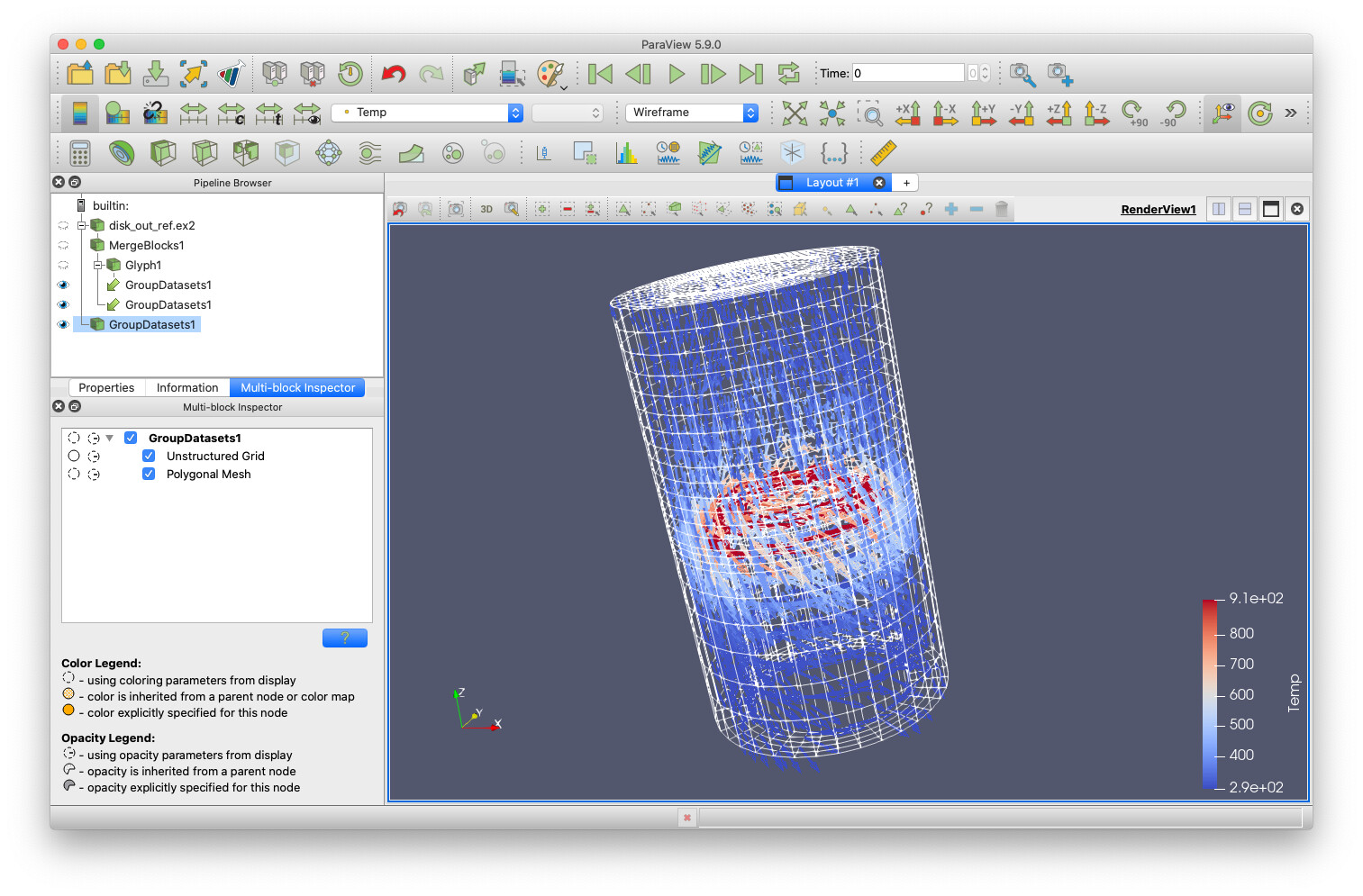
That said, there are limitations to how much you can change how each block looks. For example, although you can draw one block with a field color (such as Temperature) and override the other block to be a solid color, you cannot color two blocks with different fields (e.g. color glyphs by temperature and the mesh by pressure). Also, you cannot change the representation of blocks independently. Either all blocks have to be wireframe or all blocks have to be surface. (That said, you can adjust the opacity of each block.)
So I don’t know if this solves your problem. But perhaps you can describe why you say:
> [@sofeiya2021](#):
>
> there can be no two resources in the pipline browser, and only one resource name can be reserved
Why? Everything in ParaView works fine with multiple resources and names. If you need the different resources colored differently, it is _always_ going to be easier to do that with separate pipeline objects than to try to draw parts of the same pipeline object differently.